


During gameplay, the spacecraft becomes completely frozen in 3D space. All audio, visual effects, and background animations continue functioning normally, but the ship itself remains stuck and unresponsive. At the same time, the keyboard and mouse stop working properly: inputs are ignored.
Need More Information
Seemed to be running fine with 2.0.2.21, but after update to 2.0.2.26 loading a saved game freezes about 75% of the time. When I am able to load the game successifly, the game will freeze within 30 minutes of playing.
Files:
SpaceEngineers2...
SpaceEngineers2...
DesktopPC 2025-...
SpaceEngineers2...
SpaceEngineers2...
251203-203027-2...
SpaceEngineers2...
SpaceEngineers2...
ProcessFailureD...
SpaceEngineers2...
SpaceEngineers2...
SpaceEngineers2...
SpaceEngineers2...
SpaceEngineers2...
SpaceEngineers2...
SpaceEngineers2...
SpaceEngineers2...
Leak.png
SpaceEngineers2...
SpaceEngineers2...
SpaceEngineers2...
SpaceEngineers2...
DxDiag.txt
no name.jpg
hardware.jpg
DxDiag.txt
Screenshot 2025...
SpaceEngineers2...
SpaceEngineers2...
SpaceEngineers2...
SpaceEngineers2...
SpaceEngineers2...
SpaceEngineers2...
SpaceEngineers2...
SpaceEngineers2...
SpaceEngineers2...
SpaceEngineers2...
SpaceEngineers2...
SpaceEngineers2...
SpaceEngineers2...
SpaceEngineers2...
SpaceEngineers2...
SpaceEngineers2...
SpaceEngineers2...
SpaceEngineers2...
SpaceEngineers2...
SpaceEngineers2...
SpaceEngineers2...
SpaceEngineers2...
SpaceEngineers2...
SpaceEngineers2...
SpaceEngineers2...
SpaceEngineers2...
SpaceEngineers2...
SpaceEngineers2...
SpaceEngineers2...
SpaceEngineers2...
SpaceEngineers2...
SpaceEngineers2...
SpaceEngineers2...
DxDiag_20251203...
Solarfly_SE2_2....
Welcome To Verd...
Welcome To Verd...
SE2 Ram.JPG
SE2 game freeze...
SpaceEngineers2...
SpaceEngineers2...
SpaceEngineers2...
SpaceEngineers2...
SpaceEngineers2...
SpaceEngineers2...
SpaceEngineers2...
SpaceEngineers2...
SpaceEngineers2...
SpaceEngineers2...
SpaceEngineers2...
SpaceEngineers2...
SpaceEngineers2...
SpaceEngineers2...
SpaceEngineers2...
SpaceEngineers2...
SpaceEngineers2...
SpaceEngineers2...
20251204043154_...
SpaceEngineers2...
SpaceEngineers2...
SpaceEngineers2...
SpaceEngineers2...
Space Engineers...
Space Engineers...
SpaceEngineers2...
SpaceEngineers2...
SpaceEngineers2...
SpaceEngineers2...
SpaceEngineers2...
SpaceEngineers2...
Merged Objects
Cant load savefile. Infinite loading then game stops responding and crash to desktop
Trying to load my savefile from yesterday but it will not load and after a while it will crash to desktop with "application does not respond"
Here are my savefile and log
Can't load Save
When I start a new game the game uses around 4-5GB memory. When I try to load my latest save file, about 1-2 days of progress it tries to use more than 27GB memory. Only have 32GB so it stops responding.
[SOLVED] Save won't load [memory leak?]
The game was saved normally and SE2 restarted in case thruster effects would start working but now the save wont load anymore.
When loading the save Space Engineers 2 uses 24GB of RAM. Loading the backup save only uses 8GB of RAM. The backup saves works, but didn't include them in the zip.
EDIT: Verifying game files made it possible to load the save
welcome to verdure fails to load
when reopening verdure save, save fails to load for many minutes.
flying grasshoper crashes game
when first flying grasshopper after fixing it, flying to explore marker, gpu driver crashes
Memory Leak After Update
After the update 03/12/2025 game started crashing after 2 min in the game
Possible Memory leak issue causing game to freeze
I'm getting an issue of the game freezing during the survival campaign. After building the atmospheric ship the game keeps freezing on my way to the next objective. The game does not respond to inputs or mouse, the grid and player do not move, however the trees, foliage and clouds remain animated. I checked Task Manager and noticed the game was using ~98% of my 32 GB of RAM. I have attached the logs for the entire few sessions and will list my PC spec below.
CPU: AMD Ryzen 5 3500 6-Core 3.60GHz
RAM; 32GB DDR4
GPU: NVIDIA GeForce RTX 3060 12GB GDDR6
OS: Windows 11 24H2
Endless loading screen when selecting continue from the main menu
As the title suggests, when I attempt to use the continue function from the main menu and proceeding to the loading screen, the game loads seemingly infinitely (longer than five minutes).
For comparison, loading the game from the load games screen results in a sub-15 second load time.
Dxdiag.txt included.
Game corrupted world save after "fake freezing"
Was in a game entering planet when it began an infinite "Saving world" when all VFX continued to play, like clouds, after about 10 minutes used Task Manager to close SE2 as there was no other way attempting to load the main save, will cause the game to use all system Memory (32GB) I stopped it at about 20 GB of usage as it will fail
loading any backups just bring up a "World failed to load see logs for details" other world files load fine not sure where to locate said log
The game is unable to load
Greetings!
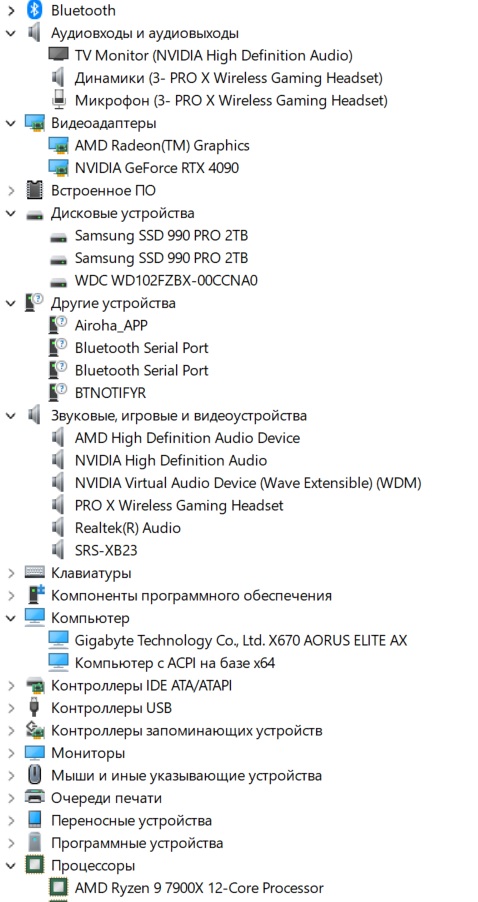
The game is unable to load yesterday's survival save. It shows loading screen indefinitely while eating up RAM in the background. I am pretty sure 35 GB of RAM usage is not expected. I have attached a screenshot of the problem.
Creative mode save loads successfully though.
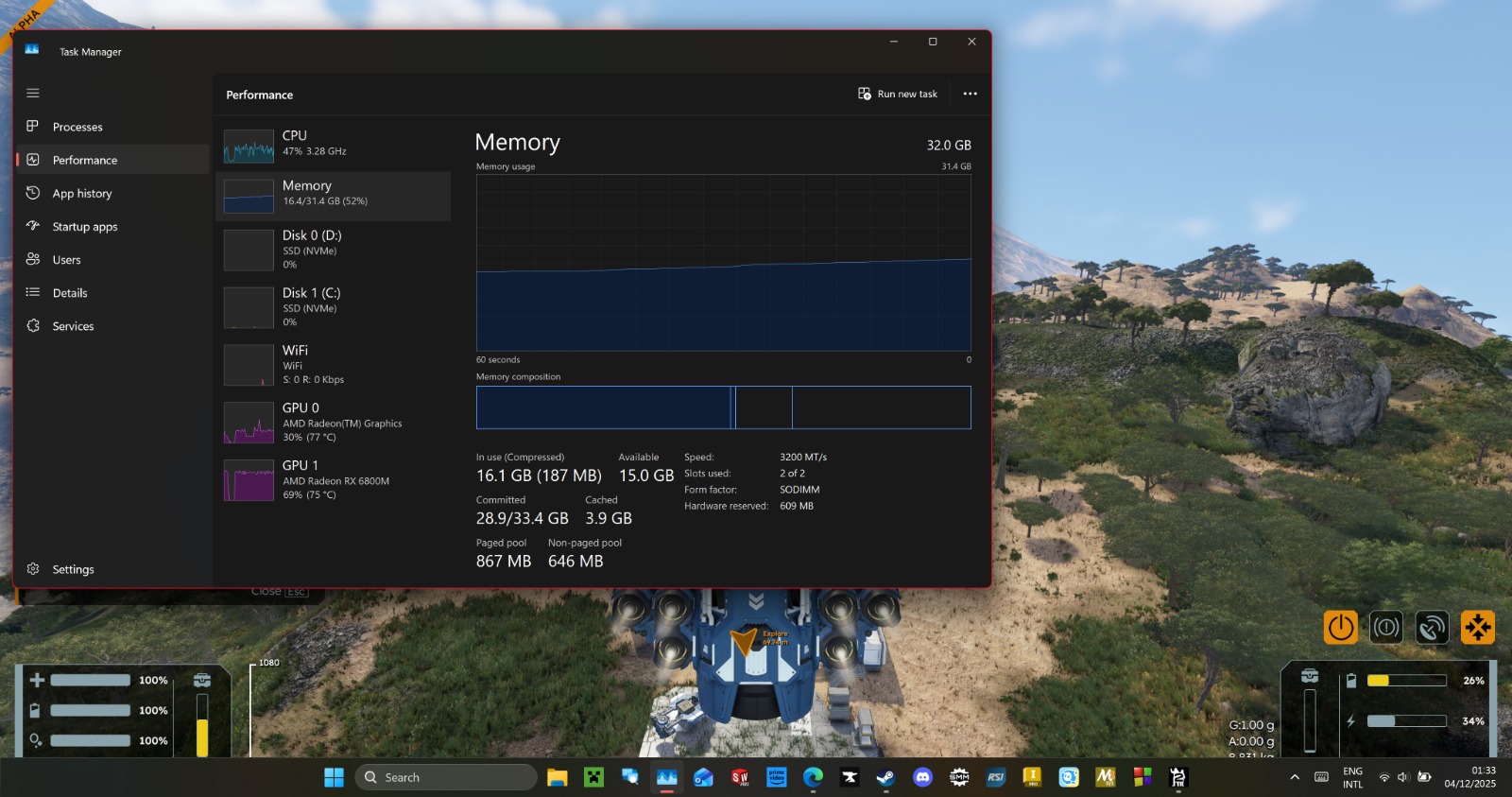
I have also attached a screenshot of PC hardware manager if this helps.
Please let me know if i can provide more useful context.
Regards,
Tkachev D.
Game hangs on mission 4 while travelling to the crashed ship
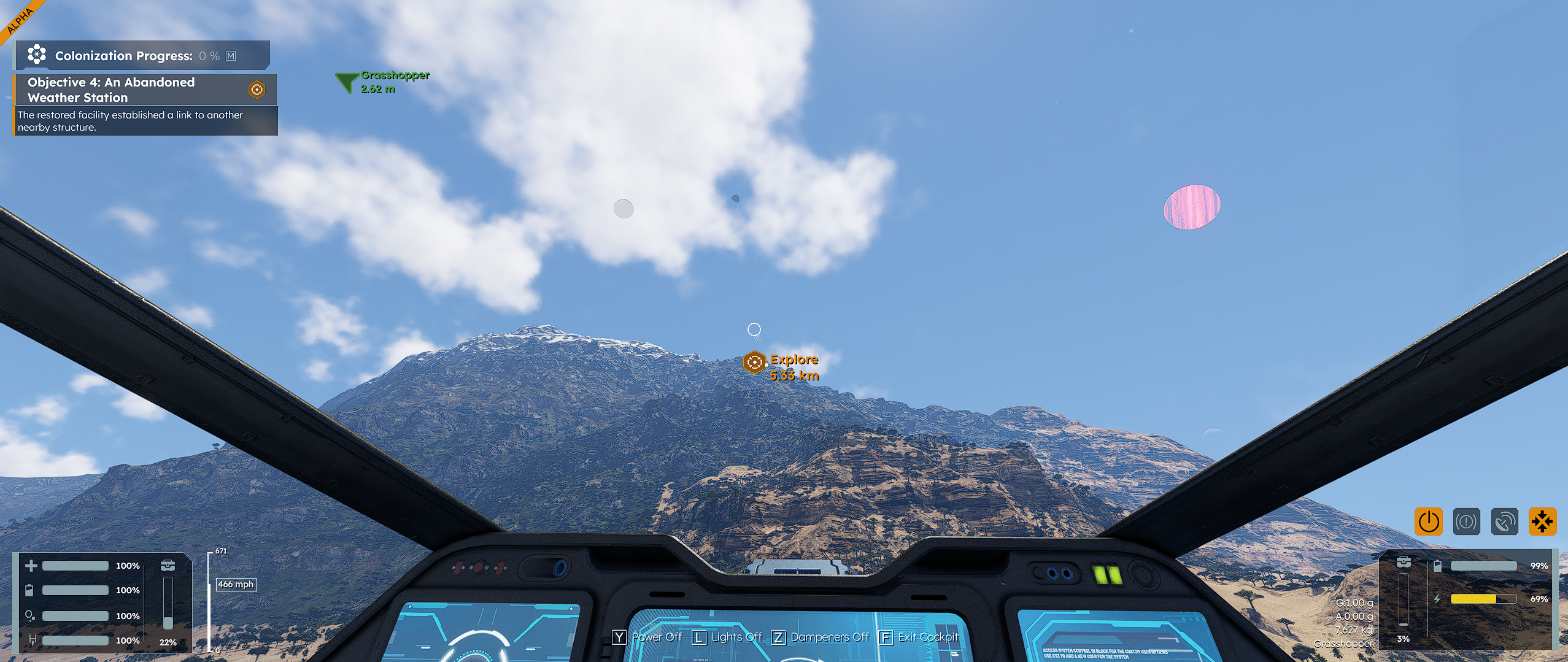
After doing the repair to the conveyor system in the testing facility on mission 4, when re-embarking onto the grasshopper and flying to the crashed ship, the game hangs. The music still plays, and the clouds keep moving, but everything else seems to be hung. I was able to alt-tab and cancel the process, but subsequent retries have resulted in the same outcome.
Screenshot and dxdiag.txt included
Game Crash
I load in since latest hotfix Dec 3 2025. Im flying my ship at cloud height and the game freezes, thruster animations are still going and clouds are moving, but ship is completely frozen as are the controls.
Game freeze/crash when trying to enter planet atmosphere also getting failing to load/memory leak
May be related, may be not. But when I try to re-enter Verdure's atmosphere, the game freezes and crashes. I then encounter the spiralling memory load when trying to reload the save.
the game freezes
After the latest patch, the game is unplayable; it freezes and you can't play anymore. Will there be solutions soon?
Unable to load savegame (v2.0.2.26) - missing files?
Hi,
I started Survival yesterday and the game was updated afterwards. I tried several times to load the savegame but it always got stuck on loading the savegame. I attached the logs; at first glance it seems like some datafiles are missing. I ran verify gamedata via steam which turned out to be fine. However, I still can't load my game. Maybe some files were changed for the patch?
Cheers
Flamy
Game Crashing
Hello!
My game keeps crashing as I leave the planet going to the station. I believe it is a graphics issue because I can provoke the crash by moving my camera.
SE2 Saved Game
Can no longer access my saved game Loading splash screen just sits there and spins, tested loading other steam games such as SE 1 and they work fine so in a last ditch effort I will reboot and see if this resolves it.
hotfix (12th dec) hangs when entering atmosphere
everything was fine previously, enjoyed it so much soon blasted through the missions (can't wait to be able to mod missions for others when thats a thing)
I wish I could be less vague, but when I reach approximately the altitude of the clouds (a little while after they have become visible) the app locks up - interestingly the thruster and clouds still animate but everything else is locked
additionally sometimes when trying to load I see long loading times 30+mins (at which point I give up)
I'm running on i7-9700k (NOT overclocked) and a RTX 4060 Ti (16GB) windows 11
2.0.2.26 Causing Memory Leak and Crash
Since the 2.0.2.26 update, everything was working fine but after the update there appears to be a serious memory leak.
The game freezes, after 10 seconds or so the audio drops out for a couple of seconds and returns but the game remains frozen.
Task Manager reveals the game using around 25-35% of CPU runtime and the RAM usage scaling continually until it uses all of the available RAM on the system, then crashes.
Specs: Core i9-9900k, 32 GB DDR4 RAM, RTX 2060 GPU, installed on NVM-e drive.
I am certain it was the update as everything worked fine before it occurred and since the game just keeps exhibiting the above behaviour. Tested 4 times and same results each time. This was with a brand new game file to 2.0.2.26.
Planets are freezing my computer (this post is the correct one ignore the SE1 post I made)
I keep getting freezes when on planets using low graphics the game has become unplayable because of this bug it also happens when I fly around off of mountains in a small size ship at high speeds. I started noticing the bug when I welded a ship together it got worse as I played the game the freeze would get longer and longer now it won’t run it just freezes every minute or when something big is being loaded.
Partial freeze then memory usage increase until crash, triggered by leaving or entering planet
Version: 2.0.2.26
This started after the 2.0.2.26 update.
The first instance I hit this I was flying to the planet in just a suite from the first station. I flew over the planet without a problem in space, but as I started to descend it eventually partially froze the screen. The clouds continued to move and windows did not report the game as not responding.
Looking at task manager I saw 30-50% cpu usage and memory usage just going up. Once it hit around 40GB of usage the app finally froze.
I reloaded a save and this time came up from the planet. Around the same time as I was going from the planet to space the same thing happened. The game partially froze, I could see clouds move, but nothing else responded. Again watched memory increase until it hit the max available and crashed.
Game locks up when reaching Kemik.
As mentioned, when i get to kemik my game locks up. Visuals for the Hydro engines are still flickering as if the game is running, but nothing else happens. A complete freeze where i have to Alt+F4. Thought it was a memory leak at first, so I saved and reloaded. upon doing that the game runs good until i start to travel again. Turned a lot of settings down thinking it was having a problem rendering things. No luck. Just have to avoid that planet until something different happens. All contracts are finished, only thing left to do was/is explore and build.
game keeps crashing
sometimes game crashes when loading. so far game crashes every time going to next objective from hydrogen testing facility.
Memory leak after hotfix 2.0.2.26 update
Running in steam. I just updated to 2.0.2.26, cannot load existing save, cannot create a new survival game.
After selecting 'continue' or 'Load/existing game' it jumps to the next screen with the spinning animated solar system in the bottom right corner. The loading animation systems spins normally at first, then starts to stutter every few seconds, with the pauses getting longer and longer. Other windows processes start to crash, eventually Steam crashes. Task Manager reports the memory usage starting at ~1.5GB and slowly climbing to >20GB before crashing.
OS NameMicrosoft Windows 11 Home
Version10.0.26200 Build 26200
Other OS Description Not Available
OS ManufacturerMicrosoft Corporation
System NameCHRISPC
System ManufacturerSystem manufacturer
System ModelSystem Product Name
System Typex64-based PC
System SKUSKU
ProcessorAMD Ryzen 7 5800X 8-Core Processor, 4200 Mhz, 8 Core(s), 16 Logical Processor(s)
BIOS Version/DateAmerican Megatrends Inc. 4021, 2021-08-10
SMBIOS Version3.3
Embedded Controller Version255.255
BIOS ModeUEFI
BaseBoard ManufacturerASUSTeK COMPUTER INC.
BaseBoard ProductTUF GAMING X570-PLUS (WI-FI)
BaseBoard VersionRev X.0x
Platform RoleDesktop
Secure Boot StateOff
PCR7 ConfigurationElevation Required to View
Windows DirectoryC:\WINDOWS
System DirectoryC:\WINDOWS\system32
Boot Device\Device\HarddiskVolume1
LocaleUnited States
Hardware Abstraction LayerVersion = "10.0.26100.1"
User NameChrisPC\cjric
Time ZonePacific Standard Time
Installed Physical Memory (RAM)32.0 GB
Total Physical Memory31.9 GB
Available Physical Memory15.7 GB
Total Virtual Memory43.9 GB
Available Virtual Memory11.2 GB
Page File Space12.0 GB
Page FileC:\pagefile.sys
Kernel DMA ProtectionOff
Virtualization-based securityNot enabled
App Control for Business policyEnforced
App Control for Business user mode policyOff
Automatic Device Encryption SupportElevation Required to View
Hyper-V - VM Monitor Mode ExtensionsYes
Hyper-V - Second Level Address Translation ExtensionsYes
Hyper-V - Virtualization Enabled in FirmwareNo
Hyper-V - Data Execution ProtectionYes
constant loading screen when clicking on continue or load game
hi team i have a problem with my game not wanting to load in at all. iv been into task manager and i see that im using all my ram (32gb) 5gb for what evers running on my system and 25-26gb on the game.
it has also frozen in game and it gets stuck and it wont come back again. iv restarted the computer and the problem still exists. my system was running perfectly fine the day of this update. i can start a new game perfectly fine and i get 40-60 fps. i have a r7 5800x 32gb of ram and a 9070xt
if you need more info just let me know, cheers
steam memory leak bug v2.0.2.26
i sat for half an hour at my base doing nothing just monitoring memory in task manager
then resuming game, flew out to asteroid, mined 3 resources and accidentally crashed my ship into asteroid, didnt wanna loose my ship so tried to load my save and boom memory leak.
when started the game 8 hours ago game used 8gb ram, in the last 3 hours after i had built abit and gotten along alittlebit it was using 11.5gb steadily, when realoding save it was just shooting up in the 33gb range and then exiting.
tried to attach save but dont see them attached so dont know if they have gotten in here
SE2 No longer loads game
Ok I submitted a bug report of SE2 not loading a saved game I tried starting a new game and had the same result, restarted steam did not work, rebooted system did not work. the only thi ng I haven't tried is deleting saved games from the directory or uninstalling the game and reinstalling it.
Game freeze when flying tutorial ship for the first time
Completed the first portion of the tutorial with no issues (Though the introduction cutscene was sped up significantly)
Weld up tutorial ship
Pilot towards marked destination
Game freezes and is unresponsive to input. Audio cuts out briefly then returns, and I can see clouds moving. No inputs seem to affect the game (no character control and no menu)
Have to task kill and restart, issue happens again on re-launch
logs attached
2.0.2.26 Freeze on load, crash in flight, memory leak over 40GB
Pioneer Edition, Steam.
1. Last night, before the 2.0.2.26 update, I fell through the world in the ice cave.
2. Updated to 2.0.2.26 today
3. I fixed the ship and then saved the game before flying to the ice cave.
4. On the way there, froze and RAM usage climbed over 20GB.
5. Killed the game then started up again and tried to load my save file
6. Hung on the loading screen forever, and watched RAM climb well over 41GB usage.
DxDiag and savefile attached.
Space EAngineers 2
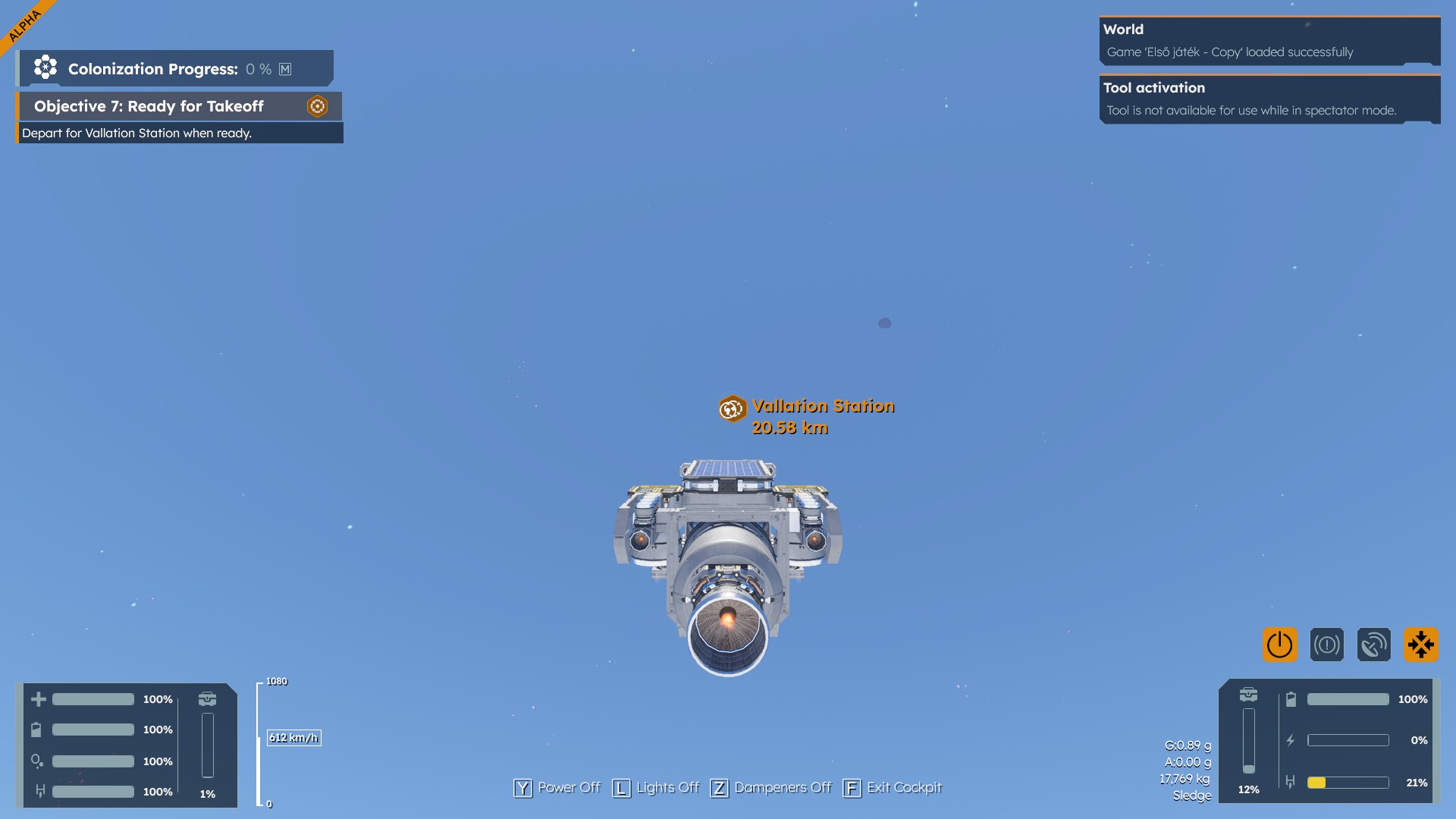
Working on the colonization quests and when i leave from the space station to go to the planet for the mission the game freezes between 16km and 18km away
Endless loading and memory leak when starting new survival mode
When starting Survival mode for the first time I got an endless loading screen and after checking Task Manager I can see that the Memory went into 41gb or 98% usage. See attached screenshot. I believe it could have happened because I alt tabbed to my other screen while the world was generating.
Second try, no issue.
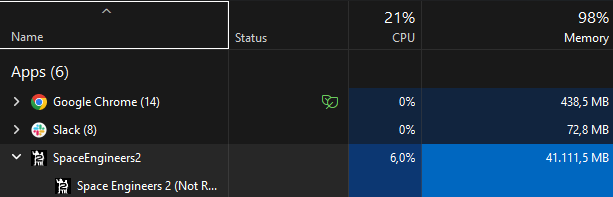
2.0.2.26 Freeze during atmospheric flight
System Specs:
Ryzen 7800X3D
Radeon 7900XTX
64GB DDR5
Steam game version
Anytime I try to enter the atmosphere, the game freezes. Cloud and engine animations still play, Sounds play fine, but I have no control and cannot open the menu. Seems to happen anytime between .26g to .66g. Tested with lowest graphics settings and same problem occurs.
So far, everything seems to be working fine in space. I get occasional freezes but it starts working again after a minute or two.
Steam Workshop link for the world save:
https://steamcommunity.com/sharedfiles/filedetails/?id=3617413382
crash when flying far away from an encounter
cannot move to the second encounter in the totor, cuz the game freezes then crashes. tried to reinstall, validate files, nothing worked. game is unplayable
SE2: Playing Survival, game softlocks / freezes during flight
I had just repaired the conveyor belt to the test engine and was flying up to the next outpost up on the mountain. Felt like the game was trying to load / unload something when the ship just stopped, game soft-locked, but the clouds, ship VFX were still active. Attached my save file.
Space Engineers 2
Platform: Steam
Version: 2.0.2.26
Game will Freeze after load save an start to accelerate takes about 15 seconds
Started a new game. Filled my Characters and grasshoppers' inventory with ores, then started to pilot to next objective. about where the mountain starts to drop, the game freezes and my ram starts to fill. game normaly runs at about 5g and was 12g by the time i closed the game. Continues to happen after loading the save even flying slow and or going a diferant direction
Savefile corrupt
Hello there,
my Game crashed while Auto-Saving.
Now it won´t load the Savefile anymore since it´s allways stuck at loading.
I just found out the hard way, that saves are overwritten and my last custom savefile is from the Start of the Game.
How f´d am i?
Is there a way to upload the save to the Cloud and fix it, or can i edit it myself?
Help appreciated
Thank you in advance
David
Space engineers 2 freezes
I've been Playing SE2 for about 15 hours, in the middle of the game it froze. after restarting the program found it keeps freezing when i am Flying around. It even happens on brand new saves. I Have reinstalled the program several times and it still has the same issue. It doesn't seem to happen while running around just when i am flying with my jetpack or a vehicle.
crash in planet when in space 15k from it / full game crash
have crashed into planet when past safe zone ap 12 k from it at lest 5 times while heading to the 2nd mision in space
full game crash
if you make new save file name you lock game completly . even if file name replced to your company save name. no luck 2 to 5 min total lock no mouse no keyboard hard restart ie power buton . only fix i found is new game
.25G Verdure Entry to plant freezes
Around .25G Verdure Entry to plant full game freezes and sound track freezes for a minute or two, then sound only resumes and game is infinitely stuck. Have task manager force quit it to start again. Was fine until l i restarted game and got the latest 2.0.2.26 hotfix. Specs: 13th Gen Intel i7-13700F, RTX 4060 TI, 64GB Ram, 581.80 GeForce Driver. Save File attached
RAM Spikes to full and game freezes
Hi my game is freezing constantly.
So if I load a save from earlier today before the hotfix. it will load but after a short while upon moving in my ship the game will freeze and my RAM spikes from around 12/32gb used to 31.6/32gb used.
So I tried starting a new game, upon completing the first ship at the landing location, getting in and flying to the next objective the game froze and again the RAM spiked in the same manner.
The only way to close the game was to end the task in Task Manager.
Space Engineers 2 Save not loading
I played the game with just a few issues yesterday 12-2-2025. The only serious bug yesterday was the menus are taking about 1-2 minutes to load. Same with the hotbar. When I leave my ship the hotbar takes a minute or 2 (literally) to load before I can switch tools.
Today 12-3-2025 I loaded up fine. Finished mining a few things and completed my contract from yesterday. I noticed yesterday when I restarted the game the menu delay issue would be fixed for an hour or 2 before delay began happening again. When the delay started happening again today, I simply tried to save my game and reload it.
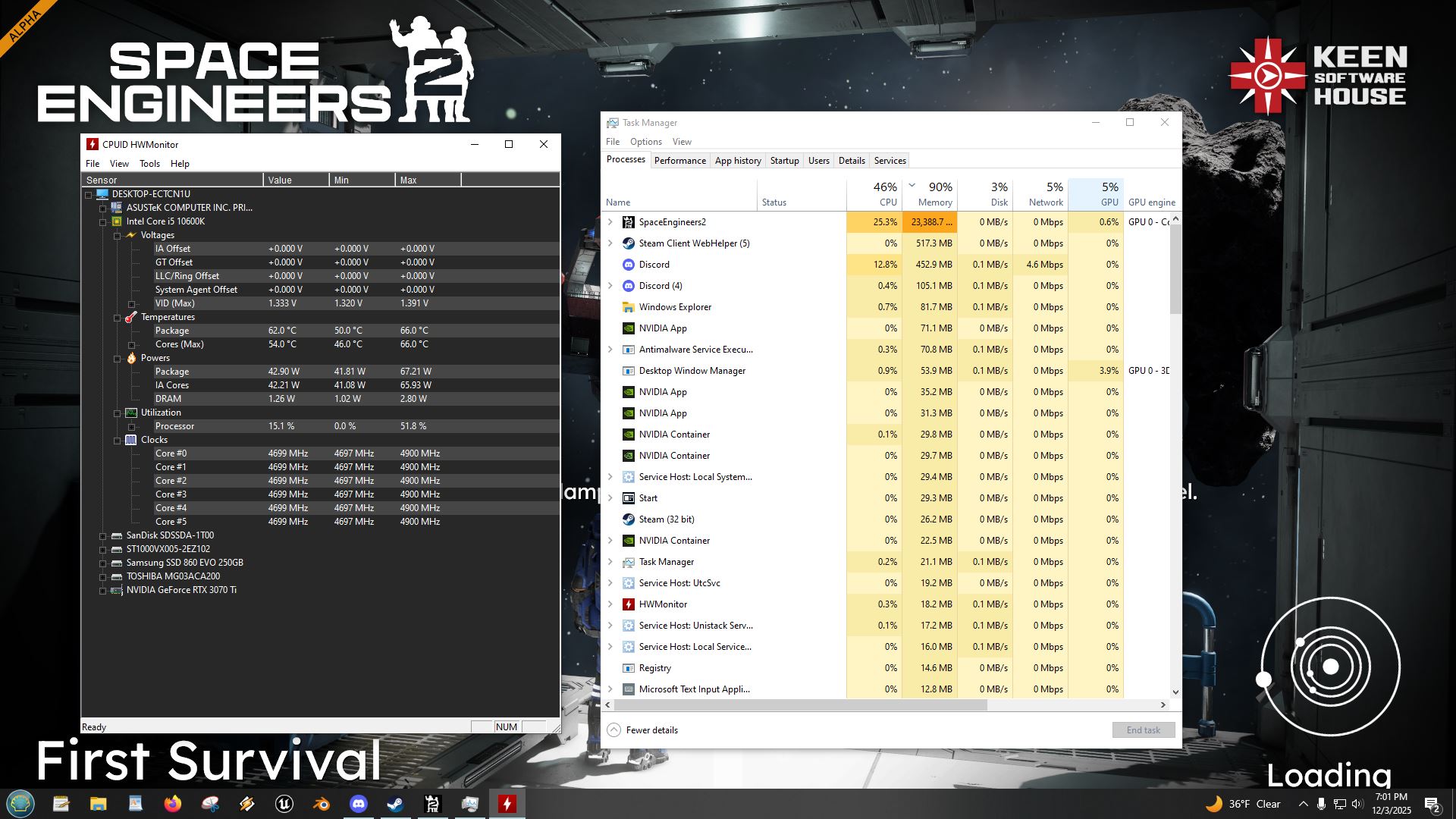
During loading of my new save from today 12-3-2025 the game just endlessly loads and keeps consuming more and more ram until I force it to stop. I've attached a screenshot of the run away ram in task manager as well as HWmon running along side to show my computer loads.
Since the game is still in alpha and so new there weren't many things I knew to try. So I've only troubleshooted the basics. Re-validating game files, restarting my computer, monitoring processes closely during the memory leak.
Any help would be appreciated. I'd like to not lose my save file.
Space Engineers 2 keeps freezing near planets or loading screen and takes huge amounts of memory
I started survival when it came out, but since the newest update anytime I try to continue my world it seems to have a 50% chance of freezing in the loading screen. If it does freeze I have to forcefully close the application with task manager and reopen the game. If it doesnt crash and I manage to get back into the game and continue where I left off, flying into the atmosphere of the closest planet the game again freezes whenever I get too close. (When G's reach 0.14) To note I've check my performances and whenever SE2 freezes its memory usage jumps from 16,000 to 32,000. I have a good 32 GB of RAM so memory shouldnt that big of an issue especially if im only running SE2 which I am. My graphics are all on medium and my specs are good enough to run the game (Nvidia 3070 TI i7 Intel 13600k 32 GB RAM) I havent been able to enter any planet or play the game for more than 1 minute because even if im not going to a planet as long as im near one it eventually crashes and freezes. And if I try wait it out the memory usage just keeps going up until my entire computer starts slowing down.
Stuck on loading existing save
Day 1 of VS2 was fine, but now it seems when I try to load my save from yesterday, it gets stuck on the loading screen forever. Have to end task in Task Manager to get it to close.
Can't load any saved games
When I try to load any of my saves (including backups) the game gets stuck on the loading screen, RAM usage slowly increases to 100% over a couple of minutes, then after ~5 minutes the game stops responding. I have tried the usual things like verifying game files and restarting computer.
3Dec Hotfix causing crash/freeze
I loaded the hotfix at 7pm USCT this evening, and first load I was able to play for 6 minutes when game hard crashed, then second time around I froze on loading screen.
Freezes when approaching each tutorial location too fast ( and memory leak)
(I can reproduce easily)
What i did:
Steam > verify integrity = pass
play > new game > survival > finish atmos ship
I fly with any speed at all to hydrogen testing place, game freezes 3-4km (once 3.21)
but if i go dead slow (under 100m/s) i can get past the 3-4km range then speed up without issue - until i come in for landing when it can freeze around 60-70m away? if i go too fast?
I am not certain if ship speed is related or not, but i strongly suspect. i suspect it's freezing whenever i cross a distance threshold making the game load something?
What happens:
flying along, and ship stops moving, sound pays as if still flying, clouds keep moving. then maybe 2s later everything on the screen freezes (sound still plays). then maybe 2s later the clouds move again, but nothing else moves. memory leak is kinda slow and hard to spot where it starts. You'll notice in the image of task manager below that GPU usage dropped to 0 for a moment - I think this is when the clouds freeze with everything else.
game unresponsive to all keyboard input (It dosen't respond to alt + f4 (within a few secs) so i press stop in steam(tabbed out to steam)
It dosen't seem to ever unfreeze though the longest I've given it was ~10m, and on a separate occasion the highest ram usage I've noticed is 94%
edit: If it dosen't freeze loading the first location it will loading/approaching the 2nd
Behold: my system information according to steam
Computer Information:
Manufacturer: ASUSTeK COMPUTER INC.
Model: ROG Strix G513QY_G513QY
Form Factor: Laptop (it's connected to my TV)
No Touch Input Detected
Processor Information:
CPU Vendor: AuthenticAMD
CPU Brand: AMD Ryzen 9 5900HX with Radeon Graphics
CPU Family: 0x19
CPU Model: 0x50
CPU Stepping: 0x0
CPU Type: 0x0
Speed: 3294 MHz
16 logical processors
8 physical processors
Hyper-threading: Supported
FCMOV: Supported
SSE2: Supported
SSE3: Supported
SSSE3: Supported
SSE4a: Supported
SSE41: Supported
SSE42: Supported
AES: Supported
AVX: Supported
AVX2: Supported
AVX512F: Unsupported
AVX512PF: Unsupported
AVX512ER: Unsupported
AVX512CD: Unsupported
AVX512VNNI: Unsupported
SHA: Supported
CMPXCHG16B: Supported
LAHF/SAHF: Supported
PrefetchW: Unsupported
BMI1: Supported
BMI2: Supported
F16C: Supported
FMA: Supported
Operating System:
Windows 11 (64 bit)
NTFS: Supported
Crypto Provider Codes: Supported 311 0x0 0x0 0x0
Secure Boot: Enabled
TPM Version: 2.0
Client Information:
Version: 1763795278
Browser GPU Acceleration Status: Enabled
Browser Canvas: Enabled
Browser Canvas out-of-process rasterization: Enabled
Browser Direct Rendering Display Compositor: Disabled
Browser Compositing: Enabled
Browser Multiple Raster Threads: Enabled
Browser OpenGL: Enabled
Browser Rasterization: Enabled
Browser Raw Draw: Disabled
Browser Skia Graphite: Disabled
Browser Video Decode: Enabled
Browser Video Encode: Enabled
Browser Vulkan: Disabled
Browser WebGL: Enabled
Browser WebGL2: Enabled
Browser WebGPU: Enabled
Browser WebNN: Disabled
Video Card:
Driver: AMD Radeon RX 6800M
DirectX Driver Name: atidx9loader32.dll
Driver Version: 32.0.21033.3005
DirectX Driver Version: 32.0.21033.3005
Driver Date: 11 6 2025
Desktop Color Depth: 32 bits per pixel
Monitor Refresh Rate: 59 Hz
DirectX Card: AMD Radeon RX 6800M
VendorID: 0x1002
DeviceID: 0x73df
Revision: 0xc3
Number of Monitors: 1
Number of Logical Video Cards: 1
No SLI or Crossfire Detected
Primary Display Resolution: 4096 x 2160
Desktop Resolution: 4096 x 2160
Primary Display Size: 64.96" x 36.54" (74.53" diag), 165.0cm x 92.8cm (189.3cm diag)
Primary Bus Type Not Detected
Primary VRAM Not Detected
Supported MSAA Modes: 2x 4x 8x
Sound card:
Audio device: Digital Output (AMD High Defini
Memory:
RAM: 32158 Mb
VR Hardware:
VR Headset: None detected
No VR configuration with trackers detected
Most number of trackers in a session: 0
Miscellaneous:
UI Language: English
Media Type: Undetermined
Total Hard Disk Space Available: 2906253 MB
Largest Free Hard Disk Block: 1009321 MB
OS Install Date: Mar 30 2025
Game Controller: None detected
Storage:
Number of SSDs: 2
SSD sizes: 2048G,1024G
Number of HDDs: 0
Number of removable drives: 0
... Good luck ...
Game freezes while flying between "Explore" GPSs
the game frequently stops accepting inputs and freezes everything except the clouds and grass, which move as though the game didn't freeze.
Game corruption at definition level - Infinite loading
Was turning in a contract mission after flying all the way from the other side of Verdue. Got back to the station, turned it in, and picked up the next contract. An auto save occurred, got back in my ship and started to fly to the next contract location on planet, and the game froze. I proc killed game, and tried to reload. It's now fully corrupted. Here are the broken definitions for me:
Could not find 2609394a-6cf3-4798-ae05-10a33c0aa4fc
Could not find 2d912bf6-ac2a-474e-ae0a-257f97d7ecd6
Could not find 3b5b63f4-c71f-45d1-8399-ceb360104ba1
Could not find d06e0a51-ec7b-40d1-a1a1-a730b115cbfe
The engine tries to fix it, but can't:
OnDataLossSimplyClearAttribute:
Failed to locate definition...
And eventually:
[Watchdog]: The application froze with freeze type StartingGame
Here's the important bit:
No prefab found for contract tag: NadiraeDefault
No prefab found for contract tag: EchelonDefault
Max=0%
Game freezes
Game freezes everytime I approach location 4. Thought old save had corrupted so I made a new game it also locked up same area. So I ran file verification tried again and it still locked up. Finally I uninstalled the game and reinstalled it made a new save and tried but again locked up going from location 3 to location 4 in the tutorial. Generally it locks up right over the dry lake bed.
Crash while welding drill on adapter
No, hitching before, just a sudden stop. Hard crash closed the game by itself after a few seconds. In space so it might not be related to the current planer bug.
Game crashes when flying vehicles
I am on a 7800x3d and a 9070XT with 64GB of RAM, when i flew between the first few objectives in the survival mission the game froze. Not sure if it is a loading terrain issue, but i could not play as the issue repeated on my 5 attempts.
The game freezing
When I want to leave the planet during the tutorial in survival mode, the game always freezes at the same point.
Memory Leak when loading earlier save
Similar to other reported. I have not had issues before this: By being in game I loaded earlier save and clicked no to create new save before exiting. When loading started it kept using more RAM until I had to end task. I was in space and not on a planet like other reports.
Game stuck at loading after 2.0.2.26
Version: 2.0.2.26
Game worked normally for a session earlier today. Upon loading the world tonight it is stuck on loading. If I look at utilization it's just continually loading into ram. I ended task when it was around 56GB.
Ship Freezes When Flying
My ship freezes in air When Im flying or trying to get out of orbit I have tried to get a capture when it happens but Xbox game bar also breaks when this happens. The game does not crash so I have to force quit it through steam. I also Cant open the menu.
What I did, Took off to go to space station and test my ship. Had to whip my ship around to find it in the sky then it Froze. I also Took off to fly through the clouds and it froze, you can see the game is still running and the clouds move pass me but I do not move.
I have recreated this many times trying to get a video of the moment it happens but Xbox Game Bar breaks
RTX 4070ti
INTEL i912900k
32 gigs of ram
windows 11
setting are at medium with armor edge smoothing
Freeze/Crashes after hotfix - on load of old save or on continuation of play in a new save
If I try to load a save from before it will freeze and remain loading. I started a new game in survival and was able to do a few things at the start but after repairing the ship and trying to fly around to the next point it froze on me and never recovered. I have to ctrl-alt-delete out of the game. I could not alt+f4 to close the game.
Game Freeze when approaching Ice Cave
Game will freeze up when approaching the Ice Cave during the Tutorial, the game still plays sounds and displays animations for thrusters Etc. the game doesn't crash or produce any kind of logs to share i have to force close the game, i was able to go inside the cave yesterday and mine resources but when i returned the the hydrogen ship i grinded down one of the hydrogen thruster's to relocate it no realizing this start a fail state cause a reload of the last save, and as id not save for a while i lost a bunch of progress so i quit for the day and came back today to play again and now I'm not able to approach the ice crave without crash, but i can go to the Mining outpost cave and mine there
I have the following Hardware
Ryzen 7 5800X
RTX 3080TI
32Gb Corsair Vengence 3200mhz RAM
Running Windows 11 Pro
Games installed on a SSD
Bug on Loading
Haai there,
after the hotfix, i cant load my game from yesterday.
Kopieren
Systeminformationen
Steam hat die folgende Hard- und Software in Ihrem System gefunden:
Computerinformationen:
Hersteller: Acer
Modell: Nitro AN517-41
Formfaktor: Laptop
Touch-Eingabe nicht erkannt
Prozessorinformationen:
CPU-Hersteller: AuthenticAMD
CPU-Marke: AMD Ryzen 7 5800H with Radeon Graphics
CPU-Familie: 0x19
CPU-Modell: 0x50
CPU-Stepping: 0x0
CPU-Typ: 0x0
Geschwindigkeit: 3194 MHz
16 logische Prozessoren
8 physische Prozessoren
Hyper-Threading: Unterstützt
FCMOV: Unterstützt
SSE2: Unterstützt
SSE3: Unterstützt
SSSE3: Unterstützt
SSE4a: Unterstützt
SSE41: Unterstützt
SSE42: Unterstützt
AES: Unterstützt
AVX: Unterstützt
AVX2: Unterstützt
AVX512F: Nicht unterstützt
AVX512PF: Nicht unterstützt
AVX512ER: Nicht unterstützt
AVX512CD: Nicht unterstützt
AVX512VNNI: Nicht unterstützt
SHA: Unterstützt
CMPXCHG16B: Unterstützt
LAHF/SAHF: Unterstützt
PrefetchW: Nicht unterstützt
BMI1: Unterstützt
BMI2: Unterstützt
F16C: Unterstützt
FMA: Unterstützt
Betriebssystem:
Windows 11 (64 Bit)
NTFS: Unterstützt
Krypto-Anbieter-Codes: Unterstützt 311 0x0 0x0 0x0
Sicherer Start: Aktiviert
TPM-Version: 2.0
Client-Informationen:
Version: 1763795278
Browser-GPU-Beschleunigungsstatus: Aktiviert
Canvas (Browser): Aktiviert
Canvas-Out-of-process-Rasterung (Browser): Aktiviert
Direct Rendering Display Compositor (Browser): Deaktiviert
Compositing (Browser): Aktiviert
Multiple Raster Threads (Browser): Aktiviert
OpenGL (Browser): Aktiviert
Rasterisierung (Browser): Aktiviert
RawDraw (Browser): Deaktiviert
Skia Graphite (Browser): Deaktiviert
Videodekodierung (Browser): Aktiviert
Videokodierung (Browser): Aktiviert
Vulkan (Browser): Deaktiviert
WebGL (Browser): Aktiviert
WebGL2 (Browser): Aktiviert
WebGPU (Browser): Aktiviert
WebNN (Browser): Deaktiviert
Grafikkarte:
Treiber: NVIDIA GeForce RTX 3080 Laptop GPU
DirectX-Treibername: nvldumd.dll
Treiberversion: 32.0.15.8129
DirectX-Treiberversion: 32.0.15.8129
Treiberdatum: 5.9.2025
Desktopfarbtiefe: 32 Bit per Pixel
Monitor-Bildwiederholfrequenz: 144 Hz
DirectX-Karte: NVIDIA GeForce RTX 3080 Laptop GPU
Anbieterkennung: 0x10de
Gerätekennung: 0x249c
Revision: 0xa1
Anzahl Monitore: 1
Anzahl logische Grafikkarten: 1
Kein SLI oder Crossfire erkannt
Prim. Anzeigeauflösung: 1920 x 1080
Desktopauflösung: 1920 x 1080
Primäre Anzeigegröße: 15.04" x 8.46" (17.24" diag), 38.2cm x 21.5cm (43.8cm diag)
Primärer Bus: PCI Express 8x
Primärer VRAM: 8191 MB
Unterstützte MSAA-Modi: 2x 4x 8x
Soundkarte:
Audiogerät: Lautsprecher (Realtek(R) Audio)
Arbeitsspeicher:
RAM: 32108 MB
VR-Hardware:
VR-Headset: Nicht gefunden
Keine VR-Konfiguration mit Trackern gefunden
Höchste Anzahl von Trackern in einer Sitzung: 0
Sonstiges:
UI-Sprache: Deutsch
Medium: Nicht festgelegt
Verfügbarer Festplattenspeicher insgesamt: 1927540 MB
Größter freier Festplattenspeicherblock: 519236 MB
Installationsdatum des Betriebssystems: Okt 28 2024
Spielcontroller: None erkannt
MAC-Adresse (Hash): 4ffd4f2b2cc65c586616b6e945d133daba2e6745
Speicherplatz:
Hash der Seriennummer (Laufwerk): ee18b874
Anzahl SSDs: 2
SSD-Größen: 1024G,1000G
Anzahl Festplatten: 0
Anzahl der Wechseldatenträger: 0
game freeze
Hello, I would like to know if any patch is planned for the crash issue. I can't play, everything freezes.
Save Not Loading After Update
can no longer load my save after the last update, i managed to load it only once after the update but now its not loading anymore at all. i am letting the game load for about 30 minutes now and nothing happens, the screen just flashes sometimes.
i was only doing the campaign so far in this save without building any extra stuff, i was at the hydrogen facility mission at kemik.
suspected memory leak related to voxel mining (yes, the same bug we had in SE1...)
my system specs:
GPU: RTX 3060
CPU: i7-6700k (8 thread @ 4 ghz, dual threaded)
RAM: 32 GB DDR5
Storage: some M.2
Keep crashing at tutorial mine - RAM usage excessive (24gb+)
Hey yall - big fan of SE1 here.
When i load SE2, I cannot get 20 feet into the mine without a freeze.
Task manager shows 24gb+ RAM usage. Graphics settings are set to Low - still does not fix.
DDR4 32gb RAM installed.
3060ti GPU
Intel i7-10700T CPU
Any idea why this is happening?
Thank you!
Crashing
This morning my first saved file wouldn't load after 4 attempts. I started over which loaded up fine, but as soon as I had the first ship flying down towards the first waypoint, it froze and would no longer run. Frame rates dropped drastically just before hand. Seemed the closer I got to the ground while flying, the frame rates dropped quicker
 I have the same bug
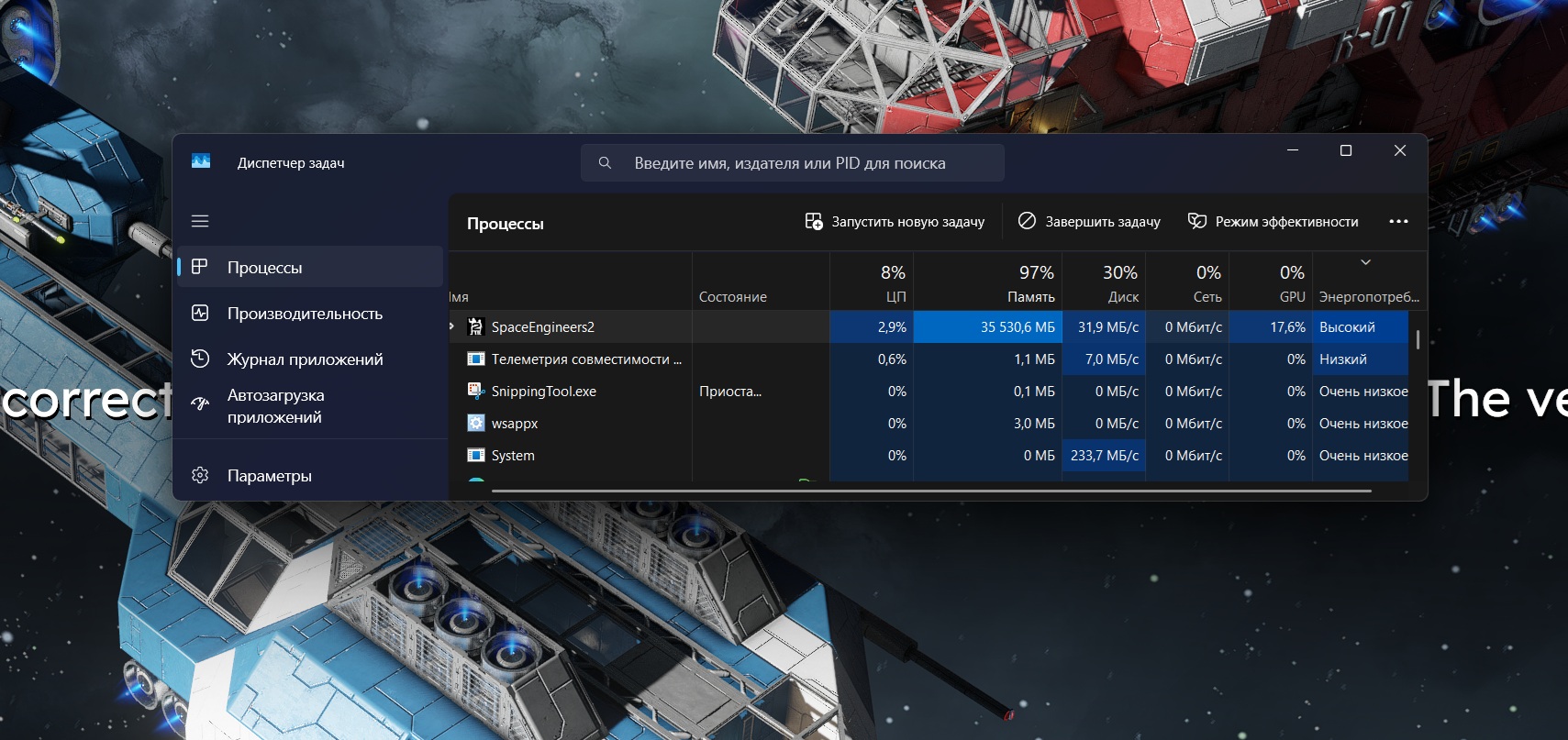
Here is the save and now I got the same thing when trying to leave the load game selection while having the save activated.
Something brings the Memory Usage to go beyond my 27GB that I have to spare.
Here is the save and now I got the same thing when trying to leave the load game selection while having the save activated.
Something brings the Memory Usage to go beyond my 27GB that I have to spare.
I had the exact same problem. Verifying the game files via Steam made it possible for me to load the save again
I had the exact same problem. Verifying the game files via Steam made it possible for me to load the save again
it was working fine before this latest patch, updated it and it's loading forever
creating a new game works, but my progression..
it was working fine before this latest patch, updated it and it's loading forever
creating a new game works, but my progression..
I have a save where when you go from the hydrogen ship camp to the ice cave the game "lags" and then starts eating more and more ram/memory at 100mb per few seconds rate and wont stop until i kill the game. If i instead just play around at the camp it will take ages until the game eats itself.
Edit: Steam game verification didnt help still lags out and starts eating memory at low settings.
Edit2: IF i wait long enough in the main menu it wont even load in to the game it will start eating ram in loading screen.
I have a save where when you go from the hydrogen ship camp to the ice cave the game "lags" and then starts eating more and more ram/memory at 100mb per few seconds rate and wont stop until i kill the game. If i instead just play around at the camp it will take ages until the game eats itself.
Edit: Steam game verification didnt help still lags out and starts eating memory at low settings.
Edit2: IF i wait long enough in the main menu it wont even load in to the game it will start eating ram in loading screen.
I am having similar symptoms. For me the game won't go past the loading screen when entering a save game and my ram just fills up all the way. Should you need the log, i will attach it here.
I am having similar symptoms. For me the game won't go past the loading screen when entering a save game and my ram just fills up all the way. Should you need the log, i will attach it here.
Yep same. I answered on another bug report. The patch seems to have broken something.
Yep same. I answered on another bug report. The patch seems to have broken something.
Same here. It worked the first time, but after a crash and restart I can't load any saves.
Same here. It worked the first time, but after a crash and restart I can't load any saves.
Same here. It worked the first time, but after a crash and restart I can't load any saves
Same here. It worked the first time, but after a crash and restart I can't load any saves
In their Discord, they have already said they are aware of the issue and are looking into it already. Though, didn't say what that specific issue is, but it's leaning towards a huge memory leak issue.
In their Discord, they have already said they are aware of the issue and are looking into it already. Though, didn't say what that specific issue is, but it's leaning towards a huge memory leak issue.
My game ran well without any of the following issues yesterday, but with the new hotfix my experience now is:
- Constant freezes in simulation (see se grass swaying, clouds moving, but I am frozen)
- Endless loading times on saves
- Game crash on save
- High GPU memory usage (4070ti Super 16gb). My memory is completely used up on low or medium settings.
- High RAM memory usage, 22gb used (I have total of 32gb)
My game ran well without any of the following issues yesterday, but with the new hotfix my experience now is:
- Constant freezes in simulation (see se grass swaying, clouds moving, but I am frozen)
- Endless loading times on saves
- Game crash on save
- High GPU memory usage (4070ti Super 16gb). My memory is completely used up on low or medium settings.
- High RAM memory usage, 22gb used (I have total of 32gb)
Update 1: I managed to actually load my savegame by using the "advanced options" to load a backup. To be precise: the backups listed the save from yesterday evening and one (the current revision) from today. Which is strange, because I never managed to load the game today. I rolled back, loaded and continued playing. But 10min later it started "soft"-freezing (audio on, visual effects moving, but no values, e.g. like target coordinates, changed; world/physics frozen, but visuals still running), going back and forth to "hard"-freezing (absolutely no reaction; windows asking whether one like to wait or terminate the game), and several minutes later simply crashed to desktop (without any error messages or anything).
I attached the logs of this session now, too.
Update 1: I managed to actually load my savegame by using the "advanced options" to load a backup. To be precise: the backups listed the save from yesterday evening and one (the current revision) from today. Which is strange, because I never managed to load the game today. I rolled back, loaded and continued playing. But 10min later it started "soft"-freezing (audio on, visual effects moving, but no values, e.g. like target coordinates, changed; world/physics frozen, but visuals still running), going back and forth to "hard"-freezing (absolutely no reaction; windows asking whether one like to wait or terminate the game), and several minutes later simply crashed to desktop (without any error messages or anything).
I attached the logs of this session now, too.
Same issue. Unable to play any length of time without a CTD.
Same issue. Unable to play any length of time without a CTD.
I'm getting the same, loading a existing save causes ram to run-away. Also starting new game as soon as it hits a auto-save point. Have tried dropping graphics presets to minimum - no difference. Running on AMD CPU and NVIDIA GPU
I'm getting the same, loading a existing save causes ram to run-away. Also starting new game as soon as it hits a auto-save point. Have tried dropping graphics presets to minimum - no difference. Running on AMD CPU and NVIDIA GPU
Same issue here...
Version VRAGE3 v2.0.2.26 Release Alpha.
I'm no longer able to load my last saved survival game saved yesterday evening with the previous version that should be the first VS2 released (22:00 PM CET 2025/12/03).
Same issue here...
Version VRAGE3 v2.0.2.26 Release Alpha.
I'm no longer able to load my last saved survival game saved yesterday evening with the previous version that should be the first VS2 released (22:00 PM CET 2025/12/03).
The issue seems to be only with the Continue option,
Just tried using the load option and seems to have loaded the game correctly
The issue seems to be only with the Continue option,
Just tried using the load option and seems to have loaded the game correctly
Same issue on my PC, hard freeze after minutes of playing. Once it froze so bad I couldnt open the task manager to close it and had to hard reboot.
I7 9700K and Radeon 9060XT 16GB.
Same issue on my PC, hard freeze after minutes of playing. Once it froze so bad I couldnt open the task manager to close it and had to hard reboot.
I7 9700K and Radeon 9060XT 16GB.
The game consumes all system memory and then crashes. I did get it to run once by copying my save (from before today's hotfix) and loading the copy. However, once I saved that it will no longer load.
The game consumes all system memory and then crashes. I did get it to run once by copying my save (from before today's hotfix) and loading the copy. However, once I saved that it will no longer load.
Same as Kerbo for me, since 2.0.2.26 today. 100%, not 75%.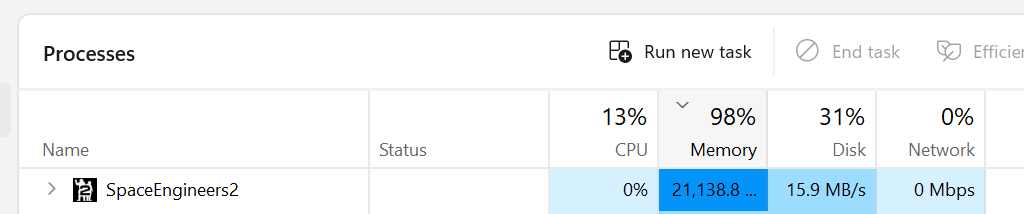
Same as Kerbo for me, since 2.0.2.26 today. 100%, not 75%.
Same issue here after Hotfix 2.0.2.26.
- Game loads to title screen
- I select my save game
- Game updates to a loading screen background with loading graphic spinning in the bottom right of the screen.
- I waited for 20 minutes before I had to force quite it. I noticed the ram usage according to task manger was at 26 GB (I have 32 GB total).
Attempted reloading the game again and repeated the steps above and same result, endless loading.
Attempted verifying the files in steam incase it was a file corruption issue, but that also made no difference.
Specs: AMD 5700X3D, 32GB DDR 4 Ram, GTX 3080 10GB VRam
I've attached the Logs file from AppData\Roaming\SpaceEngineers2\Temp\Logs
Same issue here after Hotfix 2.0.2.26.
- Game loads to title screen
- I select my save game
- Game updates to a loading screen background with loading graphic spinning in the bottom right of the screen.
- I waited for 20 minutes before I had to force quite it. I noticed the ram usage according to task manger was at 26 GB (I have 32 GB total).
Attempted reloading the game again and repeated the steps above and same result, endless loading.
Attempted verifying the files in steam incase it was a file corruption issue, but that also made no difference.
Specs: AMD 5700X3D, 32GB DDR 4 Ram, GTX 3080 10GB VRam
I've attached the Logs file from AppData\Roaming\SpaceEngineers2\Temp\Logs
The game freezes when I try to enter the planet's atmosphere (or approach the planet). The only thing that helps is to kill the process in the task manager and restart the game. And it freezes again in the same place.
The game doesn't crash, it just freezes and does't respond to controls (passive movement in the game continues, such as the movement of clouds).
Win11, Core i9 13th, RTX5080, 32Gb
The game freezes when I try to enter the planet's atmosphere (or approach the planet). The only thing that helps is to kill the process in the task manager and restart the game. And it freezes again in the same place.
The game doesn't crash, it just freezes and does't respond to controls (passive movement in the game continues, such as the movement of clouds).
Win11, Core i9 13th, RTX5080, 32Gb
Attached Log Files for last game run instance.
Attached Log Files for last game run instance.
Release notes say this, below. I found on the Steam Beta tab "se2version1_5". Anyone have luck with finding 2.0.2.21 or 2.0.2 as a steam beta?
Release notes say this, below. I found on the Steam Beta tab "se2version1_5". Anyone have luck with finding 2.0.2.21 or 2.0.2 as a steam beta?
the game finally started after the update, so that's one issue done
now it's freezing within a minute of continuing my survival game
the game finally started after the update, so that's one issue done
now it's freezing within a minute of continuing my survival game
Same happened to me. By the time I checked task manager it was up to over 43GB of memory usage. I force closed through task manager and reloaded the game. It worked normally the second time around.
Same happened to me. By the time I checked task manager it was up to over 43GB of memory usage. I force closed through task manager and reloaded the game. It worked normally the second time around.
Same issue. Randomly locks up and memory just fills up with garbage.
Same issue. Randomly locks up and memory just fills up with garbage.
Just got the same issue...
What is strange is that the games seems to work as clouds are moving, but cannot take control of the ship, nothing else is moving and cannot get to the menu.
Only solution was to kill the process.
Just got the same issue...
What is strange is that the games seems to work as clouds are moving, but cannot take control of the ship, nothing else is moving and cannot get to the menu.
Only solution was to kill the process.
After today's update, every time I try to enter the planet it freezes, and after starting the game, it freezes again after 3 minutes. I've tried several times, but the game doesn't work.
After today's update, every time I try to enter the planet it freezes, and after starting the game, it freezes again after 3 minutes. I've tried several times, but the game doesn't work.
I have the same bug. Pioneer Edition.
Ryzen 9 7950X, RTX 3080 OC, 32GB. It climbed to 95% Memory usage out of nowhere and freeze me. The game doesn't actually freeze my computer since I can easily alt tab and do other things and even the clouds are animated with no lag at all when I am frozen. It seems to happen the most when traveling in and out of atmosphere (more in than out) and traversing through the planet.
Drivers are updated, and on the latest patch.
I have the same bug. Pioneer Edition.
Ryzen 9 7950X, RTX 3080 OC, 32GB. It climbed to 95% Memory usage out of nowhere and freeze me. The game doesn't actually freeze my computer since I can easily alt tab and do other things and even the clouds are animated with no lag at all when I am frozen. It seems to happen the most when traveling in and out of atmosphere (more in than out) and traversing through the planet.
Drivers are updated, and on the latest patch.
I can't load a Survival save game, both the one I've been playing since VS2, but also new ones I have created since today's update.
I can load old Creative saves no problem though.
I can't load a Survival save game, both the one I've been playing since VS2, but also new ones I have created since today's update.
I can load old Creative saves no problem though.
14.88km froze again. I have restarted pc made sure everything was updated to the fullest. Clouds still move ship says 300m/s but isnt moving any closer at all.
14.88km froze again. I have restarted pc made sure everything was updated to the fullest. Clouds still move ship says 300m/s but isnt moving any closer at all.
I find the lack of regression testing disturbing.
I find the lack of regression testing disturbing.
Im having freezing issues after 2.0.2.26. Game freezes within a min or so of loading saved game. Clouds still move while im flying into the atmosphere of the plane, ship speed shows 300m/s but the ship is frozen from moving at all just stays at 14.88km away from destination.
Im having freezing issues after 2.0.2.26. Game freezes within a min or so of loading saved game. Clouds still move while im flying into the atmosphere of the plane, ship speed shows 300m/s but the ship is frozen from moving at all just stays at 14.88km away from destination.
Had same issue, no crash log generated and session not saved.
Had same issue, no crash log generated and session not saved.
I can create a new game, but load a savegame from previous hotfix fail in infine loop. No matter from where is loaded: Continue, Load or Backups.
I can create a new game, but load a savegame from previous hotfix fail in infine loop. No matter from where is loaded: Continue, Load or Backups.
As it loads save file or continue I notice memory usage also climbs until I run out and then game lock or crash/ 32g mem locks up around 25-27 gig usage
As it loads save file or continue I notice memory usage also climbs until I run out and then game lock or crash/ 32g mem locks up around 25-27 gig usage
It seems random whether your save will reload or not after.. If you have Task Manager open and see the RAM usage go up, it won't.. When it doesn't, it will!
It seems random whether your save will reload or not after.. If you have Task Manager open and see the RAM usage go up, it won't.. When it doesn't, it will!
Same on the lastest version.
Day 1 I could play 3h no problems (except 2-3 random crashes)
Intel i7 12700
32 gig DDR4
RTX 4070
Same on the lastest version.
Day 1 I could play 3h no problems (except 2-3 random crashes)
Intel i7 12700
32 gig DDR4
RTX 4070
I have a similar problem. While loading my save it seems to load for like, 15-25 minutes than freezes up on the loading screen.
It was working fine on hotfix 2.0.2.21 then on the latest hotfix it seems to have like corrupted my save.
I have a similar problem. While loading my save it seems to load for like, 15-25 minutes than freezes up on the loading screen.
It was working fine on hotfix 2.0.2.21 then on the latest hotfix it seems to have like corrupted my save.
I got the same bug, and my task manager says the same thing, it starts at 11000 mB and just continues going up all the way till 26000
I got the same bug, and my task manager says the same thing, it starts at 11000 mB and just continues going up all the way till 26000
Same problem here. Game kept loading and loading. Eventually after 5 minutes or so my whole computer was having issues, Turns out my 32GB of RAM was maxed out. Can't continue my game. Game is currently broken and unplayable due to the memory leak.
Same problem here. Game kept loading and loading. Eventually after 5 minutes or so my whole computer was having issues, Turns out my 32GB of RAM was maxed out. Can't continue my game. Game is currently broken and unplayable due to the memory leak.
Same problem here. Game kept loading and loading. Eventually after 5 minutes or so my whole computer was having issues, Turns out my 32GB of RAM was maxed out. Can't continue my game. Game is currently broken and unplayable due to the memory leak.
Same problem here. Game kept loading and loading. Eventually after 5 minutes or so my whole computer was having issues, Turns out my 32GB of RAM was maxed out. Can't continue my game. Game is currently broken and unplayable due to the memory leak.
Here is the log from the latest attempt.
Also tried to load a backup. Does not help.
UPD: Successfully loaded backup where i am still near verdure. Kemik backups do not work.
Here is the log from the latest attempt.
Also tried to load a backup. Does not help.
UPD: Successfully loaded backup where i am still near verdure. Kemik backups do not work.
Same issue here, game kind of freezes. I can see thruster and cloud animations still moving, but no response to input, physics seems to stop working (my ship is reported going max speed but is not moving), can't escape to main menu (have to kill the game and restart).
Same issue here, game kind of freezes. I can see thruster and cloud animations still moving, but no response to input, physics seems to stop working (my ship is reported going max speed but is not moving), can't escape to main menu (have to kill the game and restart).
it's literally unplayable since the hotfix.
I can start the game and watch the memory filling up with trash while doing nothing.
If i fly a ship up in space it fills up even faster and at a certain point the game freezes.
it's literally unplayable since the hotfix.
I can start the game and watch the memory filling up with trash while doing nothing.
If i fly a ship up in space it fills up even faster and at a certain point the game freezes.
Yeah, the 2.0.2.26 hotfix makes the game freeze instantly now in Bazzite running ProtonGE-Latest instantly now, had nearly 4 hours stable before that with no crashes.
Yeah, the 2.0.2.26 hotfix makes the game freeze instantly now in Bazzite running ProtonGE-Latest instantly now, had nearly 4 hours stable before that with no crashes.
Yup, broken here too. I can manage to get about 30 seconds in game before it freezes and the memory leak begins. It seems to begin quicker the older the save is e.g. if I start a new save it'll give me maybe 5 minutes, but for an existing save, less and less.
Yup, broken here too. I can manage to get about 30 seconds in game before it freezes and the memory leak begins. It seems to begin quicker the older the save is e.g. if I start a new save it'll give me maybe 5 minutes, but for an existing save, less and less.
Today is the 3rd of December...
Today is the 3rd of December...
game plays fine for till I try to finish a contract on planet game freeze's but a can hit window button and then click on the game icon and then click X close it started back fine for about 45 minutes after the after tried again same thing
game plays fine for till I try to finish a contract on planet game freeze's but a can hit window button and then click on the game icon and then click X close it started back fine for about 45 minutes after the after tried again same thing
Same here as well, used up a bunch of memory and also spiked the CPU just before freezing.
CPU: AMD Ryzen 7 7700X
GPU: RX 7600 XT
Same here as well, used up a bunch of memory and also spiked the CPU just before freezing.
CPU: AMD Ryzen 7 7700X
GPU: RX 7600 XT
Pretty disappointing that they release a "fix" without testing it, and it is clearly breaking everyone's game, can we at least get a rollback?
Pretty disappointing that they release a "fix" without testing it, and it is clearly breaking everyone's game, can we at least get a rollback?
Game softlocks on loading a saved game. Could play by starting a new creative play, then loading a save. But that now softlocks the game. Animations still play, and voice overs. but unable to move or interact with environment.
Game softlocks on loading a saved game. Could play by starting a new creative play, then loading a save. But that now softlocks the game. Animations still play, and voice overs. but unable to move or interact with environment.
In your "Welcome to Verdue" folder, you should have backups. Copy the contents of an earlier backup that you think works to the main folder (overwrite the files), and try to load again. That's what i'm having to do right now.
In your "Welcome to Verdue" folder, you should have backups. Copy the contents of an earlier backup that you think works to the main folder (overwrite the files), and try to load again. That's what i'm having to do right now.
"Hey AMD GPU users, we know you are having issues with the opening cinematic, and even though we had a functional work around, we have instead decided to level the playing field, and now nothing works for anyone! Oh and we don't have game versions available in steam. Sucks to suck! Byyyeeeeeee"
"Hey AMD GPU users, we know you are having issues with the opening cinematic, and even though we had a functional work around, we have instead decided to level the playing field, and now nothing works for anyone! Oh and we don't have game versions available in steam. Sucks to suck! Byyyeeeeeee"
I am also having the same issue. Happens much faster when I fly the grasshopper over 200m/s but happens regardless if I do nothing or not. I've done pretty much all the same troubleshooting that everyone else has done. If I had to warrant a guess the issue is connected to AMD Processors in some way. Specs below
AMD Ryzen 9 5950X
32 GB DDR4 RAM (2133 MT/s)
Nvidia RTX 5070
Samsung 970 Evo Plus 2TB NVMe SSD
Windows 11 Pro 25H2 Build 26200.7171
I am also having the same issue. Happens much faster when I fly the grasshopper over 200m/s but happens regardless if I do nothing or not. I've done pretty much all the same troubleshooting that everyone else has done. If I had to warrant a guess the issue is connected to AMD Processors in some way. Specs below
AMD Ryzen 9 5950X
32 GB DDR4 RAM (2133 MT/s)
Nvidia RTX 5070
Samsung 970 Evo Plus 2TB NVMe SSD
Windows 11 Pro 25H2 Build 26200.7171
My backup loaded fine. I flew for less than a minute and crashed again. Likely bad/corrupted chunks trying to load but can't.
My backup loaded fine. I flew for less than a minute and crashed again. Likely bad/corrupted chunks trying to load but can't.
Loaded a backup prior to the corruption and crashed again after 1 minute of flying back to the station. Here are my logs:
Loaded a backup prior to the corruption and crashed again after 1 minute of flying back to the station. Here are my logs:
Loads in but locks up after 1 or 2 frames, im in a ship at full speed on the planet, Also it refuses to load straight from continue, i have use load save.
Loads in but locks up after 1 or 2 frames, im in a ship at full speed on the planet, Also it refuses to load straight from continue, i have use load save.
I can't even enter the world
I can't even enter the world
Exactly the same thing happening to me. (old saves wont even load) but when trying to load them the Ram keeps going up and up till it breaks and crashes. (new game will work for 4-5 Minutes) then randomly freeze and i watch the ram build and build until it uses all 32gig's and crashes. PLEASE FIX! also P.S. I am loving this game! great job and i know glitches will happen!
Exactly the same thing happening to me. (old saves wont even load) but when trying to load them the Ram keeps going up and up till it breaks and crashes. (new game will work for 4-5 Minutes) then randomly freeze and i watch the ram build and build until it uses all 32gig's and crashes. PLEASE FIX! also P.S. I am loving this game! great job and i know glitches will happen!
had to start up new world due to loads not working at all. Then when i finally did get into the new world. The game freezes up after trying to move from the cave to the next area. So it is very broken for the moment. and unplayable in survival mode for the most part. Since todays update was working fine yesterday. However today the game also uses up silly amounts of ram during the process. So memory leak is my main big problem since update. Game uses more then 23gb of ram while trying to run it.
I also have 3 other friends with me experiencing the same issues
and im running a RTX 3050
intel 11th Gen i5-11400h
with 32GB of ram,
had to start up new world due to loads not working at all. Then when i finally did get into the new world. The game freezes up after trying to move from the cave to the next area. So it is very broken for the moment. and unplayable in survival mode for the most part. Since todays update was working fine yesterday. However today the game also uses up silly amounts of ram during the process. So memory leak is my main big problem since update. Game uses more then 23gb of ram while trying to run it.
I also have 3 other friends with me experiencing the same issues
and im running a RTX 3050
intel 11th Gen i5-11400h
with 32GB of ram,
i've loaded a different save, and while in game i load the save i actually want, seems to be working some of the time to get around the forever loading thing
i've loaded a different save, and while in game i load the save i actually want, seems to be working some of the time to get around the forever loading thing
Same problem here. Can't leave the cave for the weather station as of today. Game locks up.
Same problem here. Can't leave the cave for the weather station as of today. Game locks up.
The issue seems to occur on both Intel and AMD CPUs, as it's happening to me as well on a Core i7 9700K, RTX 2070, 48GB of RAM.
The issue seems to occur on both Intel and AMD CPUs, as it's happening to me as well on a Core i7 9700K, RTX 2070, 48GB of RAM.
me too, i9-9900k, 2080ti, 32gb ram, nvme drive
me too, i9-9900k, 2080ti, 32gb ram, nvme drive
Same Issue. Don't know why .dmp can't be uploaded so changed extension to txt.
Same Issue. Don't know why .dmp can't be uploaded so changed extension to txt.
my ship use to demande 8GB ram now its 15GB and i cant place the newest version of it because my 32GB isnt enough when it use to demande 14GB before the survival update
my ship use to demande 8GB ram now its 15GB and i cant place the newest version of it because my 32GB isnt enough when it use to demande 14GB before the survival update
I can only play for about 10 minutes before the game locks up & I have to alt-F4.
Win11, i9 11900KF, 64GB RAM, ASUS 3090 Ti
I can only play for about 10 minutes before the game locks up & I have to alt-F4.
Win11, i9 11900KF, 64GB RAM, ASUS 3090 Ti
Yeah exact same thing with the save not loading here (although not the menu loading issue). And attempting to load any backup just infinite loads or say something like "World could not be loaded. See log for details."
I think their newest hotfix may have broken something? Unless it has to do with something after reaching Kemik. I had just recently completed one of the two initial contracts there.
Yeah exact same thing with the save not loading here (although not the menu loading issue). And attempting to load any backup just infinite loads or say something like "World could not be loaded. See log for details."
I think their newest hotfix may have broken something? Unless it has to do with something after reaching Kemik. I had just recently completed one of the two initial contracts there.
i get about 30 mins of gameplay before i have to reload with 32GB of RAM also cant progress the story / tutorial as aproaching the ice cave causes the game to freeze
i get about 30 mins of gameplay before i have to reload with 32GB of RAM also cant progress the story / tutorial as aproaching the ice cave causes the game to freeze
Hi, the same thing happened to me. Right after the hotfix was released.
Hi, the same thing happened to me. Right after the hotfix was released.
Hi, the same thing happened to me. Right after the hotfix was released.
Hi, the same thing happened to me. Right after the hotfix was released.
Hi, ever since the latest fixes, Space Engineers 2 keeps freezing in flight mode — whether I’m going from a planet into space or back down again. The sound continues, the clouds keep moving, but the mouse, keyboard, and the ship no longer respond at all.
The game seems to keep running in the background: the CPU stays around 35% usage, and you can literally watch the RAM filling up more and more. My system: Windows 11, i7 13th Gen, 32 GB RAM, RTX 4080. Restarting the game doesn’t help at all.
At the moment the game is basically unplayable, because you need to save every few minutes just to avoid constantly starting over.
Hi, ever since the latest fixes, Space Engineers 2 keeps freezing in flight mode — whether I’m going from a planet into space or back down again. The sound continues, the clouds keep moving, but the mouse, keyboard, and the ship no longer respond at all.
The game seems to keep running in the background: the CPU stays around 35% usage, and you can literally watch the RAM filling up more and more. My system: Windows 11, i7 13th Gen, 32 GB RAM, RTX 4080. Restarting the game doesn’t help at all.
At the moment the game is basically unplayable, because you need to save every few minutes just to avoid constantly starting over.
Yep, same here. about 30 seconds into flying the grasshopper game locks up and then crashes... weirdly the clouds start moving rapidly...
Yep, same here. about 30 seconds into flying the grasshopper game locks up and then crashes... weirdly the clouds start moving rapidly...
Same here...
14th gen I7
64GB DDR5
RTX 5070
Steam:
I was tripping but I'm pretty sure the clouds were moving and everything else locked up
Same here...
14th gen I7
64GB DDR5
RTX 5070
Steam:
I was tripping but I'm pretty sure the clouds were moving and everything else locked up
Happens to me on kemik at a higher atmosphere in survival and happens on all planets spawned using debug tools in creative mode unless approached using jetpack boost.
Happens to me on kemik at a higher atmosphere in survival and happens on all planets spawned using debug tools in creative mode unless approached using jetpack boost.
Same to me. Looks like it happened after last hotfix 2.0.2.26. In space - works, on Earth or nearby - stop. No any input. Only cloud animation and sound work. Graphics quality doesnt influence on it.
Same to me. Looks like it happened after last hotfix 2.0.2.26. In space - works, on Earth or nearby - stop. No any input. Only cloud animation and sound work. Graphics quality doesnt influence on it.
Same to me. Go to planet and image stop. Only cloud and sound work. If i reload the game - memory leak. If happened after last hotfix.
Same to me. Go to planet and image stop. Only cloud and sound work. If i reload the game - memory leak. If happened after last hotfix.
Had a very long load attempt and terminated SE2 after about 15 mins. Tried again a few minutes later and the game loaded fine with no crashes.
Had a very long load attempt and terminated SE2 after about 15 mins. Tried again a few minutes later and the game loaded fine with no crashes.
after doing some research, it sounds like I'm having a memory leak issue. doesn't matter what the graphic settings are it still crashes. while monitoring PC performance my RAM keeps climbing. while changing the graphic settings low i am also having more difficulty even loading the game
after doing some research, it sounds like I'm having a memory leak issue. doesn't matter what the graphic settings are it still crashes. while monitoring PC performance my RAM keeps climbing. while changing the graphic settings low i am also having more difficulty even loading the game
I have the same issue. From one moment to another (one day to antoher acutally) I can't load my last save. It is unmodded vanilla. While loading my PC is filling up the whole 32GB of memory and the circles keep circling forever. Unless I klick. The SE2 becomes unresponsive and I can choose to wait or close. I am waiting for about 3 minutes and my PC starts "working". So it gets loaded. And the game itself is stuck in the loading screen. I didn't play that much so far. Maybe some hours. But still sad. Do you need any save game sent in or so? I double checked and loading doesn't work at all. Restarting works. ANy ideas?
I have the same issue. From one moment to another (one day to antoher acutally) I can't load my last save. It is unmodded vanilla. While loading my PC is filling up the whole 32GB of memory and the circles keep circling forever. Unless I klick. The SE2 becomes unresponsive and I can choose to wait or close. I am waiting for about 3 minutes and my PC starts "working". So it gets loaded. And the game itself is stuck in the loading screen. I didn't play that much so far. Maybe some hours. But still sad. Do you need any save game sent in or so? I double checked and loading doesn't work at all. Restarting works. ANy ideas?
Got an update now. I created a fresh Survival Game. Saved after skipping the intro and tried to load. The same issue. I can't load at all. So this bacame unplayable,...unless,...I keep SE2 open forever :-)
Got an update now. I created a fresh Survival Game. Saved after skipping the intro and tried to load. The same issue. I can't load at all. So this bacame unplayable,...unless,...I keep SE2 open forever :-)
Going to thumbs up this, as I think it's the same issue I've been having. When I'm travelling to the weather station, which is high in altitude, the game freezes. I still hear sound, but the ship stops moving. This is observed since Hotfix 2.0.2.26
Going to thumbs up this, as I think it's the same issue I've been having. When I'm travelling to the weather station, which is high in altitude, the game freezes. I still hear sound, but the ship stops moving. This is observed since Hotfix 2.0.2.26
Same here, no menu issue. But no error messages. I cut the game after 20minutes of loading my 20hr save. It just pushed more and more data to RAM. I have only 16GB and once allocated ram got to 52GB (and still rising) i cut it. New game loads just fine. Will need to buy more RAM...
Edit: So, new save loads fine, ~28BG allocated, then i fly for like 5 seconds, game lags, sound cuts off, sound restores, game still lagged and i see allocated memory rise again.
Same here, no menu issue. But no error messages. I cut the game after 20minutes of loading my 20hr save. It just pushed more and more data to RAM. I have only 16GB and once allocated ram got to 52GB (and still rising) i cut it. New game loads just fine. Will need to buy more RAM...
Edit: So, new save loads fine, ~28BG allocated, then i fly for like 5 seconds, game lags, sound cuts off, sound restores, game still lagged and i see allocated memory rise again.
For me it's if i try to leave the Atmosphere of Verdure, around the time when i receive the message that Atmo-Thrusters will stop working at specific altitudes.
For me it's if i try to leave the Atmosphere of Verdure, around the time when i receive the message that Atmo-Thrusters will stop working at specific altitudes.
Pour c'est la même chose lorsque je par en vole avec mon vaisseau le jeux ce fige et plante Windows me dit que le jeux ne répond pas
Pour c'est la même chose lorsque je par en vole avec mon vaisseau le jeux ce fige et plante Windows me dit que le jeux ne répond pas
pour moi c'est la même chose
pour moi c'est la même chose
Hello Engineers,
We are aware of the issue and we are currently working on a solution. We will provide an update as soon as the matter is resolved.
Thank you for your patience and understanding.
Kind Regards,
Bartosz
Keen Software House
Hello Engineers,
We are aware of the issue and we are currently working on a solution. We will provide an update as soon as the matter is resolved.
Thank you for your patience and understanding.
Kind Regards,
Bartosz
Keen Software House
Game freezes up at random times.
Game freezes up at random times.
Here my logs, same scenario as everyone else, was just flying around looking for gold. Game froze, clouds moving but no interactions available. Had to ALT+F4 to close the game.
Here my logs, same scenario as everyone else, was just flying around looking for gold. Game froze, clouds moving but no interactions available. Had to ALT+F4 to close the game.
I have the exakt same problem, but at planet. It seems like the problem only appears while flying, independent wether I use a spacecraft or not. If I start with running and then fly later, the problem apperas not while running phase, it only appears a while after I start flying.
I have made some videos of the behaviour too, but they are to big to attach. If you tell me, I can share them using Google Drive.
I have the exakt same problem, but at planet. It seems like the problem only appears while flying, independent wether I use a spacecraft or not. If I start with running and then fly later, the problem apperas not while running phase, it only appears a while after I start flying.
I have made some videos of the behaviour too, but they are to big to attach. If you tell me, I can share them using Google Drive.
I found this error message in my logs!
2025-12-04 13:13:33.678 - Main Thread -> [DefinitionManagerDefinitionSerializationContext] Could not find 2609394a-6cf3-4798-ae05-10a33c0aa4fc
2025-12-04 13:13:33.678 - Main Thread -> [DefinitionManagerDefinitionSerializationContext] Could not find 2d912bf6-ac2a-474e-ae0a-257f97d7ecd6
2025-12-04 13:13:33.678 - Main Thread -> [DefinitionManagerDefinitionSerializationContext] Could not find 3b5b63f4-c71f-45d1-8399-ceb360104ba1
2025-12-04 13:13:33.678 - Main Thread -> [DefinitionManagerDefinitionSerializationContext] Could not find d06e0a51-ec7b-40d1-a1a1-a730b115cbfe
2025-12-04 13:13:33.678 - Main Thread -> [DefinitionManagerDefinitionSerializationContext] Could not find 2d912bf6-ac2a-474e-ae0a-257f97d7ecd6
2025-12-04 13:13:33.678 - Main Thread -> [DefinitionManagerDefinitionSerializationContext] Could not find 3b5b63f4-c71f-45d1-8399-ceb360104ba1
2025-12-04 13:13:33.678 - Main Thread -> [DefinitionManagerDefinitionSerializationContext] Could not find d06e0a51-ec7b-40d1-a1a1-a730b115cbfe
2025-12-04 13:13:33.678 - Main Thread -> [DefinitionManagerDefinitionSerializationContext] Could not find 2d912bf6-ac2a-474e-ae0a-257f97d7ecd6
2025-12-04 13:13:33.678 - Main Thread -> [DefinitionManagerDefinitionSerializationContext] Could not find 3b5b63f4-c71f-45d1-8399-ceb360104ba1
2025-12-04 13:13:33.694 - Main Thread -> Info: Error handled by Keen.VRage.Library.Serialization.Validation.OnDataLossSimplyClearAttribute. Original message: Failed to locate definition with Id 2609394a-6cf3-4798-ae05-10a33c0aa4fc.
2025-12-04 13:13:41.361 - Main Thread -> [DefinitionManagerDefinitionSerializationContext] Could not find 2609394a-6cf3-4798-ae05-10a33c0aa4fc
2025-12-04 13:13:41.361 - Main Thread -> [DefinitionManagerDefinitionSerializationContext] Could not find 2d912bf6-ac2a-474e-ae0a-257f97d7ecd6
2025-12-04 13:13:41.361 - Main Thread -> [DefinitionManagerDefinitionSerializationContext] Could not find 3b5b63f4-c71f-45d1-8399-ceb360104ba1
2025-12-04 13:13:41.361 - Main Thread -> [DefinitionManagerDefinitionSerializationContext] Could not find d06e0a51-ec7b-40d1-a1a1-a730b115cbfe
2025-12-04 13:13:41.361 - Main Thread -> [DefinitionManagerDefinitionSerializationContext] Could not find 2d912bf6-ac2a-474e-ae0a-257f97d7ecd6
2025-12-04 13:13:41.361 - Main Thread -> [DefinitionManagerDefinitionSerializationContext] Could not find 3b5b63f4-c71f-45d1-8399-ceb360104ba1
2025-12-04 13:13:41.361 - Main Thread -> [DefinitionManagerDefinitionSerializationContext] Could not find d06e0a51-ec7b-40d1-a1a1-a730b115cbfe
2025-12-04 13:13:41.361 - Main Thread -> [DefinitionManagerDefinitionSerializationContext] Could not find 2d912bf6-ac2a-474e-ae0a-257f97d7ecd6
2025-12-04 13:13:41.361 - Main Thread -> [DefinitionManagerDefinitionSerializationContext] Could not find 3b5b63f4-c71f-45d1-8399-ceb360104ba1
2025-12-04 13:13:41.371 - Main Thread -> Info: Error handled by Keen.VRage.Library.Serialization.Validation.OnDataLossSimplyClearAttribute. Original message: Failed to locate definition with Id 2609394a-6cf3-4798-ae05-10a33c0aa4fc.
2025-12-04 13:14:00.568 - VRAGE Watchdog Worker -> [Watchdog]: The application froze with freeze type MainThreadFreeze. Capturing dump.
I found this error message in my logs!
2025-12-04 13:13:33.678 - Main Thread -> [DefinitionManagerDefinitionSerializationContext] Could not find 2609394a-6cf3-4798-ae05-10a33c0aa4fc
2025-12-04 13:13:33.678 - Main Thread -> [DefinitionManagerDefinitionSerializationContext] Could not find 2d912bf6-ac2a-474e-ae0a-257f97d7ecd6
2025-12-04 13:13:33.678 - Main Thread -> [DefinitionManagerDefinitionSerializationContext] Could not find 3b5b63f4-c71f-45d1-8399-ceb360104ba1
2025-12-04 13:13:33.678 - Main Thread -> [DefinitionManagerDefinitionSerializationContext] Could not find d06e0a51-ec7b-40d1-a1a1-a730b115cbfe
2025-12-04 13:13:33.678 - Main Thread -> [DefinitionManagerDefinitionSerializationContext] Could not find 2d912bf6-ac2a-474e-ae0a-257f97d7ecd6
2025-12-04 13:13:33.678 - Main Thread -> [DefinitionManagerDefinitionSerializationContext] Could not find 3b5b63f4-c71f-45d1-8399-ceb360104ba1
2025-12-04 13:13:33.678 - Main Thread -> [DefinitionManagerDefinitionSerializationContext] Could not find d06e0a51-ec7b-40d1-a1a1-a730b115cbfe
2025-12-04 13:13:33.678 - Main Thread -> [DefinitionManagerDefinitionSerializationContext] Could not find 2d912bf6-ac2a-474e-ae0a-257f97d7ecd6
2025-12-04 13:13:33.678 - Main Thread -> [DefinitionManagerDefinitionSerializationContext] Could not find 3b5b63f4-c71f-45d1-8399-ceb360104ba1
2025-12-04 13:13:33.694 - Main Thread -> Info: Error handled by Keen.VRage.Library.Serialization.Validation.OnDataLossSimplyClearAttribute. Original message: Failed to locate definition with Id 2609394a-6cf3-4798-ae05-10a33c0aa4fc.
2025-12-04 13:13:41.361 - Main Thread -> [DefinitionManagerDefinitionSerializationContext] Could not find 2609394a-6cf3-4798-ae05-10a33c0aa4fc
2025-12-04 13:13:41.361 - Main Thread -> [DefinitionManagerDefinitionSerializationContext] Could not find 2d912bf6-ac2a-474e-ae0a-257f97d7ecd6
2025-12-04 13:13:41.361 - Main Thread -> [DefinitionManagerDefinitionSerializationContext] Could not find 3b5b63f4-c71f-45d1-8399-ceb360104ba1
2025-12-04 13:13:41.361 - Main Thread -> [DefinitionManagerDefinitionSerializationContext] Could not find d06e0a51-ec7b-40d1-a1a1-a730b115cbfe
2025-12-04 13:13:41.361 - Main Thread -> [DefinitionManagerDefinitionSerializationContext] Could not find 2d912bf6-ac2a-474e-ae0a-257f97d7ecd6
2025-12-04 13:13:41.361 - Main Thread -> [DefinitionManagerDefinitionSerializationContext] Could not find 3b5b63f4-c71f-45d1-8399-ceb360104ba1
2025-12-04 13:13:41.361 - Main Thread -> [DefinitionManagerDefinitionSerializationContext] Could not find d06e0a51-ec7b-40d1-a1a1-a730b115cbfe
2025-12-04 13:13:41.361 - Main Thread -> [DefinitionManagerDefinitionSerializationContext] Could not find 2d912bf6-ac2a-474e-ae0a-257f97d7ecd6
2025-12-04 13:13:41.361 - Main Thread -> [DefinitionManagerDefinitionSerializationContext] Could not find 3b5b63f4-c71f-45d1-8399-ceb360104ba1
2025-12-04 13:13:41.371 - Main Thread -> Info: Error handled by Keen.VRage.Library.Serialization.Validation.OnDataLossSimplyClearAttribute. Original message: Failed to locate definition with Id 2609394a-6cf3-4798-ae05-10a33c0aa4fc.
2025-12-04 13:14:00.568 - VRAGE Watchdog Worker -> [Watchdog]: The application froze with freeze type MainThreadFreeze. Capturing dump.
Have the Same Problem. The Update installed yesterday. I loaded my Survival World and after a few Moments the game froze only sound was playing. Cannot load my World now. Only starting a new save works
Have the Same Problem. The Update installed yesterday. I loaded my Survival World and after a few Moments the game froze only sound was playing. Cannot load my World now. Only starting a new save works
2025-12-04 15:41:42.987 - Render thread -> VRAM report about missing bytes is changed from 303808512 Bytes to 313790464 Bytes
2025-12-04 15:41:42.987 - Render thread -> Frame [2468] Parallel Render Command Batch RCB-114 created with rcb: 40123141
2025-12-04 15:41:42.987 - Render thread -> Frame [2468] Parallel Render Command Batch RCB-115 created with rcb: 23694839
2025-12-04 15:41:42.987 - Render thread -> Frame [2468] Parallel Render Command Batch RCB-116 created with rcb: 23104223
2025-12-04 15:41:42.987 - Render thread -> Frame [2468] Parallel Render Command Batch RCB-117 created with rcb: 24222635
2025-12-04 15:41:43.002 - Render thread -> Frame [2468] Parallel Render Command Batch RCB-114 processed in 1 frames.
2025-12-04 15:41:43.015 - Render thread -> Frame [2468] Parallel Render Command Batch RCB-115 processed in 1 frames.
2025-12-04 15:41:43.024 - Render thread -> Frame [2468] Parallel Render Command Batch RCB-116 processed in 1 frames.
2025-12-04 15:41:43.048 - Render thread -> Frame [2468] Parallel Render Command Batch RCB-117 processed in 1 frames.
2025-12-04 15:41:43.080 - Render thread -> VRAM report about missing bytes is changed from 313790464 Bytes to 313565184 Bytes
2025-12-04 15:41:43.088 - Render thread -> VRAM report about missing bytes is changed from 313565184 Bytes to 313749504 Bytes
2025-12-04 15:41:43.097 - Render thread -> VRAM report about missing bytes is changed from 313749504 Bytes to 313921536 Bytes
2025-12-04 15:41:43.486 - Render thread -> VRAM report about missing bytes is changed from 313921536 Bytes to 314052608 Bytes
2025-12-04 15:41:43.498 - Render thread -> Frame [2491] Parallel Render Command Batch RCB-118 created with rcb: 46669916
2025-12-04 15:41:43.564 - Render thread -> Error: Model TrussFrame_Wide_Fractured_LOD0.mwm part BrushedMetal does not have material assigned.
2025-12-04 15:41:43.590 - Render thread -> VRAM report about missing bytes is changed from 314052608 Bytes to 313896960 Bytes
2025-12-04 15:41:43.620 - Render thread -> Frame [2492] Parallel Render Command Batch RCB-118 processed in 2 frames.
2025-12-04 15:41:43.669 - Render thread -> VRAM report about missing bytes is changed from 313896960 Bytes to 313843712 Bytes
2025-12-04 15:41:43.685 - Render thread -> VRAM report about missing bytes is changed from 313843712 Bytes to 314011648 Bytes
2025-12-04 15:41:43.697 - Render thread -> VRAM report about missing bytes is changed from 314011648 Bytes to 314167296 Bytes
2025-12-04 15:41:43.720 - Render thread -> VRAM report about missing bytes is changed from 314167296 Bytes to 314134528 Bytes
2025-12-04 15:41:43.721 - Render thread -> Error: Model TrussFrame_Long_Fractured_LOD0.mwm part BrushedMetal does not have material assigned.
2025-12-04 15:41:43.741 - Render thread -> VRAM report about missing bytes is changed from 314134528 Bytes to 314183680 Bytes
2025-12-04 15:41:43.833 - Render thread -> VRAM report about missing bytes is changed from 314183680 Bytes to 315494400 Bytes
2025-12-04 15:41:43.865 - Render thread -> VRAM report about missing bytes is changed from 315494400 Bytes to 316051456 Bytes
2025-12-04 15:41:44.000 - Render thread -> VRAM report about missing bytes is changed from 316051456 Bytes to 316084224 Bytes
2025-12-04 15:41:44.233 - Render thread -> VRAM report about missing bytes is changed from 316084224 Bytes to 316071936 Bytes
2025-12-04 15:41:44.300 - Render thread -> VRAM report about missing bytes is changed from 316071936 Bytes to 316108800 Bytes
2025-12-04 15:41:44.372 - Render thread -> VRAM report about missing bytes is changed from 316108800 Bytes to 316370944 Bytes
2025-12-04 15:41:44.398 - Render thread -> VRAM report about missing bytes is changed from 316370944 Bytes to 316309504 Bytes
2025-12-04 15:41:44.432 - Render thread -> VRAM report about missing bytes is changed from 316309504 Bytes to 317898752 Bytes
2025-12-04 15:41:44.465 - Render thread -> VRAM report about missing bytes is changed from 317898752 Bytes to 317927424 Bytes
2025-12-04 15:41:46.250 - Render thread -> VRAM report about missing bytes is changed from 317927424 Bytes to 317906944 Bytes
2025-12-04 15:41:46.287 - Render thread -> VRAM report about missing bytes is changed from 317906944 Bytes to 318246912 Bytes
2025-12-04 15:41:46.402 - Render thread -> Error: Model Shower250_Deformed_LOD0.mwm part BrushedMetal does not have material assigned.
2025-12-04 15:41:46.798 - Render thread -> VRAM report about missing bytes is changed from 318246912 Bytes to 318541824 Bytes
2025-12-04 15:41:46.849 - Render thread -> VRAM report about missing bytes is changed from 318541824 Bytes to 318603264 Bytes
2025-12-04 15:41:46.914 - Render thread -> VRAM report about missing bytes is changed from 318603264 Bytes to 318996480 Bytes
2025-12-04 15:41:47.964 - Render thread -> VRAM report about missing bytes is changed from 318996480 Bytes to 320241664 Bytes
2025-12-04 15:41:51.682 - Render thread -> VRAM report about missing bytes is changed from 320241664 Bytes to 320200704 Bytes
2025-12-04 15:41:51.738 - Render thread -> VRAM report about missing bytes is changed from 320200704 Bytes to 320253952 Bytes
2025-12-04 15:41:51.981 - Render thread -> VRAM report about missing bytes is changed from 320253952 Bytes to 320237568 Bytes
2025-12-04 15:41:52.015 - Render thread -> VRAM report about missing bytes is changed from 320237568 Bytes to 320278528 Bytes
2025-12-04 15:41:52.935 - Render thread -> VRAM report about missing bytes is changed from 320278528 Bytes to 320225280 Bytes
2025-12-04 15:41:52.970 - Render thread -> VRAM report about missing bytes is changed from 320225280 Bytes to 320282624 Bytes
2025-12-04 15:41:53.076 - Render thread -> VRAM report about missing bytes is changed from 320282624 Bytes to 320229376 Bytes
2025-12-04 15:41:53.148 - Render thread -> VRAM report about missing bytes is changed from 320229376 Bytes to 320241664 Bytes
2025-12-04 15:41:53.168 - Render thread -> VRAM report about missing bytes is changed from 320241664 Bytes to 320294912 Bytes
2025-12-04 15:41:53.398 - Render thread -> VRAM report about missing bytes is changed from 320294912 Bytes to 320266240 Bytes
2025-12-04 15:41:53.451 - Render thread -> Info: [FlaresContext] FlaresContext draw buffers were not big enough for 4 needed elements, resizing from 1 to 4.
2025-12-04 15:41:53.451 - Render thread -> Info: [FlaresContext] FlaresContext occlusion buffers were not big enough for 4 needed elements, resizing from 1 to 4.
2025-12-04 15:41:53.459 - Render thread -> VRAM report about missing bytes is changed from 320266240 Bytes to 320004096 Bytes
2025-12-04 15:41:53.482 - Render thread -> VRAM report about missing bytes is changed from 320004096 Bytes to 320311296 Bytes
2025-12-04 15:41:59.107 - Render thread -> Error: Model Gyroscope250_Deformed_LOD3.mwm part Fracture05-WindowGlass does not have material assigned.
2025-12-04 15:41:59.185 - Render thread -> VRAM report about missing bytes is changed from 320311296 Bytes to 320770048 Bytes
2025-12-04 15:41:59.331 - Render thread -> VRAM report about missing bytes is changed from 320770048 Bytes to 321228800 Bytes
2025-12-04 15:42:00.454 - Render thread -> Info: [FlaresContext] FlaresContext draw buffers were not big enough for 64 needed elements, resizing from 4 to 64.
2025-12-04 15:42:00.454 - Render thread -> Info: [FlaresContext] FlaresContext occlusion buffers were not big enough for 64 needed elements, resizing from 4 to 64.
2025-12-04 15:42:00.477 - Render thread -> VRAM report about missing bytes is changed from 321228800 Bytes to 320860160 Bytes
2025-12-04 15:42:00.697 - Render thread -> VRAM report about missing bytes is changed from 320860160 Bytes to 321384448 Bytes
2025-12-04 15:42:00.719 - Render thread -> VRAM report about missing bytes is changed from 321384448 Bytes to 321867776 Bytes
2025-12-04 15:42:01.194 - Render thread -> VRAM report about missing bytes is changed from 321867776 Bytes to 323506176 Bytes
2025-12-04 15:42:01.831 - Render thread -> VRAM report about missing bytes is changed from 323506176 Bytes to 325799936 Bytes
2025-12-04 15:42:03.688 - Render thread -> VRAM report about missing bytes is changed from 325799936 Bytes to 325787648 Bytes
2025-12-04 15:42:03.775 - Render thread -> VRAM report about missing bytes is changed from 325787648 Bytes to 325804032 Bytes
2025-12-04 15:42:04.181 - Render thread -> VRAM report about missing bytes is changed from 325804032 Bytes to 327184384 Bytes
2025-12-04 15:42:04.211 - Render thread -> VRAM report about missing bytes is changed from 327184384 Bytes to 327245824 Bytes
2025-12-04 15:42:04.394 - Render thread -> VRAM report about missing bytes is changed from 327245824 Bytes to 327385088 Bytes
2025-12-04 15:42:04.411 - Render thread -> VRAM report about missing bytes is changed from 327385088 Bytes to 328040448 Bytes
2025-12-04 15:42:04.430 - Render thread -> VRAM report about missing bytes is changed from 328040448 Bytes to 328359936 Bytes
2025-12-04 15:42:04.459 - Render thread -> VRAM report about missing bytes is changed from 328359936 Bytes to 328302592 Bytes
2025-12-04 15:42:04.482 - Render thread -> VRAM report about missing bytes is changed from 328302592 Bytes to 328425472 Bytes
2025-12-04 15:42:04.511 - Render thread -> VRAM report about missing bytes is changed from 328425472 Bytes to 329146368 Bytes
2025-12-04 15:42:04.590 - Render thread -> VRAM report about missing bytes is changed from 329146368 Bytes to 329097216 Bytes
2025-12-04 15:42:04.645 - Render thread -> VRAM report about missing bytes is changed from 329097216 Bytes to 329154560 Bytes
2025-12-04 15:42:05.232 - Render thread -> VRAM report about missing bytes is changed from 329154560 Bytes to 414027776 Bytes
2025-12-04 15:42:05.258 - .NET TP Worker -> Screenshot root: AppData
2025-12-04 15:42:05.258 - .NET TP Worker -> Screenshot SaveGames\Welcome To Verdure 1\thumb.jpg saved!
2025-12-04 15:42:05.258 - .NET TP Worker -> Screenshot absolute path: C:\Users\Xavier\AppData\Roaming\SpaceEngineers2\AppData\SaveGames\Welcome To Verdure 1\thumb.jpg
2025-12-04 15:42:05.258 - .NET TP Worker -> Screenshot exists on target path.
2025-12-04 15:42:05.282 - Render thread -> VRAM report about missing bytes is changed from 414027776 Bytes to 413007872 Bytes
2025-12-04 15:42:05.756 - Render thread -> Info: Frame[3597] - Available VRAM budget has changed: 19024 MB
2025-12-04 15:42:05.790 - Render thread -> Info: Frame[3599] - Available VRAM budget has changed: 18360 MB
2025-12-04 15:42:06.257 - Render thread -> Info: Frame[3627] - Available VRAM budget has changed: 18487 MB
2025-12-04 15:42:06.380 - Render thread -> VRAM report about missing bytes is changed from 413007872 Bytes to 417988608 Bytes
2025-12-04 15:51:07.794 - .NET TP Worker -> Screenshot root: AppData
2025-12-04 15:51:07.794 - .NET TP Worker -> Screenshot SaveGames\Welcome To Verdure 1\thumb.jpg saved!
2025-12-04 15:51:07.794 - .NET TP Worker -> Screenshot absolute path: C:\Users\Xavier\AppData\Roaming\SpaceEngineers2\AppData\SaveGames\Welcome To Verdure 1\thumb.jpg
2025-12-04 15:51:07.794 - .NET TP Worker -> Screenshot exists on target path.
2025-12-04 15:52:20.389 - Render thread -> VRAM report about missing bytes is changed from 417988608 Bytes to 420020224 Bytes
2025-12-04 15:52:32.225 - Render thread -> VRAM report about missing bytes is changed from 420020224 Bytes to 420192256 Bytes
2025-12-04 15:52:32.292 - Render thread -> VRAM report about missing bytes is changed from 420192256 Bytes to 420364288 Bytes
2025-12-04 15:52:32.358 - Render thread -> VRAM report about missing bytes is changed from 420364288 Bytes to 420708352 Bytes
2025-12-04 15:52:32.424 - Render thread -> VRAM report about missing bytes is changed from 420708352 Bytes to 421052416 Bytes
2025-12-04 15:52:32.457 - Render thread -> VRAM report about missing bytes is changed from 421052416 Bytes to 421224448 Bytes
2025-12-04 15:52:32.476 - Render thread -> Info: Frame[41077] - Available VRAM budget has changed: 18365 MB
2025-12-04 15:52:32.492 - Render thread -> VRAM report about missing bytes is changed from 421224448 Bytes to 421396480 Bytes
2025-12-04 15:52:32.524 - Render thread -> VRAM report about missing bytes is changed from 421396480 Bytes to 421740544 Bytes
2025-12-04 15:52:32.591 - Render thread -> VRAM report about missing bytes is changed from 421740544 Bytes to 422084608 Bytes
2025-12-04 15:52:32.624 - Render thread -> VRAM report about missing bytes is changed from 422084608 Bytes to 422256640 Bytes
2025-12-04 15:52:32.658 - Render thread -> VRAM report about missing bytes is changed from 422256640 Bytes to 422690816 Bytes
2025-12-04 15:52:32.690 - Render thread -> VRAM report about missing bytes is changed from 422690816 Bytes to 422813696 Bytes
2025-12-04 15:52:32.724 - Render thread -> VRAM report about missing bytes is changed from 422813696 Bytes to 422985728 Bytes
2025-12-04 15:52:32.790 - Render thread -> VRAM report about missing bytes is changed from 422985728 Bytes to 423157760 Bytes
2025-12-04 15:52:32.858 - Render thread -> VRAM report about missing bytes is changed from 423157760 Bytes to 423034880 Bytes
2025-12-04 15:52:32.924 - Render thread -> VRAM report about missing bytes is changed from 423034880 Bytes to 423206912 Bytes
2025-12-04 15:52:32.957 - Render thread -> VRAM report about missing bytes is changed from 423206912 Bytes to 423256064 Bytes
2025-12-04 15:52:35.758 - Render thread -> VRAM report about missing bytes is changed from 423256064 Bytes to 422887424 Bytes
2025-12-04 15:52:35.976 - Render thread -> Info: Frame[41287] - Available VRAM budget has changed: 18475 MB
2025-12-04 15:52:36.158 - Render thread -> VRAM report about missing bytes is changed from 422887424 Bytes to 422969344 Bytes
2025-12-04 15:52:36.191 - Render thread -> VRAM report about missing bytes is changed from 422969344 Bytes to 423051264 Bytes
2025-12-04 15:52:36.225 - Render thread -> VRAM report about missing bytes is changed from 423051264 Bytes to 423313408 Bytes
2025-12-04 15:52:36.274 - Render thread -> VRAM report about missing bytes is changed from 423313408 Bytes to 423198720 Bytes
2025-12-04 15:52:36.334 - Render thread -> VRAM report about missing bytes is changed from 423198720 Bytes to 422682624 Bytes
2025-12-04 15:52:36.408 - .NET TP Worker -> Screenshot root: AppData
2025-12-04 15:52:36.408 - .NET TP Worker -> Screenshot SaveGames\Welcome To Verdure 1\thumb.jpg saved!
2025-12-04 15:52:36.408 - .NET TP Worker -> Screenshot absolute path: C:\Users\Xavier\AppData\Roaming\SpaceEngineers2\AppData\SaveGames\Welcome To Verdure 1\thumb.jpg
2025-12-04 15:52:36.408 - .NET TP Worker -> Screenshot exists on target path.
2025-12-04 15:52:36.676 - Render thread -> VRAM report about missing bytes is changed from 422682624 Bytes to 422637568 Bytes
2025-12-04 15:52:36.708 - Render thread -> VRAM report about missing bytes is changed from 422637568 Bytes to 422686720 Bytes
2025-12-04 15:52:36.957 - Render thread -> VRAM report about missing bytes is changed from 422686720 Bytes to 422858752 Bytes
2025-12-04 15:52:37.643 - Render thread -> Info: Frame[41379] - Available VRAM budget has changed: 18362 MB
2025-12-04 15:52:37.657 - Render thread -> VRAM report about missing bytes is changed from 422858752 Bytes to 423030784 Bytes
2025-12-04 15:52:37.791 - Render thread -> VRAM report about missing bytes is changed from 423030784 Bytes to 423071744 Bytes
2025-12-04 15:52:37.866 - Render thread -> VRAM report about missing bytes is changed from 423071744 Bytes to 422973440 Bytes
2025-12-04 15:52:38.291 - Render thread -> VRAM report about missing bytes is changed from 422973440 Bytes to 422928384 Bytes
2025-12-04 15:52:38.324 - Render thread -> VRAM report about missing bytes is changed from 422928384 Bytes to 422973440 Bytes
2025-12-04 15:52:38.357 - Render thread -> VRAM report about missing bytes is changed from 422973440 Bytes to 422891520 Bytes
2025-12-04 15:52:38.391 - Render thread -> VRAM report about missing bytes is changed from 422891520 Bytes to 423055360 Bytes
2025-12-04 15:52:38.458 - Render thread -> VRAM report about missing bytes is changed from 423055360 Bytes to 422678528 Bytes
2025-12-04 15:52:38.624 - Render thread -> VRAM report about missing bytes is changed from 422678528 Bytes to 422850560 Bytes
2025-12-04 15:52:38.891 - Render thread -> VRAM report about missing bytes is changed from 422850560 Bytes to 423022592 Bytes
2025-12-04 15:52:42.724 - Render thread -> VRAM report about missing bytes is changed from 423022592 Bytes to 423194624 Bytes
2025-12-04 15:52:42.792 - Render thread -> VRAM report about missing bytes is changed from 423194624 Bytes to 422948864 Bytes
2025-12-04 15:52:43.191 - Render thread -> VRAM report about missing bytes is changed from 422948864 Bytes to 423243776 Bytes
2025-12-04 15:52:43.224 - Render thread -> VRAM report about missing bytes is changed from 423243776 Bytes to 423587840 Bytes
2025-12-04 15:52:43.258 - Render thread -> VRAM report about missing bytes is changed from 423587840 Bytes to 423415808 Bytes
2025-12-04 15:52:43.324 - Render thread -> VRAM report about missing bytes is changed from 423415808 Bytes to 423587840 Bytes
2025-12-04 15:52:43.357 - Render thread -> VRAM report about missing bytes is changed from 423587840 Bytes to 423759872 Bytes
2025-12-04 15:52:43.424 - Render thread -> VRAM report about missing bytes is changed from 423759872 Bytes to 424103936 Bytes
2025-12-04 15:52:43.524 - Render thread -> VRAM report about missing bytes is changed from 424103936 Bytes to 424275968 Bytes
2025-12-04 15:52:43.624 - Render thread -> VRAM report about missing bytes is changed from 424275968 Bytes to 424620032 Bytes
2025-12-04 15:52:43.690 - Render thread -> VRAM report about missing bytes is changed from 424620032 Bytes to 424792064 Bytes
2025-12-04 15:52:43.857 - Render thread -> VRAM report about missing bytes is changed from 424792064 Bytes to 424964096 Bytes
2025-12-04 15:52:47.457 - Render thread -> VRAM report about missing bytes is changed from 424964096 Bytes to 425136128 Bytes
2025-12-04 15:52:50.657 - Render thread -> VRAM report about missing bytes is changed from 425136128 Bytes to 425095168 Bytes
2025-12-04 15:52:58.191 - Render thread -> VRAM report about missing bytes is changed from 425095168 Bytes to 425373696 Bytes
2025-12-04 15:52:58.210 - Render thread -> VRAM report about missing bytes is changed from 425373696 Bytes to 425332736 Bytes
2025-12-04 15:52:58.242 - Render thread -> VRAM report about missing bytes is changed from 425332736 Bytes to 425377792 Bytes
2025-12-04 15:52:58.258 - Render thread -> VRAM report about missing bytes is changed from 425377792 Bytes to 424902656 Bytes
2025-12-04 15:52:58.624 - Render thread -> VRAM report about missing bytes is changed from 424902656 Bytes to 425078784 Bytes
2025-12-04 15:52:58.691 - Render thread -> VRAM report about missing bytes is changed from 425078784 Bytes to 424755200 Bytes
2025-12-04 15:52:58.976 - Render thread -> Info: Frame[42659] - Available VRAM budget has changed: 18455 MB
2025-12-04 15:52:59.558 - Render thread -> VRAM report about missing bytes is changed from 424755200 Bytes to 424984576 Bytes
2025-12-04 15:52:59.625 - Render thread -> VRAM report about missing bytes is changed from 424984576 Bytes to 424706048 Bytes
2025-12-04 15:52:59.991 - Render thread -> VRAM report about missing bytes is changed from 424706048 Bytes to 424529920 Bytes
2025-12-04 15:53:00.058 - Render thread -> VRAM report about missing bytes is changed from 424529920 Bytes to 424407040 Bytes
2025-12-04 15:53:00.424 - Render thread -> VRAM report about missing bytes is changed from 424407040 Bytes to 424529920 Bytes
2025-12-04 15:53:00.492 - Render thread -> VRAM report about missing bytes is changed from 424529920 Bytes to 424300544 Bytes
2025-12-04 15:53:00.725 - Render thread -> VRAM report about missing bytes is changed from 424300544 Bytes to 424263680 Bytes
2025-12-04 15:53:00.758 - Render thread -> VRAM report about missing bytes is changed from 424263680 Bytes to 424304640 Bytes
2025-12-04 15:53:00.959 - Render thread -> VRAM report about missing bytes is changed from 424304640 Bytes to 424181760 Bytes
2025-12-04 15:53:01.458 - Render thread -> VRAM report about missing bytes is changed from 424181760 Bytes to 424148992 Bytes
2025-12-04 15:53:01.491 - Render thread -> VRAM report about missing bytes is changed from 424148992 Bytes to 424185856 Bytes
2025-12-04 15:53:13.524 - Render thread -> VRAM report about missing bytes is changed from 424185856 Bytes to 424062976 Bytes
2025-12-04 15:53:13.858 - Render thread -> VRAM report about missing bytes is changed from 424062976 Bytes to 423940096 Bytes
2025-12-04 15:53:14.157 - Render thread -> VRAM report about missing bytes is changed from 423940096 Bytes to 423911424 Bytes
2025-12-04 15:53:14.191 - Render thread -> VRAM report about missing bytes is changed from 423911424 Bytes to 423944192 Bytes
2025-12-04 15:54:20.224 - Render thread -> VRAM report about missing bytes is changed from 423944192 Bytes to 423890944 Bytes
2025-12-04 15:54:20.258 - Render thread -> VRAM report about missing bytes is changed from 423890944 Bytes to 423948288 Bytes
2025-12-04 15:54:32.992 - Render thread -> VRAM report about missing bytes is changed from 423948288 Bytes to 423923712 Bytes
2025-12-04 15:54:33.025 - Render thread -> VRAM report about missing bytes is changed from 423923712 Bytes to 423952384 Bytes
2025-12-04 15:54:35.262 - Render thread -> VRAM report about missing bytes is changed from 423952384 Bytes to 423931904 Bytes
2025-12-04 15:54:35.291 - Render thread -> VRAM report about missing bytes is changed from 423931904 Bytes to 423956480 Bytes
2025-12-04 15:54:35.841 - Render thread -> VRAM report about missing bytes is changed from 423956480 Bytes to 423936000 Bytes
2025-12-04 15:54:35.875 - Render thread -> VRAM report about missing bytes is changed from 423936000 Bytes to 423956480 Bytes
2025-12-04 15:54:37.591 - Render thread -> VRAM report about missing bytes is changed from 423956480 Bytes to 423936000 Bytes
2025-12-04 15:54:37.625 - Render thread -> VRAM report about missing bytes is changed from 423936000 Bytes to 423956480 Bytes
2025-12-04 15:54:38.541 - Render thread -> VRAM report about missing bytes is changed from 423956480 Bytes to 423940096 Bytes
2025-12-04 15:54:38.575 - Render thread -> VRAM report about missing bytes is changed from 423940096 Bytes to 423960576 Bytes
2025-12-04 15:54:40.158 - Render thread -> VRAM report about missing bytes is changed from 423960576 Bytes to 423944192 Bytes
2025-12-04 15:54:40.191 - Render thread -> VRAM report about missing bytes is changed from 423944192 Bytes to 423960576 Bytes
2025-12-04 15:54:49.176 - Render thread -> Info: Frame[49271] - Available VRAM budget has changed: 18358 MB
2025-12-04 15:54:49.425 - Render thread -> VRAM report about missing bytes is changed from 423960576 Bytes to 424046592 Bytes
2025-12-04 15:54:49.458 - Render thread -> VRAM report about missing bytes is changed from 424046592 Bytes to 424108032 Bytes
2025-12-04 15:54:49.507 - Render thread -> VRAM report about missing bytes is changed from 424108032 Bytes to 424255488 Bytes
2025-12-04 15:54:49.757 - Render thread -> VRAM report about missing bytes is changed from 424255488 Bytes to 424443904 Bytes
2025-12-04 15:54:49.826 - Render thread -> VRAM report about missing bytes is changed from 424443904 Bytes to 424271872 Bytes
2025-12-04 15:54:52.125 - Render thread -> VRAM report about missing bytes is changed from 424271872 Bytes to 424443904 Bytes
2025-12-04 15:54:52.191 - Render thread -> VRAM report about missing bytes is changed from 424443904 Bytes to 424431616 Bytes
2025-12-04 15:54:52.225 - Render thread -> VRAM report about missing bytes is changed from 424431616 Bytes to 424448000 Bytes
2025-12-04 15:54:56.343 - Render thread -> Info: Frame[49697] - Available VRAM budget has changed: 18929 MB
2025-12-04 15:54:56.343 - Render thread -> Info: Frame[49697] - Available VRAM budget has changed: 18248 MB
2025-12-04 15:54:59.808 - Render thread -> VRAM report about missing bytes is changed from 424448000 Bytes to 424620032 Bytes
2025-12-04 15:55:00.151 - Render thread -> VRAM report about missing bytes is changed from 424620032 Bytes to 424660992 Bytes
2025-12-04 15:55:00.208 - Render thread -> VRAM report about missing bytes is changed from 424660992 Bytes to 424701952 Bytes
2025-12-04 15:55:01.475 - Render thread -> VRAM report about missing bytes is changed from 424701952 Bytes to 424873984 Bytes
2025-12-04 15:55:01.491 - Render thread -> VRAM report about missing bytes is changed from 424873984 Bytes to 425988096 Bytes
2025-12-04 15:55:13.477 - Render thread -> Info: Frame[50713] - Available VRAM budget has changed: 18352 MB
2025-12-04 15:55:14.007 - Render thread -> VRAM report about missing bytes is changed from 425988096 Bytes to 425979904 Bytes
2025-12-04 15:55:14.041 - Render thread -> VRAM report about missing bytes is changed from 425979904 Bytes to 425992192 Bytes
2025-12-04 15:55:16.258 - Render thread -> VRAM report about missing bytes is changed from 425992192 Bytes to 426164224 Bytes
2025-12-04 15:55:18.358 - Render thread -> VRAM report about missing bytes is changed from 426164224 Bytes to 426328064 Bytes
2025-12-04 15:55:18.392 - Render thread -> VRAM report about missing bytes is changed from 426328064 Bytes to 426336256 Bytes
2025-12-04 15:55:21.291 - Render thread -> VRAM report about missing bytes is changed from 426336256 Bytes to 426377216 Bytes
2025-12-04 15:55:21.524 - Render thread -> VRAM report about missing bytes is changed from 426377216 Bytes to 426426368 Bytes
2025-12-04 15:55:25.091 - Render thread -> VRAM report about missing bytes is changed from 426426368 Bytes to 426598400 Bytes
2025-12-04 15:55:25.724 - Render thread -> VRAM report about missing bytes is changed from 426598400 Bytes to 426770432 Bytes
2025-12-04 15:55:25.841 - Render thread -> VRAM report about missing bytes is changed from 426770432 Bytes to 426762240 Bytes
2025-12-04 15:55:25.875 - Render thread -> VRAM report about missing bytes is changed from 426762240 Bytes to 426770432 Bytes
2025-12-04 15:55:28.597 - Render thread -> VRAM report about missing bytes is changed from 426770432 Bytes to 426766336 Bytes
2025-12-04 15:55:28.625 - Render thread -> VRAM report about missing bytes is changed from 426766336 Bytes to 426774528 Bytes
2025-12-04 15:55:29.908 - Render thread -> VRAM report about missing bytes is changed from 426774528 Bytes to 426946560 Bytes
2025-12-04 15:55:30.708 - Render thread -> VRAM report about missing bytes is changed from 426946560 Bytes to 426950656 Bytes
2025-12-04 15:55:56.500 - Render thread -> Info: Frame[53279] - Available VRAM budget has changed: 18246 MB
2025-12-04 15:55:56.525 - Render thread -> VRAM report about missing bytes is changed from 426950656 Bytes to 427278336 Bytes
2025-12-04 15:55:56.559 - Render thread -> VRAM report about missing bytes is changed from 427278336 Bytes to 426991616 Bytes
2025-12-04 15:55:56.765 - Render thread -> VRAM report about missing bytes is changed from 426991616 Bytes to 427040768 Bytes
2025-12-04 15:56:18.379 - Render thread -> VRAM report about missing bytes is changed from 427040768 Bytes to 427065344 Bytes
2025-12-04 15:56:19.308 - Render thread -> VRAM report about missing bytes is changed from 427065344 Bytes to 427089920 Bytes
2025-12-04 15:56:31.826 - Render thread -> Info: Frame[55389] - Available VRAM budget has changed: 18345 MB
2025-12-04 15:57:09.992 - Render thread -> VRAM report about missing bytes is changed from 427089920 Bytes to 427261952 Bytes
2025-12-04 15:57:11.328 - Render thread -> VRAM report about missing bytes is changed from 427261952 Bytes to 427200512 Bytes
2025-12-04 15:57:12.360 - Render thread -> VRAM report about missing bytes is changed from 427200512 Bytes to 427139072 Bytes
2025-12-04 15:57:12.392 - Render thread -> VRAM report about missing bytes is changed from 427139072 Bytes to 427200512 Bytes
2025-12-04 15:57:13.608 - Render thread -> VRAM report about missing bytes is changed from 427200512 Bytes to 427139072 Bytes
2025-12-04 15:57:13.642 - Render thread -> VRAM report about missing bytes is changed from 427139072 Bytes to 427200512 Bytes
2025-12-04 15:57:16.260 - Render thread -> VRAM report about missing bytes is changed from 427200512 Bytes to 427143168 Bytes
2025-12-04 15:57:16.292 - Render thread -> VRAM report about missing bytes is changed from 427143168 Bytes to 427204608 Bytes
2025-12-04 15:57:17.677 - Render thread -> Info: Frame[58131] - Available VRAM budget has changed: 18236 MB
2025-12-04 15:57:19.726 - Render thread -> VRAM report about missing bytes is changed from 427204608 Bytes to 427147264 Bytes
2025-12-04 15:57:19.758 - Render thread -> VRAM report about missing bytes is changed from 427147264 Bytes to 427204608 Bytes
2025-12-04 15:57:29.039 - Render thread -> Info: [FlaresContext] FlaresContext draw buffers were not big enough for 128 needed elements, resizing from 64 to 128.
2025-12-04 15:57:29.039 - Render thread -> Info: [FlaresContext] FlaresContext occlusion buffers were not big enough for 128 needed elements, resizing from 64 to 128.
2025-12-04 15:57:29.048 - Render thread -> VRAM report about missing bytes is changed from 427204608 Bytes to 426962944 Bytes
2025-12-04 15:57:29.081 - Render thread -> VRAM report about missing bytes is changed from 426962944 Bytes to 427331584 Bytes
2025-12-04 15:57:40.276 - Render thread -> VRAM report about missing bytes is changed from 427331584 Bytes to 427278336 Bytes
2025-12-04 15:57:40.308 - Render thread -> VRAM report about missing bytes is changed from 427278336 Bytes to 427335680 Bytes
2025-12-04 15:57:41.909 - Render thread -> VRAM report about missing bytes is changed from 427335680 Bytes to 427286528 Bytes
2025-12-04 15:57:41.943 - Render thread -> VRAM report about missing bytes is changed from 427286528 Bytes to 427339776 Bytes
2025-12-04 15:57:42.808 - Render thread -> VRAM report about missing bytes is changed from 427339776 Bytes to 427290624 Bytes
2025-12-04 15:57:42.842 - Render thread -> VRAM report about missing bytes is changed from 427290624 Bytes to 427339776 Bytes
2025-12-04 15:57:43.442 - Render thread -> VRAM report about missing bytes is changed from 427339776 Bytes to 427290624 Bytes
2025-12-04 15:57:43.475 - Render thread -> VRAM report about missing bytes is changed from 427290624 Bytes to 427339776 Bytes
2025-12-04 15:57:44.044 - Render thread -> Info: Frame[59713] - Available VRAM budget has changed: 18368 MB
2025-12-04 15:57:44.777 - Render thread -> Info: Frame[59757] - Available VRAM budget has changed: 18273 MB
2025-12-04 15:57:45.608 - Render thread -> VRAM report about missing bytes is changed from 427339776 Bytes to 427298816 Bytes
2025-12-04 15:57:45.676 - Render thread -> VRAM report about missing bytes is changed from 427298816 Bytes to 427347968 Bytes
2025-12-04 15:58:08.844 - Render thread -> Info: Frame[61189] - Available VRAM budget has changed: 18367 MB
2025-12-04 15:58:09.979 - Render thread -> VRAM report about missing bytes is changed from 427347968 Bytes to 427311104 Bytes
2025-12-04 15:58:10.009 - Render thread -> VRAM report about missing bytes is changed from 427311104 Bytes to 427352064 Bytes
2025-12-04 15:58:11.459 - Render thread -> VRAM report about missing bytes is changed from 427352064 Bytes to 427315200 Bytes
2025-12-04 15:58:11.492 - Render thread -> VRAM report about missing bytes is changed from 427315200 Bytes to 427352064 Bytes
2025-12-04 15:58:12.044 - Render thread -> Info: Frame[61381] - Available VRAM budget has changed: 18268 MB
2025-12-04 15:58:13.743 - Render thread -> VRAM report about missing bytes is changed from 427352064 Bytes to 427319296 Bytes
2025-12-04 15:58:13.776 - Render thread -> VRAM report about missing bytes is changed from 427319296 Bytes to 427356160 Bytes
2025-12-04 15:58:16.312 - Render thread -> VRAM report about missing bytes is changed from 427356160 Bytes to 427327488 Bytes
2025-12-04 15:58:16.342 - Render thread -> VRAM report about missing bytes is changed from 427327488 Bytes to 427360256 Bytes
2025-12-04 15:58:16.946 - Render thread -> Info: Frame[61675] - Available VRAM budget has changed: 18391 MB
2025-12-04 15:58:18.963 - Render thread -> VRAM report about missing bytes is changed from 427360256 Bytes to 427335680 Bytes
2025-12-04 15:58:18.992 - Render thread -> VRAM report about missing bytes is changed from 427335680 Bytes to 427364352 Bytes
2025-12-04 15:58:21.125 - Render thread -> VRAM report about missing bytes is changed from 427364352 Bytes to 427343872 Bytes
2025-12-04 15:58:21.158 - Render thread -> VRAM report about missing bytes is changed from 427343872 Bytes to 427368448 Bytes
2025-12-04 15:58:21.592 - Render thread -> VRAM report about missing bytes is changed from 427368448 Bytes to 427491328 Bytes
2025-12-04 15:58:21.660 - Render thread -> VRAM report about missing bytes is changed from 427491328 Bytes to 427261952 Bytes
2025-12-04 15:58:21.908 - Render thread -> VRAM report about missing bytes is changed from 427261952 Bytes to 427241472 Bytes
2025-12-04 15:58:21.942 - Render thread -> VRAM report about missing bytes is changed from 427241472 Bytes to 427261952 Bytes
2025-12-04 15:58:21.942 - Render thread -> Too many VRAM reports, stopping printing
2025-12-04 16:00:30.229 - Render thread -> Info: Frame[69653] - Available VRAM budget has changed: 18271 MB
2025-12-04 16:00:34.294 - Render thread -> Info: Frame[69893] - Available VRAM budget has changed: 18395 MB
2025-12-04 15:41:42.987 - Render thread -> VRAM report about missing bytes is changed from 303808512 Bytes to 313790464 Bytes
2025-12-04 15:41:42.987 - Render thread -> Frame [2468] Parallel Render Command Batch RCB-114 created with rcb: 40123141
2025-12-04 15:41:42.987 - Render thread -> Frame [2468] Parallel Render Command Batch RCB-115 created with rcb: 23694839
2025-12-04 15:41:42.987 - Render thread -> Frame [2468] Parallel Render Command Batch RCB-116 created with rcb: 23104223
2025-12-04 15:41:42.987 - Render thread -> Frame [2468] Parallel Render Command Batch RCB-117 created with rcb: 24222635
2025-12-04 15:41:43.002 - Render thread -> Frame [2468] Parallel Render Command Batch RCB-114 processed in 1 frames.
2025-12-04 15:41:43.015 - Render thread -> Frame [2468] Parallel Render Command Batch RCB-115 processed in 1 frames.
2025-12-04 15:41:43.024 - Render thread -> Frame [2468] Parallel Render Command Batch RCB-116 processed in 1 frames.
2025-12-04 15:41:43.048 - Render thread -> Frame [2468] Parallel Render Command Batch RCB-117 processed in 1 frames.
2025-12-04 15:41:43.080 - Render thread -> VRAM report about missing bytes is changed from 313790464 Bytes to 313565184 Bytes
2025-12-04 15:41:43.088 - Render thread -> VRAM report about missing bytes is changed from 313565184 Bytes to 313749504 Bytes
2025-12-04 15:41:43.097 - Render thread -> VRAM report about missing bytes is changed from 313749504 Bytes to 313921536 Bytes
2025-12-04 15:41:43.486 - Render thread -> VRAM report about missing bytes is changed from 313921536 Bytes to 314052608 Bytes
2025-12-04 15:41:43.498 - Render thread -> Frame [2491] Parallel Render Command Batch RCB-118 created with rcb: 46669916
2025-12-04 15:41:43.564 - Render thread -> Error: Model TrussFrame_Wide_Fractured_LOD0.mwm part BrushedMetal does not have material assigned.
2025-12-04 15:41:43.590 - Render thread -> VRAM report about missing bytes is changed from 314052608 Bytes to 313896960 Bytes
2025-12-04 15:41:43.620 - Render thread -> Frame [2492] Parallel Render Command Batch RCB-118 processed in 2 frames.
2025-12-04 15:41:43.669 - Render thread -> VRAM report about missing bytes is changed from 313896960 Bytes to 313843712 Bytes
2025-12-04 15:41:43.685 - Render thread -> VRAM report about missing bytes is changed from 313843712 Bytes to 314011648 Bytes
2025-12-04 15:41:43.697 - Render thread -> VRAM report about missing bytes is changed from 314011648 Bytes to 314167296 Bytes
2025-12-04 15:41:43.720 - Render thread -> VRAM report about missing bytes is changed from 314167296 Bytes to 314134528 Bytes
2025-12-04 15:41:43.721 - Render thread -> Error: Model TrussFrame_Long_Fractured_LOD0.mwm part BrushedMetal does not have material assigned.
2025-12-04 15:41:43.741 - Render thread -> VRAM report about missing bytes is changed from 314134528 Bytes to 314183680 Bytes
2025-12-04 15:41:43.833 - Render thread -> VRAM report about missing bytes is changed from 314183680 Bytes to 315494400 Bytes
2025-12-04 15:41:43.865 - Render thread -> VRAM report about missing bytes is changed from 315494400 Bytes to 316051456 Bytes
2025-12-04 15:41:44.000 - Render thread -> VRAM report about missing bytes is changed from 316051456 Bytes to 316084224 Bytes
2025-12-04 15:41:44.233 - Render thread -> VRAM report about missing bytes is changed from 316084224 Bytes to 316071936 Bytes
2025-12-04 15:41:44.300 - Render thread -> VRAM report about missing bytes is changed from 316071936 Bytes to 316108800 Bytes
2025-12-04 15:41:44.372 - Render thread -> VRAM report about missing bytes is changed from 316108800 Bytes to 316370944 Bytes
2025-12-04 15:41:44.398 - Render thread -> VRAM report about missing bytes is changed from 316370944 Bytes to 316309504 Bytes
2025-12-04 15:41:44.432 - Render thread -> VRAM report about missing bytes is changed from 316309504 Bytes to 317898752 Bytes
2025-12-04 15:41:44.465 - Render thread -> VRAM report about missing bytes is changed from 317898752 Bytes to 317927424 Bytes
2025-12-04 15:41:46.250 - Render thread -> VRAM report about missing bytes is changed from 317927424 Bytes to 317906944 Bytes
2025-12-04 15:41:46.287 - Render thread -> VRAM report about missing bytes is changed from 317906944 Bytes to 318246912 Bytes
2025-12-04 15:41:46.402 - Render thread -> Error: Model Shower250_Deformed_LOD0.mwm part BrushedMetal does not have material assigned.
2025-12-04 15:41:46.798 - Render thread -> VRAM report about missing bytes is changed from 318246912 Bytes to 318541824 Bytes
2025-12-04 15:41:46.849 - Render thread -> VRAM report about missing bytes is changed from 318541824 Bytes to 318603264 Bytes
2025-12-04 15:41:46.914 - Render thread -> VRAM report about missing bytes is changed from 318603264 Bytes to 318996480 Bytes
2025-12-04 15:41:47.964 - Render thread -> VRAM report about missing bytes is changed from 318996480 Bytes to 320241664 Bytes
2025-12-04 15:41:51.682 - Render thread -> VRAM report about missing bytes is changed from 320241664 Bytes to 320200704 Bytes
2025-12-04 15:41:51.738 - Render thread -> VRAM report about missing bytes is changed from 320200704 Bytes to 320253952 Bytes
2025-12-04 15:41:51.981 - Render thread -> VRAM report about missing bytes is changed from 320253952 Bytes to 320237568 Bytes
2025-12-04 15:41:52.015 - Render thread -> VRAM report about missing bytes is changed from 320237568 Bytes to 320278528 Bytes
2025-12-04 15:41:52.935 - Render thread -> VRAM report about missing bytes is changed from 320278528 Bytes to 320225280 Bytes
2025-12-04 15:41:52.970 - Render thread -> VRAM report about missing bytes is changed from 320225280 Bytes to 320282624 Bytes
2025-12-04 15:41:53.076 - Render thread -> VRAM report about missing bytes is changed from 320282624 Bytes to 320229376 Bytes
2025-12-04 15:41:53.148 - Render thread -> VRAM report about missing bytes is changed from 320229376 Bytes to 320241664 Bytes
2025-12-04 15:41:53.168 - Render thread -> VRAM report about missing bytes is changed from 320241664 Bytes to 320294912 Bytes
2025-12-04 15:41:53.398 - Render thread -> VRAM report about missing bytes is changed from 320294912 Bytes to 320266240 Bytes
2025-12-04 15:41:53.451 - Render thread -> Info: [FlaresContext] FlaresContext draw buffers were not big enough for 4 needed elements, resizing from 1 to 4.
2025-12-04 15:41:53.451 - Render thread -> Info: [FlaresContext] FlaresContext occlusion buffers were not big enough for 4 needed elements, resizing from 1 to 4.
2025-12-04 15:41:53.459 - Render thread -> VRAM report about missing bytes is changed from 320266240 Bytes to 320004096 Bytes
2025-12-04 15:41:53.482 - Render thread -> VRAM report about missing bytes is changed from 320004096 Bytes to 320311296 Bytes
2025-12-04 15:41:59.107 - Render thread -> Error: Model Gyroscope250_Deformed_LOD3.mwm part Fracture05-WindowGlass does not have material assigned.
2025-12-04 15:41:59.185 - Render thread -> VRAM report about missing bytes is changed from 320311296 Bytes to 320770048 Bytes
2025-12-04 15:41:59.331 - Render thread -> VRAM report about missing bytes is changed from 320770048 Bytes to 321228800 Bytes
2025-12-04 15:42:00.454 - Render thread -> Info: [FlaresContext] FlaresContext draw buffers were not big enough for 64 needed elements, resizing from 4 to 64.
2025-12-04 15:42:00.454 - Render thread -> Info: [FlaresContext] FlaresContext occlusion buffers were not big enough for 64 needed elements, resizing from 4 to 64.
2025-12-04 15:42:00.477 - Render thread -> VRAM report about missing bytes is changed from 321228800 Bytes to 320860160 Bytes
2025-12-04 15:42:00.697 - Render thread -> VRAM report about missing bytes is changed from 320860160 Bytes to 321384448 Bytes
2025-12-04 15:42:00.719 - Render thread -> VRAM report about missing bytes is changed from 321384448 Bytes to 321867776 Bytes
2025-12-04 15:42:01.194 - Render thread -> VRAM report about missing bytes is changed from 321867776 Bytes to 323506176 Bytes
2025-12-04 15:42:01.831 - Render thread -> VRAM report about missing bytes is changed from 323506176 Bytes to 325799936 Bytes
2025-12-04 15:42:03.688 - Render thread -> VRAM report about missing bytes is changed from 325799936 Bytes to 325787648 Bytes
2025-12-04 15:42:03.775 - Render thread -> VRAM report about missing bytes is changed from 325787648 Bytes to 325804032 Bytes
2025-12-04 15:42:04.181 - Render thread -> VRAM report about missing bytes is changed from 325804032 Bytes to 327184384 Bytes
2025-12-04 15:42:04.211 - Render thread -> VRAM report about missing bytes is changed from 327184384 Bytes to 327245824 Bytes
2025-12-04 15:42:04.394 - Render thread -> VRAM report about missing bytes is changed from 327245824 Bytes to 327385088 Bytes
2025-12-04 15:42:04.411 - Render thread -> VRAM report about missing bytes is changed from 327385088 Bytes to 328040448 Bytes
2025-12-04 15:42:04.430 - Render thread -> VRAM report about missing bytes is changed from 328040448 Bytes to 328359936 Bytes
2025-12-04 15:42:04.459 - Render thread -> VRAM report about missing bytes is changed from 328359936 Bytes to 328302592 Bytes
2025-12-04 15:42:04.482 - Render thread -> VRAM report about missing bytes is changed from 328302592 Bytes to 328425472 Bytes
2025-12-04 15:42:04.511 - Render thread -> VRAM report about missing bytes is changed from 328425472 Bytes to 329146368 Bytes
2025-12-04 15:42:04.590 - Render thread -> VRAM report about missing bytes is changed from 329146368 Bytes to 329097216 Bytes
2025-12-04 15:42:04.645 - Render thread -> VRAM report about missing bytes is changed from 329097216 Bytes to 329154560 Bytes
2025-12-04 15:42:05.232 - Render thread -> VRAM report about missing bytes is changed from 329154560 Bytes to 414027776 Bytes
2025-12-04 15:42:05.258 - .NET TP Worker -> Screenshot root: AppData
2025-12-04 15:42:05.258 - .NET TP Worker -> Screenshot SaveGames\Welcome To Verdure 1\thumb.jpg saved!
2025-12-04 15:42:05.258 - .NET TP Worker -> Screenshot absolute path: C:\Users\Xavier\AppData\Roaming\SpaceEngineers2\AppData\SaveGames\Welcome To Verdure 1\thumb.jpg
2025-12-04 15:42:05.258 - .NET TP Worker -> Screenshot exists on target path.
2025-12-04 15:42:05.282 - Render thread -> VRAM report about missing bytes is changed from 414027776 Bytes to 413007872 Bytes
2025-12-04 15:42:05.756 - Render thread -> Info: Frame[3597] - Available VRAM budget has changed: 19024 MB
2025-12-04 15:42:05.790 - Render thread -> Info: Frame[3599] - Available VRAM budget has changed: 18360 MB
2025-12-04 15:42:06.257 - Render thread -> Info: Frame[3627] - Available VRAM budget has changed: 18487 MB
2025-12-04 15:42:06.380 - Render thread -> VRAM report about missing bytes is changed from 413007872 Bytes to 417988608 Bytes
2025-12-04 15:51:07.794 - .NET TP Worker -> Screenshot root: AppData
2025-12-04 15:51:07.794 - .NET TP Worker -> Screenshot SaveGames\Welcome To Verdure 1\thumb.jpg saved!
2025-12-04 15:51:07.794 - .NET TP Worker -> Screenshot absolute path: C:\Users\Xavier\AppData\Roaming\SpaceEngineers2\AppData\SaveGames\Welcome To Verdure 1\thumb.jpg
2025-12-04 15:51:07.794 - .NET TP Worker -> Screenshot exists on target path.
2025-12-04 15:52:20.389 - Render thread -> VRAM report about missing bytes is changed from 417988608 Bytes to 420020224 Bytes
2025-12-04 15:52:32.225 - Render thread -> VRAM report about missing bytes is changed from 420020224 Bytes to 420192256 Bytes
2025-12-04 15:52:32.292 - Render thread -> VRAM report about missing bytes is changed from 420192256 Bytes to 420364288 Bytes
2025-12-04 15:52:32.358 - Render thread -> VRAM report about missing bytes is changed from 420364288 Bytes to 420708352 Bytes
2025-12-04 15:52:32.424 - Render thread -> VRAM report about missing bytes is changed from 420708352 Bytes to 421052416 Bytes
2025-12-04 15:52:32.457 - Render thread -> VRAM report about missing bytes is changed from 421052416 Bytes to 421224448 Bytes
2025-12-04 15:52:32.476 - Render thread -> Info: Frame[41077] - Available VRAM budget has changed: 18365 MB
2025-12-04 15:52:32.492 - Render thread -> VRAM report about missing bytes is changed from 421224448 Bytes to 421396480 Bytes
2025-12-04 15:52:32.524 - Render thread -> VRAM report about missing bytes is changed from 421396480 Bytes to 421740544 Bytes
2025-12-04 15:52:32.591 - Render thread -> VRAM report about missing bytes is changed from 421740544 Bytes to 422084608 Bytes
2025-12-04 15:52:32.624 - Render thread -> VRAM report about missing bytes is changed from 422084608 Bytes to 422256640 Bytes
2025-12-04 15:52:32.658 - Render thread -> VRAM report about missing bytes is changed from 422256640 Bytes to 422690816 Bytes
2025-12-04 15:52:32.690 - Render thread -> VRAM report about missing bytes is changed from 422690816 Bytes to 422813696 Bytes
2025-12-04 15:52:32.724 - Render thread -> VRAM report about missing bytes is changed from 422813696 Bytes to 422985728 Bytes
2025-12-04 15:52:32.790 - Render thread -> VRAM report about missing bytes is changed from 422985728 Bytes to 423157760 Bytes
2025-12-04 15:52:32.858 - Render thread -> VRAM report about missing bytes is changed from 423157760 Bytes to 423034880 Bytes
2025-12-04 15:52:32.924 - Render thread -> VRAM report about missing bytes is changed from 423034880 Bytes to 423206912 Bytes
2025-12-04 15:52:32.957 - Render thread -> VRAM report about missing bytes is changed from 423206912 Bytes to 423256064 Bytes
2025-12-04 15:52:35.758 - Render thread -> VRAM report about missing bytes is changed from 423256064 Bytes to 422887424 Bytes
2025-12-04 15:52:35.976 - Render thread -> Info: Frame[41287] - Available VRAM budget has changed: 18475 MB
2025-12-04 15:52:36.158 - Render thread -> VRAM report about missing bytes is changed from 422887424 Bytes to 422969344 Bytes
2025-12-04 15:52:36.191 - Render thread -> VRAM report about missing bytes is changed from 422969344 Bytes to 423051264 Bytes
2025-12-04 15:52:36.225 - Render thread -> VRAM report about missing bytes is changed from 423051264 Bytes to 423313408 Bytes
2025-12-04 15:52:36.274 - Render thread -> VRAM report about missing bytes is changed from 423313408 Bytes to 423198720 Bytes
2025-12-04 15:52:36.334 - Render thread -> VRAM report about missing bytes is changed from 423198720 Bytes to 422682624 Bytes
2025-12-04 15:52:36.408 - .NET TP Worker -> Screenshot root: AppData
2025-12-04 15:52:36.408 - .NET TP Worker -> Screenshot SaveGames\Welcome To Verdure 1\thumb.jpg saved!
2025-12-04 15:52:36.408 - .NET TP Worker -> Screenshot absolute path: C:\Users\Xavier\AppData\Roaming\SpaceEngineers2\AppData\SaveGames\Welcome To Verdure 1\thumb.jpg
2025-12-04 15:52:36.408 - .NET TP Worker -> Screenshot exists on target path.
2025-12-04 15:52:36.676 - Render thread -> VRAM report about missing bytes is changed from 422682624 Bytes to 422637568 Bytes
2025-12-04 15:52:36.708 - Render thread -> VRAM report about missing bytes is changed from 422637568 Bytes to 422686720 Bytes
2025-12-04 15:52:36.957 - Render thread -> VRAM report about missing bytes is changed from 422686720 Bytes to 422858752 Bytes
2025-12-04 15:52:37.643 - Render thread -> Info: Frame[41379] - Available VRAM budget has changed: 18362 MB
2025-12-04 15:52:37.657 - Render thread -> VRAM report about missing bytes is changed from 422858752 Bytes to 423030784 Bytes
2025-12-04 15:52:37.791 - Render thread -> VRAM report about missing bytes is changed from 423030784 Bytes to 423071744 Bytes
2025-12-04 15:52:37.866 - Render thread -> VRAM report about missing bytes is changed from 423071744 Bytes to 422973440 Bytes
2025-12-04 15:52:38.291 - Render thread -> VRAM report about missing bytes is changed from 422973440 Bytes to 422928384 Bytes
2025-12-04 15:52:38.324 - Render thread -> VRAM report about missing bytes is changed from 422928384 Bytes to 422973440 Bytes
2025-12-04 15:52:38.357 - Render thread -> VRAM report about missing bytes is changed from 422973440 Bytes to 422891520 Bytes
2025-12-04 15:52:38.391 - Render thread -> VRAM report about missing bytes is changed from 422891520 Bytes to 423055360 Bytes
2025-12-04 15:52:38.458 - Render thread -> VRAM report about missing bytes is changed from 423055360 Bytes to 422678528 Bytes
2025-12-04 15:52:38.624 - Render thread -> VRAM report about missing bytes is changed from 422678528 Bytes to 422850560 Bytes
2025-12-04 15:52:38.891 - Render thread -> VRAM report about missing bytes is changed from 422850560 Bytes to 423022592 Bytes
2025-12-04 15:52:42.724 - Render thread -> VRAM report about missing bytes is changed from 423022592 Bytes to 423194624 Bytes
2025-12-04 15:52:42.792 - Render thread -> VRAM report about missing bytes is changed from 423194624 Bytes to 422948864 Bytes
2025-12-04 15:52:43.191 - Render thread -> VRAM report about missing bytes is changed from 422948864 Bytes to 423243776 Bytes
2025-12-04 15:52:43.224 - Render thread -> VRAM report about missing bytes is changed from 423243776 Bytes to 423587840 Bytes
2025-12-04 15:52:43.258 - Render thread -> VRAM report about missing bytes is changed from 423587840 Bytes to 423415808 Bytes
2025-12-04 15:52:43.324 - Render thread -> VRAM report about missing bytes is changed from 423415808 Bytes to 423587840 Bytes
2025-12-04 15:52:43.357 - Render thread -> VRAM report about missing bytes is changed from 423587840 Bytes to 423759872 Bytes
2025-12-04 15:52:43.424 - Render thread -> VRAM report about missing bytes is changed from 423759872 Bytes to 424103936 Bytes
2025-12-04 15:52:43.524 - Render thread -> VRAM report about missing bytes is changed from 424103936 Bytes to 424275968 Bytes
2025-12-04 15:52:43.624 - Render thread -> VRAM report about missing bytes is changed from 424275968 Bytes to 424620032 Bytes
2025-12-04 15:52:43.690 - Render thread -> VRAM report about missing bytes is changed from 424620032 Bytes to 424792064 Bytes
2025-12-04 15:52:43.857 - Render thread -> VRAM report about missing bytes is changed from 424792064 Bytes to 424964096 Bytes
2025-12-04 15:52:47.457 - Render thread -> VRAM report about missing bytes is changed from 424964096 Bytes to 425136128 Bytes
2025-12-04 15:52:50.657 - Render thread -> VRAM report about missing bytes is changed from 425136128 Bytes to 425095168 Bytes
2025-12-04 15:52:58.191 - Render thread -> VRAM report about missing bytes is changed from 425095168 Bytes to 425373696 Bytes
2025-12-04 15:52:58.210 - Render thread -> VRAM report about missing bytes is changed from 425373696 Bytes to 425332736 Bytes
2025-12-04 15:52:58.242 - Render thread -> VRAM report about missing bytes is changed from 425332736 Bytes to 425377792 Bytes
2025-12-04 15:52:58.258 - Render thread -> VRAM report about missing bytes is changed from 425377792 Bytes to 424902656 Bytes
2025-12-04 15:52:58.624 - Render thread -> VRAM report about missing bytes is changed from 424902656 Bytes to 425078784 Bytes
2025-12-04 15:52:58.691 - Render thread -> VRAM report about missing bytes is changed from 425078784 Bytes to 424755200 Bytes
2025-12-04 15:52:58.976 - Render thread -> Info: Frame[42659] - Available VRAM budget has changed: 18455 MB
2025-12-04 15:52:59.558 - Render thread -> VRAM report about missing bytes is changed from 424755200 Bytes to 424984576 Bytes
2025-12-04 15:52:59.625 - Render thread -> VRAM report about missing bytes is changed from 424984576 Bytes to 424706048 Bytes
2025-12-04 15:52:59.991 - Render thread -> VRAM report about missing bytes is changed from 424706048 Bytes to 424529920 Bytes
2025-12-04 15:53:00.058 - Render thread -> VRAM report about missing bytes is changed from 424529920 Bytes to 424407040 Bytes
2025-12-04 15:53:00.424 - Render thread -> VRAM report about missing bytes is changed from 424407040 Bytes to 424529920 Bytes
2025-12-04 15:53:00.492 - Render thread -> VRAM report about missing bytes is changed from 424529920 Bytes to 424300544 Bytes
2025-12-04 15:53:00.725 - Render thread -> VRAM report about missing bytes is changed from 424300544 Bytes to 424263680 Bytes
2025-12-04 15:53:00.758 - Render thread -> VRAM report about missing bytes is changed from 424263680 Bytes to 424304640 Bytes
2025-12-04 15:53:00.959 - Render thread -> VRAM report about missing bytes is changed from 424304640 Bytes to 424181760 Bytes
2025-12-04 15:53:01.458 - Render thread -> VRAM report about missing bytes is changed from 424181760 Bytes to 424148992 Bytes
2025-12-04 15:53:01.491 - Render thread -> VRAM report about missing bytes is changed from 424148992 Bytes to 424185856 Bytes
2025-12-04 15:53:13.524 - Render thread -> VRAM report about missing bytes is changed from 424185856 Bytes to 424062976 Bytes
2025-12-04 15:53:13.858 - Render thread -> VRAM report about missing bytes is changed from 424062976 Bytes to 423940096 Bytes
2025-12-04 15:53:14.157 - Render thread -> VRAM report about missing bytes is changed from 423940096 Bytes to 423911424 Bytes
2025-12-04 15:53:14.191 - Render thread -> VRAM report about missing bytes is changed from 423911424 Bytes to 423944192 Bytes
2025-12-04 15:54:20.224 - Render thread -> VRAM report about missing bytes is changed from 423944192 Bytes to 423890944 Bytes
2025-12-04 15:54:20.258 - Render thread -> VRAM report about missing bytes is changed from 423890944 Bytes to 423948288 Bytes
2025-12-04 15:54:32.992 - Render thread -> VRAM report about missing bytes is changed from 423948288 Bytes to 423923712 Bytes
2025-12-04 15:54:33.025 - Render thread -> VRAM report about missing bytes is changed from 423923712 Bytes to 423952384 Bytes
2025-12-04 15:54:35.262 - Render thread -> VRAM report about missing bytes is changed from 423952384 Bytes to 423931904 Bytes
2025-12-04 15:54:35.291 - Render thread -> VRAM report about missing bytes is changed from 423931904 Bytes to 423956480 Bytes
2025-12-04 15:54:35.841 - Render thread -> VRAM report about missing bytes is changed from 423956480 Bytes to 423936000 Bytes
2025-12-04 15:54:35.875 - Render thread -> VRAM report about missing bytes is changed from 423936000 Bytes to 423956480 Bytes
2025-12-04 15:54:37.591 - Render thread -> VRAM report about missing bytes is changed from 423956480 Bytes to 423936000 Bytes
2025-12-04 15:54:37.625 - Render thread -> VRAM report about missing bytes is changed from 423936000 Bytes to 423956480 Bytes
2025-12-04 15:54:38.541 - Render thread -> VRAM report about missing bytes is changed from 423956480 Bytes to 423940096 Bytes
2025-12-04 15:54:38.575 - Render thread -> VRAM report about missing bytes is changed from 423940096 Bytes to 423960576 Bytes
2025-12-04 15:54:40.158 - Render thread -> VRAM report about missing bytes is changed from 423960576 Bytes to 423944192 Bytes
2025-12-04 15:54:40.191 - Render thread -> VRAM report about missing bytes is changed from 423944192 Bytes to 423960576 Bytes
2025-12-04 15:54:49.176 - Render thread -> Info: Frame[49271] - Available VRAM budget has changed: 18358 MB
2025-12-04 15:54:49.425 - Render thread -> VRAM report about missing bytes is changed from 423960576 Bytes to 424046592 Bytes
2025-12-04 15:54:49.458 - Render thread -> VRAM report about missing bytes is changed from 424046592 Bytes to 424108032 Bytes
2025-12-04 15:54:49.507 - Render thread -> VRAM report about missing bytes is changed from 424108032 Bytes to 424255488 Bytes
2025-12-04 15:54:49.757 - Render thread -> VRAM report about missing bytes is changed from 424255488 Bytes to 424443904 Bytes
2025-12-04 15:54:49.826 - Render thread -> VRAM report about missing bytes is changed from 424443904 Bytes to 424271872 Bytes
2025-12-04 15:54:52.125 - Render thread -> VRAM report about missing bytes is changed from 424271872 Bytes to 424443904 Bytes
2025-12-04 15:54:52.191 - Render thread -> VRAM report about missing bytes is changed from 424443904 Bytes to 424431616 Bytes
2025-12-04 15:54:52.225 - Render thread -> VRAM report about missing bytes is changed from 424431616 Bytes to 424448000 Bytes
2025-12-04 15:54:56.343 - Render thread -> Info: Frame[49697] - Available VRAM budget has changed: 18929 MB
2025-12-04 15:54:56.343 - Render thread -> Info: Frame[49697] - Available VRAM budget has changed: 18248 MB
2025-12-04 15:54:59.808 - Render thread -> VRAM report about missing bytes is changed from 424448000 Bytes to 424620032 Bytes
2025-12-04 15:55:00.151 - Render thread -> VRAM report about missing bytes is changed from 424620032 Bytes to 424660992 Bytes
2025-12-04 15:55:00.208 - Render thread -> VRAM report about missing bytes is changed from 424660992 Bytes to 424701952 Bytes
2025-12-04 15:55:01.475 - Render thread -> VRAM report about missing bytes is changed from 424701952 Bytes to 424873984 Bytes
2025-12-04 15:55:01.491 - Render thread -> VRAM report about missing bytes is changed from 424873984 Bytes to 425988096 Bytes
2025-12-04 15:55:13.477 - Render thread -> Info: Frame[50713] - Available VRAM budget has changed: 18352 MB
2025-12-04 15:55:14.007 - Render thread -> VRAM report about missing bytes is changed from 425988096 Bytes to 425979904 Bytes
2025-12-04 15:55:14.041 - Render thread -> VRAM report about missing bytes is changed from 425979904 Bytes to 425992192 Bytes
2025-12-04 15:55:16.258 - Render thread -> VRAM report about missing bytes is changed from 425992192 Bytes to 426164224 Bytes
2025-12-04 15:55:18.358 - Render thread -> VRAM report about missing bytes is changed from 426164224 Bytes to 426328064 Bytes
2025-12-04 15:55:18.392 - Render thread -> VRAM report about missing bytes is changed from 426328064 Bytes to 426336256 Bytes
2025-12-04 15:55:21.291 - Render thread -> VRAM report about missing bytes is changed from 426336256 Bytes to 426377216 Bytes
2025-12-04 15:55:21.524 - Render thread -> VRAM report about missing bytes is changed from 426377216 Bytes to 426426368 Bytes
2025-12-04 15:55:25.091 - Render thread -> VRAM report about missing bytes is changed from 426426368 Bytes to 426598400 Bytes
2025-12-04 15:55:25.724 - Render thread -> VRAM report about missing bytes is changed from 426598400 Bytes to 426770432 Bytes
2025-12-04 15:55:25.841 - Render thread -> VRAM report about missing bytes is changed from 426770432 Bytes to 426762240 Bytes
2025-12-04 15:55:25.875 - Render thread -> VRAM report about missing bytes is changed from 426762240 Bytes to 426770432 Bytes
2025-12-04 15:55:28.597 - Render thread -> VRAM report about missing bytes is changed from 426770432 Bytes to 426766336 Bytes
2025-12-04 15:55:28.625 - Render thread -> VRAM report about missing bytes is changed from 426766336 Bytes to 426774528 Bytes
2025-12-04 15:55:29.908 - Render thread -> VRAM report about missing bytes is changed from 426774528 Bytes to 426946560 Bytes
2025-12-04 15:55:30.708 - Render thread -> VRAM report about missing bytes is changed from 426946560 Bytes to 426950656 Bytes
2025-12-04 15:55:56.500 - Render thread -> Info: Frame[53279] - Available VRAM budget has changed: 18246 MB
2025-12-04 15:55:56.525 - Render thread -> VRAM report about missing bytes is changed from 426950656 Bytes to 427278336 Bytes
2025-12-04 15:55:56.559 - Render thread -> VRAM report about missing bytes is changed from 427278336 Bytes to 426991616 Bytes
2025-12-04 15:55:56.765 - Render thread -> VRAM report about missing bytes is changed from 426991616 Bytes to 427040768 Bytes
2025-12-04 15:56:18.379 - Render thread -> VRAM report about missing bytes is changed from 427040768 Bytes to 427065344 Bytes
2025-12-04 15:56:19.308 - Render thread -> VRAM report about missing bytes is changed from 427065344 Bytes to 427089920 Bytes
2025-12-04 15:56:31.826 - Render thread -> Info: Frame[55389] - Available VRAM budget has changed: 18345 MB
2025-12-04 15:57:09.992 - Render thread -> VRAM report about missing bytes is changed from 427089920 Bytes to 427261952 Bytes
2025-12-04 15:57:11.328 - Render thread -> VRAM report about missing bytes is changed from 427261952 Bytes to 427200512 Bytes
2025-12-04 15:57:12.360 - Render thread -> VRAM report about missing bytes is changed from 427200512 Bytes to 427139072 Bytes
2025-12-04 15:57:12.392 - Render thread -> VRAM report about missing bytes is changed from 427139072 Bytes to 427200512 Bytes
2025-12-04 15:57:13.608 - Render thread -> VRAM report about missing bytes is changed from 427200512 Bytes to 427139072 Bytes
2025-12-04 15:57:13.642 - Render thread -> VRAM report about missing bytes is changed from 427139072 Bytes to 427200512 Bytes
2025-12-04 15:57:16.260 - Render thread -> VRAM report about missing bytes is changed from 427200512 Bytes to 427143168 Bytes
2025-12-04 15:57:16.292 - Render thread -> VRAM report about missing bytes is changed from 427143168 Bytes to 427204608 Bytes
2025-12-04 15:57:17.677 - Render thread -> Info: Frame[58131] - Available VRAM budget has changed: 18236 MB
2025-12-04 15:57:19.726 - Render thread -> VRAM report about missing bytes is changed from 427204608 Bytes to 427147264 Bytes
2025-12-04 15:57:19.758 - Render thread -> VRAM report about missing bytes is changed from 427147264 Bytes to 427204608 Bytes
2025-12-04 15:57:29.039 - Render thread -> Info: [FlaresContext] FlaresContext draw buffers were not big enough for 128 needed elements, resizing from 64 to 128.
2025-12-04 15:57:29.039 - Render thread -> Info: [FlaresContext] FlaresContext occlusion buffers were not big enough for 128 needed elements, resizing from 64 to 128.
2025-12-04 15:57:29.048 - Render thread -> VRAM report about missing bytes is changed from 427204608 Bytes to 426962944 Bytes
2025-12-04 15:57:29.081 - Render thread -> VRAM report about missing bytes is changed from 426962944 Bytes to 427331584 Bytes
2025-12-04 15:57:40.276 - Render thread -> VRAM report about missing bytes is changed from 427331584 Bytes to 427278336 Bytes
2025-12-04 15:57:40.308 - Render thread -> VRAM report about missing bytes is changed from 427278336 Bytes to 427335680 Bytes
2025-12-04 15:57:41.909 - Render thread -> VRAM report about missing bytes is changed from 427335680 Bytes to 427286528 Bytes
2025-12-04 15:57:41.943 - Render thread -> VRAM report about missing bytes is changed from 427286528 Bytes to 427339776 Bytes
2025-12-04 15:57:42.808 - Render thread -> VRAM report about missing bytes is changed from 427339776 Bytes to 427290624 Bytes
2025-12-04 15:57:42.842 - Render thread -> VRAM report about missing bytes is changed from 427290624 Bytes to 427339776 Bytes
2025-12-04 15:57:43.442 - Render thread -> VRAM report about missing bytes is changed from 427339776 Bytes to 427290624 Bytes
2025-12-04 15:57:43.475 - Render thread -> VRAM report about missing bytes is changed from 427290624 Bytes to 427339776 Bytes
2025-12-04 15:57:44.044 - Render thread -> Info: Frame[59713] - Available VRAM budget has changed: 18368 MB
2025-12-04 15:57:44.777 - Render thread -> Info: Frame[59757] - Available VRAM budget has changed: 18273 MB
2025-12-04 15:57:45.608 - Render thread -> VRAM report about missing bytes is changed from 427339776 Bytes to 427298816 Bytes
2025-12-04 15:57:45.676 - Render thread -> VRAM report about missing bytes is changed from 427298816 Bytes to 427347968 Bytes
2025-12-04 15:58:08.844 - Render thread -> Info: Frame[61189] - Available VRAM budget has changed: 18367 MB
2025-12-04 15:58:09.979 - Render thread -> VRAM report about missing bytes is changed from 427347968 Bytes to 427311104 Bytes
2025-12-04 15:58:10.009 - Render thread -> VRAM report about missing bytes is changed from 427311104 Bytes to 427352064 Bytes
2025-12-04 15:58:11.459 - Render thread -> VRAM report about missing bytes is changed from 427352064 Bytes to 427315200 Bytes
2025-12-04 15:58:11.492 - Render thread -> VRAM report about missing bytes is changed from 427315200 Bytes to 427352064 Bytes
2025-12-04 15:58:12.044 - Render thread -> Info: Frame[61381] - Available VRAM budget has changed: 18268 MB
2025-12-04 15:58:13.743 - Render thread -> VRAM report about missing bytes is changed from 427352064 Bytes to 427319296 Bytes
2025-12-04 15:58:13.776 - Render thread -> VRAM report about missing bytes is changed from 427319296 Bytes to 427356160 Bytes
2025-12-04 15:58:16.312 - Render thread -> VRAM report about missing bytes is changed from 427356160 Bytes to 427327488 Bytes
2025-12-04 15:58:16.342 - Render thread -> VRAM report about missing bytes is changed from 427327488 Bytes to 427360256 Bytes
2025-12-04 15:58:16.946 - Render thread -> Info: Frame[61675] - Available VRAM budget has changed: 18391 MB
2025-12-04 15:58:18.963 - Render thread -> VRAM report about missing bytes is changed from 427360256 Bytes to 427335680 Bytes
2025-12-04 15:58:18.992 - Render thread -> VRAM report about missing bytes is changed from 427335680 Bytes to 427364352 Bytes
2025-12-04 15:58:21.125 - Render thread -> VRAM report about missing bytes is changed from 427364352 Bytes to 427343872 Bytes
2025-12-04 15:58:21.158 - Render thread -> VRAM report about missing bytes is changed from 427343872 Bytes to 427368448 Bytes
2025-12-04 15:58:21.592 - Render thread -> VRAM report about missing bytes is changed from 427368448 Bytes to 427491328 Bytes
2025-12-04 15:58:21.660 - Render thread -> VRAM report about missing bytes is changed from 427491328 Bytes to 427261952 Bytes
2025-12-04 15:58:21.908 - Render thread -> VRAM report about missing bytes is changed from 427261952 Bytes to 427241472 Bytes
2025-12-04 15:58:21.942 - Render thread -> VRAM report about missing bytes is changed from 427241472 Bytes to 427261952 Bytes
2025-12-04 15:58:21.942 - Render thread -> Too many VRAM reports, stopping printing
2025-12-04 16:00:30.229 - Render thread -> Info: Frame[69653] - Available VRAM budget has changed: 18271 MB
2025-12-04 16:00:34.294 - Render thread -> Info: Frame[69893] - Available VRAM budget has changed: 18395 MB
Replies have been locked on this page!