


Enabling Vsync (or Variable Refresh Rate) locks the fps to 60 (like the game doesn't recognize higher refresh rate monitors and defaults to 60 hz?) I am using a 170 hz monitor, that needs fixing
Also there is a huge input lag every couple of seconds when looking around (lasts for 1-2 seconds) which slows down the mouse movement by a lot
 I have the same bug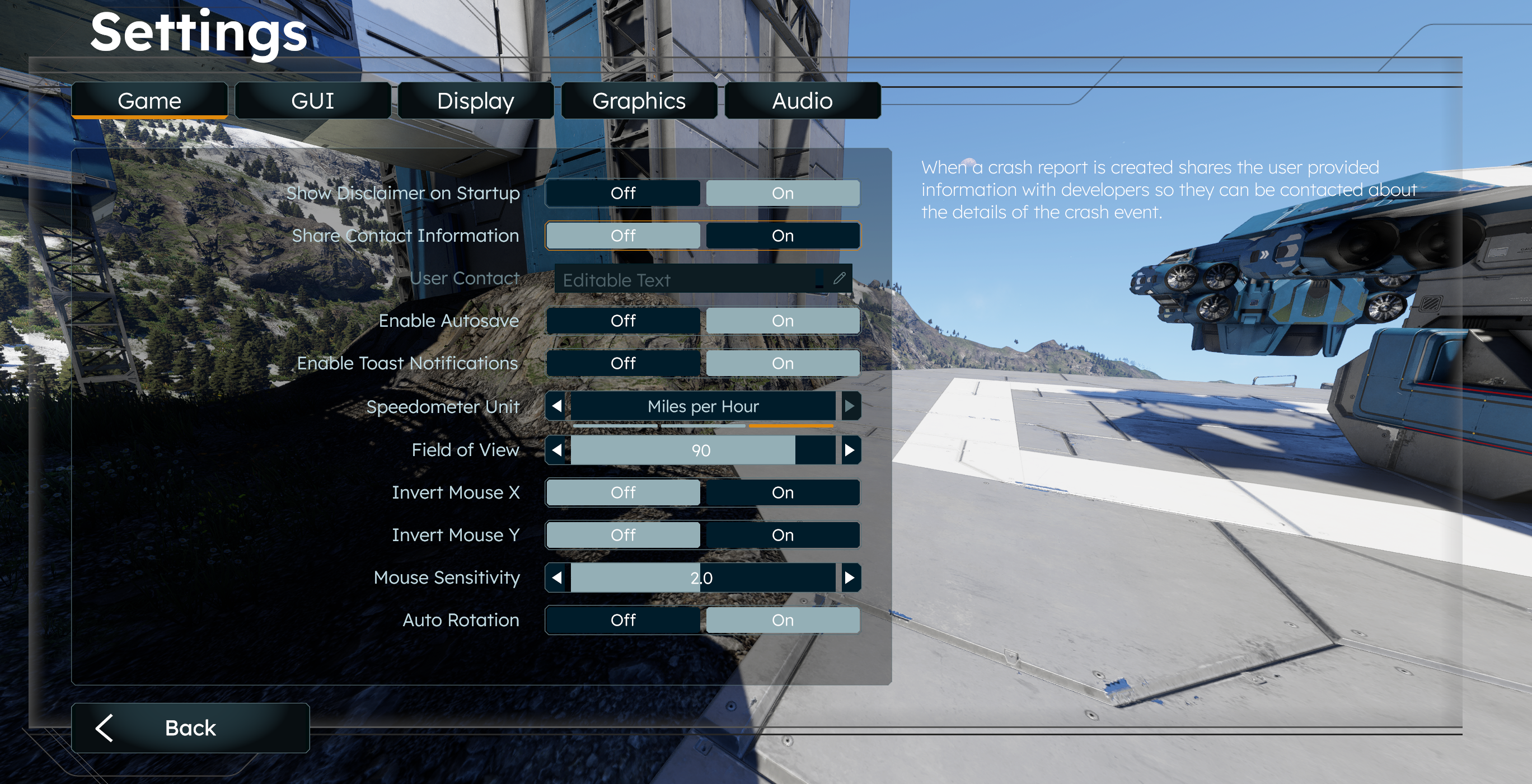
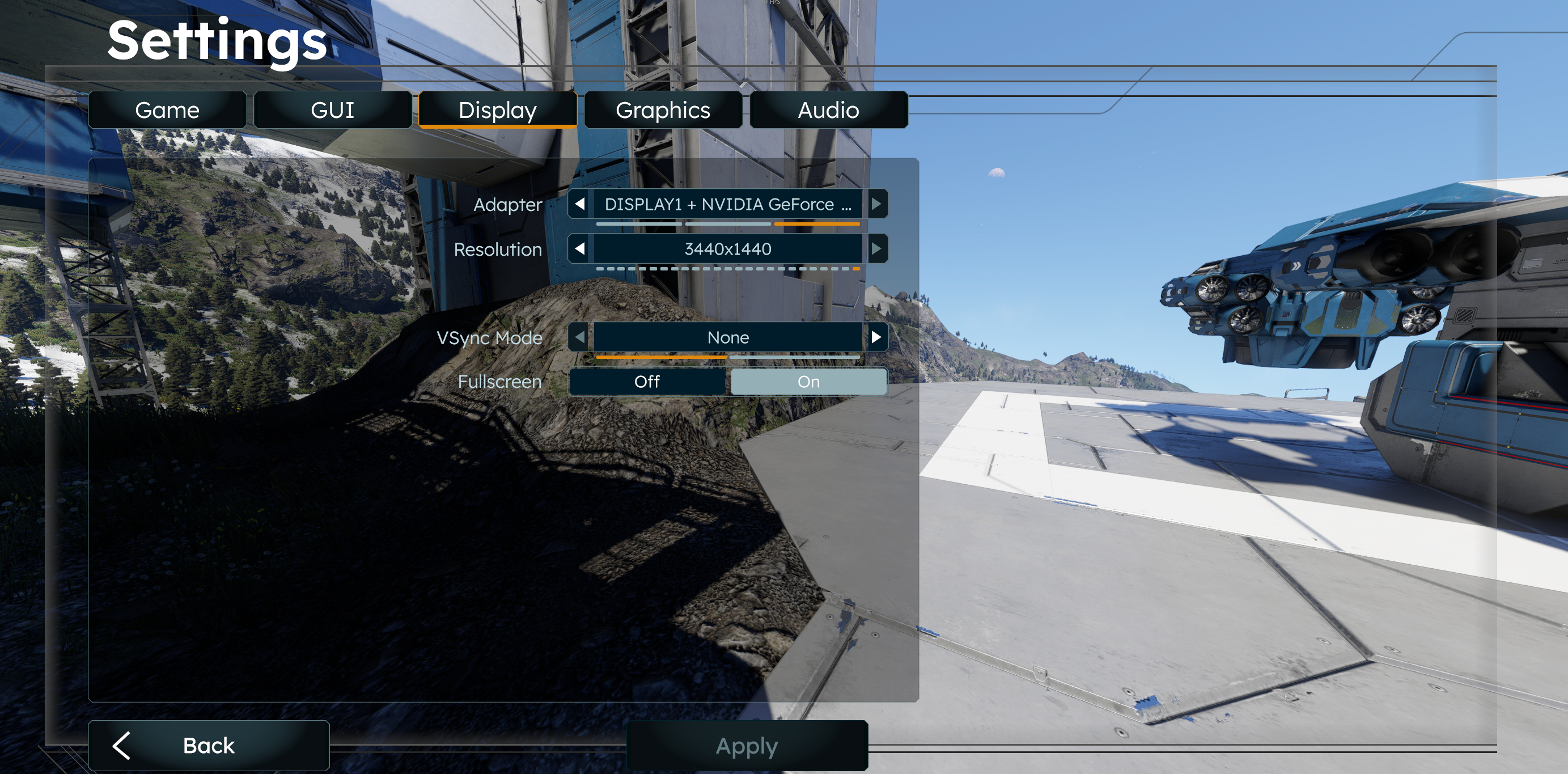
I don't think it is input lag it seems to be messed up mouse acceleration. If I put my mouse to 400 DPI and move it slowly I turn around 180 degrees. If I move it quickly I turn about 10 degrees. The Vsync thing is annoying, if you turn Vsync off then you get uncapped frames but by default it caps me at 60 too.
I don't think it is input lag it seems to be messed up mouse acceleration. If I put my mouse to 400 DPI and move it slowly I turn around 180 degrees. If I move it quickly I turn about 10 degrees. The Vsync thing is annoying, if you turn Vsync off then you get uncapped frames but by default it caps me at 60 too.
I got the same issue with an AMD RX 7900 XT, occurs both on Windows 11 and Linux (tried both X11 and Wayland).
My display has 120 HZ but vsync is always 60 instead of the configured refresh rate.
I got the same issue with an AMD RX 7900 XT, occurs both on Windows 11 and Linux (tried both X11 and Wayland).
My display has 120 HZ but vsync is always 60 instead of the configured refresh rate.
Same here.
120hz Monitor, but with vsync/vrr 60fps max (also f11 shows render frequency 60hz)
Without Vsync FPS go up
Same here.
120hz Monitor, but with vsync/vrr 60fps max (also f11 shows render frequency 60hz)
Without Vsync FPS go up
same here.
vsync issue is duplicate of https://support.keenswh.com/spaceengineers2/pc/topic/45383-v-sync-issue#comment-91210
same here.
vsync issue is duplicate of https://support.keenswh.com/spaceengineers2/pc/topic/45383-v-sync-issue#comment-91210
Yea this is how it used to be in games, Vsync was limited to 60FPS, it usually isn't anymore.
Yea this is how it used to be in games, Vsync was limited to 60FPS, it usually isn't anymore.
This still isn't fixed, the game is totally unplayable for me because of constant stuttering and freezing every 2 seconds while moving around...
This still isn't fixed, the game is totally unplayable for me because of constant stuttering and freezing every 2 seconds while moving around...
Hello Reflexbull,
Vertical Synchronization (VSync) will default to 60fps in SE2. Variable Refresh Rate (VRR) should allow you to match the display's frequency if your hardware is powerful enough. Note that both GPU and monitor/display have to support VRR. Could you please provide you PC's specification with the dxdiag?
Dxdiag is an app which is included in Windows OS:
As for the input lag, it is possible that there are other processes running in the background and there is not enough resources for the game. You can check that with Task Manager and clean the unnecessary processes.
Kind Regards,
Bartosz
Keen Software House
Hello Reflexbull,
Vertical Synchronization (VSync) will default to 60fps in SE2. Variable Refresh Rate (VRR) should allow you to match the display's frequency if your hardware is powerful enough. Note that both GPU and monitor/display have to support VRR. Could you please provide you PC's specification with the dxdiag?
Dxdiag is an app which is included in Windows OS:
As for the input lag, it is possible that there are other processes running in the background and there is not enough resources for the game. You can check that with Task Manager and clean the unnecessary processes.
Kind Regards,
Bartosz
Keen Software House
I already posted the same response to this topic, but I'll post it here as well for visibility.
I have the same exact issue. This is definitely a bug, I've never experienced anything like it in any other game. It is not inverse mouse acceleration though, it's more like the game is capping the maximum turning speed.
Testing methodology:
I'm using the same methodology as ClearlyNotNeeded. I point the cross-hair at a point in the game, then move my keyboard against my mouse to serve as a reference point. I then move my mouse away from the keyboard quickly, I then move the mouse slowly back against my keyboard.
The cross-hair always goes past the point it started at (can be up to ~45 degrees off).
Tested with different mice:
All three have the same problem. Unfortunately, I don't have a non Logitech mouse to test.
Other things I've tried:
None of the things I've tried have made any difference.
I hope this can be fixed soon, right now it sort of feels like what games use to simulate the character being drunk :)
I'm happy to provide more information if necessary.
I already posted the same response to this topic, but I'll post it here as well for visibility.
I have the same exact issue. This is definitely a bug, I've never experienced anything like it in any other game. It is not inverse mouse acceleration though, it's more like the game is capping the maximum turning speed.
Testing methodology:
I'm using the same methodology as ClearlyNotNeeded. I point the cross-hair at a point in the game, then move my keyboard against my mouse to serve as a reference point. I then move my mouse away from the keyboard quickly, I then move the mouse slowly back against my keyboard.
The cross-hair always goes past the point it started at (can be up to ~45 degrees off).
Tested with different mice:
All three have the same problem. Unfortunately, I don't have a non Logitech mouse to test.
Other things I've tried:
None of the things I've tried have made any difference.
I hope this can be fixed soon, right now it sort of feels like what games use to simulate the character being drunk :)
I'm happy to provide more information if necessary.
Thanks for commenting, it seems this issue is only happening with logitech mice. How weird.
Thanks for commenting, it seems this issue is only happening with logitech mice. How weird.
Hello ClearlyNotNeeded,
This issue seems to be caused by the Logitech provided software for the mice. Could you please check with non-Logitech mouse if this issue is still present for you if you have one? Note that we could not reproduce this issue internally.
We will investigate this more in depth and will update you once we find the exact cause.
Please note however, that we are full ahead with releasing the Vertical Slice 2 and as such, fix for this issue may come at a later date.
Thank you for your understanding.
Kind Regards,
Bartosz
Keen Software House
Hello ClearlyNotNeeded,
This issue seems to be caused by the Logitech provided software for the mice. Could you please check with non-Logitech mouse if this issue is still present for you if you have one? Note that we could not reproduce this issue internally.
We will investigate this more in depth and will update you once we find the exact cause.
Please note however, that we are full ahead with releasing the Vertical Slice 2 and as such, fix for this issue may come at a later date.
Thank you for your understanding.
Kind Regards,
Bartosz
Keen Software House
Experiencing something similar. If not the same thing. Anything more than slow tiny mouse movements makes the camera grind to a halt. It doesn't get more unplayable than that.
This is with a Microsoft Intellimouse. So not a Logitech problem. I have more mice somewhere. But not been bothered to try if it makes a difference. I do however have a Logitech keyboard. And it stops working after a while in SE2. So it might be some sort of conflict with Logitech gear.
The mouse/camera movement I do have feel very stuttery/uneven on op of that. Can't rightly tell if it's all in the mouse, or game rendering. But I did see someone mention high GPU loads. Dunno if there's anything to it. But I do have a 2080S. So I'm at like full load at all times.
I really hope this gets fixed. Was unbelievably hyped for SE2. Would be a shame if I missed out on it because of mouse issues. Never experienced anything like this before.
Experiencing something similar. If not the same thing. Anything more than slow tiny mouse movements makes the camera grind to a halt. It doesn't get more unplayable than that.
This is with a Microsoft Intellimouse. So not a Logitech problem. I have more mice somewhere. But not been bothered to try if it makes a difference. I do however have a Logitech keyboard. And it stops working after a while in SE2. So it might be some sort of conflict with Logitech gear.
The mouse/camera movement I do have feel very stuttery/uneven on op of that. Can't rightly tell if it's all in the mouse, or game rendering. But I did see someone mention high GPU loads. Dunno if there's anything to it. But I do have a 2080S. So I'm at like full load at all times.
I really hope this gets fixed. Was unbelievably hyped for SE2. Would be a shame if I missed out on it because of mouse issues. Never experienced anything like this before.
I had the feeling I was going crazy, but I also have this. Maybe related to https://support.keenswh.com/spaceengineers2/pc/topic/48260-reverse-mouse-acceleration ?
I had the feeling I was going crazy, but I also have this. Maybe related to https://support.keenswh.com/spaceengineers2/pc/topic/48260-reverse-mouse-acceleration ?
I have this same bug on SE2. I set my mouse on the left edge of my mousepad and move it right fast until I've spun around so that I'm looking at the same thing again. Then when coming back from right to left towards the mouse pad edge this time slowly, I don't end up in the same place I started. When going slowly I spin almost 2 times instead of one even though it's the same distance on the mousepad. I am using 0.2 mouse sensitivity and was running 60 fps vsync.
I have this same bug on SE2. I set my mouse on the left edge of my mousepad and move it right fast until I've spun around so that I'm looking at the same thing again. Then when coming back from right to left towards the mouse pad edge this time slowly, I don't end up in the same place I started. When going slowly I spin almost 2 times instead of one even though it's the same distance on the mousepad. I am using 0.2 mouse sensitivity and was running 60 fps vsync.
I'm having the same issue, which has persisted since the game's release. This problem doesn't occur in any other game, not even in SE1.
It seems to be related to https://support.keenswh.com/spaceengineers2/pc/topic/48548-mouse-sensitivity-is-choppy-and-inconsistent
I'm having the same issue, which has persisted since the game's release. This problem doesn't occur in any other game, not even in SE1.
It seems to be related to https://support.keenswh.com/spaceengineers2/pc/topic/48548-mouse-sensitivity-is-choppy-and-inconsistent
I have had this issue too, tested on a high-end PC and older pc with different peripherals and the issue persists. Seems exclusive to when you are moving your player camera horizontally left and right, not when controlling a ship and doing the same thing.
I have had this issue too, tested on a high-end PC and older pc with different peripherals and the issue persists. Seems exclusive to when you are moving your player camera horizontally left and right, not when controlling a ship and doing the same thing.
Same issue on Logitech G703 Lightspeed, Negative Mouse Acceleration feels awful.
Same issue on Logitech G703 Lightspeed, Negative Mouse Acceleration feels awful.
Same issue. Fast mouse swipes rotate the camera less than slow swipes. Slow movement feels OK, fast movement causes strong deceleration and I can’t return to the starting point in a 360° test.
Repro steps
Expected
Same physical mouse travel should produce the same rotation regardless of swipe speed (no reverse accel).
Actual
Fast swipes produce less rotation (strong deceleration / rotation clamp).
Key diagnostic
Opening Debug and setting Tick Server = OFF makes the mouse rotation feel correct (reverse accel disappears), but of course the world/simulation stops and movement is not possible. This strongly suggests the issue is in the server tick / input sampling pipeline.
Tried / no change
Attachments
Same issue. Fast mouse swipes rotate the camera less than slow swipes. Slow movement feels OK, fast movement causes strong deceleration and I can’t return to the starting point in a 360° test.
Repro steps
Expected
Same physical mouse travel should produce the same rotation regardless of swipe speed (no reverse accel).
Actual
Fast swipes produce less rotation (strong deceleration / rotation clamp).
Key diagnostic
Opening Debug and setting Tick Server = OFF makes the mouse rotation feel correct (reverse accel disappears), but of course the world/simulation stops and movement is not possible. This strongly suggests the issue is in the server tick / input sampling pipeline.
Tried / no change
Attachments
Hello Engineers,
I have successfully reproduced this issue and reported it internally. Additionally, I have added this thread to our internal ticket (SE2-30366).
Kind Regards,
Bartosz
Keen Software House
Hello Engineers,
I have successfully reproduced this issue and reported it internally. Additionally, I have added this thread to our internal ticket (SE2-30366).
Kind Regards,
Bartosz
Keen Software House
Hello Engineers,
The issue should be fixed with next Hotfix. There was a line of code that clamped mouse input. That line of code was deleted and mouse movement should be smooth now even with fast movement.
As such, I will close this thread. Happy Engineering!
Kind Regards,
Bartosz
Keen Software House
Hello Engineers,
The issue should be fixed with next Hotfix. There was a line of code that clamped mouse input. That line of code was deleted and mouse movement should be smooth now even with fast movement.
As such, I will close this thread. Happy Engineering!
Kind Regards,
Bartosz
Keen Software House
Replies have been locked on this page!