


HI i have recently got the game but am having issues with graphical artifacts
as you can see in the image. there is like a pixelization issue (screenshot was taken on high settings). whilst playing i have noticed that in the menus look ok but when in game not in the main menu there is a constant pixilation issue on any graphical settings almost like old tv static. I am playing on a AMD graphics card fully updated and works perfect on any other game. A similar graphical issue happened when i got ICARUS when that first released in early access a few years ago. they updated it and it stopped the issue. again it was on a AMD system. please can this be looked into as I love playing on se1 almost 2000 hrs in and would like to put the hours in playing this game but cant with the way it looks with this issue.
 I have the same bug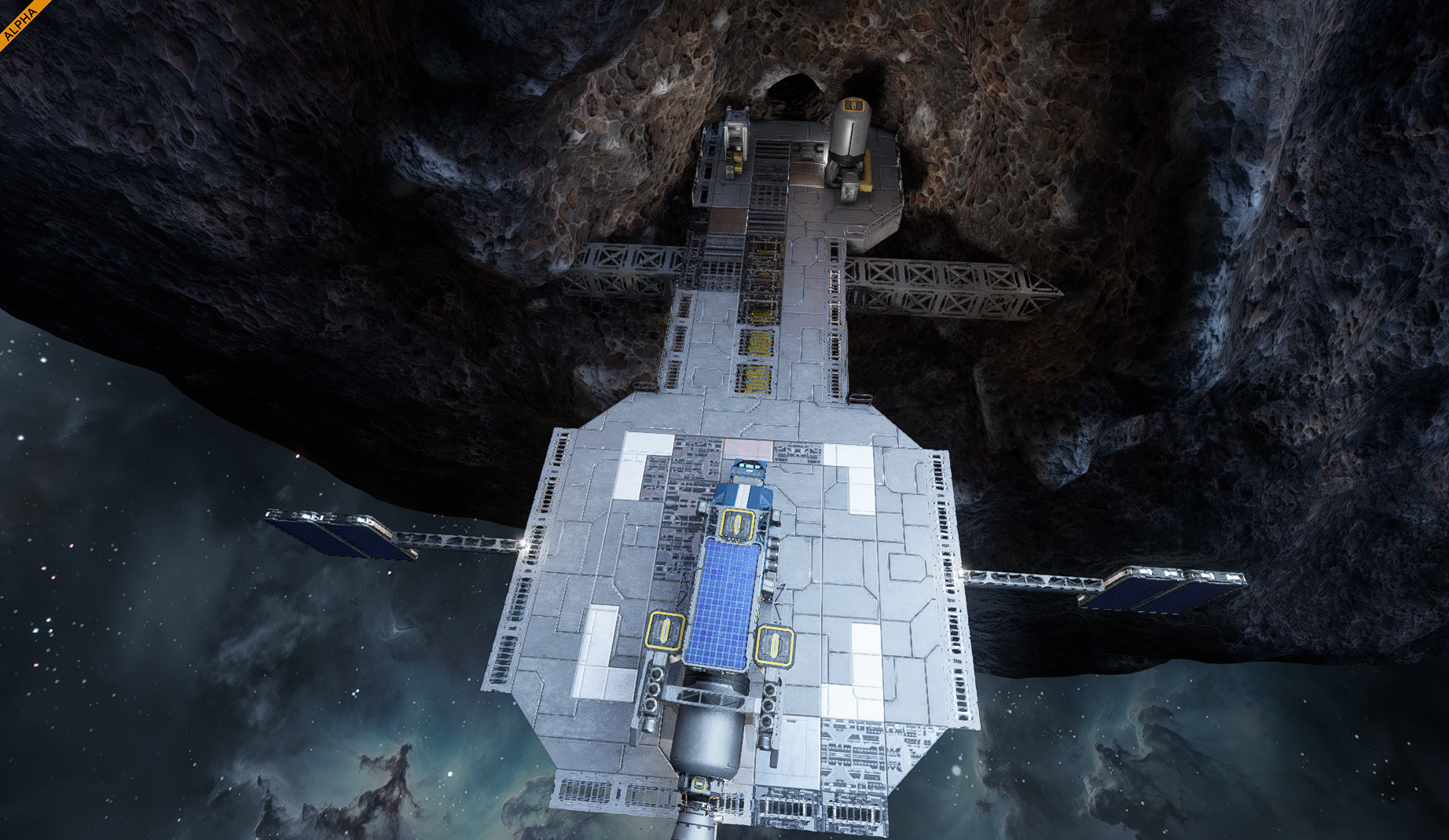
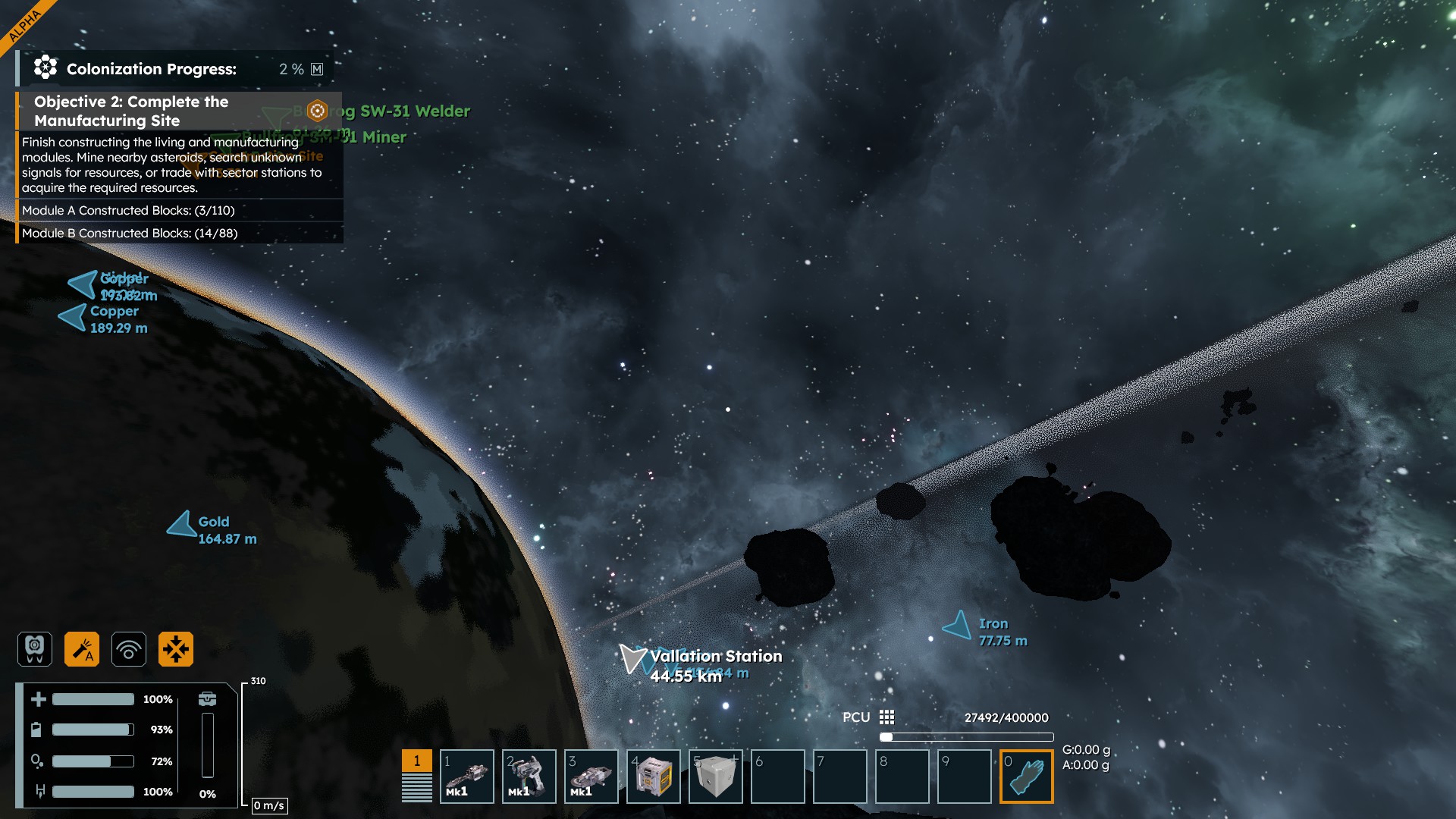
I would like to add that I have the same bug but I am also seeing a sort off trailing after image of whatever I am looking at when I move my camera around.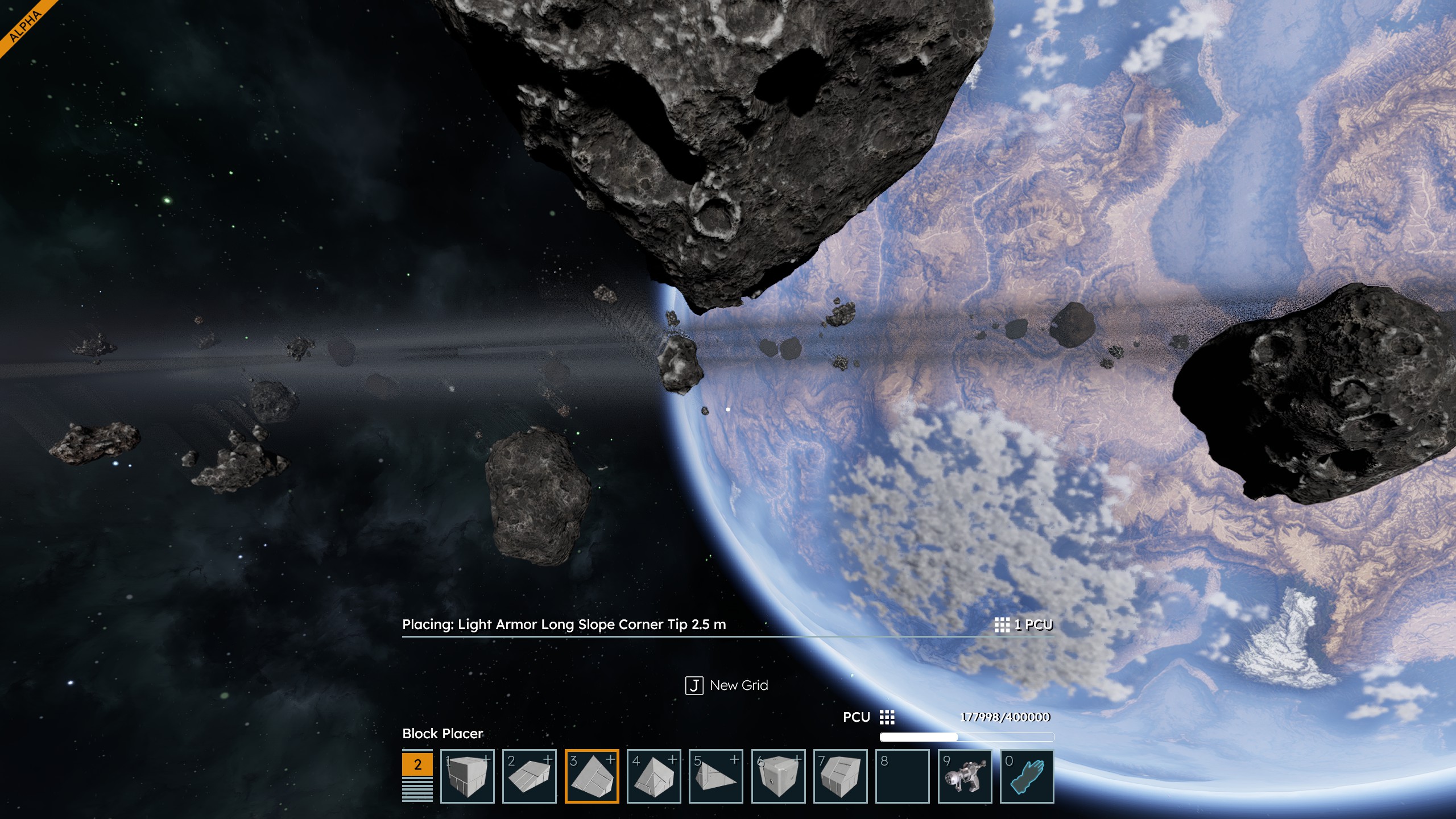
I would like to add that I have the same bug but I am also seeing a sort off trailing after image of whatever I am looking at when I move my camera around.
I get the same but not just when in space but constantly. took a snip of the screen this is with settings set to high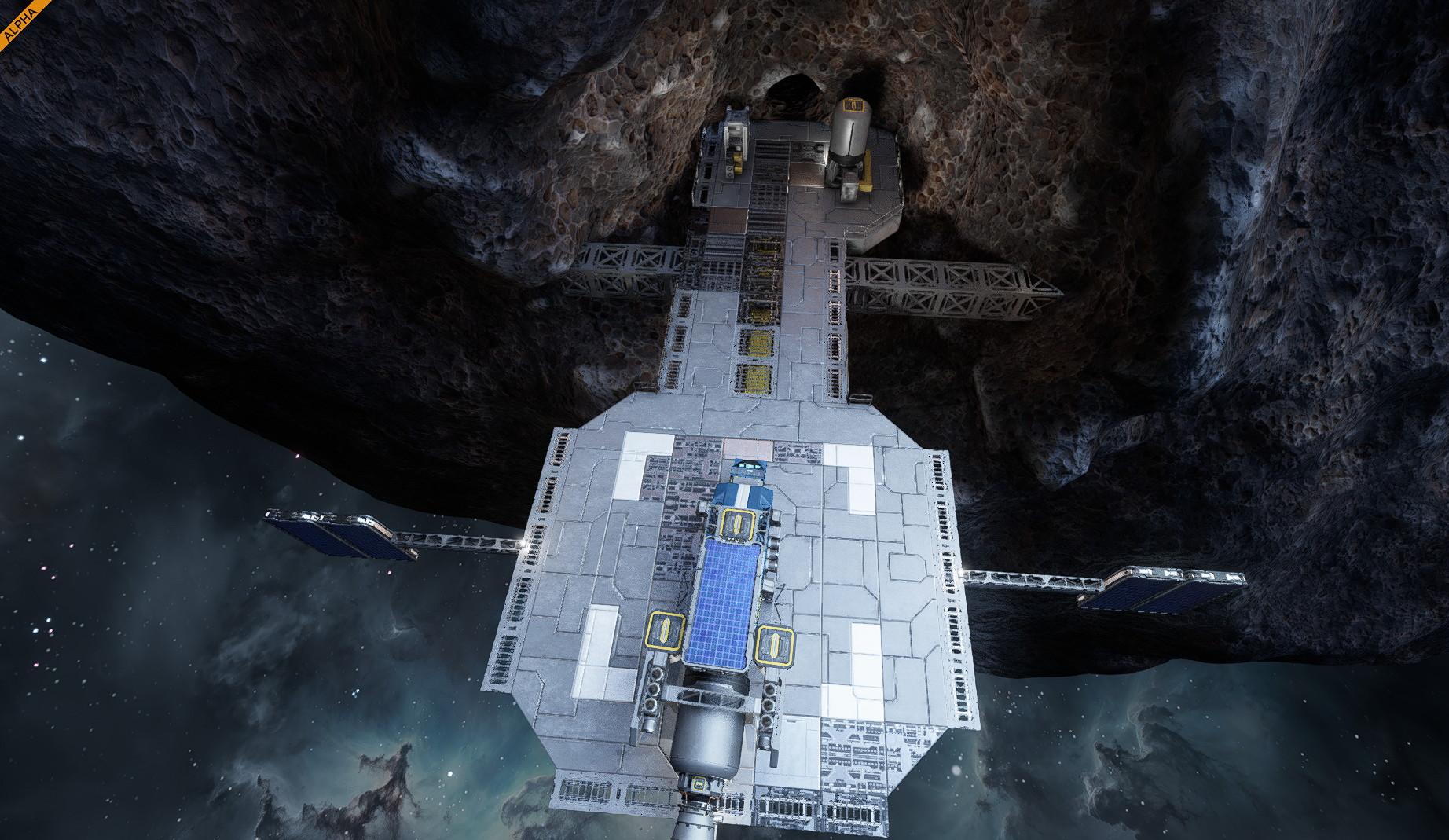
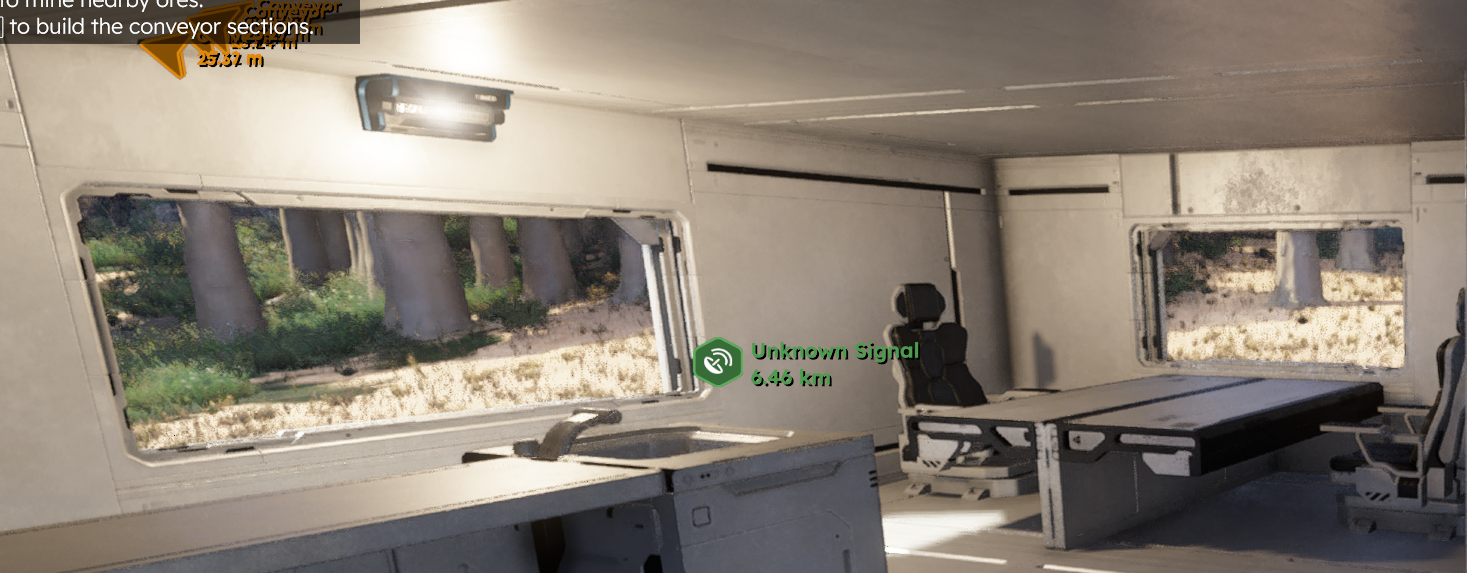
I get the same but not just when in space but constantly. took a snip of the screen this is with settings set to high

Hello ILoveSpaceEngineers,
Could you please provide a video recording of your issue and a screenshot of your Graphical settings? Are you using up-to-date NVidia drivers?
Kind Regards,
Bartosz
Keen Software House
Hello ILoveSpaceEngineers,
Could you please provide a video recording of your issue and a screenshot of your Graphical settings? Are you using up-to-date NVidia drivers?
Kind Regards,
Bartosz
Keen Software House
I started a thread about a similar issue. They are responding to me there. I have a 5090 and assumed it was related to that, because I haven't seen other issues listed.
I titled that one with "5090" in it. If you want to go over there. I made a few videos for them. Your pic looks similar to what I am seeing... but maybe worse.
I started a thread about a similar issue. They are responding to me there. I have a 5090 and assumed it was related to that, because I haven't seen other issues listed.
I titled that one with "5090" in it. If you want to go over there. I made a few videos for them. Your pic looks similar to what I am seeing... but maybe worse.
This issue is affecting many users. I have another issue titled "5090" where I provide some videos. I have not seen the rings yet, so I don't know if they will have the pixelation or not. But it's definitely an ongoing issue.
They have responded to my issue, so you might give it some love to help nudge them to resolve.
This issue is affecting many users. I have another issue titled "5090" where I provide some videos. I have not seen the rings yet, so I don't know if they will have the pixelation or not. But it's definitely an ongoing issue.
They have responded to my issue, so you might give it some love to help nudge them to resolve.
I'm having similar issues on a 3070ti, as well as a few other possibly related problems that I made a separate report on. I typically use lower graphics settings and native AA. It's as if the lighting has built-in static or jitter, and it's mildly headache inducing for me.
I'll cross-reference my issue here just in case. https://support.keenswh.com/spaceengineers2/pc/topic/53046-visual-static-on-planetary-rings-giving-a-lot-of-eyestrain
I'm having similar issues on a 3070ti, as well as a few other possibly related problems that I made a separate report on. I typically use lower graphics settings and native AA. It's as if the lighting has built-in static or jitter, and it's mildly headache inducing for me.
I'll cross-reference my issue here just in case. https://support.keenswh.com/spaceengineers2/pc/topic/53046-visual-static-on-planetary-rings-giving-a-lot-of-eyestrain
Hello Engineers,
After talking with our Devs, the issues you are experiencing with the visual noise etc. seem to be caused due to limitations of current technology. I have reported these issues and attached this thread to our internal ticket (SE2-32551). I don't have any ETA on when this going to be solved. I will update this thread with more info once I'll know more.
Thank you for your patience.
Kind Regards,
Bartosz
Keen Software House
Hello Engineers,
After talking with our Devs, the issues you are experiencing with the visual noise etc. seem to be caused due to limitations of current technology. I have reported these issues and attached this thread to our internal ticket (SE2-32551). I don't have any ETA on when this going to be solved. I will update this thread with more info once I'll know more.
Thank you for your patience.
Kind Regards,
Bartosz
Keen Software House
Can confirm VS2.3 still has this issue - the rings and halo issues persist, though the option to disable raytracing makes the block lighting static go away.
Can confirm VS2.3 still has this issue - the rings and halo issues persist, though the option to disable raytracing makes the block lighting static go away.
Replies have been locked on this page!