


Space Engineers 2 Alpha: VS2.2 - Mechanical Blocks & Weapons
Hello, Engineers!
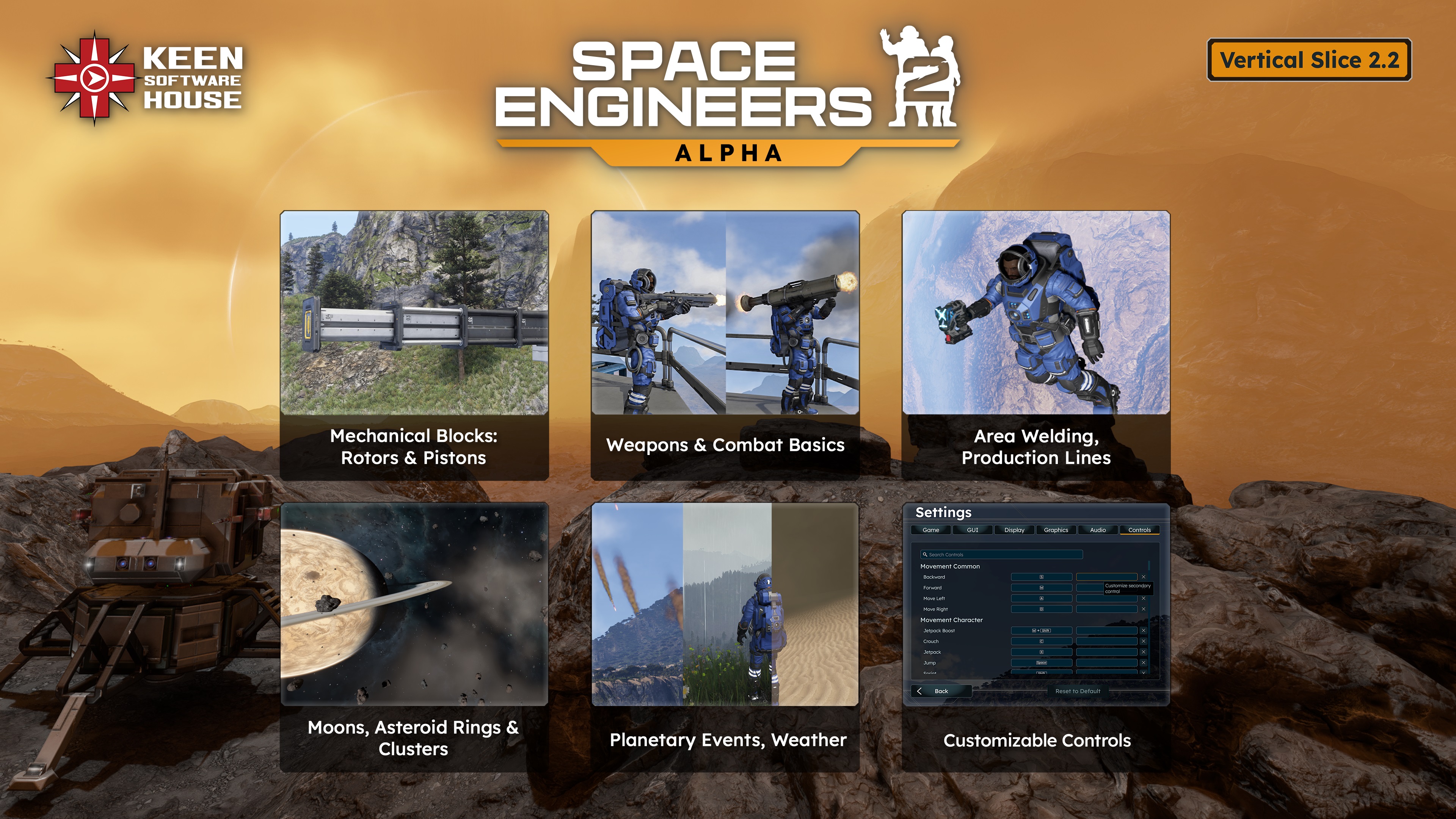
Major Update VS2.2 is here - bringing Mechanical Blocks (Rotors & Pistons), Weapons & Combat Basics, Area Welding, and Production Lines to the game.
This update also expands exploration with new Moons, Asteroid Rings, and Clusters, while introducing Planetary Events and Weather, Trading & Economy foundations, and Customizable Controls. Together, these systems deepen the survival experience and expand gameplay possibilities.
This Major Update pushes Space Engineers 2 forward in a big way - and we’re excited to finally share it with you!
- Full Blog Post: https://blog.marekrosa.org/2026/03/space-engineers-2-vs2-2/
- Roadmap: https://2.spaceengineersgame.com/roadmap-2/
- Support: https://support.keenswh.com/spaceengineers2/pc

New in Almagest System / Almagest System Exploration
- Moon Palatine (Verdure)
- Moon Caligo (Kemik)
- Asteroid Rings & Clusters
- The Viridian Halo (Verdure)
- The Cryon Ring (Kemik)
- 3 types of Asteroid Fields: Feroid, Ice, Radiant Drift
- Delfos Killing Field
- 5 New Contracts in Verdure Sector
Features - System Foundations
- Added Weapons & Combat Basics
- Mechanical Foundations
- Added Planetary Events
- Weather - Rainstorm
- Weather - Sandstorm
- Meteor Showers
- Survival Mechanics: Suit Oxygen
- Economy Foundations: Trading, Credits
- Cargo Ships
- Ship Action Toolbar Basics
- Automatic Block Recovery
- Customizable Controls Basics
- Datapads
Features - Expansions
- Area welding, grinding & ship tools
- Contracts UI
- Production Lines
- Assembler now uses components made in Smelter (no raw ores anymore)
- GPS Screen Enhancements
- Contract Rewards & Loot System
- Max inventories increased
- Separate Tool Sounds Volume Slider
- Character Animations improvements
- GUI & Hud Improvements
- Production screen
- Contracts UI
- Warfare HUD View - guns reloading ammo count
- Player HUD enhancements
- Added tons of new sounds and audio improvements
New Character Weapons & Tools
- Assault Rifle
- Rocket Launcher
- Area Welder
New Blocks
- Welder Blocks
- Grinder Blocks
- Gatling Cannon
- Gatling Turret
- Rotors
- Pistons
- Trade Terminal
- Deck Panel
Added 9 Game Localizations
- Brazilian Portuguese
- Czech
- French
- German
- Italian
- Polish
- Slovak
- Spanish
- Turkish

- Expanded Official Soundtrack - 6 New Tracks
- Added SE2 Music Competition Tracks
- https://store.steampowered.com/app/3365540/Space_Engineers_2_Pioneer_Edition/


Please keep in mind that VS2 is still an Early Access and Alpha version of Space Engineers 2. We are planning daily hotfixes after the initial release.
- Some features of this update will need a new game to be started / Will need new save to be visible
- Money + Trading / Economy, Cargo Ships, Loot System, Asteroid rings & clusters, Moons, New Verdure Contracts
- Hinge Blocks, Subgrid Projection Support: Copy/pasting projections of blueprints with subgrids is not fully supported YET. You can build on pistons and rotors individually in VS2.2, but when you paste a grid that includes connectors, rotors, or pistons, only the main grid will be projected for now. We are definitely planning proper support for subgrid projections in a future update.
- Hinges are not included in VS2.2 - but we are not forgetting them. Hinges are planned for VS2.3, alongside Wheels and additional mechanical features that will further expand what you can build
- Iron Sight aiming for Character Weapons is planned
- Economy: Selling grids is not supported yet, but planned
- 3rd person view: Ship guns shoot exactly where they are oriented now (not where the crosshair is). It will be changed in VS2.3
- Rotor does not maintain its speed after reloading
- Tower made of Pistons behaves erratically when external forces are applied to it
- Planet modding is not fully supported at this stage of development - we will bring you modding support for planets at later stages!
- We are always keeping previous versions of the game available after major updates. This means you can return to an earlier version at any time and, for example, save your blueprints or creations. You will find these builds in the Steam Beta tab
- We also want to be upfront about one important thing. We already know that water will be such a monumental change for the game that you will need to start a new save when VS3 arrives. We try to minimize situations like this, but during the alpha stage of development they are sometimes unavoidable.

Stability
- Fixed a crash when trying to set relative dampening to a fracture
- Fixed a crash when attempting to change bounds of a managed world area
- Fixed a crash when using ALT+F4 or going quickly to the Main Menu when moving fast on a planet
- Fixed a crash after fast travelling to Kemik and pressing M to open the map
- Fixed out of memory crashes when running the game for a few hours
- Fixed a crash when flying towards Delfos
Performance
- Fixed a performance issue when selecting many blocks in the Control Panel
- Fixed a performance issue when opening Manage Mods screen
- Fixed a performance issue where it took a while for planet voxels to load
- Fixed a performance issue where voxels were not loading and the character got stuck after respawn on low-end hardware
Functional
- Planetary contracts should no longer spawn 100's km away
- Fixed an issue where the character lights were on by default in the survival scenario
- Fixed an issue where characters could accelerate immobile ships by sprinting in place
-
 Fixed an issue where opening and closing the map changed first person camera to third person camera
 - Fixed an issue where powered Cockpit did not recharge the character's suit
- Fixed an issue where an unpowered or turned off Cockpit was still recharging the character's suit
- Fixed an issue where the Debug Gun did not damage the planet environment in the survival scenario
- Fixed an issue where the Debug Gun kept shooting after the character's death
- Fixed an issue where block projections overlapped each other
- Fixed an issue where copying a block projection displayed the block projection in the construction stage
- Fixed an issue where floating objects prevented welding of block projections because they were not destroyed
- Fixed an issue where a non-weldable projection did not appear red when the character entered it with the welder equipped
- Fixed an issue where block projections placed on another grid could not be undone or redone
- Fixed an issue where projections could not be welded if standing inside another projection
- Fixed an issue where truss blocks were not visible during grid placement preview
- Fixed an issue where the notification appeared that support blocks would be generated in artificial gravity
- Fixed an issue where construction progress was not persistent after reloading the game
- Fixed an issue where a fractured block could mask interaction with another block
- Fixed an issue where Armor Half Tall Slope was incorrectly mirrored on blue symmetry planes
- Fixed an issue where Landing Gear did not preserve lock to a boulder after reloading
- Fixed an issue where Refinery was unable to manufacture components with resources from other connected inventories
- Fixed an issue where tools behaved inconsistently under safe zone restrictions
- Fixed an issue where shooting off a fracture did not make it disappear
- Fixed an issue where Empty world contained encounters and asteroids
- Fixed an issue where a Hydrogen Tank did not get fully emptied
- Fixed an issue where a Cockpit copied in survival stayed fractured and non-functional when welded
- Fixed an issue where a Hydrogen Tank copied in survival stayed filled
- Fixed an issue where tree fractures were not affected by projectiles when shooting
- Fixed an issue where a hole in the voxel disappeared when getting closer
- Fixed an issue where a ship could not descend on the planet and could not stop when ascending
- Fixed an issue where the survival scenario started with 96% of the character's energy
- Fixed an issue where the "A Place to Call Home" contract had an objective completed before registering a Survival Kit as a home base
- Fixed an issue where the Objective 5 in the survival scenario contained imprecise steps
- Fixed an issue where the planet disappeared after reload
- Fixed an issue where floating objects could clip into a voxel
- Fixed an issue where mining Nickel ore near the planet's surface caused a Gold ore marker to appear
- Fixed an issue where the 7.5 m Cargo Container's right cargo access port was non-functional
- Fixed an issue where the Reactor control panel opened the inventory
- Fixed an issue where Crate blocks could get launched at extreme velocity when pushed off of a platform
- Fixed an issue where having more than 1 Drill block connected to a conveyor system caused the Drills to be unable to transfer their mined ores
- Fixed an issue where welding projections without connection points caused ores to be converted into components without using them
- Fixed an issue where tier 2 and higher tools were deposited when dropping items with Alt+RMB
- Fixed an issue where the fail state was not triggered upon functional block destruction in the survival scenario
- Fixed an issue where Atmospheric Thrusters' PCU values were incorrect
- Fixed an issue where the character's ragdoll broke after colliding at maximum speed
- Fixed an issue where destroyed or cut flora left ghost collisions that would reappear after reloading a save
- Fixed an issue where it was possible to attempt to publish a world that was not owned
- Fixed an issue where small blocks were welded instantaneously
Render
- Fixed an issue where rocks flashed when shot at
- Fixed an issue where artifacts were present on the rock surfaces in survival scenario
- Fixed an issue where trees became invisible after respawn from far away
- Fixed an issue where doubled or stretched textures were present on the Verdure planet
- Fixed an issue where a voxel hole appeared in terrain at specific view distances on low and medium terrain quality settings
- Fixed an issue where voxel materials had sharp lines
- Fixed an issue where rippled shadows appeared and disappeared on voxels around tessellated areas
- Fixed an issue where trees were popping up over at the horizon when flying in jetpack at higher speeds
- Fixed an issue where asteroids were casting shadows on planets
- Fixed an issue where contrast in the game preview thumbnail was too high
- Fixed an issue where decals did not appear on blocks when shooting
UI
- Fixed an issue where the unloading screen turned black when GPS markers were present
- Fixed an issue where no ores were displayed in the map when selecting Oblivara Sector
- Fixed an issue where the inventory slot wrapped downward in certain resolutions
- Fixed an issue where control hints were displayed unreliably
- Fixed an issue where mods failed to load after quick switching between Manage Mods and World Detail screens
- Fixed an issue where a dragging tooltip made an icon spawn in the wrong position in inventories
- Fixed an issue where switching Workshop tabs quickly caused content of the previous tab being loaded
- Fixed an issue where Loading screen hints and quotes contained inconsistent punctuation
- Fixed an issue where Respawn screen failed to stretch to full screen size on some display resolutions
- Fixed an issue where the "Powered On" button in the control panel was too small
- Fixed an issue where the resources quantity in the inventory displayed unnecessary decimal places
- Fixed an issue where the block info panel was flickering when pointing at it
- Fixed an issue where the block info panel appeared before the tools' functionality radius
- Fixed an issue where GPS markers could not be selected on the map
- Fixed an issue where GPS markers could not be added through the Colonization tab
- Fixed an issue where the table of GPS markers resized when marker's name was too long
- Fixed an issue where the "Add GPS Marker" text field was not focused when opened
- Fixed an issue where GPS marker's name could be empty
- Fixed an issue where GPS marker could not be deselected
- Fixed an issue where UI screens could not be scrolled by MMB
- Fixed an issue where the Ice ore inventory icon was too bright, making the text hard to read
- Fixed an issue where HUD disappeared when selecting "No" after Debug warning when trying to load a world
- Fixed an issue where text was not loaded in the Contracts tab in Empty world
- Fixed an issue where tooltip displayed "Exit Cockpit" instead of "Exit Grid"
- Fixed an issue where the "Engineering - Comm Station Upgrade" contract contained typos
- Fixed an issue where rewards for finishing the "Engineering - Hydrogen Production Facility" and "Engineering - Uranium Mine Accident" contracts contained typos
- Fixed an issue where inventory tooltips prevented / canceled dragging and dropping of items
Animation
- Fixed an issue where walking up and down animation was missing at extreme slopes
- Fixed an issue where tools ended in wrong positions after switching them from drill upon impact animation
Particles
- Fixed an issue where landing particles followed the ship during takeoff and were produced when Thruster flames hit parts of the ship
- Fixed an issue where speed particles did not disappear or change direction immediately when the direction of jetpack flight was changed or stopped
- Fixed an issue where weld particle effect spawned in wrong location when inside projection
Art
- Fixed an issue where volcanic rocks on Kemik appeared orange on distant LODs
- Fixed an issue where Suit Battery consumable item was not emissive
- Fixed an issue where there were floating decals in Fabricator
- Fixed an issue where Reactor 7.5 m had too big highlight for on/off switch
- Fixed an issue where the Drill 5.25 m model was offset, causing one of its cargo access ports to be unusable
- Fixed an issue where Catwalk Stairs Narrow 3.5 m were missing final build stage when welding
- Fixed an issue where emissive material was not hidden when grinding down from finished model to construction stage
Audio
- Fixed an issue where sounds could be heard when loading or unloading a world with damaged blocks
- Fixed an issue where screeching sounds were missing when a ship was sliding
- Fixed an issue where wind ambience stopped abruptly at a specific altitude
- Fixed an issue where music and voice overs continued in the In-game menu
- Fixed an issue where voiceovers did not stop when the character died
- Fixed an issue where voiceover continued to the loading screen
- Fixed an issue where grinding with full inventory caused "Inventory Full" voice message to be spammed
VRAGE3 Mod HUB
- Fixed an issue where ownership check message was cut
VRAGE3 Mod Editor
- Fixed a crash on editor startup with malfunctioning appdata folder
- Fixed a crash when trying to move gizmo on an overridden asset
- Fixed a crash when inspecting a Verdure planet in the editor
- Fixed a crash when creating empty client side prefab and aborting it, while already having an empty prefab
- Fixed a crash when trying to type invalid values into suggester
- Fixed a crash when starting game from the editor with invalid blackboard key in the animation controller
- Fixed a crash when selecting suggested (None) in supporting fracture
- Fixed an issue where the editor did not report a missing project
- Fixed an issue where no warning icon was displayed on a file
- Fixed an issue where no warning icon was displayed in the animation controller
- Fixed an issue where read-only animation controllers were editable
- Fixed an issue where usages were not correctly shown in the Project Explorer
- Fixed an issue where Ctrl + Y (Redo) did not work in Render View after transforming a position
- Fixed an issue where the definition of a toast notification contained overlapping icons
- Fixed an issue where tool dummies' positions in the editor were not representative of their in-game positions
- Fixed an issue where read-only fields on the LOD calculator in the editor could not be unhighlighted
- Fixed an issue where the definition of a toast notification contained overlapping icons
- Fixed an issue where particle effects were not displayed in the render view window
- Fixed an issue where preview did not reload textures properly after renaming folder

24/03/2026
Stability
- Fixed a crash at MissionObjectiveNotificationSessionComponent.CloseMissionObjectives
- Fixed a crash at ToolbarScreenViewModel.SelectTile
- Fixed a crash at AudioEventInstance.Initialize
- Fixed a crash at AudioManager.CreateAudioEventInstance
- Fixed a crash at BlockVisualsBlockDetailModelServer.Dispose
- Fixed a crash at PlanetRenderDataBuilder.GetTriangleData
- Fixed a crash at UIEngineComponent.Initialize
- Fixed a crash at CameraSystems.Modes.ThirdPersonCameraComponent
- Fixed a crash at SpaceProbeSessionComponent.QueryInternalAsync
- Fixed a crash at Toolbars.Targets.ToolbarActionBlock.TryAttachToBlock
- Fixed a crash at ProjectileWeaponBaseComponent.__InternalShotFiredSignal
- Fixed a crash at SteamUGCServiceComponent.DownloadPreviewAsync
- Fixed a crash at ManagedTextureManagerComponent (ModEditor)
- Fixed a crash at Core.Device.SwapChain
- Fixed a crash at MainMenuComponent.OpenLoadScreen
- Fixed an issue where some .dlls were blocked by Windows Defender
- Fixed a freeze in StartingGame caused by voxel deserialization during asynchronous procedural contract spawning
Functional
- Fixed an issue where it was not possible to connect or disconnect a connector in the terminal
UI
- Fixed an issue where time left was not displayed when one of the queued items could not be produced
- Fixed an issue where time left in the Production screen showed an incorrect value
Audio
- Updated Gatling gun sound based on community feedback
Tools (VRAGE3 Mod Editor & Mod HUB)
- Fixed an issue where the splash screen was displayed when closing Mod HUB
- Fixed an issue where mesh parts were not hidden for fractured and deformed models in ModEditor

25/03/2026
Stability
- Fixed a crash at ChildComponent.Init
- Fixed a crash at InProcessReplicationTranslationTable
- Fixed a crash at SceneManager.IParticleEffectEntity.SetEmitterVisible
- Fixed a crash at Core.Device.SwapChain
- Fixed an issue with various game freezes caused by planet texture streaming
Performance
- Fixed multiple second freezes when multiple blocks were removed after opening the grid control panel at least once
Functional
- Fixed an issue where flames were shooting out of Delfos when opening the map while moving
- Fixed an issue where the "Engineering - Industrial Foothold" contract was nearly impossible to complete
Render
- Fixed an issue with visual glitches on tracers
- Fixed an issue with flickering trees when moving the camera

26/03/2026
Features
- Added support for assigning arrow keys in Controls
Stability
- Fixed a crash at AutoTargetingComponent.GetTargetPosition
- Fixed a crash at ControlPanelViewModel.OnDispose
- Fixed a crash at EntityTransformFunctions.GetWorldTransform
- Fixed a crash at MechanicalBlocks.PistonComponent.__InternalCurrentPositionProperty
- Fixed a crash at MissionObjectiveNotificationSessionComponent.RefreshObjectivesAsync
- Fixed a crash at NetworkStoryContext.FindNarrator
- Fixed a crash at UI.Consumables.ConsumableViewModel
Performance
- Fixed various memory leaks (work on additional fixes is still ongoing)
Functional
- Fixed an issue where a phantom Uranium ore marker appeared in the world
Tools: VRAGE3 Mod Editor & HUB
- Fixed a crash at EditorGizmoManager.Update

31/03/2026
Stability
- Fixed a crash at AutoTargetingComponent.Init
- Fixed a crash at ChildComponent.Init
- Fixed a crash at ConsumableViewModel.OnDispose
- Fixed a crash at EntityFunctions.Single during StreamedCharacterConsumablesSessionComponent.DetachImpl
- Fixed a crash at Havok.HkSession.ProcessConstraintsMigrations
- Fixed a crash at InProcessReplicationTranslationTable
- Fixed a crash at InventoryEffectsSessionComponent.ScreenDisposed
- Fixed a crash at PlanetMaterialProvider.PostProcessVertex
- Fixed a crash at UI.Consumables.ConsumableViewModel
- Fixed various game freezes
Performance
- Fixed an issue where performance dropped when Delfos was in view on High and Extreme presets
- Fixed various memory leaks (work on additional fixes is still ongoing)
Functional
- The behavior of destructions has been adjusted (work on additional fixes is still ongoing)
- Fixed an issue where character camera sensitivity dropped during fast mouse movement
- Fixed an issue where the welder blocks accepted ore into their inventory
- Fixed an issue where the welder blocks did not pull components from cargo containers
- Fixed an issue where the welder switched to Raw mode during welding
Render
- Fixed an issue where the screen darkened and a white circle appeared at certain angles

07/04/2026
Features
- Added a new World Option to toggle Super Dampeners on grids
Stability
- Fixed a crash at BlockOctreeComponent
- Fixed a crash at ElasticAnalyticsReporterComponent.Destroy
- Fixed a crash at Entity.TryGet
- Fixed a crash at ProjectionSourceComponent.OnAddedToScene
- Fixed a crash at System.TimeSpan.IntervalFromDoubleTicks
- Fixed a crash at TerminalAnalyticsSessionComponent.ResetData
- Fixed a crash at MissionObjectiveNotificationSessionComponent.RefreshObjectivesAsync
- Fixed a crash caused by stack overflow
- Fixed a crash when loading a save with active turrets
- Fixed various game freezes
Functional
- Fixed an issue where block projections did not stay connected to the grid after it was moved
- Fixed dampeners fighting gravity when the player is trying to move down

08/04/2026
Features
- Added a new Cockpit Option to toggle Target Based Gyro
- Adjusted Speed Particles
Stability
- Fixed a crash when shutting down the game

21/04/2026
Features
- Added Classic Survival Start option to the world creation screen (New Game -> Worlds -> Classic Survival)
- Introduced voxel-based resource yields from planetary terrain (does not apply to asteroid materials)
- Soil-like materials now yield Iron
- Rock-like materials now yield Nickel
- Sand-like materials now yield Silicon
Classic Survival: Balance Adjustments
- Limited the number of components available for backpack building
- Rebalanced welder and grinder speeds
- MK1 speed increased to 1.25×
- MK2 and MK3 adjusted for better progression
- Tweaked hand drill secondary mode radius (slight increase)
- Updated ore yield balance (minor changes overall)
- Iron yield slightly reduced
- Nickel and Silicon yields slightly increased
- Simplified basic block recipes
- Adjusted starter component crafting costs
- Includes steel plates, construction components, steel tubes, and glass
Classic Survival: World & Difficulty Notes
- Voxel ore changes apply only to planetary terrain (asteroids voxels remain unchanged)
- Space gameplay remains intentionally challenging
- Overall experience remains very close to the community feedback mod version, with minor ore balance tweaks
General Gameplay Balance
- Added the Smelter Block to initial unlocks
- Integrated the Smelter Block into FTUE (First-Time User Experience)
- Added a map marker for easier discovery
- Updated onboarding tooltips to include production blocks (not just the Gearforge)
- Helps prevent early-game softlocks
UI & Feedback Improvements
- Updated the HUD notification for ore collection - now displays across two lines for better readability
Ugh, bigger block groups! the shortcut bar is already too limited, so please don't put blocks in groups of 4. If anything, make much bigger groups. (Also, 'r' is silly for cycling block groups. Why would anyone change the default from mouse button? When does anyone really want to slide to the next block on their shortcut bar? I suppose someone tried it so that we can cycle through character tools, but we wouldn't need to if you'd just make them cycle like block rotation groups.
Ugh, bigger block groups! the shortcut bar is already too limited, so please don't put blocks in groups of 4. If anything, make much bigger groups. (Also, 'r' is silly for cycling block groups. Why would anyone change the default from mouse button? When does anyone really want to slide to the next block on their shortcut bar? I suppose someone tried it so that we can cycle through character tools, but we wouldn't need to if you'd just make them cycle like block rotation groups.
So When are we going to get working KEYBINDS ?
So When are we going to get working KEYBINDS ?
Is it possible to assign the cursor to traditional turning and Alt + cursor to camera movement? This is necessary for mouse-less ship handling. (Currently, my cursor doesn't seem to do anything...)
Is it possible to assign the cursor to traditional turning and Alt + cursor to camera movement? This is necessary for mouse-less ship handling. (Currently, my cursor doesn't seem to do anything...)
Please rethink the quality control. Testers should start from the beginning and run through the entire walk through scenario before the vertical slice is released. Version .2002 is a complete disaster and should have either been recalled or fixed already.
Please rethink the quality control. Testers should start from the beginning and run through the entire walk through scenario before the vertical slice is released. Version .2002 is a complete disaster and should have either been recalled or fixed already.
How come version 2.2.0.1991 is not listed here?
How come version 2.2.0.1991 is not listed here?
The character animations are very jerky, which was fine for SE 1, but it looks terrible in 2026.
The character animations are very jerky, which was fine for SE 1, but it looks terrible in 2026.
The PlayStation 2 remains one of the most iconic gaming consoles ever created. Released during a time when the gaming industry was rapidly evolving, it introduced millions of players to unforgettable adventures, groundbreaking gameplay mechanics, and stories that continue to influence modern video games. Even years after its release, discussions about the best PS2 games of all time remain active among gamers because the console delivered an unmatched collection of classics across every genre.
The PlayStation 2 remains one of the most iconic gaming consoles ever created. Released during a time when the gaming industry was rapidly evolving, it introduced millions of players to unforgettable adventures, groundbreaking gameplay mechanics, and stories that continue to influence modern video games. Even years after its release, discussions about the best PS2 games of all time remain active among gamers because the console delivered an unmatched collection of classics across every genre.
Online multiplayer games have become one of the most popular forms of entertainment, bringing together players from around the world to compete, cooperate, and solve exciting challenges. Among the many genres available today, social deduction games have earned a special place because they combine teamwork, strategy, communication, and suspense. As interest in this genre continues to grow, many players search for a 3d game like imposter that offers immersive graphics while maintaining the thrilling gameplay that makes social deduction games so enjoyable.
Online multiplayer games have become one of the most popular forms of entertainment, bringing together players from around the world to compete, cooperate, and solve exciting challenges. Among the many genres available today, social deduction games have earned a special place because they combine teamwork, strategy, communication, and suspense. As interest in this genre continues to grow, many players search for a 3d game like imposter that offers immersive graphics while maintaining the thrilling gameplay that makes social deduction games so enjoyable.
The PS2 really had one of the strongest game libraries ever made. Even today, titles like God of War II, GTA San Andreas, Gran Turismo 4, and Kingdom Hearts II are still worth revisiting. For anyone playing these classics through emulation, having the right setup matters too, especially when choosing a reliable PS2 emulator that works well with your device and favorite games.
The PS2 really had one of the strongest game libraries ever made. Even today, titles like God of War II, GTA San Andreas, Gran Turismo 4, and Kingdom Hearts II are still worth revisiting. For anyone playing these classics through emulation, having the right setup matters too, especially when choosing a reliable PS2 emulator that works well with your device and favorite games.
Modern laboratory facilities and advanced research equipment provide scientists with the right environment to explore new ideas, conduct detailed experiments, and develop innovative solutions. It’s impressive to see how strong research infrastructure can support discoveries with real-world impact.
For readers interested in gaming and new Free Fire features FREE FIRE is also a useful resource for following Beta testing updates and related gaming information.
Modern laboratory facilities and advanced research equipment provide scientists with the right environment to explore new ideas, conduct detailed experiments, and develop innovative solutions. It’s impressive to see how strong research infrastructure can support discoveries with real-world impact.
For readers interested in gaming and new Free Fire features FREE FIRE is also a useful resource for following Beta testing updates and related gaming information.
Oppdag det omfattende utvalget av retro Real Madrid drakter hos The Football Idiots, designet for dedikerte fans som ønsker å hedre klubbens stolte historie. Disse klassiske draktene kombinerer tidløs stil med høy kvalitet, og gir deg muligheten til å vise din støtte på en autentisk og elegant måte. Enten du er på jakt etter en drakt fra en spesiell epoke, eller ønsker å eie et stykke som symboliserer klubbens legendariske øyeblikk, vil våre retro Real Madrid drakter tilfredsstille dine behov. De er perfekte for kampdager, samlinger eller som en del av en fotballentusiasts garderobe, og lar deg bære Real Madrid-navnet med stolthet og stil. Gjør ditt neste fotballantrekk komplett med en av våre ikoniske retro drakter og bli en del av klubbens rike historie.
Oppdag det omfattende utvalget av retro Real Madrid drakter hos The Football Idiots, designet for dedikerte fans som ønsker å hedre klubbens stolte historie. Disse klassiske draktene kombinerer tidløs stil med høy kvalitet, og gir deg muligheten til å vise din støtte på en autentisk og elegant måte. Enten du er på jakt etter en drakt fra en spesiell epoke, eller ønsker å eie et stykke som symboliserer klubbens legendariske øyeblikk, vil våre retro Real Madrid drakter tilfredsstille dine behov. De er perfekte for kampdager, samlinger eller som en del av en fotballentusiasts garderobe, og lar deg bære Real Madrid-navnet med stolthet og stil. Gjør ditt neste fotballantrekk komplett med en av våre ikoniske retro drakter og bli en del av klubbens rike historie.
The new mechanical blocks and weapons sound like interesting additions for players who enjoy building and experimenting in Space Engineers 2. I especially like updates that give players more freedom to create functional designs while also adding new possibilities for combat and engineering. It will be interesting to see what kinds of creative builds the community comes up with using these features. For readers interested in classic gaming and emulation, ThePS2-BIOS.net may also be worth exploring.
The new mechanical blocks and weapons sound like interesting additions for players who enjoy building and experimenting in Space Engineers 2. I especially like updates that give players more freedom to create functional designs while also adding new possibilities for combat and engineering. It will be interesting to see what kinds of creative builds the community comes up with using these features. For readers interested in classic gaming and emulation, ThePS2-BIOS.net may also be worth exploring.
Replies have been locked on this page!