


Space Engineers 2 Alpha: Hostile Encounters
Hello, Engineers!
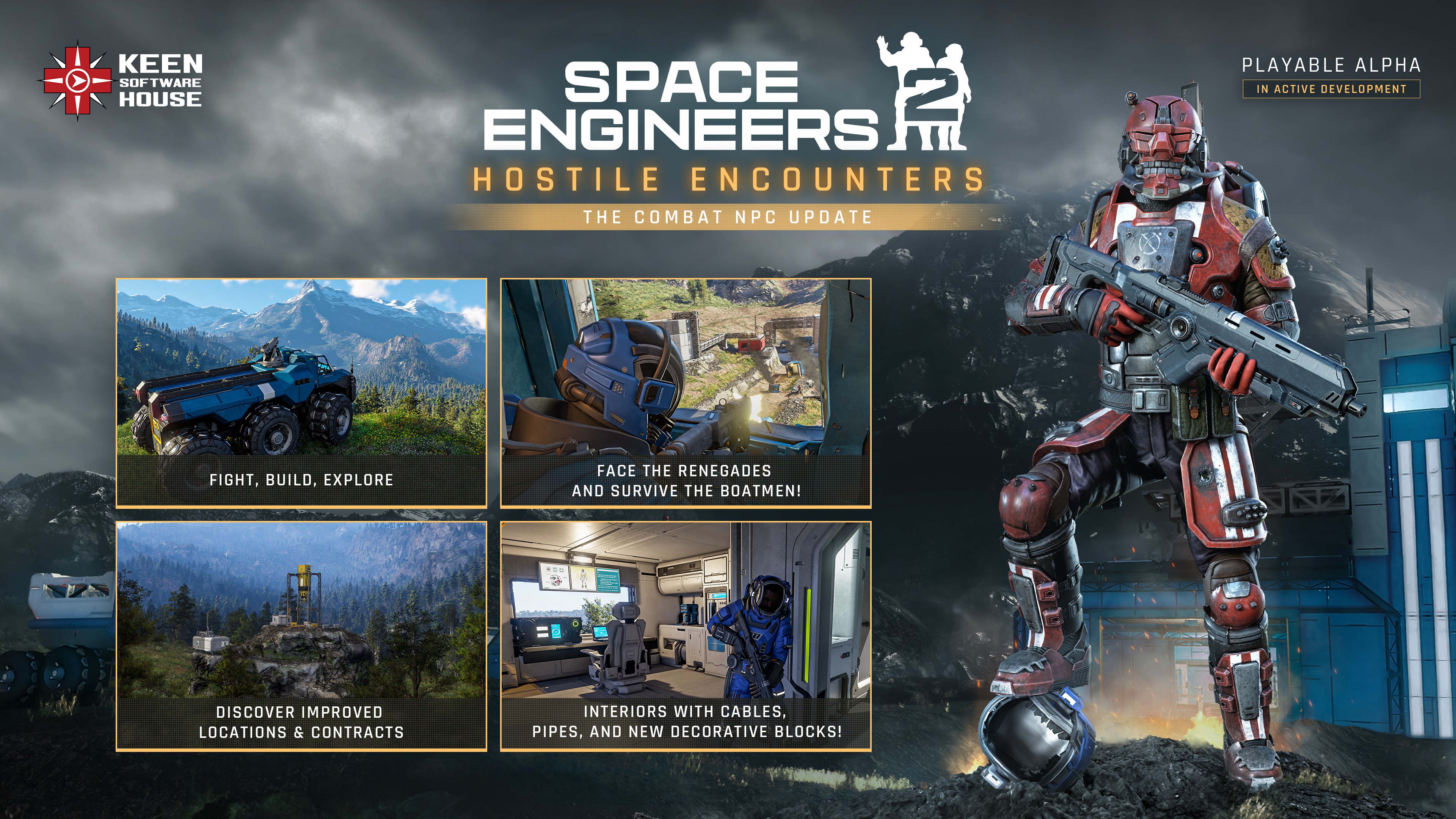
Hostile Encounters is here, bringing Combat NPCs to Space Engineers 2 for the first time. Face the Renegades, watch out for the heavier Boatmen, and take on enemies that can patrol, take cover, react to damage, communicate threats, and fight both you and your creations.
The update expands the Almagest System with improved Locations and Contracts, overhauled ores, new Verdure flora, updated lighting, new combat effects, and a fresh set of building blocks including Cables, Pipes, Armor Slabs, Interior Turrets, and decorative props.
- Full Blog Post: https://2.spaceengineersgame.com/space-engineers-2-hostile-encounters/
- Roadmap: https://2.spaceengineersgame.com/roadmap-2/

Features - System Foundations
- Combat NPCs Foundations
- Low Technology Level
- Limited to Planet Verdure - they have not yet expanded beyond Verdure's atmosphere
- They did not manage to access Jetpack Technology - for now
- Renegades - outlaws and pirates of the Almagest System
- Boatmen - for now they serve purpose as a Leader/Heavy enemy type in Renegade Encounters
- Low Technology Level
- NPC Capabilities
- Navigate across grids and voxel terrain
- Navigate player-built interiors and structures
- Walk through doors
- Avoid dynamic objects blocking their path
- Patrol an area
- Search for threats
- Take cover
- Recognize when their cover has been destroyed
- Move to new cover when their previous position is no longer safe
- Move while shooting
- Strafe during combat
- Move backwards and forwards while fighting
- React when they need to reload
- Retreat depending on their condition
- Change behavior when injured
- Use different accuracy depending on the NPC variant
- Detect and attack players
- Detect and attack player-controlled grids
- Fire at the player's last known position
- Share threat information with their group
- Alert allies when a member of the group spots the player or comes under attack
- React to the bodies of fallen allies
- Drop randomized loot
- Use emotes
- Use custom NPC animations
- Use combat voice lines
- Spawn with different color variations
- NPC Health Bars - appear when an NPC enters the range of your equipped weapon, with an option to disable Health Bars in GUI settings
- Damage Indicators - show incoming damage intensity and direction, with a damage saturation filter and screen shake
- Themed Backpacks with random Loot dropped by NPC enemies
- Added Combat Music
- DLSS Support
Features - Expansions
- Block Terminal Improvements - Drag and Drop for Groups
- Toolbar Improvements
- Default toolbar setup for survival is using "best tool" instead of the Mk 1 (Newly discovered weapons and tools are automatically added to your toolbar, with upgraded versions replacing older gear)
- Scrolling mouse now also scrolls block variants within a block group
- Added Ctrl + Shift + Mouse Wheel to loop through variants of the active block group without falling into adjacent slots
- Lighting Improvements
- New Particle Effects - Combat, Damage, and Smoke
- Introducing Damage Multipliers for Certain Block Types
- Visual Highlight added to the Contract Terminal Reward Screen
- Improved rendering performance
- Optimized model loading
- Optimized spotlight shadow rendering
- Improved performance of the interface and input handling
- Improved texture streaming performance
- Improved performance in NPC encounters by optimizing animations and AI
- Updated the Atmospheric Thruster's visual design to make its intake and exhaust directions clearer
- Added onboarding hints to help new players get started
- Datapads are easier to open and read, with right-click access and a clearer list layout
- Made the cause of death more prominent on the death screen
- Made bullet tracers more visible, making it easier to follow gunfire
- Updated in-game translations
Character Weapons & Tools
- Personal Weapons Accuracy System
- Higher accuracy while crouching
- Lower accuracy while using the Jetpack
- Lower accuracy while jumping or moving
- Lower accuracy when injured or taking damage
- Added dynamic crosshair to reflect changes in weapon accuracy
- Added Vertical Recoil to the Automatic Rifle
- Drilling and Grinding of Characters and Trees
- Added Pistol
- Hand Drill Visual and Audio Improvements
- Automatic Rifle Visual and Audio Improvements
New Blocks
- Interior Turret
- Armor Slabs
- Cable Set
- Pipes Set
- Kitchen Block
- Small Props
- Coffee Machine
- Recycle Bin
- Lab Equipment
- Laptop
- Fire Extinguisher
- Circuit Breaker
New in Almagest System / Almagest System Exploration
- Tutorial Stage Overhaul - Contracts, Locations, Interface, Voiceovers, and NPCs
- Visual Improvements to Almagest Named and Contract Locations
- Ore Visual Overhaul - Iron, Silicon, Nickel, Cobalt, Copper, Ice, and Gold
- Map Improvements - Added Rings & Asteroid Fields
- New Verdure Flora and Flora Visual Improvements (Impostors)
- New Weather Events
- Snow (Verdure)
- Snow Storm (Verdure)
Developer Tools
- Added Cinematic Spectator (more spectator options)
- NPC section & Behaviour Trees

- New Character and Concept Art added to the Pioneer Edition Book

Please keep in mind that this update is still an Early Access and Alpha version of Space Engineers 2.
- Some features of this update will need a new game to be started / Will need new save to be present (Tutorial Stages & Contracts)
- Subgrid Projection Support: Copy/pasting projections of blueprints with subgrids is planned, but not fully supported yet.
- Planet modding is not fully supported at this stage of development - we will bring you modding support for planets at later stages!
- We are always keeping previous versions of the game available after major updates. This means you can return to an earlier version at any time and, for example, save your blueprints or creations. You will find these builds in the Steam Beta tab

Stability
- Fixed a crash in network story replication
- Fixed a crash when reopening the Blueprint screen after placing a projection
- Fixed a physics crash
- Fixed a crash in projection placement
- Fixed a crash when deleting a projection
- Fixed a crash in render culling
- Fixed a crash in the large-world physics manager
- Fixed a crash when switching from Windowed to Fullscreen
- Fixed the game freezing when saving to a read-only file
- Fixed changing a setting for multiple selected Small Drills not taking effect
- Fixed a crash when serializing entities
- Fixed a crash when opening the Map
- Fixed a crash on AMD RX 90xx cards with driver 26.8.1
- Fixed a crash when placing a block
Performance
- Fixed slow synchronisation of toolbar UI elements
- Fixed a performance drop when entering the hangar in the Steal Ship contract
- Fixed native memory leaks
- Fixed a short freeze when cancelling a huge blueprint preview
- Fixed a noticeable delay when opening a screen for the first time
Functional
- Ship lights can be switched on and off manually again
- The "Last Played" time in Load Game now matches the save timestamps
- The saves list in Load Game is now sorted chronologically
 Sensors now respect the Entity Relationship filter for wheels
- Published blueprints no longer appear deleted after clicking "Delete" in the Blueprint Detail screen
- Connector 1.5 m is now accessible through the middle
- Angular Based Gyro flight mode no longer lags when detecting movement input
- All ports of the Cargo Container 7.5 m are now interactable
- Players and NPCs no longer get stuck on stairs
- Fixed being unable to walk up stairs
- The snap size in Precision Mode now matches the UI
- Fixed the misleading description of the Engineering – Lost Asteroid Base contract
- The Map no longer opens after closing the Terminal
- The mouse wheel now changes the size of the partial copy area instead of selecting toolbar tiles
- Oxygen Recharge now automatically replenishes oxygen when the stat is low
- Groups of many blocks can now be renamed
- Landing gears no longer give up when manoeuvring at high speed
- Shooting with LMB no longer stops "Continuous" shooting mode
- The 3.5 m drill head no longer disappears and reappears after repair
- The selected toolbar is no longer duplicated when cancelling Blueprint mode
- Alt, Ctrl and Shift modifiers work again while typing in the inventory search bar
- The inventory bar now updates without reopening the inventory
- Bulk Delivery contracts at Vallation Station no longer remove more items than stated
- Block groups in the Terminal no longer expand unexpectedly
- The Station Upgrade – Long Range Communications Facility contract now lists its block rewards
- Fractures now inherit the velocity of the destroyed block
- The scroll wheel in the Terminal no longer switches toolbar slots
- Equipped tools are now displayed when selected in the toolbar
- The drag-and-drop stack modifier is now clamped to the available amount
- Vehicles no longer get strong impulses from damaged trees
- The PCU value in the World Details screen now matches the actual PCU in game
- Contract encounters no longer spawn inside safe zones on planets
- Ships no longer get unstable after flying for a while
- The Colonization Map now shows the correct number of completed contracts
- Unpowered turrets can no longer be moved manually
- The character no longer floats away from a parked ship on a planet with the jetpack on
- Switching a block's autorotation now shows the correct mount points
- Multiple drills can now be switched to a mode already selected on the first drill
- Changing LCD settings in the Terminal no longer affects another LCD
- The Satellite Launch Complex contract can now be completed
- Mining two materials at once shows both notifications again
- The character no longer respawns inside a grid built over an FTUE tactical respawn point
- Projections in the FTUE Barn are now always weldable
- The character is no longer ejected far from a grid when exiting a cockpit or control seat
- Projections now respect block mount points when placed on other projections
- Clicking "No" or pressing ESC in the "Confirm Adapter Change" dialog now discards the changes
- Blocks are no longer missing from the G-screen when loading an old save
UI
- All UI text now updates when switching languages
- Multiple notifications now appear when mining more than one ore
- Block detail sliders now respect their limits
- Fixed misaligned rows in the block build popup
- Fixed inconsistent capitalisation in the respawn point notifications
- The Exit to Windows dialog no longer says "Exit to Main Menu"
- The welder resource tracker is now aligned when both components and ores are needed
- The blood overlay now renders consistently with other UI
- The game no longer flashes a gray screen when closing
- Fixed sections that could not be scrolled when accessed from in-game
- The Smelter production timer now shows times under one second correctly
- Arrow navigation in the Terminal block list now stays within the list
- Arrow navigation in the Terminal block list now selects individual blocks instead of the whole group
- Fixed various typos in the G-screen
- Fixed localization issues
- Map zoom now works the same regardless of how the Map was opened
- The exit confirmation dialog now appears when pressing ESC after a fresh launch
- Pressing Alt+F4 during the initial cutscene now closes the game
Audio
- Sound volume above 100 is no longer forgotten
- Confirming menu buttons with Enter and leaving with ESC now plays a sound
- Fixed a strange sound when switching tools
Animations
- The character no longer twitches when running up slopes or strafing
- Fixed seeing inside the Pioneer model when sitting
Visual
- Trees no longer switch to a closer LOD with a dark, harsh transition
- Fixed raytracing noise and flickering on shadowed voxel terrain
- Damaged grid particles are no longer visible from kilometres away
- The camera no longer twitches when parking or looking around while parked
- Tree foliage no longer shimmers at dusk
- Shooting particles no longer lag behind the barrel
- Fixed dense black foliage artifacts on grassy terrain in the FTUE
- Projectile visuals now inherit velocity
- Gatling Cannon tracers are no longer offset on a flying ship
- Light no longer leaks inside caves when panning the camera
- Flora no longer flickers with raytracing on
- Rebinding the Camera Freelook modifier now takes effect in-game
- Fixed stretched UVs on the deformed Reactor 7.5 m
- LCDs no longer turn black too soon at distance
- Fixed visible changes between LODs on the Geaforge 2.5 m
- Fixed a shadow artifact on Geomeles
- Enabling the jetpack after a jump no longer misaligns the third-person camera
- Drill decals now appear on rocks and no longer slide
- Tree and rock textures no longer appear to move up close
- Fixed a visible seam on the surface of Geomeles
- Fixed a visible seam on the surface of Palatine
- Fixed the destruction particles of the Battery 2.5 m
- LCD Square Small no longer flickers at distance
- Block previews now match the original when copy-pasting fractured blocks
- Fixed smoke in the FTUE
- Added missing weapon and block particles
- Fixed LOD inconsistencies on production block LCDs
- Fixed deformed edges of production block LCDs
- The last LOD of the Pioneer skin now matches the selected colour
- Small plants no longer have collisions
- Dust puffs when falling on gravel now appear at the right height
- Fall particles of asteroid materials are now scaled correctly
Replies have been locked on this page!