


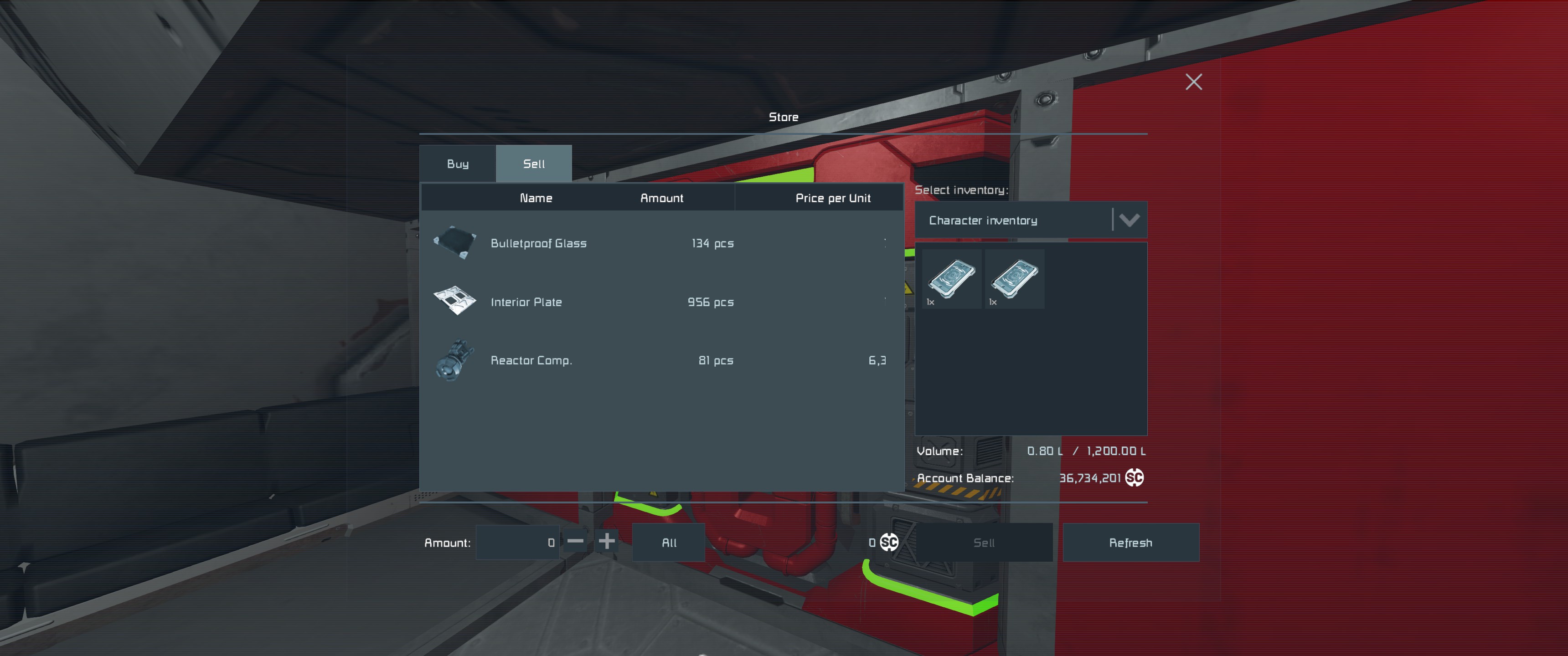
Can't access my ship inventory throught store block or contracts when connected. I have tried all 3 connectors at the station and the ones on my ship ( I even installed a new one on cargo I needed to access ) still no change, it only shows character inventory option. If this can be looked into that would be great so I can finish a contract :). I don't think its me as I used stations before, unless it is different in hardcore and I could be wrong.
Keen NA #1
GPS:X:5944388.49384693:-5131350.17025396:-5671836.50521522:#FF75C9F1:
 I have the same bug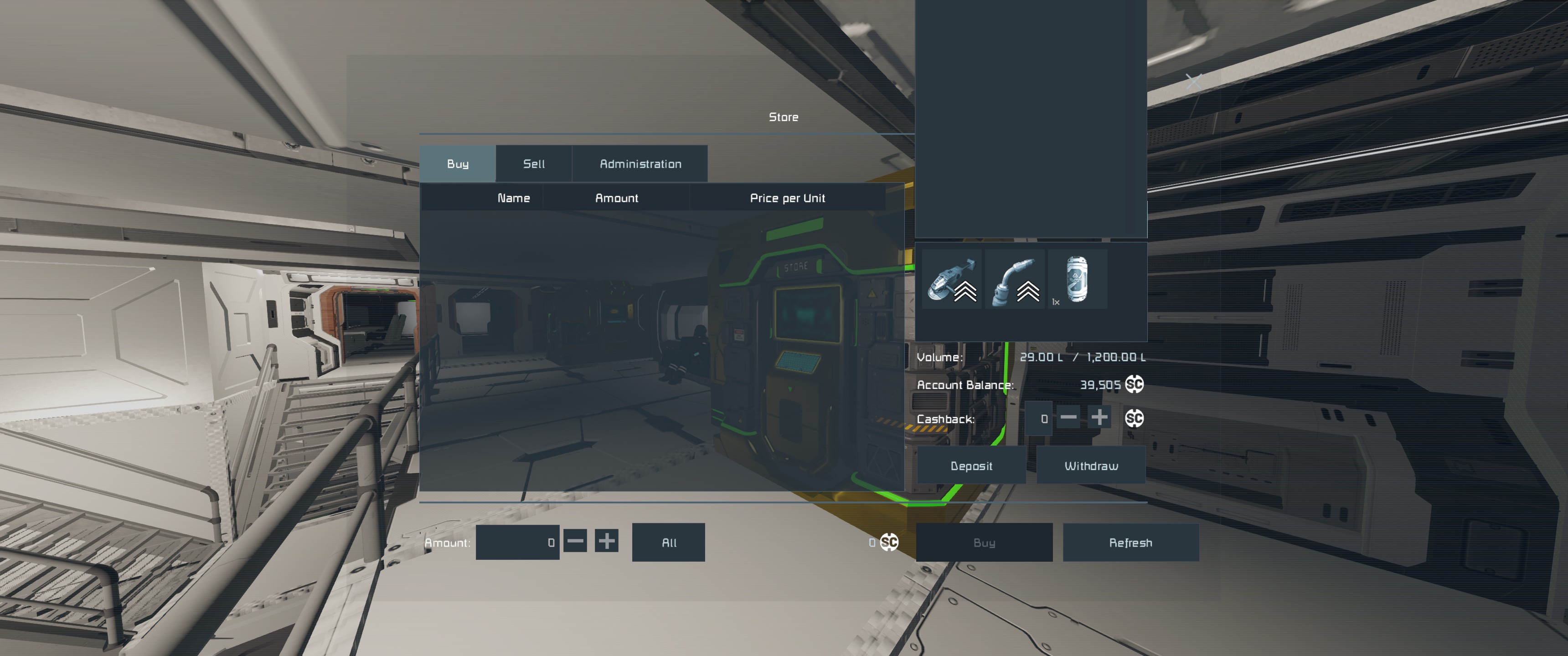
Hello, Jzuken,
thanks for letting us know.
Can you provide a video showing the exact steps to reproduce, please?
If you have DS world where this issue can be reproduced and observed, can you share that as well?
You can access your save files by typing %appdata% into your Windows search bar and you will be redirected to the hidden Roaming folder. After that just follow: \Roaming\SpaceEngineersDedicated\Saves.
Please zip the file and attach it here. If you are having difficulty attaching files you can optionally use Google Drive. When sharing a google drive link please make sure it is set to be downloadable by anyone with the link.
Kind Regards
Keen Software House: QA Department
Hello, Jzuken,
thanks for letting us know.
Can you provide a video showing the exact steps to reproduce, please?
If you have DS world where this issue can be reproduced and observed, can you share that as well?
You can access your save files by typing %appdata% into your Windows search bar and you will be redirected to the hidden Roaming folder. After that just follow: \Roaming\SpaceEngineersDedicated\Saves.
Please zip the file and attach it here. If you are having difficulty attaching files you can optionally use Google Drive. When sharing a google drive link please make sure it is set to be downloadable by anyone with the link.
Kind Regards
Keen Software House: QA Department
Hello, Engineer!
Sorry to hear you're experiencing this issue.
We have successfully reproduced this issue and reported it internally.
Kind Regards,
Keen Software House: QA Department
Hello, Engineer!
Sorry to hear you're experiencing this issue.
We have successfully reproduced this issue and reported it internally.
Kind Regards,
Keen Software House: QA Department
Hello Engineer,
Thank you for reaching out to us on the forum.
We have another report from a player describing a similar issue. In that case, when using a faction member’s ship with blocks set to Share with faction, attempting to buy or sell at a Store block or complete a contract at a Contract block only allows access to the character’s inventory. The ship’s inventory is not available because the grid is owned by another faction member, and the share settings appear to be ignored by the Store block.
Trade station doesn't see inventory that has "share with faction" set but belongs to other player | Space Engineers PC Support
Could you please confirm whether your issue matches the behavior described in the above thread? If so, as you may have noticed, the issue is still under the Reported status and has not yet been fixed.
However, if the behavior is different in your case, we would appreciate it if you could share a screen recording/video showing the issue, including the ship's terminal to confirm the ship's ownership and blocks' sharing options. If possible, please also provide a blueprint of the ship so we can test it on our side.
Kind regards,
Keen Software House: QA Department
Hello Engineer,
Thank you for reaching out to us on the forum.
We have another report from a player describing a similar issue. In that case, when using a faction member’s ship with blocks set to Share with faction, attempting to buy or sell at a Store block or complete a contract at a Contract block only allows access to the character’s inventory. The ship’s inventory is not available because the grid is owned by another faction member, and the share settings appear to be ignored by the Store block.
Trade station doesn't see inventory that has "share with faction" set but belongs to other player | Space Engineers PC Support
Could you please confirm whether your issue matches the behavior described in the above thread? If so, as you may have noticed, the issue is still under the Reported status and has not yet been fixed.
However, if the behavior is different in your case, we would appreciate it if you could share a screen recording/video showing the issue, including the ship's terminal to confirm the ship's ownership and blocks' sharing options. If possible, please also provide a blueprint of the ship so we can test it on our side.
Kind regards,
Keen Software House: QA Department
Replies have been locked on this page!