


Block Paint visually bugging out (Xbox Series X)
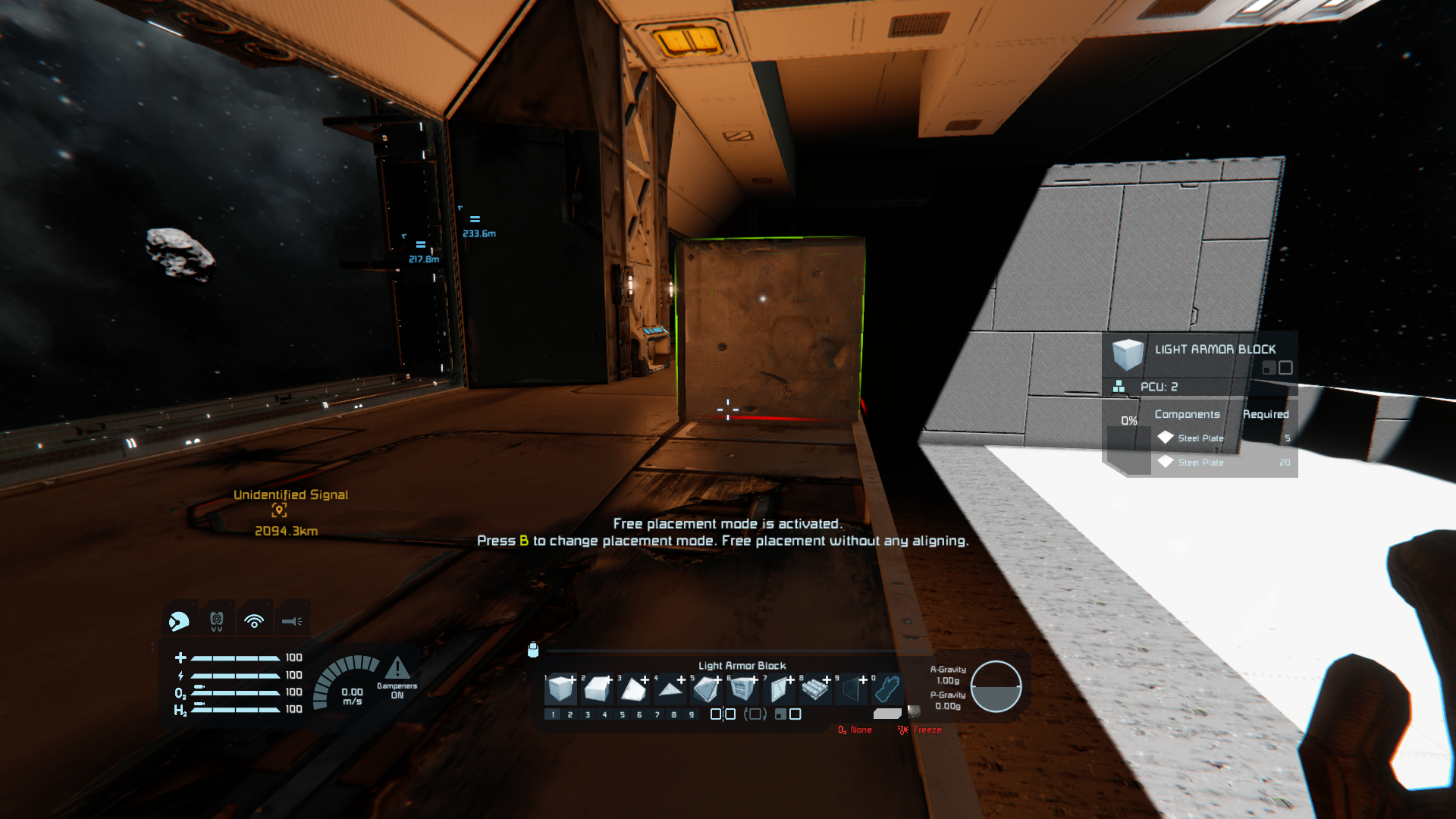
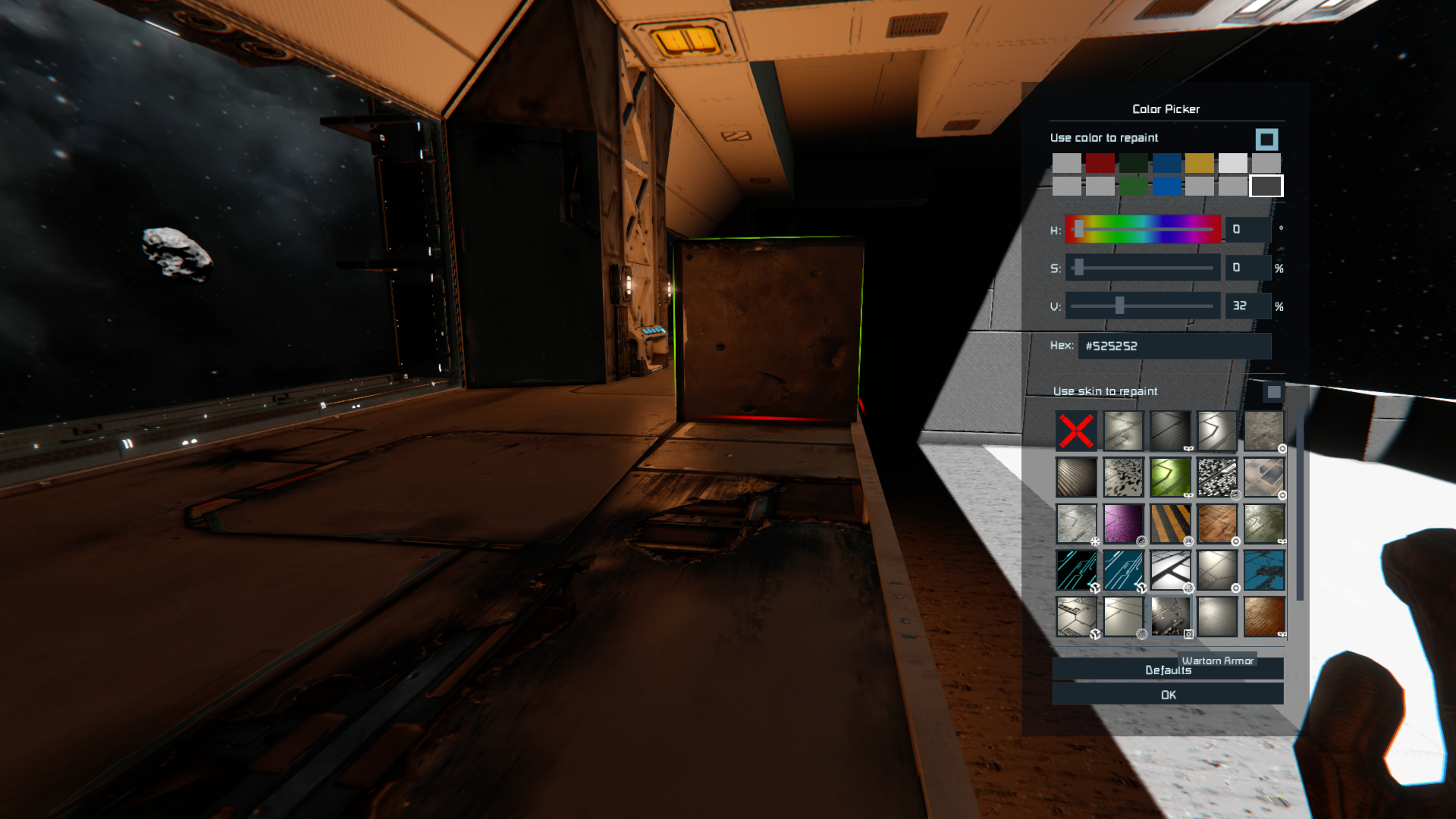
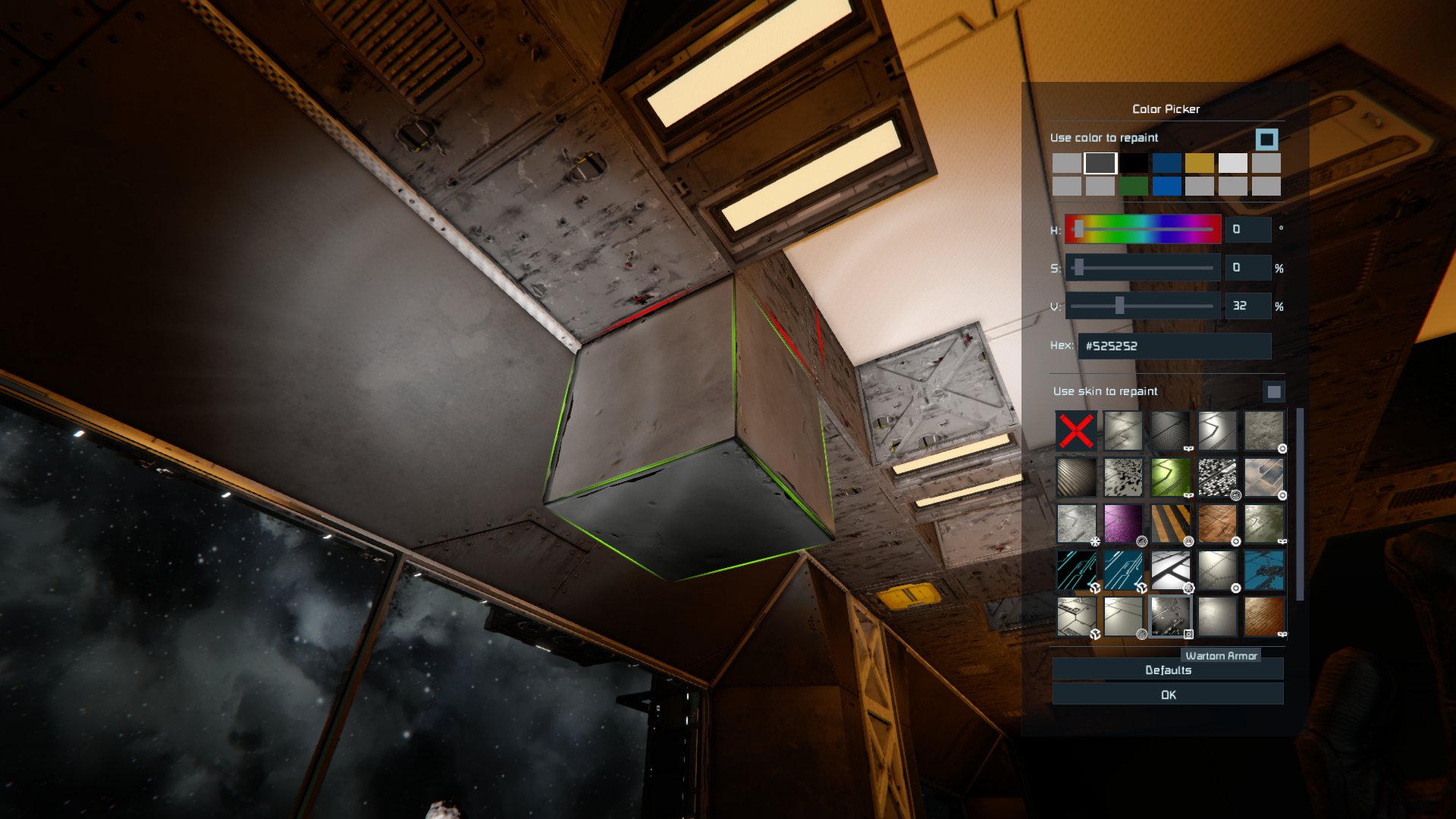
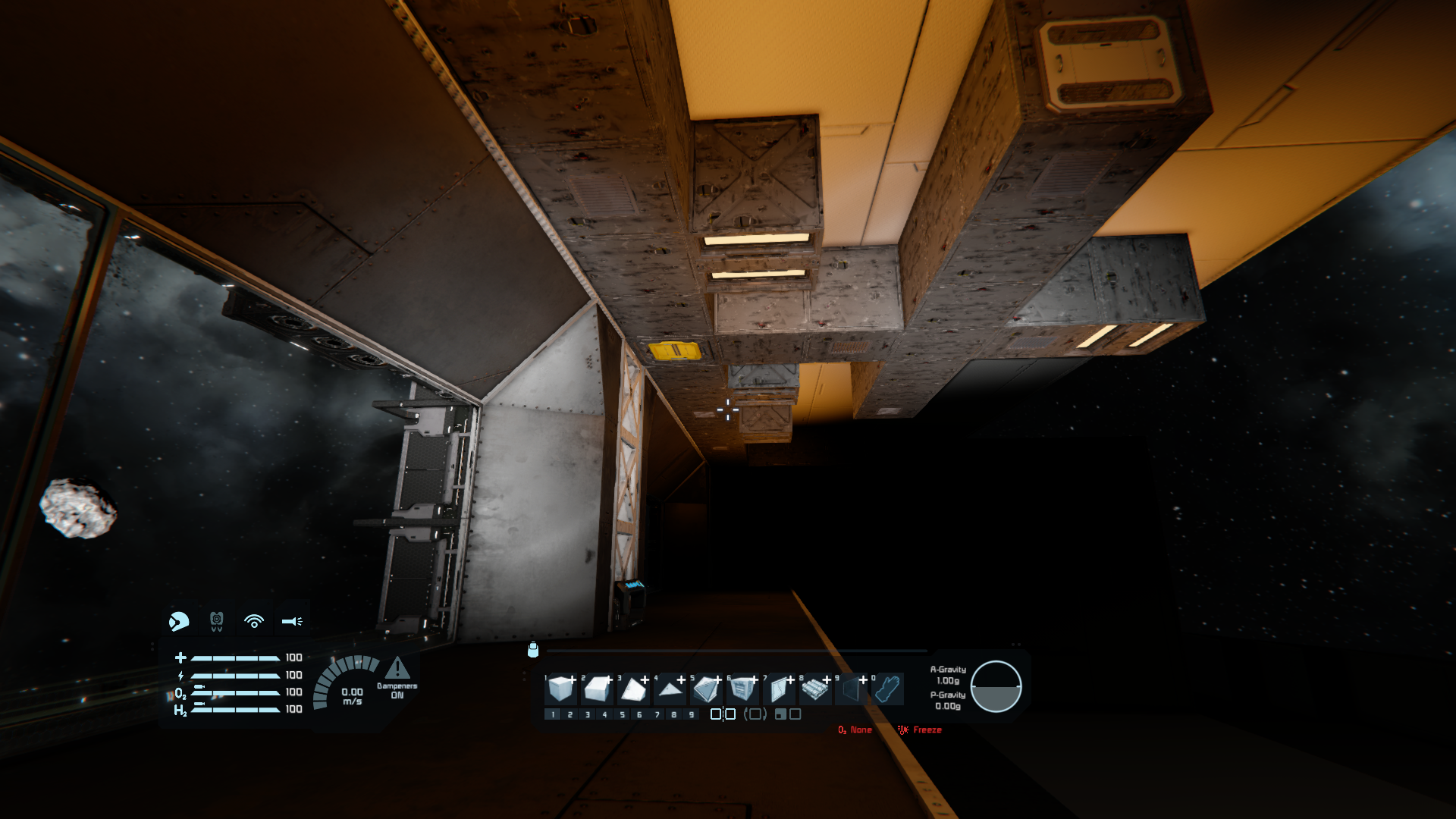
Some block paint, such as the Wartorn block paint type, will visually bug out and become a blurry texture. It is seemingly fixed, as far as i know, by holding an unplaced block in your hand containing that block paint. And as soon as you put that unplaced block away, it visually bugs out and goes blurry again. Images for reference included.
Please give this a looking in to as it strongly pushes me away from using these block paints that i paid access for.
I'm not personally aware of any other fix for this. But as you can see, I'm using other block paints in this image, namely: Neon Colorable Lights (hangar doors on the other side of window) and Carbon Fibre (most of the white-colored blocks in the image).
Interestingly enough, it is also Wartorn armor paint that i am using on the bottom floor in these images, but of another color. Might be noteworthy.
Edit: Forgot to mention that the upstairs Wartorn armor blocks that are being stood upon in the image are regular armor blocks, half blocks and slope blocks, while the downstairs blocks are actually Floor blocks.
Edit 2: Upon slightly further minor testing on my part, I've noticed that the Retrofurge and Wartorn paints do this on any of the regular armor blocks, but won't on this on decorative blocks such as the Willis Duct or Floor blocks. The blocks I'm now standing upon on the second floor are changed instead to Battered paint regular Armor Block and there is no visual blurring such as occurred with Wartorn in previous images. Attaching a fourth and fifth image.
 I have the same bug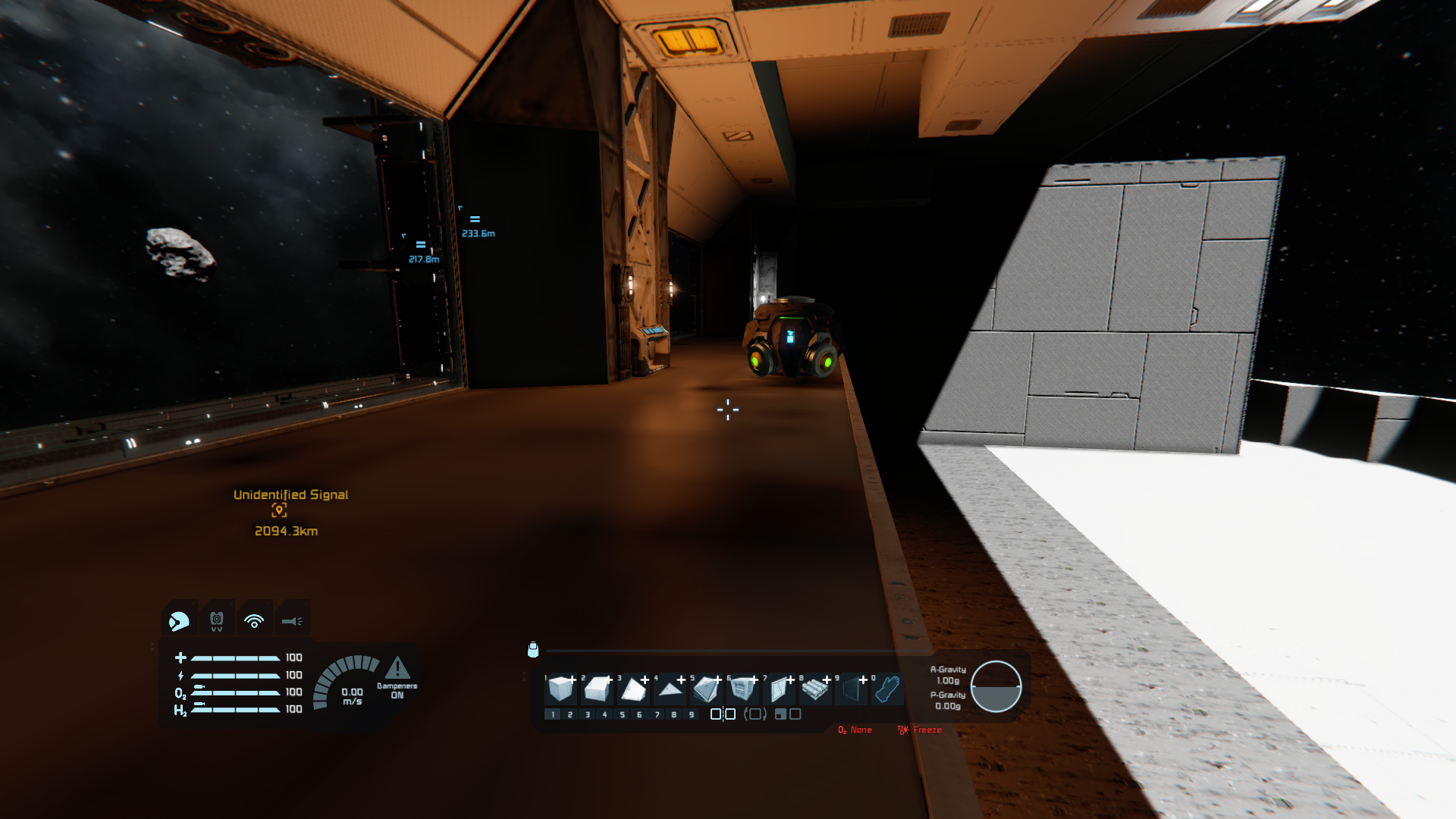
Hello Engineer,
Thank you for the report!
After investigating, we’ve confirmed that the blurry textures on consoles are caused by how the console manages memory. Since consoles have a limited amount of RAM, the game automatically lowers some texture details to prevent crashes or performance drops.
If the game didn’t adjust textures this way, it could easily run out of memory and crash during gameplay. It’s unfortunately a trade-off, and we understand this can be disappointing. We truly appreciate your understanding and continued support.
At this time, this isn’t something that can be changed, so the ticket will be closed as Won’t Fix.
Kind Regards,
Space Engineers QA Department
Hello Engineer,
Thank you for the report!
After investigating, we’ve confirmed that the blurry textures on consoles are caused by how the console manages memory. Since consoles have a limited amount of RAM, the game automatically lowers some texture details to prevent crashes or performance drops.
If the game didn’t adjust textures this way, it could easily run out of memory and crash during gameplay. It’s unfortunately a trade-off, and we understand this can be disappointing. We truly appreciate your understanding and continued support.
At this time, this isn’t something that can be changed, so the ticket will be closed as Won’t Fix.
Kind Regards,
Space Engineers QA Department
Replies have been locked on this page!