


Float precision loss far from origin: prefab cockpit rotation and Searchlight light offset
There are two places that round an absolute world position to a 32-bit float. Far from the origin the precision gets course, finally becoming a problem once the float step is 32m at 268,435 km jumping to 64m at 536,871 km, so the result is off by tens of meters. The float step doubles every power of 2. The proposed fixes resolve these issues and should make very large system entirely playable as long as mods that handle absolute positions use doubles as well.
1. Prefab spawn: cockpit rotation
Sandbox.Game.World.MyPrefabManager.SpawnPrefabInternalSetProperties
With SpawningOptions.RotateFirstCockpitTowardsDirection, a prefab containing a cockpit, remote control or flight block is placed tens of metres off, buried or floating. Prefabs without such a block are fine it seems.
Cause: the rotation matrix that turns the whole prefab about its cockpit so the cockpit faces the requested direction is built as a float Matrix from the pivot block's absolute world matrix.
Fix:
- Matrix matrix = Matrix.Identity;
+ MatrixD matrix = MatrixD.Identity;
- matrix = Matrix.Multiply(Matrix.Invert(m), Matrix.CreateWorld(myCubeBlock.WorldMatrix.Translation, spawnPrefabProperties.Forward, spawnPrefabProperties.Up));
+ matrix = MatrixD.Multiply(MatrixD.Invert(m), MatrixD.CreateWorld(m.Translation, spawnPrefabProperties.Forward, spawnPrefabProperties.Up));
2. Searchlight: light drawn away from its block
Sandbox.Game.EntityComponents.MyLightingLogic
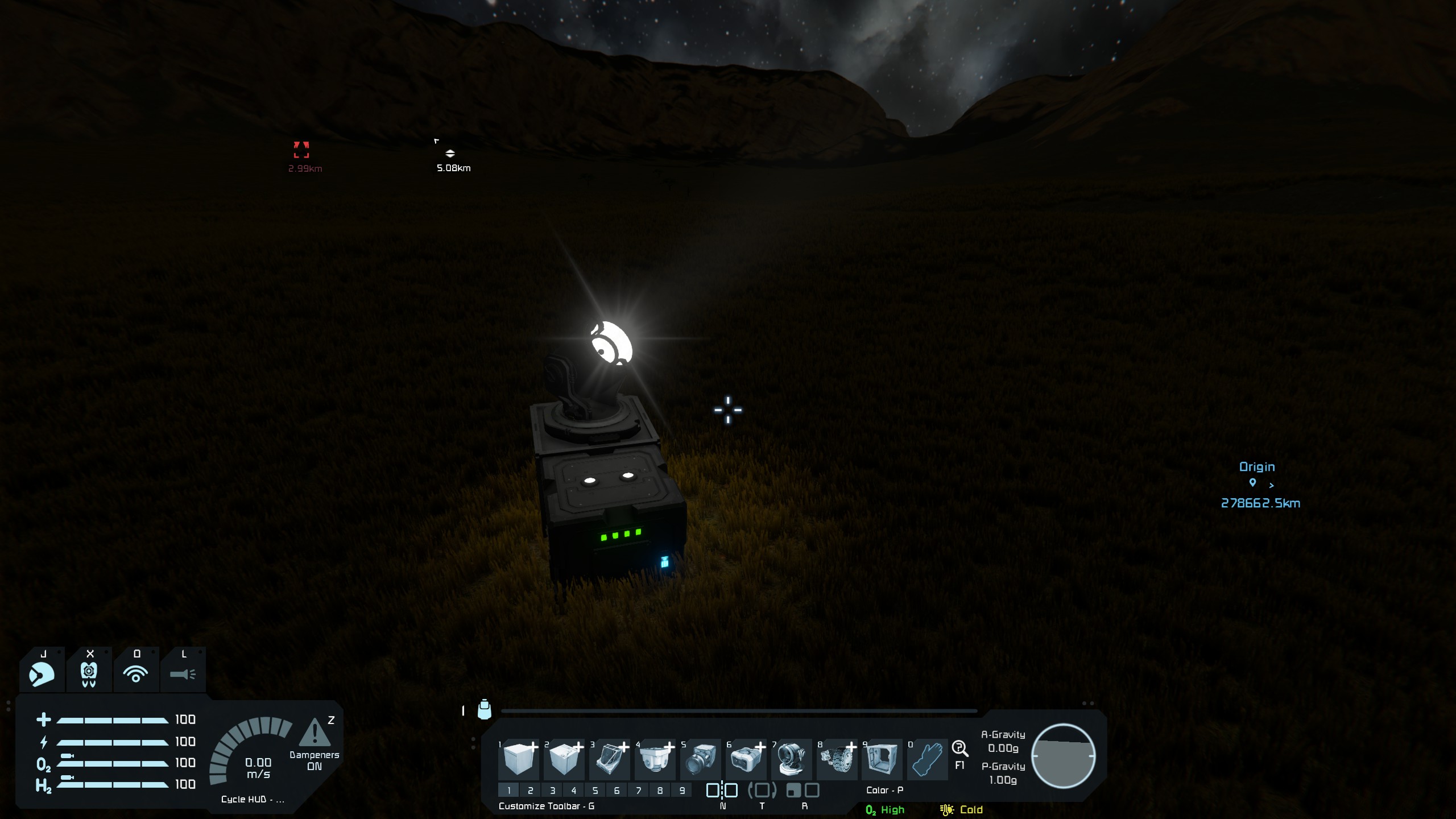
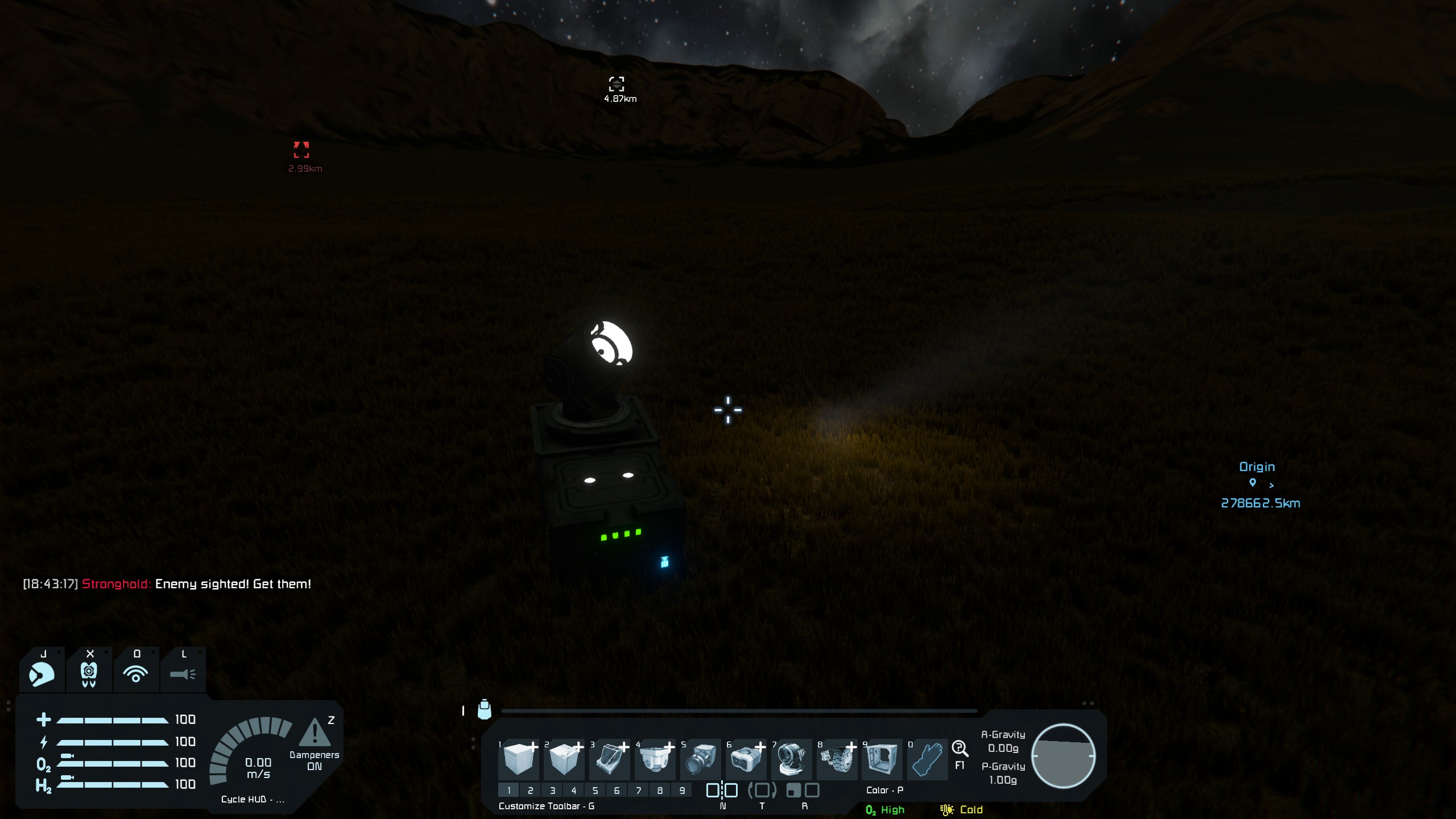
The Searchlight's light is drawn metres to tens of metres from the block. Spotlights and interior lights are not affected.
Cause: MySearchlight.UpdateAfterSimulationParallel passes worldMatrix.Translation (a Vector3D) to MyLightingLogic.UpdateAfterSimulation(Vector3 lightPosition, MatrixD), whose parameter is a float Vector3. UpdateLightPosition(Vector3, MatrixD) then builds the light position from that rounded value.
Fix: change Vector3 to Vector3D in the two signatures, and the "no position" marker Vector3.PositiveInfinity to Vector3D.PositiveInfinity in its three uses.
- public void UpdateAfterSimulation(Vector3 lightPosition, MatrixD lightRotation)
+ public void UpdateAfterSimulation(Vector3D lightPosition, MatrixD lightRotation)
- UpdateAfterSimulation(Vector3.PositiveInfinity, MatrixD.Zero);
+ UpdateAfterSimulation(Vector3D.PositiveInfinity, MatrixD.Zero);
- UpdateLightPosition(Vector3.PositiveInfinity, MatrixD.Zero);
+ UpdateLightPosition(Vector3D.PositiveInfinity, MatrixD.Zero);
- public void UpdateLightPosition(Vector3 lightPosition, MatrixD lightRotation)
+ public void UpdateLightPosition(Vector3D lightPosition, MatrixD lightRotation)
- if (lightPosition == Vector3.PositiveInfinity)
+ if (lightPosition == Vector3D.PositiveInfinity)
I was able to test this using a pulsar plugin. The plugin applies the same two double-precision fixes as the report by patching the game from outside (it rotates prefabs about their cockpit in MatrixD, and sets the Searchlight’s light position from its exact world position), and everything else in it is support that a fix inside the game would not need: it re-implements the game’s pivot-block choice, computes all the new matrices before changing anything, falls back to the game’s own path or switches itself off if something throws, logs [LargeScalePrecisionFix] lines, and removes its patches on shutdown. I have provided the source just in case.
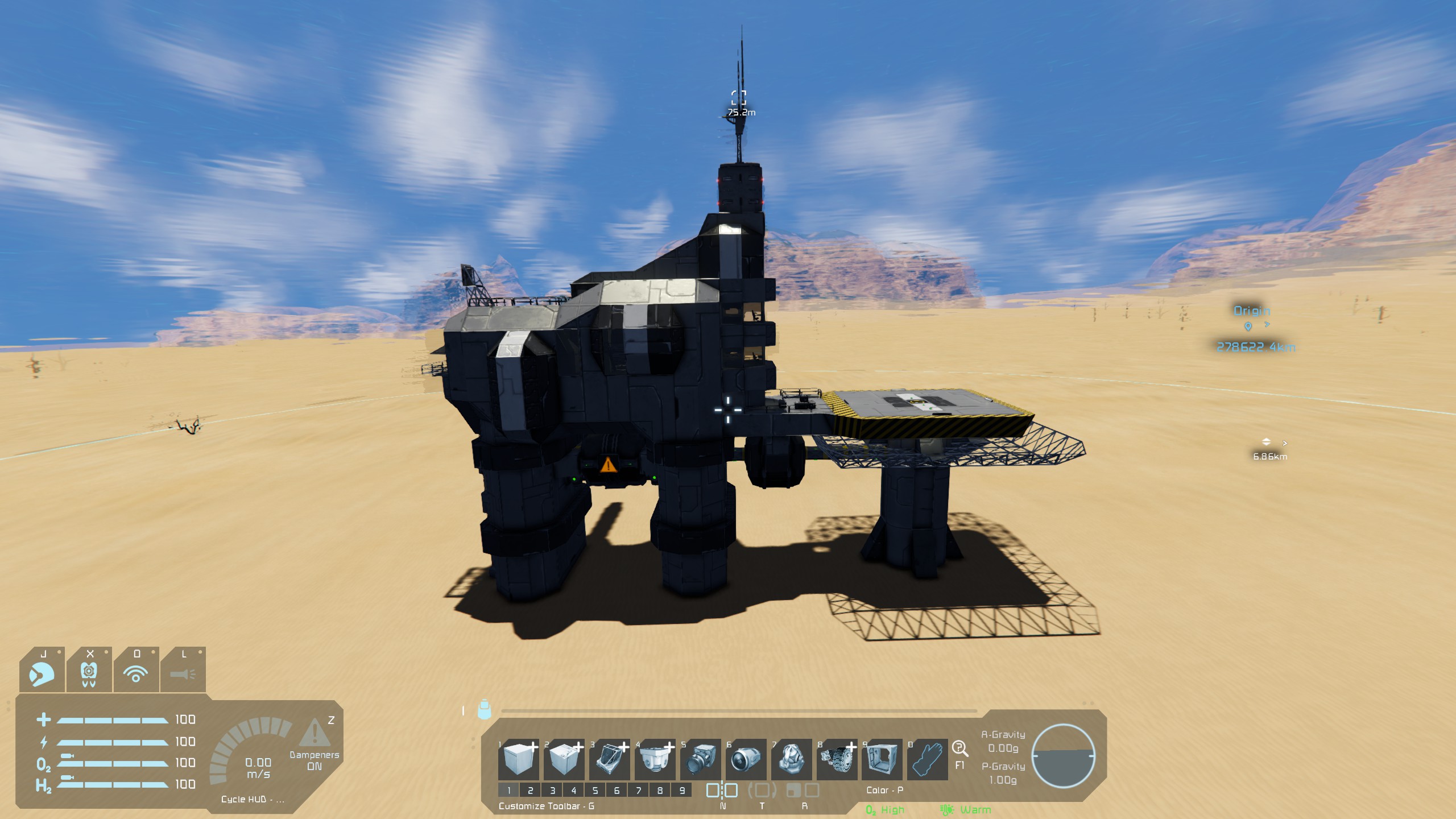
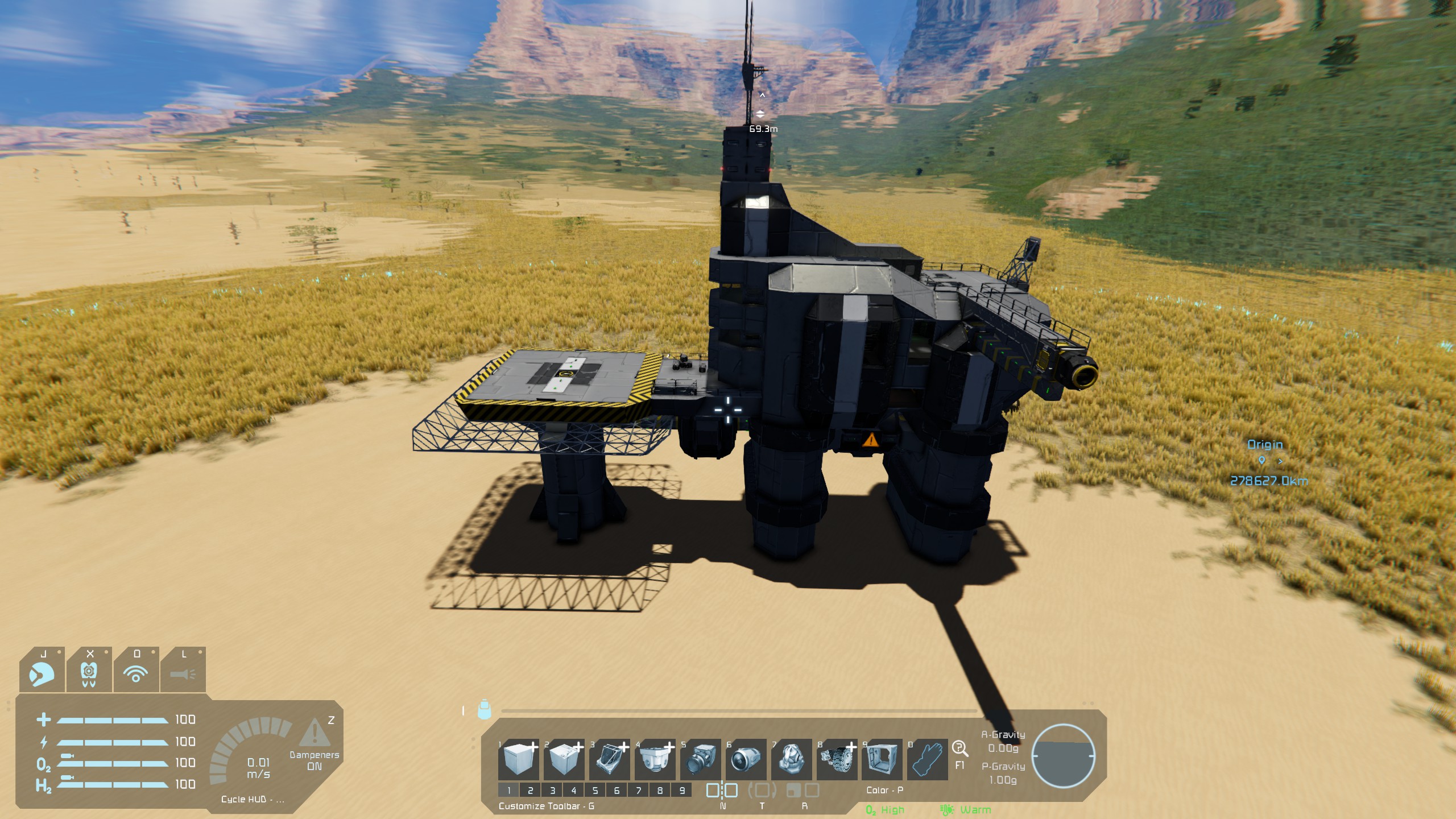
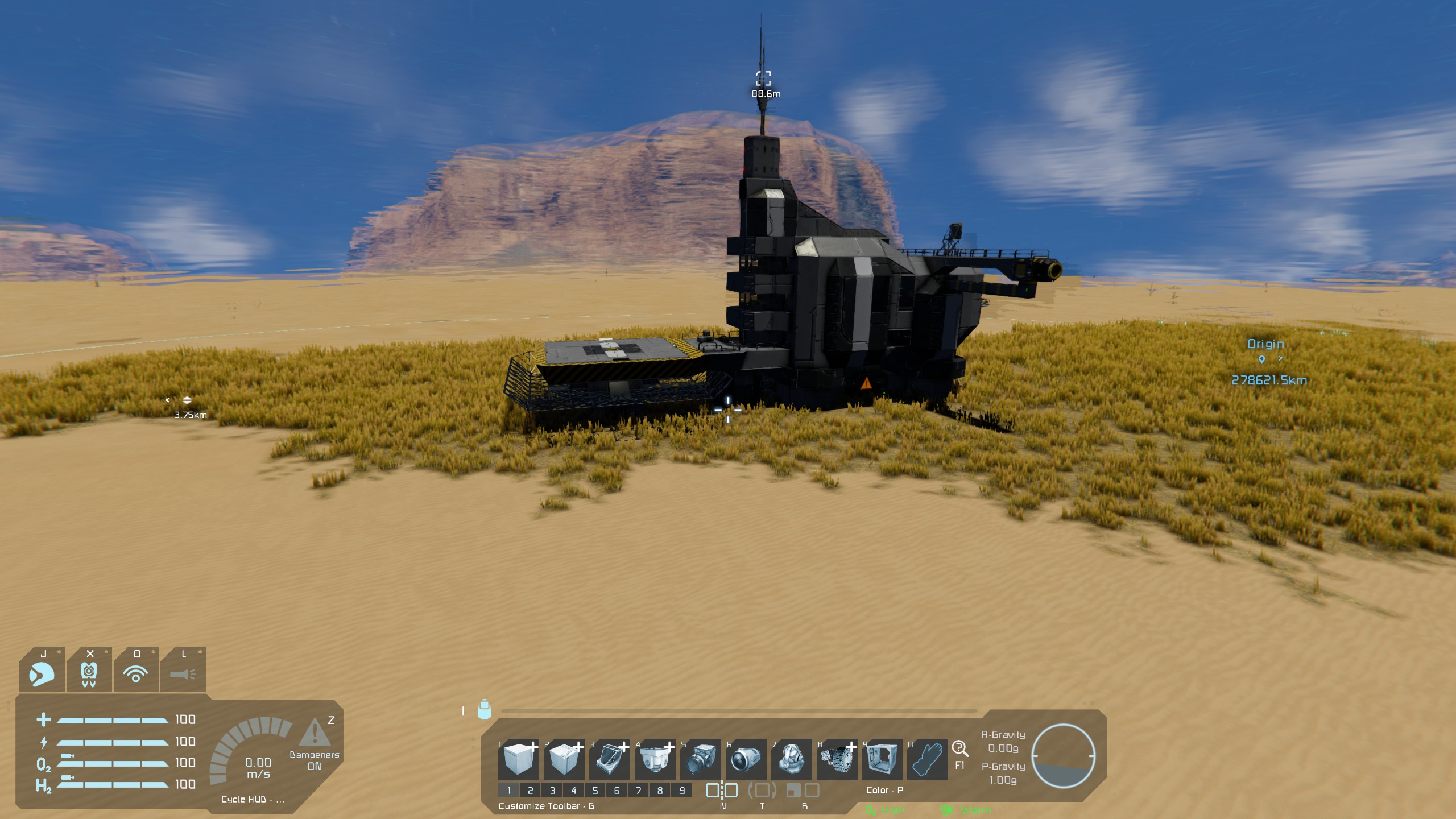
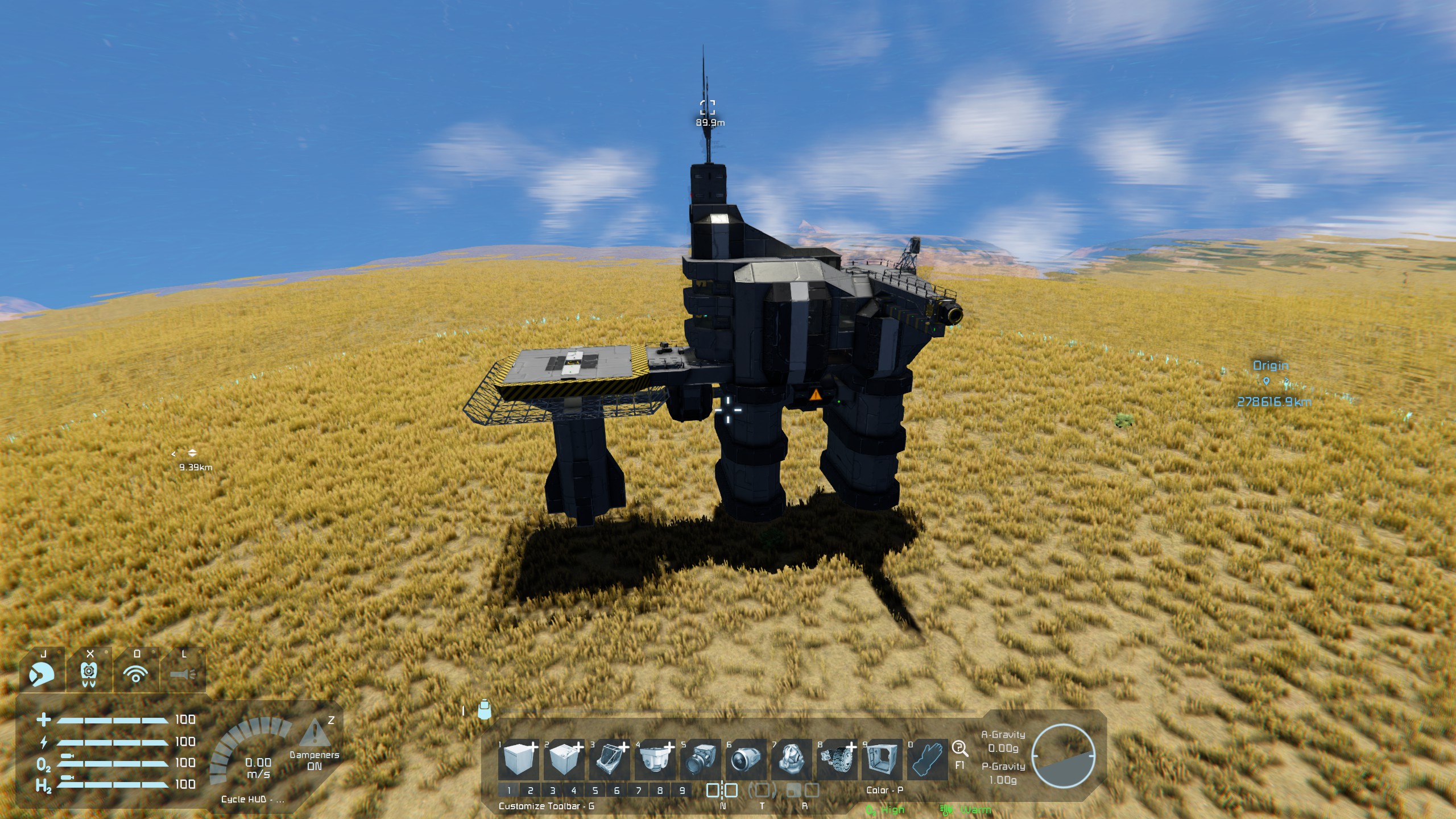
I've also attached some screenshots of before and after the fix was applied.
Please let me know if you require anything else.
 I have the same bug
I've found another issue that is in the same vein as the first two, a vector3D is coursed to a Vector3, normally not a big problem, but it becomes one when far from the origin.
3. Vanilla drone AI: distance to the target
Sandbox.Game.GameSystems.MyDroneAI.UpdateWaypoint
UpdateWaypoint measures the squared distance from the drone to its target with
Vector3.DistanceSquared(target.PositionComp.GetPosition(), block.PositionComp.GetPosition())
GetPosition() returns a Vector3D (double), but both values are implicitly narrowed to float Vector3 before the subtraction. Far from the world origin a float cannot hold a position exactly: the step is 256 m at about 2,500,000 km, and each axis is rounded separately. Two objects closer together than the step can land in the same cell, so the distance comes out as 0 m or as a wrong multiple of the step.
The drone takes its decisions from this value: whether it is far away from the target (MaxManeuverDistanceSq, 200 m in the preset I used), whether it may rotate to the target and use static weapons (300 m), and whether it is within tool reach (8 m). Far from the origin these decisions go wrong. In game at 2,489,393 km, with a vanilla drone targeting a player 11 to 125 m away:
- A target 46 to 125 m away was read as 256 to 293 m, so the drone's stored "far away" flag was set for a target that was close. It was wrong in 34% and 57% of logged measurements in two sessions without the fix. The flag feeds the drone's movement logic.
- Targets 22 to 86 m away were read as 0 m, i.e. within tool reach.
- Targets 223 to 300 m away were read as 320 to 362 m, so the "may rotate" flag was wrong and the drone was stored as unable to rotate to a target that was in range.
Over 2,678 measurements the game's distance was off by 64.5 m on average and 218 m at most, and its decision was wrong in 26.4%. Nearer the origin the error shrinks with the float step and disappears.
FIX
Subtract in double precision and narrow only the small result (there are two call sites in the method):
- num = (m_currentTarget != null) ? Vector3.DistanceSquared(m_currentTarget.PositionComp.GetPosition(), m_terminalBlock.PositionComp.GetPosition()) : -1f;
+ num = (m_currentTarget != null) ? (float)Vector3D.DistanceSquared(m_currentTarget.PositionComp.GetPosition(), m_terminalBlock.PositionComp.GetPosition()) : -1f;
- num = Vector3.DistanceSquared(m_currentTarget.PositionComp.GetPosition(), m_terminalBlock.PositionComp.GetPosition());
+ num = (float)Vector3D.DistanceSquared(m_currentTarget.PositionComp.GetPosition(), m_terminalBlock.PositionComp.GetPosition());
I've found another issue that is in the same vein as the first two, a vector3D is coursed to a Vector3, normally not a big problem, but it becomes one when far from the origin.
3. Vanilla drone AI: distance to the target
Sandbox.Game.GameSystems.MyDroneAI.UpdateWaypoint
UpdateWaypoint measures the squared distance from the drone to its target with
Vector3.DistanceSquared(target.PositionComp.GetPosition(), block.PositionComp.GetPosition())
GetPosition() returns a Vector3D (double), but both values are implicitly narrowed to float Vector3 before the subtraction. Far from the world origin a float cannot hold a position exactly: the step is 256 m at about 2,500,000 km, and each axis is rounded separately. Two objects closer together than the step can land in the same cell, so the distance comes out as 0 m or as a wrong multiple of the step.
The drone takes its decisions from this value: whether it is far away from the target (MaxManeuverDistanceSq, 200 m in the preset I used), whether it may rotate to the target and use static weapons (300 m), and whether it is within tool reach (8 m). Far from the origin these decisions go wrong. In game at 2,489,393 km, with a vanilla drone targeting a player 11 to 125 m away:
- A target 46 to 125 m away was read as 256 to 293 m, so the drone's stored "far away" flag was set for a target that was close. It was wrong in 34% and 57% of logged measurements in two sessions without the fix. The flag feeds the drone's movement logic.
- Targets 22 to 86 m away were read as 0 m, i.e. within tool reach.
- Targets 223 to 300 m away were read as 320 to 362 m, so the "may rotate" flag was wrong and the drone was stored as unable to rotate to a target that was in range.
Over 2,678 measurements the game's distance was off by 64.5 m on average and 218 m at most, and its decision was wrong in 26.4%. Nearer the origin the error shrinks with the float step and disappears.
FIX
Subtract in double precision and narrow only the small result (there are two call sites in the method):
- num = (m_currentTarget != null) ? Vector3.DistanceSquared(m_currentTarget.PositionComp.GetPosition(), m_terminalBlock.PositionComp.GetPosition()) : -1f;
+ num = (m_currentTarget != null) ? (float)Vector3D.DistanceSquared(m_currentTarget.PositionComp.GetPosition(), m_terminalBlock.PositionComp.GetPosition()) : -1f;
- num = Vector3.DistanceSquared(m_currentTarget.PositionComp.GetPosition(), m_terminalBlock.PositionComp.GetPosition());
+ num = (float)Vector3D.DistanceSquared(m_currentTarget.PositionComp.GetPosition(), m_terminalBlock.PositionComp.GetPosition());
Replies have been locked on this page!