


Static Grids shifting in ground
In my 1 year+ world every complicated building is connected by big road and after the "Prosperity update" where you fixed hinges/rotors going out of their socket after attaching or detaching, I use rotors to connect conveyors to rockets that will fly (because connectors are way too unreliable to stay in the precise place I want them to be) , and it never was a problem before but I believe because of this fix, instead of the rotor mounted on a flexible sub-grid snapping onto the rocket like it should, now the whole static base snaps onto it, making it shift by a substantial amount in the ground to the point that it causes other problems since it didn't line up with other detachable conveyors, roads and dug up holes anymore, the static base is meant to stay in place, not shift.
I tried to connect static grids together by merge block and connector, but the issue persisted and instead every single static base I have just moved with it.
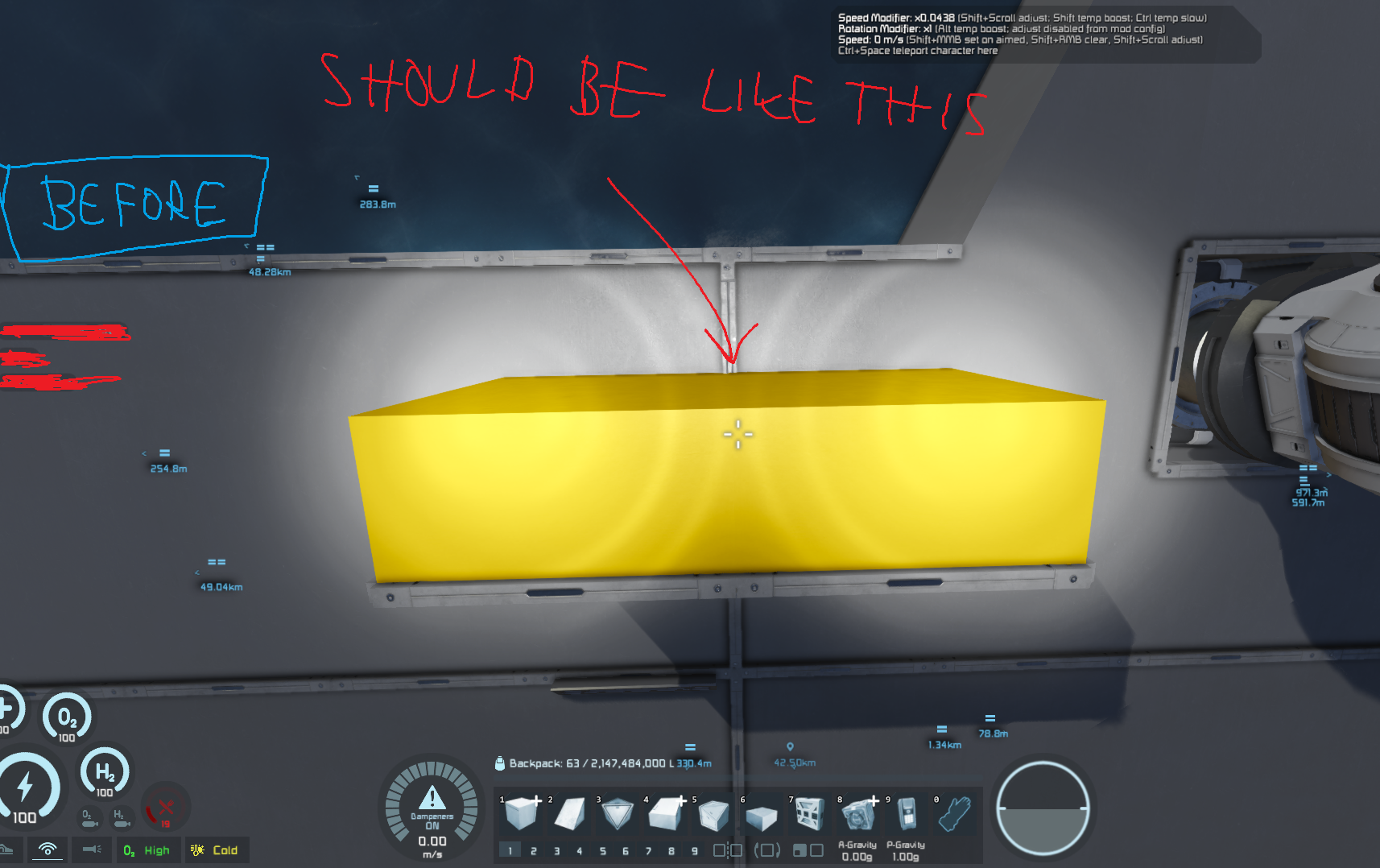
I attached 2 photos of before and after using the feature of attaching rotors to my rocket
I would be very happy if this issue could be resolved so the grids stay in place like they used to.
 I have the same bug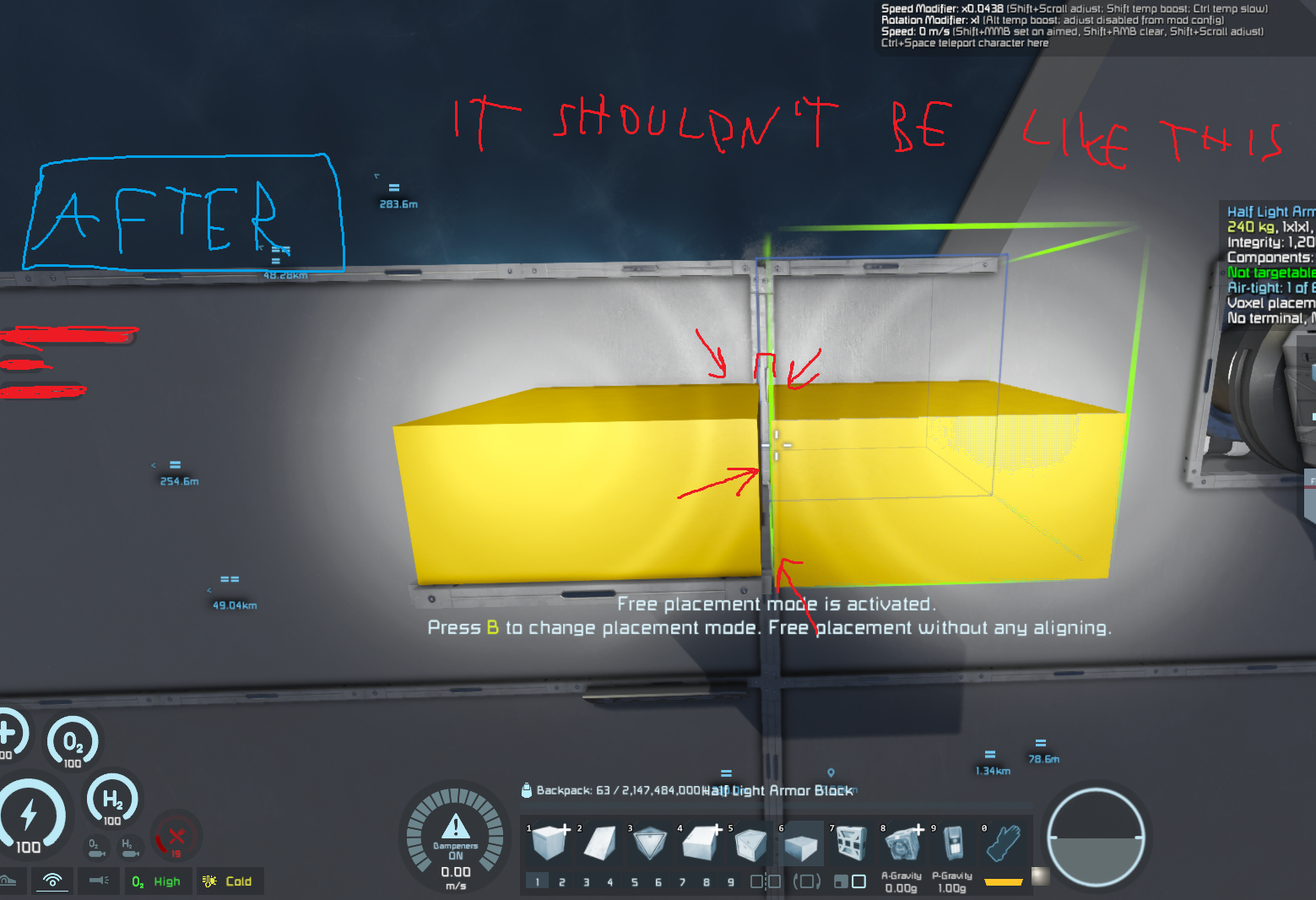
Hello Engineer,
Thank you for reaching out to us on our Support Forum.
We are aware of similar reports and are currently investigating them. However, to confirm whether you are experiencing the same issue or a separate one, please provide an affected vanilla (unmodded) world save where the issue occurs.
Please also include:
Saves
Type %appdata% into the Windows search bar and navigate to:
\Roaming\SpaceEngineers\Saves
There should be a folder containing your Steam ID and saved worlds. Please zip the affected save folder and attach it here.
Blueprints
Navigate to:
\Roaming\SpaceEngineers\Blueprints
Select the relevant local or cloud blueprint folder, zip it, and attach it here.
Logs
Relevant logs can be found in:
\Roaming\SpaceEngineers
For larger files, you may use Google Drive. Please make sure the files are downloadable by anyone with the link.
Kind regards,
Keen Software House QA Department
Hello Engineer,
Thank you for reaching out to us on our Support Forum.
We are aware of similar reports and are currently investigating them. However, to confirm whether you are experiencing the same issue or a separate one, please provide an affected vanilla (unmodded) world save where the issue occurs.
Please also include:
Saves
Type %appdata% into the Windows search bar and navigate to:
\Roaming\SpaceEngineers\Saves
There should be a folder containing your Steam ID and saved worlds. Please zip the affected save folder and attach it here.
Blueprints
Navigate to:
\Roaming\SpaceEngineers\Blueprints
Select the relevant local or cloud blueprint folder, zip it, and attach it here.
Logs
Relevant logs can be found in:
\Roaming\SpaceEngineers
For larger files, you may use Google Drive. Please make sure the files are downloadable by anyone with the link.
Kind regards,
Keen Software House QA Department
Hello Engineer,
Thank you very much for taking the time to provide all the requested information and the detailed reproduction materials.
We were able to review your report and have now forwarded the issue to our internal bug tracking system for further investigation by the development team.
We really appreciate the effort you put into documenting the issue. The save, logs, video, and reproduction steps were all very helpful.
Thank you again for helping us improve Space Engineers!
Kind regards,
Keen Software House QA Department
Hello Engineer,
Thank you very much for taking the time to provide all the requested information and the detailed reproduction materials.
We were able to review your report and have now forwarded the issue to our internal bug tracking system for further investigation by the development team.
We really appreciate the effort you put into documenting the issue. The save, logs, video, and reproduction steps were all very helpful.
Thank you again for helping us improve Space Engineers!
Kind regards,
Keen Software House QA Department
Can confirm this is an issue, my whole static based has moved and rotated while embedded in voxels.
Can confirm this is an issue, my whole static based has moved and rotated while embedded in voxels.
Can comfirm. had to dig out my grids out a few times. This is very anoyying.
Enclosed game save
Can comfirm. had to dig out my grids out a few times. This is very anoyying.
Enclosed game save
Also confirming on Keen US #3
Also confirming on Keen US #3
Replies have been locked on this page!