


Space Engineers only runs in the background on PC (Steam)
SE was running well. I added in some DLC's and Automatic LCDs from the Steam Workshop. Those worked worked as expected. A few days later on April 15 I wanted to load Toolbar Manager (doing some automation work using timers and the toolbar - note I'm not on the C sharp learning curve yet...). To do that I installed Pulsar, and so it could load Toolbar Manager from GitHub. This also loaded and worked. Pulsar got launched each time I ran SE. During this period the PC got restared several times.
At some point late on April 15 launching SE did not work as it always launched SE into a background process in windows. Considering that this might have been caused by Pulsar, Toolbar Manager, DLC's or Automatic LCD's, I removed all of them (including all references to Pulsar and the pulsar launch string in Steam), to no effect.
I then backed up my games saves, blueprints and the .cfg file and then uninstalled SE on steam. I then deleted all references to SE by deleting A:\SteamLibrary\steamapps\common\SpaceEngineers and C:\Users\Admin\AppData\Roaming\SpaceEngineers.
I then re-installed SE on Steam. This however didn't fix the problem as SE still ran in the Background (with all the ).
Looked at the log file and it indicated that there was no config file, so I copied the old config file into C:\Users\Admin\AppData\Roaming\SpaceEngineers, and relaunched SE. The log file then showed that the config file was used, but SE still ran in the background.
Finally, repeated the entire sequence of uninstalling SE followed by uninstalling steam, then reloading steam, installing SE, and copying the confg file. This also did not resolve the problem.
Finally, I tried a reboot of the PC, which also had not effect.
I note that Windows 11 did install two security updates on April 15, which probably got done during one of the restarts. I can't remember the exact sequence of events (updates duriing reboots seemingly normal...). The two updates were:
- 2026-04 Security Update (KB5083769) (26200.8246)
- 2026-04 .NET Framework Security Update (KB5082417)
The windows version most recently on March 25, 2026 was:
- Windows 11, version 25H2 (repair version)
So, I'm at a bit of a loss as to how to proceed to get SE working again... I'm in withdrawl, as I was just about to finish my mobile mining rig...
I'd be grateful for any assistance you can provide to help me get SE running again.
I didn't see anything like an error in the log files, but if you need anything, please just ask and I'll send it.
David Schenkel...
 I have the same bug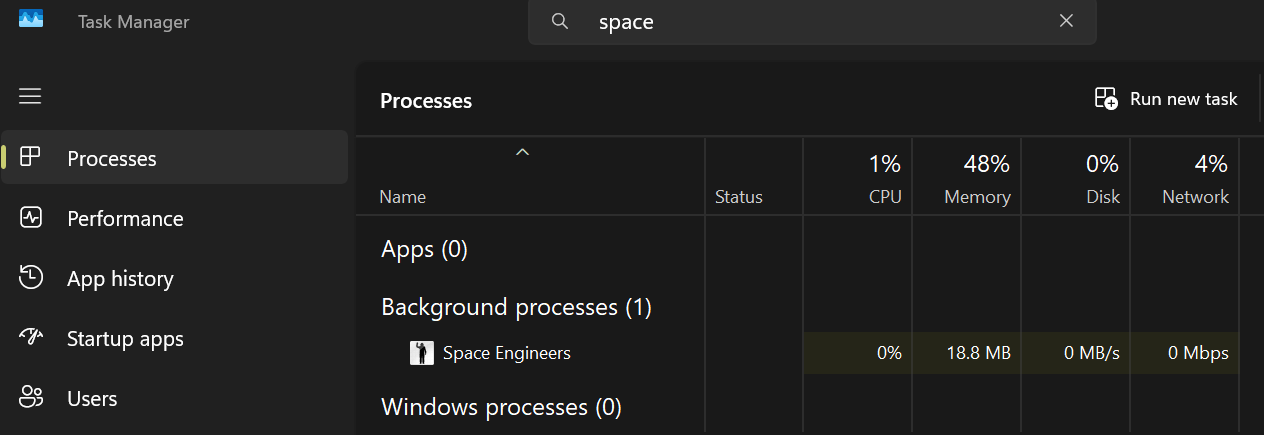
Followup with a bit more info...
Removing the .cfg file doesn't cause SE to generate a new one or present the install options for .NET framework etc.. I originally used the newer experimental .NET framework (10,11???) for potential better performance. When I had problems, I think I may have selected version 4. I had thought to review the choice of .NET, but it now donesn't appear when I now re-install SE.
Is there anyway to forece SE to present the installation options?
Followup with a bit more info...
Removing the .cfg file doesn't cause SE to generate a new one or present the install options for .NET framework etc.. I originally used the newer experimental .NET framework (10,11???) for potential better performance. When I had problems, I think I may have selected version 4. I had thought to review the choice of .NET, but it now donesn't appear when I now re-install SE.
Is there anyway to forece SE to present the installation options?
Replies have been locked on this page!