


Space Engineers Graphics Downgrading over playtime
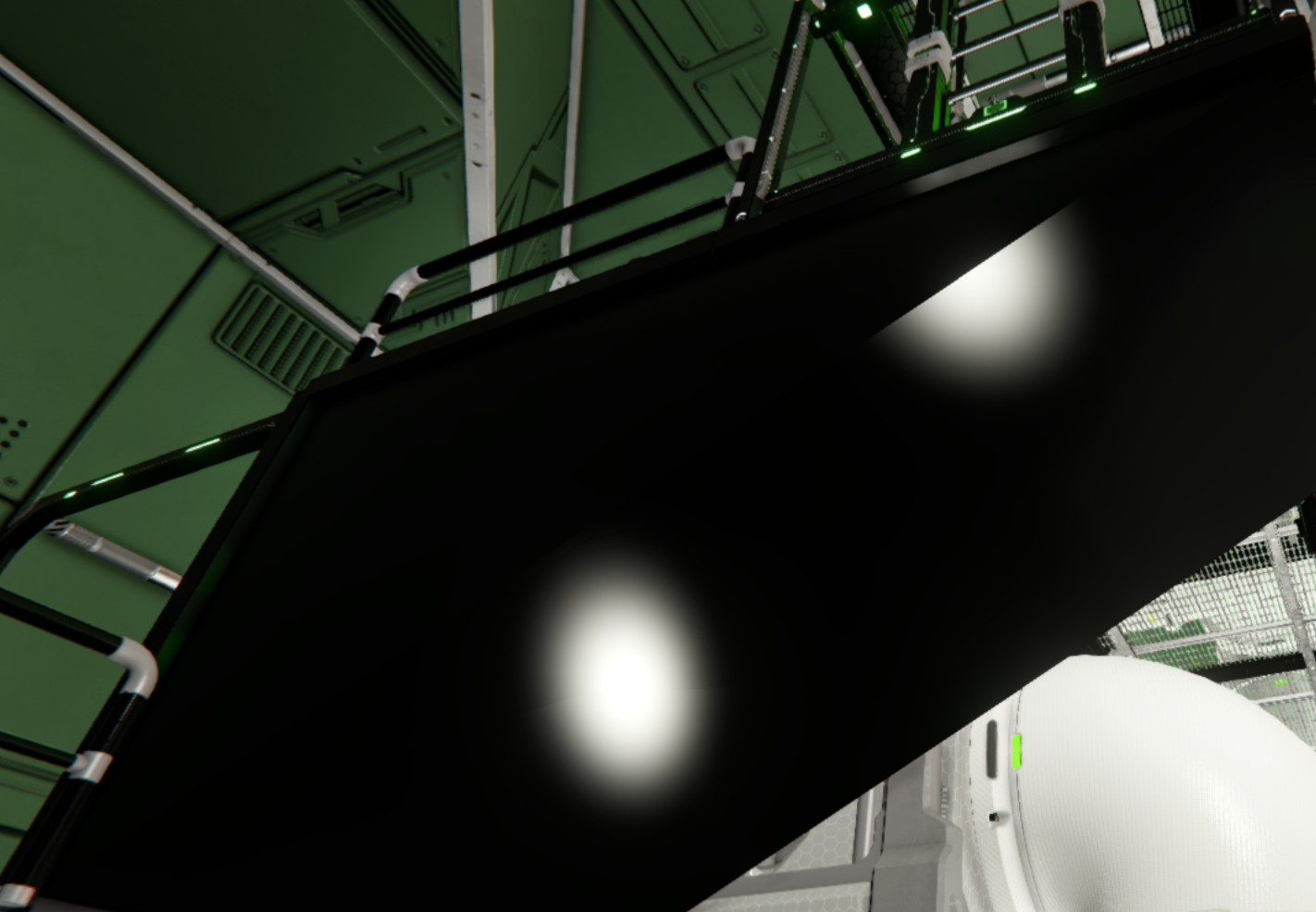
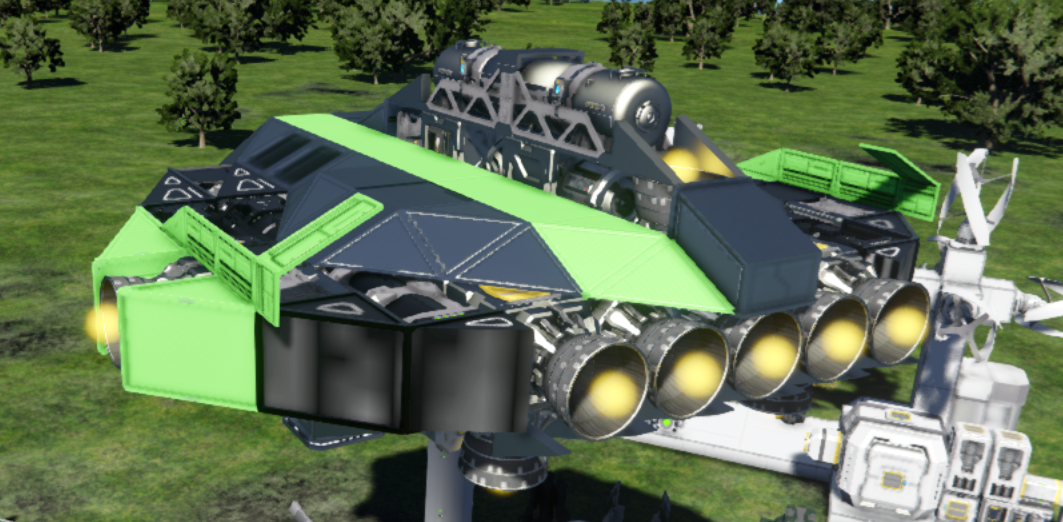
Hello, I want support upon the graphics and problems with the visual stuff in SE1. My problem is that textures keep not appearing as intended. In the first image, that is meant to be lime green digital camouflage. In the second image, that was white recolorable neon tubes. In the final image, that is neon tubes, that were meant to be green. I can't live without my perfectly designed to my personal liking base and ships. An honorable mention is the catwalks, as well being with the neon tubes, turning black. Before you try to fix my problem, I've tried lowering the graphics, though that doesn't fix much and makes the rest look worse. (Which includes lowering everything in the settings, including the grass.) Additionally, I have verified my game through Steam so it checks all my files upon the game are tip-top.
 I have the same bug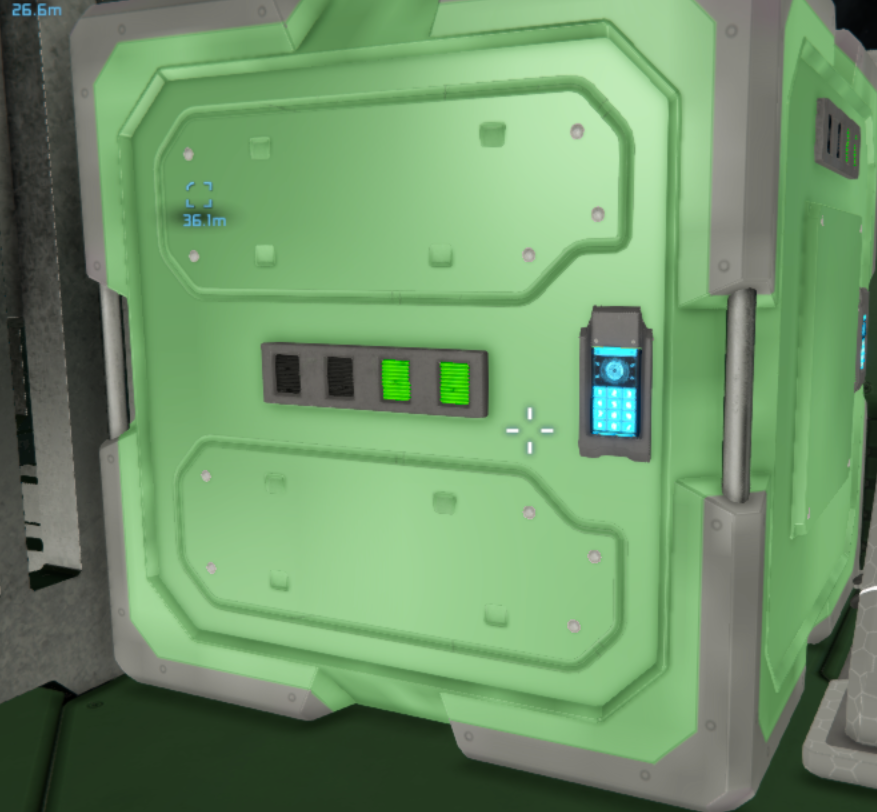
Hello!
Thank you for contacting us. Since this is a bug report, I'm moving your ticket to our support page, where our QA team will take care of you.
Kind Regards
Keen Software House
Hello!
Thank you for contacting us. Since this is a bug report, I'm moving your ticket to our support page, where our QA team will take care of you.
Kind Regards
Keen Software House
Hello Engineer,
Thank you for reaching out to us, and we sincerely apologize for the issue you’ve been experiencing.
Could you please let us know whether this issue started occurring recently, or if it has been present for some time?
Additionally, have you checked whether the issue is specific to a particular world or server? In some cases, active MODs on a specific world or server can cause unexpected behavior.
It would also be helpful to know if there are any pending OS updates or graphics driver updates on your system, as outdated drivers or OS versions can sometimes lead to similar issues.
Please also check whether the correct video adapter is selected in the game settings. This should be your dedicated graphics card and can be verified by navigating to Options → Display → Video Adapter. While you are there, please make sure a recommended aspect ratio (marked with *** in the Video Mode list) is selected. After saving these settings, launch the game again and check whether the issue still occurs, either in a new or existing world or server.
Kind Regards,
Keen Software House: QA Department
Hello Engineer,
Thank you for reaching out to us, and we sincerely apologize for the issue you’ve been experiencing.
Could you please let us know whether this issue started occurring recently, or if it has been present for some time?
Additionally, have you checked whether the issue is specific to a particular world or server? In some cases, active MODs on a specific world or server can cause unexpected behavior.
It would also be helpful to know if there are any pending OS updates or graphics driver updates on your system, as outdated drivers or OS versions can sometimes lead to similar issues.
Please also check whether the correct video adapter is selected in the game settings. This should be your dedicated graphics card and can be verified by navigating to Options → Display → Video Adapter. While you are there, please make sure a recommended aspect ratio (marked with *** in the Video Mode list) is selected. After saving these settings, launch the game again and check whether the issue still occurs, either in a new or existing world or server.
Kind Regards,
Keen Software House: QA Department
Replies have been locked on this page!