


[SE PC BUG Report] 01-196-016 Can't respawn at another area using F5
Hi, Keen Team!
When starting a new Star System world in survival mode, I have noticed that I can't use the F5 "Trick" to respawn at another area anymore and it was working before cause I always use that "Feature" especially to respawn at the Desert Biome to be at a easy one near ore spots that I can see with the naked eye close to ice lake.
STR :
1 - Create a new Experimental Star System world : Disable auto-save, survival mode, disable Block limit, disable Block progression, disable auto-respawn and select realistic sound.
2 - Load the new SS world and select Earth Drop Pod.
3 - Hit F5 key to quick reload while falling on Earth planet and be able to RE-select the Earth Drop Pod from the respawn screen.
4 - Noticed that you can't "Quick reload" right away using F5 key because the game is already saving with auto-save OFF.
5 = Can't respawn at another area if I don't like the default mountain Drop because the game saved while spawning in the Drop Pod.
Additional information :
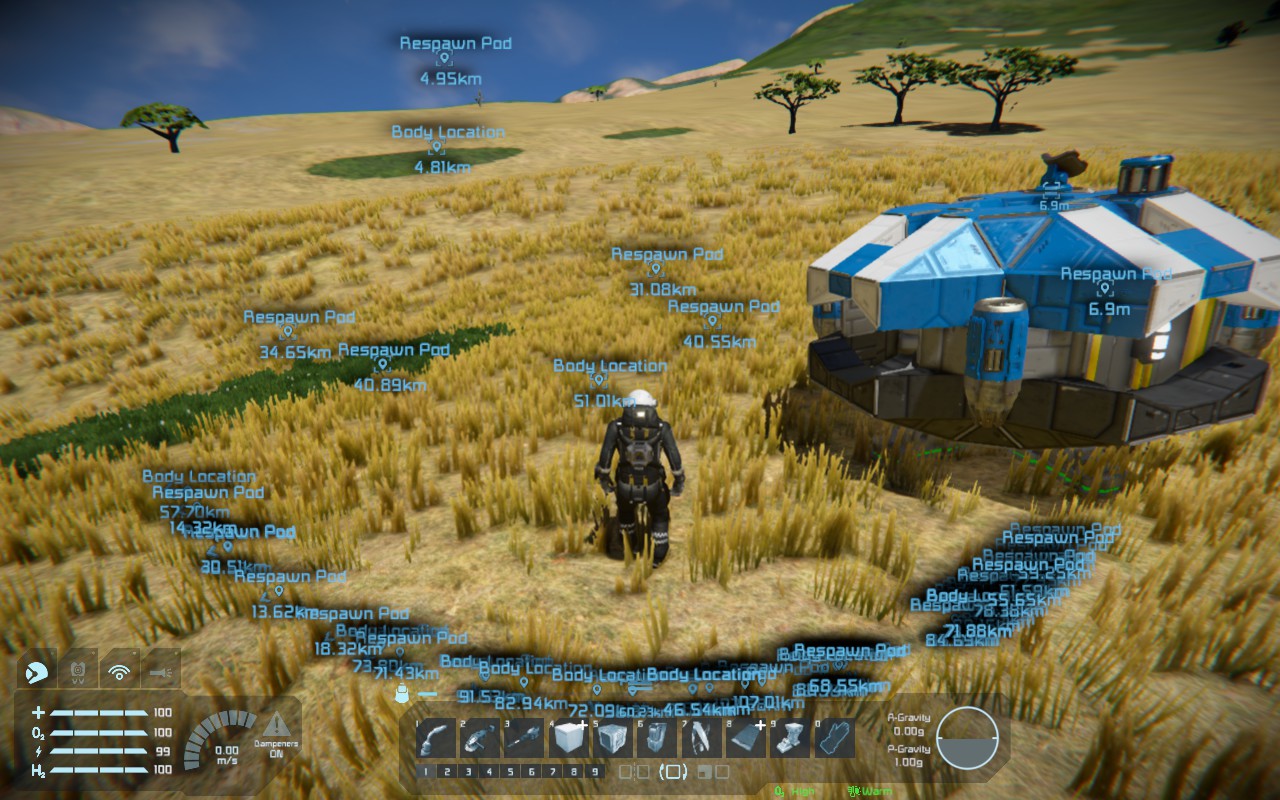
I now have to hit the "F" key to exit the Drop Pod while falling on planet, hit the "Back space" key to return to "Respawn screen" (auto-respawn must be OFF) and be able to respawn at another area, but that kills the character and add a lot of false GPS with dead Body on screen every time I use Back space (see image below).
Took some time, a lot of respawnS, to see the best Desert Biome (easy start) and that adds a lot of GPS that will be deleted after saving/exiting/reloading :
 I have the same bug
Hello, Engineer!
Thank you for your report however I wasn't able to reproduce it. With disabled Auto-Save, after hitting F5, I could select any other Drop pod in the Respawn screen.
Please try to:
And please retest. I will appreciate any additional information.
Kind Regards
Keen Software House: QA Department
Hello, Engineer!
Thank you for your report however I wasn't able to reproduce it. With disabled Auto-Save, after hitting F5, I could select any other Drop pod in the Respawn screen.
Please try to:
And please retest. I will appreciate any additional information.
Kind Regards
Keen Software House: QA Department
Replies have been locked on this page!