


Block edge textures are blurry since update

Texture issue
Investigating
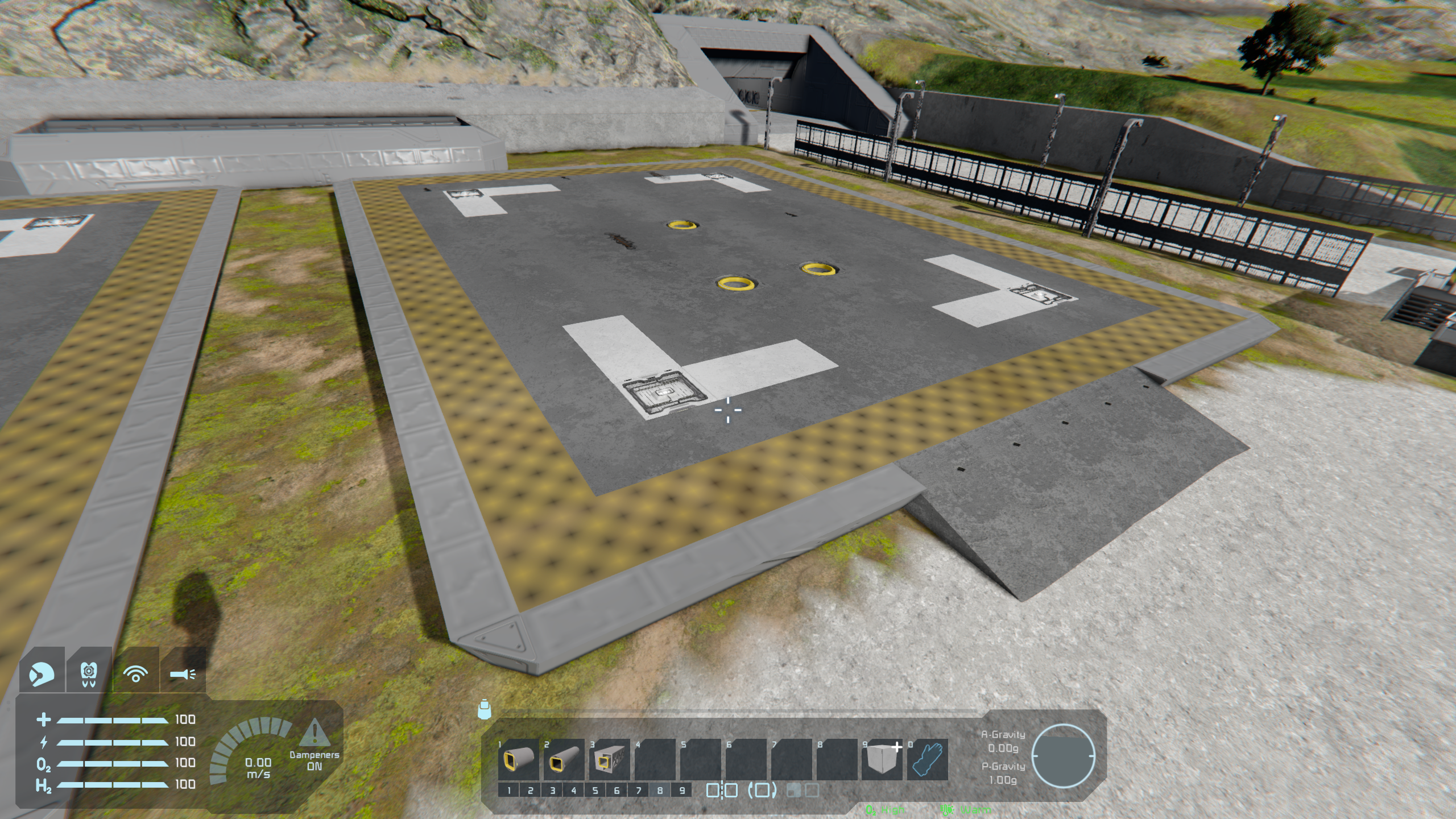
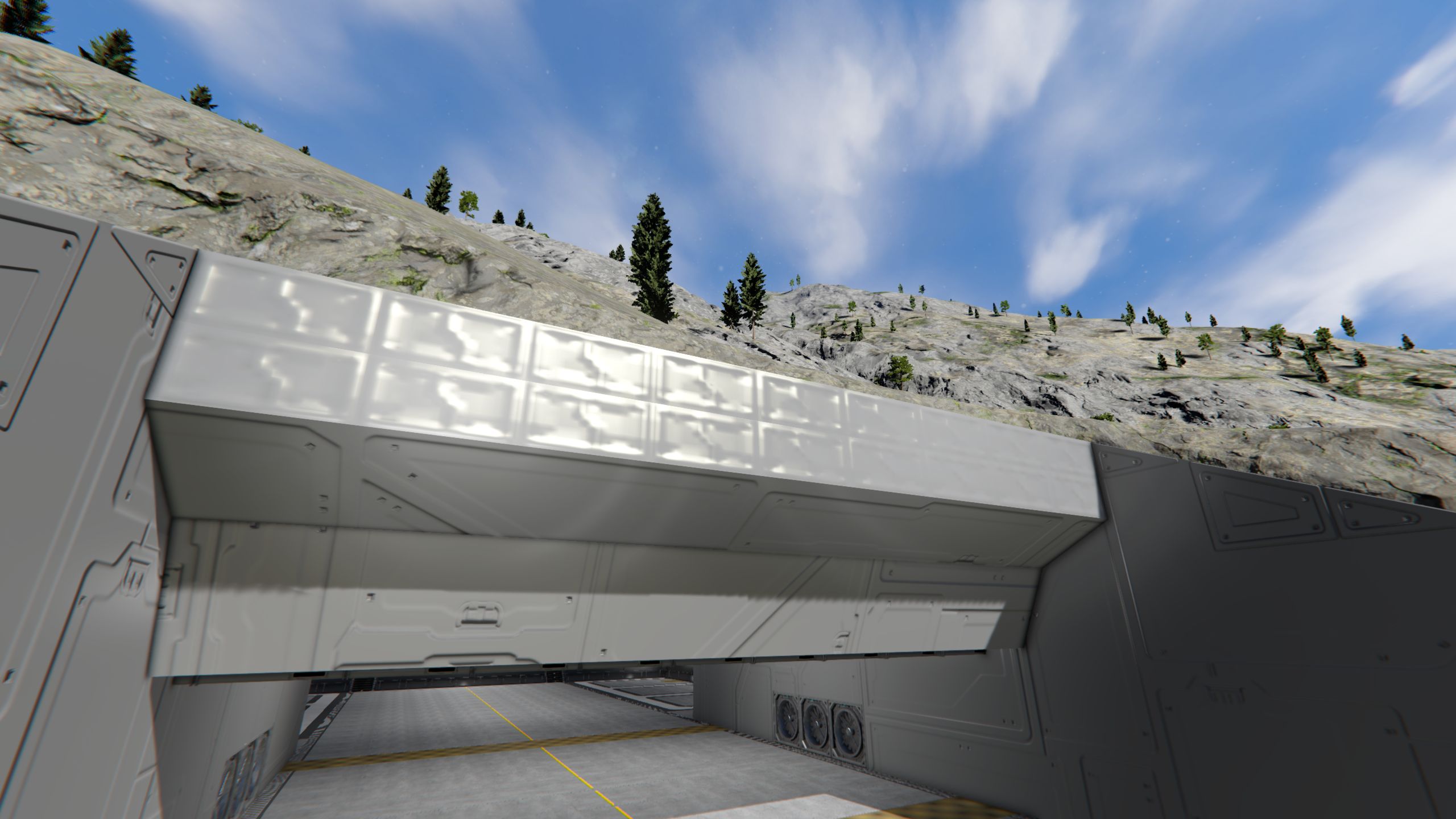
Since the update the hazard paint texture has broken.
 I have the same bug
You can't vote. Please authorize!
Since the update the hazard paint texture has broken.
Hello,
Thank you for contacting us. Since this is a bug report, I'm moving your ticket to our support page, where our QA team will take care of you.
Kind Regards,
Keen Software House
Hello,
Thank you for contacting us. Since this is a bug report, I'm moving your ticket to our support page, where our QA team will take care of you.
Kind Regards,
Keen Software House
Hello,
Thank you for contacting us. Since this is a bug report, I'm moving your ticket to our support page, where our QA team will take care of you.
Kind Regards,
Keen Software House
Hello,
Thank you for contacting us. Since this is a bug report, I'm moving your ticket to our support page, where our QA team will take care of you.
Kind Regards,
Keen Software House
I have similar issues with many blocks going/flickering in and out of blurred and/or changing textures as I look around. The whitish starting rover, as well as several Unknown Signal models, have all had it. 'Adaptive Simulation Quality' is turned off.
First Steam version of WF3, with some mods, but none that should affect textures.
I have similar issues with many blocks going/flickering in and out of blurred and/or changing textures as I look around. The whitish starting rover, as well as several Unknown Signal models, have all had it. 'Adaptive Simulation Quality' is turned off.
First Steam version of WF3, with some mods, but none that should affect textures.
Hello Engineer,
Thank you for reaching out to us on our Support Forum.
Since you're experiencing issues with low-resolution textures, could you please check your GPU/Graphics Card settings and make sure they are set to their default values?
Custom GPU settings may sometimes interfere with how the game handles textures. Restoring the default settings should help resolve most issues of this kind.
Once you've done this, please launch the game again and check whether the textures are displaying correctly.
Please let us know if this resolves the issue for you.
Kind Regards,
Keen Software House: QA Department
Hello Engineer,
Thank you for reaching out to us on our Support Forum.
Since you're experiencing issues with low-resolution textures, could you please check your GPU/Graphics Card settings and make sure they are set to their default values?
Custom GPU settings may sometimes interfere with how the game handles textures. Restoring the default settings should help resolve most issues of this kind.
Once you've done this, please launch the game again and check whether the textures are displaying correctly.
Please let us know if this resolves the issue for you.
Kind Regards,
Keen Software House: QA Department
Hello, same issue here, blurry textures on some skin like the concrete skin, blurry texture on a dead engineers find in a random planetary encounter, new save with no mods, see on steam a topic with similar issues
Hello, same issue here, blurry textures on some skin like the concrete skin, blurry texture on a dead engineers find in a random planetary encounter, new save with no mods, see on steam a topic with similar issues
Replies have been locked on this page!