


Airtightness on turrets
Won't Fix
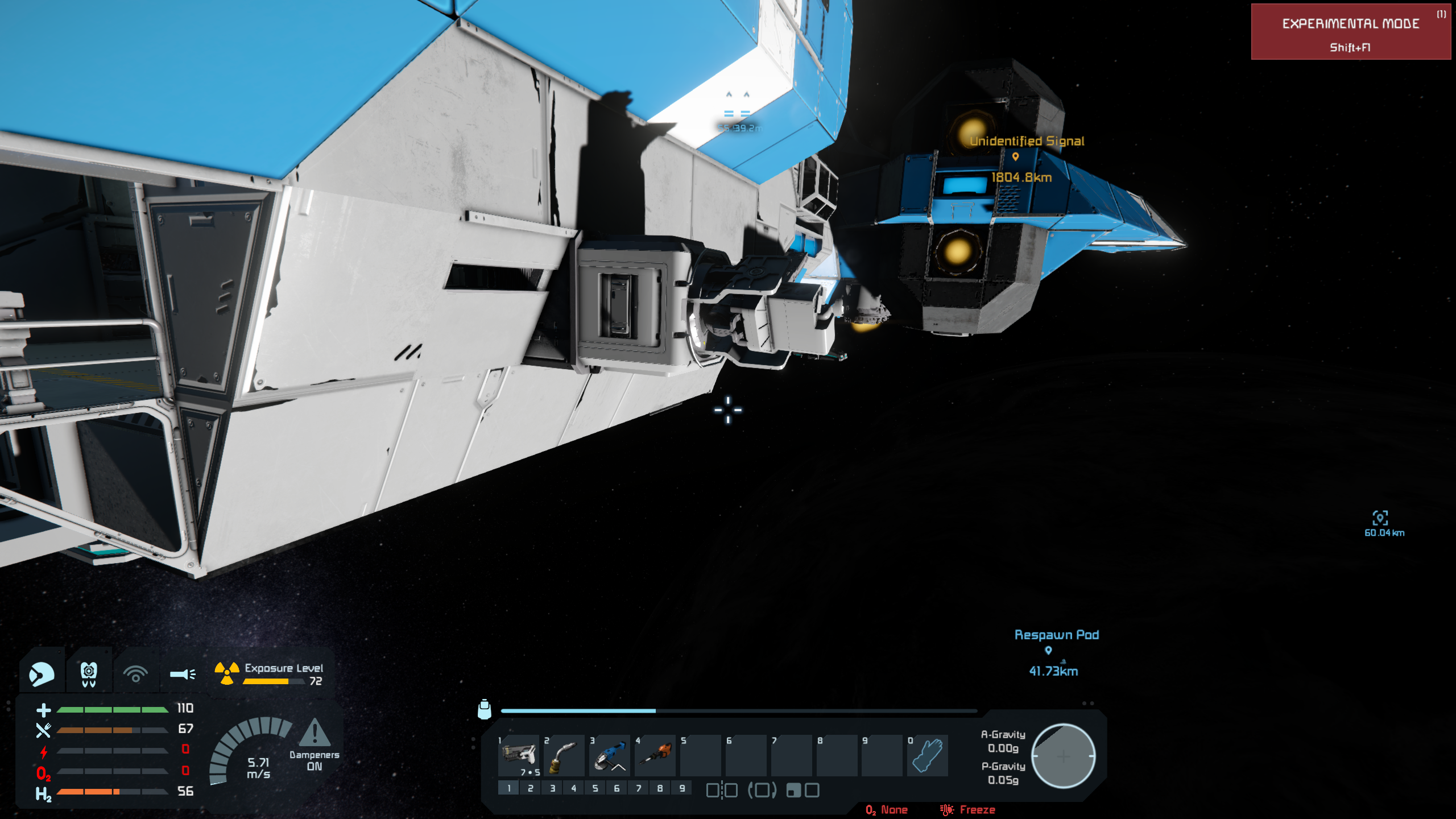
I found certain blocks such as slopes that should be airtight in combination with others but aren't. Later found a thread in the bug reports where it was explained that it couldn't be done due to limitations with the game. I had just gotten an Ambassador Explorer through a station in economy 2 update and noticed the vehicle bay wasn't pressurizing. I found that the base of the turrets didn't hold air and I was hoping that could be fixed.
 I have the same bug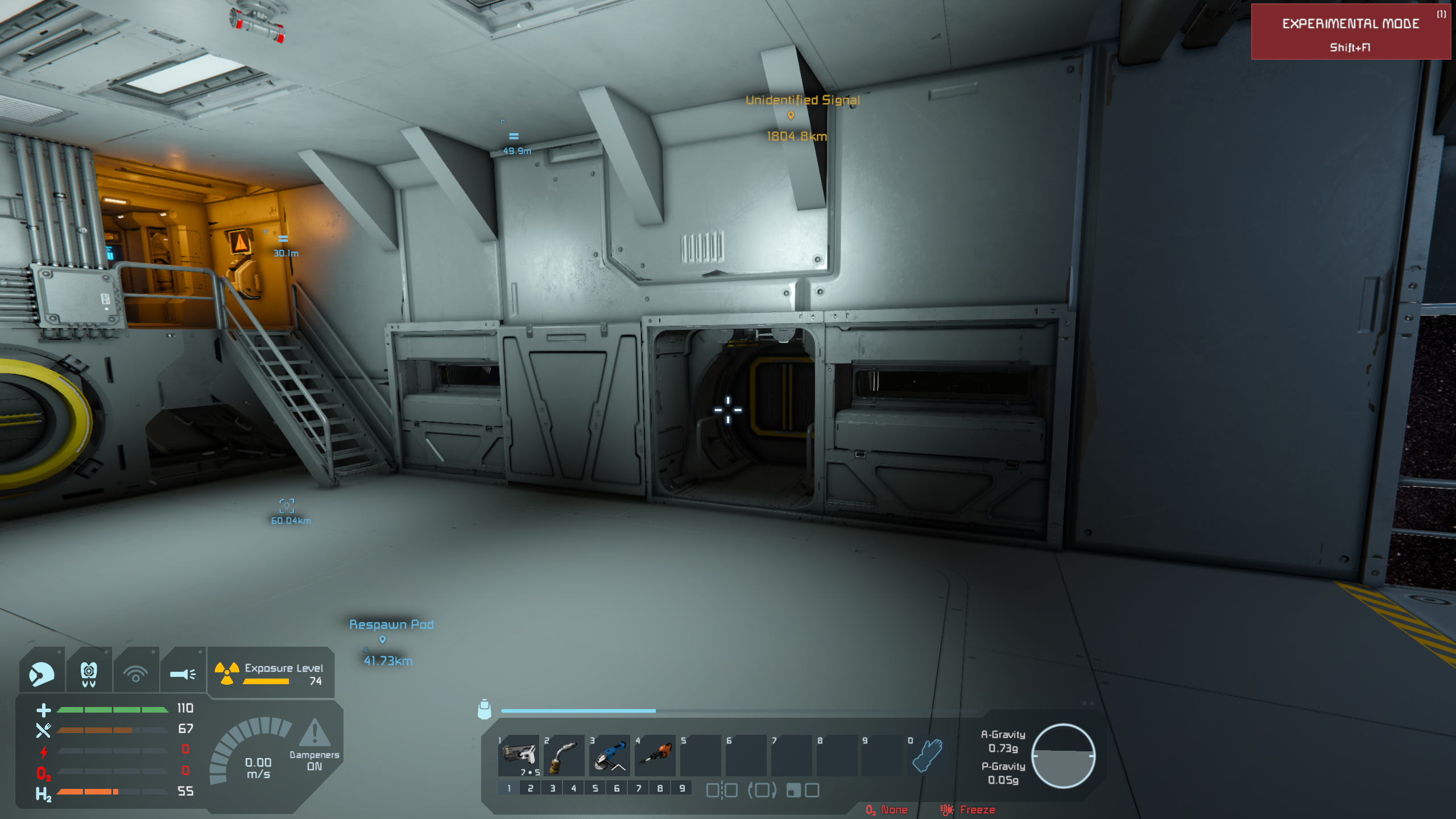
You can't vote. Please authorize!
You can't vote. Please authorize!
Hello Engineer,
Thank you for reaching out on our forum with this.
From the images you provided, we can clearly see that you are using mods in the affected save/world.
Could you please also try playing the game without any mods, find the same station, and check whether the issue persists in a vanilla world as well?
It is highly probable that one of the mods modifying the model or airtightness is using outdated references, as this was changed and fixed in a recent update.
If the issue persists even on vanilla save, can you please share a affected save file with us?
You can access your save files by typing %appdata% into your Windows search bar and you will be redirected to the hidden Roaming folder. After that just follow: \Roaming\SpaceEngineers\Saves. There should be a folder with your SteamID and your saves.
Please zip the file and attach it here. If you are having difficulty attaching files you can optionally use Google Drive. When sharing a google drive link please make sure it is set to be downloadable by anyone with the link.
Thank you.
Kind Regards,
Keen Software House: QA Department
Hello Engineer,
Thank you for reaching out on our forum with this.
From the images you provided, we can clearly see that you are using mods in the affected save/world.
Could you please also try playing the game without any mods, find the same station, and check whether the issue persists in a vanilla world as well?
It is highly probable that one of the mods modifying the model or airtightness is using outdated references, as this was changed and fixed in a recent update.
If the issue persists even on vanilla save, can you please share a affected save file with us?
You can access your save files by typing %appdata% into your Windows search bar and you will be redirected to the hidden Roaming folder. After that just follow: \Roaming\SpaceEngineers\Saves. There should be a folder with your SteamID and your saves.
Please zip the file and attach it here. If you are having difficulty attaching files you can optionally use Google Drive. When sharing a google drive link please make sure it is set to be downloadable by anyone with the link.
Thank you.
Kind Regards,
Keen Software House: QA Department
Hello Engineer,
As there has been no reply to this thread in some time, we will close it. If you're experiencing this issue, please create a new thread.
Kind regards,
Keen Software House: QA Department
Hello Engineer,
As there has been no reply to this thread in some time, we will close it. If you're experiencing this issue, please create a new thread.
Kind regards,
Keen Software House: QA Department
Replies have been locked on this page!