


Issues with loading textures and models
Investigating
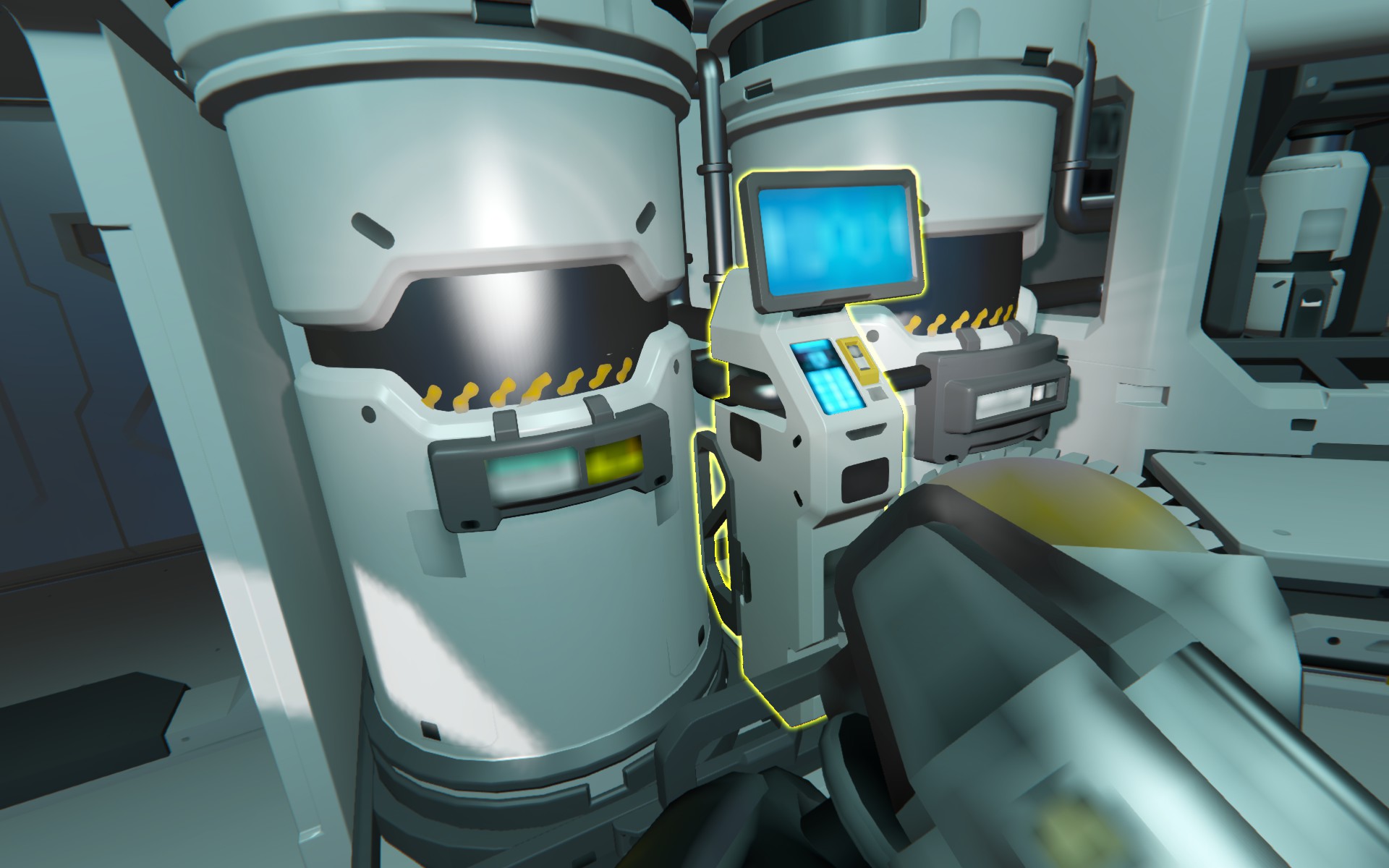
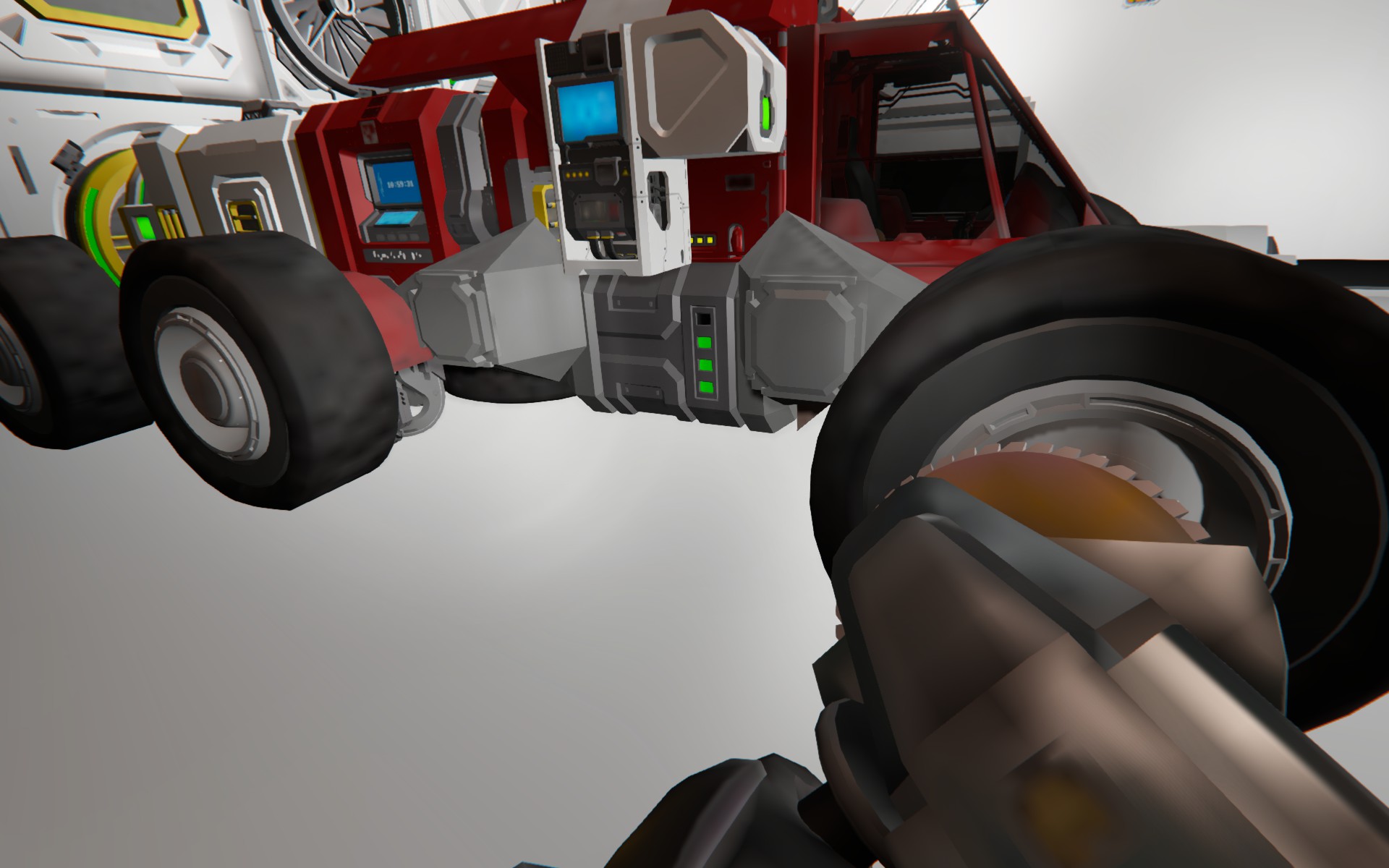
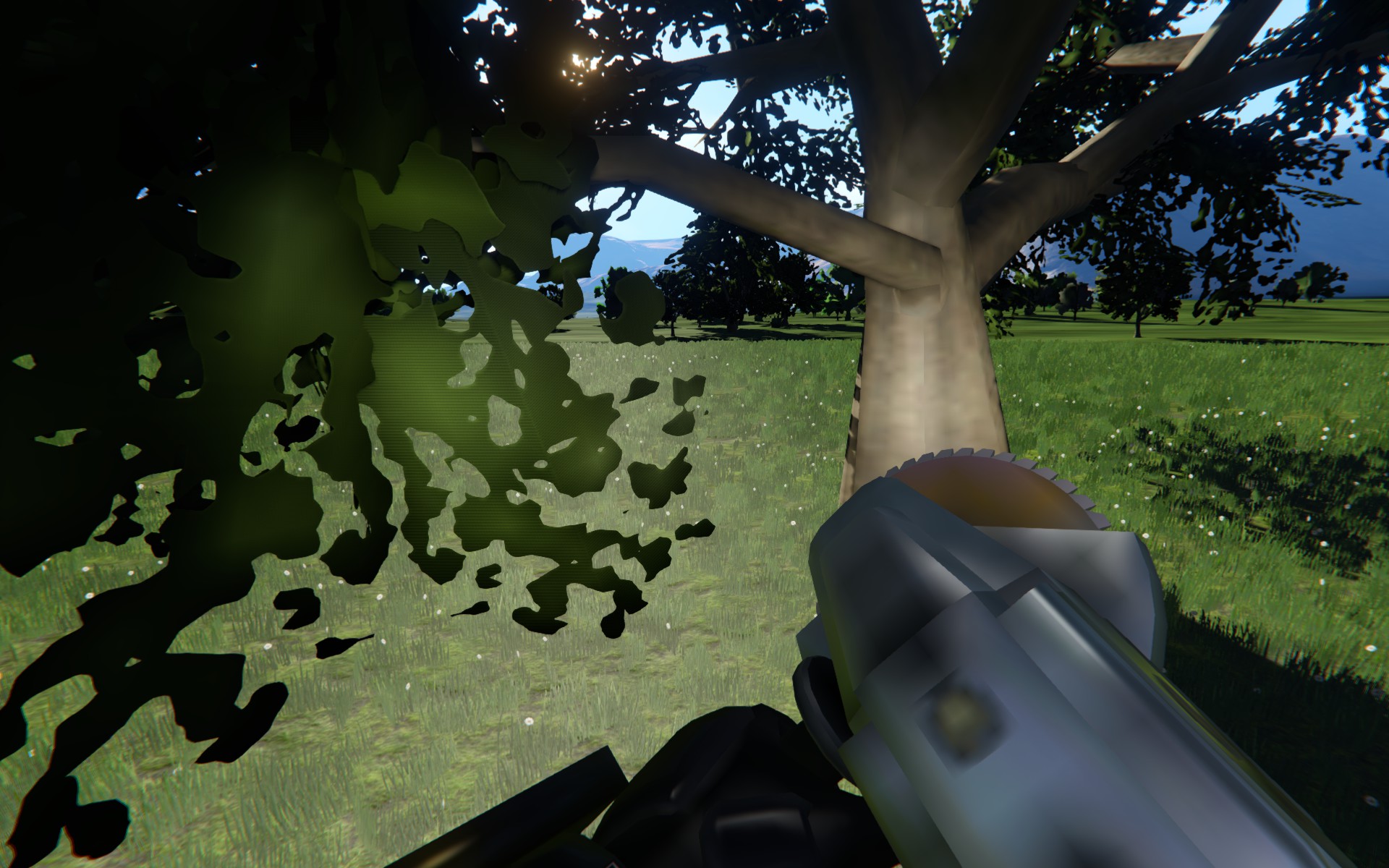
After update to 1.209 and update of my graphic drivers (Radeon 780M), textures are not loaded properly. All textures and models that are being used are low-res variants, presumably for use in higher ranges. Higher-res models are never being loaded.
Radeon 780M drivers version: 26.3.1
OS: Win 11
 I have the same bug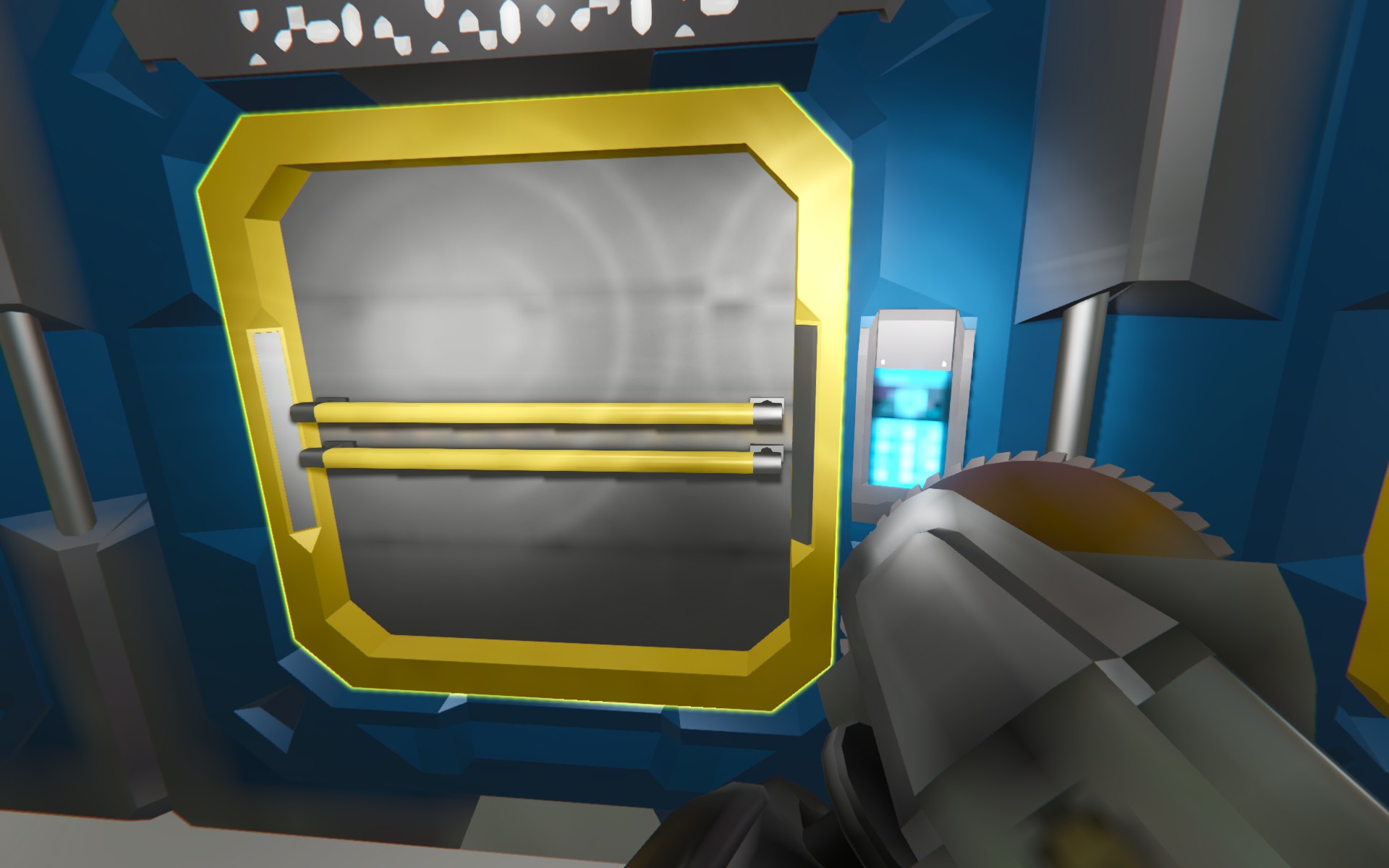
You can't vote. Please authorize!
UPDATE:
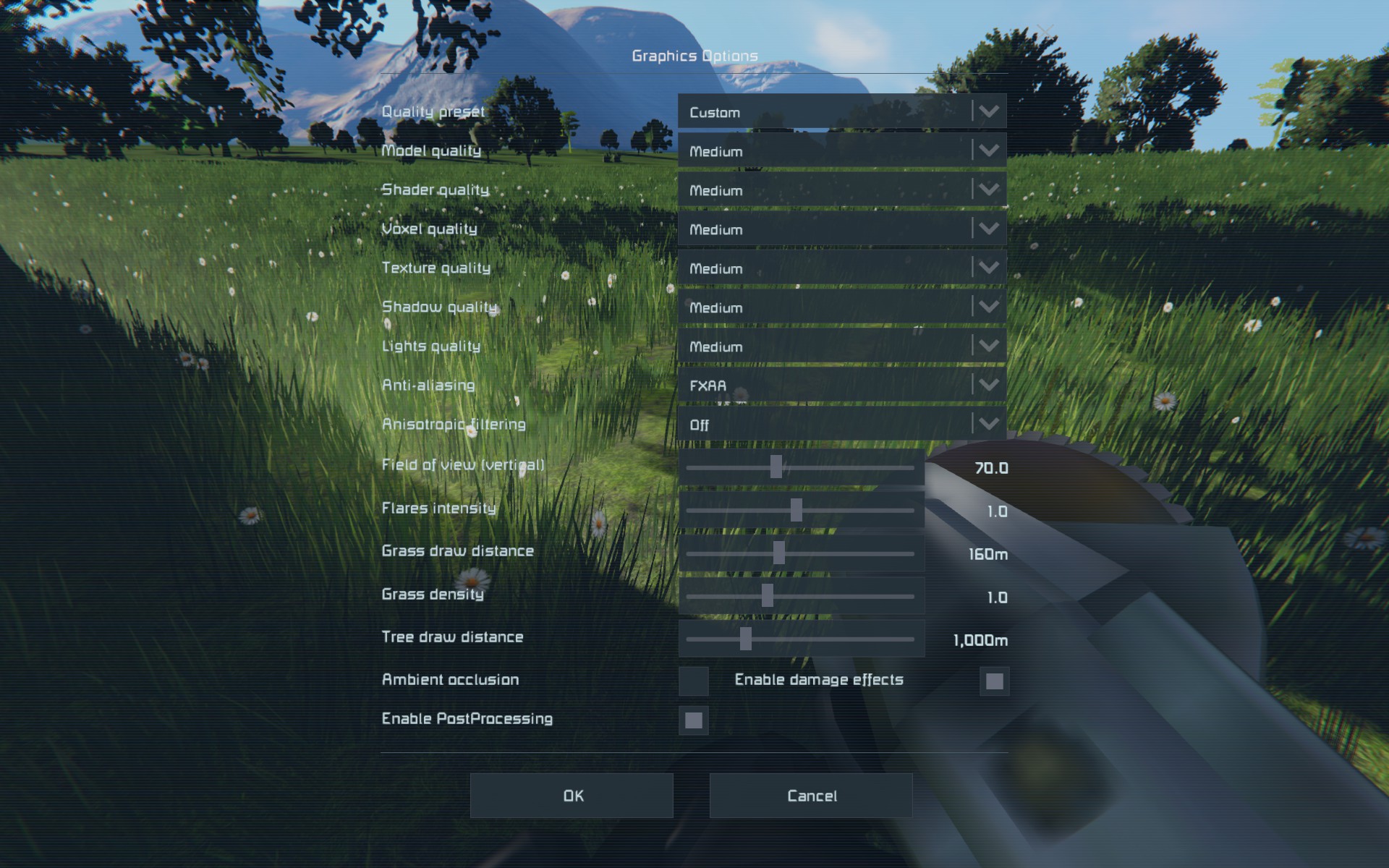
I tried to set different texture quality.
It turns out that this problem occurs for medium and high texture quality, low-quality textures behave normally. Adjusting model quality doesn't seem to have an effect.
UPDATE:
I tried to set different texture quality.
It turns out that this problem occurs for medium and high texture quality, low-quality textures behave normally. Adjusting model quality doesn't seem to have an effect.
Hello Filip,
Thank you for reaching out to us.
Could you please share more details about the issue you're experiencing? Specifically, does it occur in a single-player world, lobby, or on a multiplayer server?
Was the world or server using any MODs? If so, please check if the issue still occurs in a new, unmodded (vanilla) world.
Additionally, please try the following workarounds that could solve this issue:
Verify your game files in Steam
Delete SpaceEngineers.cfg file
Delete ShaderCache folder
After performing these steps, launch the game and go to Options > Display > Video Adapter. Make sure to select the adapter corresponding to your dedicated graphics card (like, AMD). Click OK to save the settings.
Create a new vanilla world and check if the issue still occurs. If it does, please share new screenshots or a screen recording showing the issue, along with both latest log files (named as SpaceEngineers_ and VRageRender-), so we can investigate further.
Kind regards,
Keen Software House: QA Department
Hello Filip,
Thank you for reaching out to us.
Could you please share more details about the issue you're experiencing? Specifically, does it occur in a single-player world, lobby, or on a multiplayer server?
Was the world or server using any MODs? If so, please check if the issue still occurs in a new, unmodded (vanilla) world.
Additionally, please try the following workarounds that could solve this issue:
Verify your game files in Steam
Delete SpaceEngineers.cfg file
Delete ShaderCache folder
After performing these steps, launch the game and go to Options > Display > Video Adapter. Make sure to select the adapter corresponding to your dedicated graphics card (like, AMD). Click OK to save the settings.
Create a new vanilla world and check if the issue still occurs. If it does, please share new screenshots or a screen recording showing the issue, along with both latest log files (named as SpaceEngineers_ and VRageRender-), so we can investigate further.
Kind regards,
Keen Software House: QA Department
Hello,
thanks for your concern, in this message I'll address your questions and tips, in order they were received:
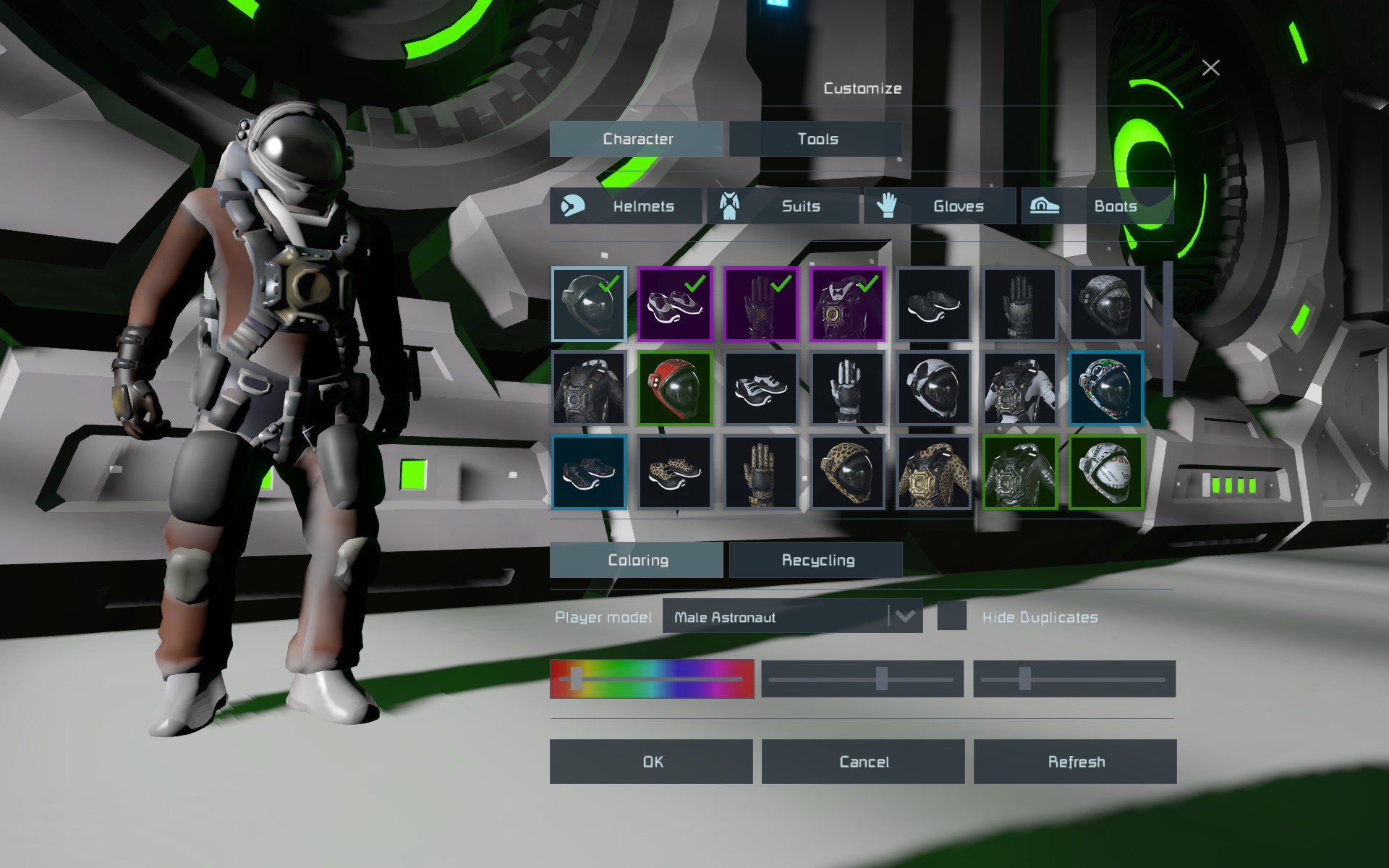
- The problem occurs on singleplayer worlds, unmodded, old and newly created. Additionally, character customization screen in main menu is affected too.
- I didn't test the issue on multiplayer servers and on modded worlds.
- The game files' integrity was successfully verified.
- SpaceEngineers.cfg deleted.
- Directory named ShaderCache was not present in %appdata%/SpaceEngineers. There was a directory named ShaderCache2, empty. This directory is now deleted.
- Graphics adapter is set correctly: AMD RadeonT 780M.
- I set texture quality back to medium and tried editing my character from main menu. The problem still occurs.
- Here are the logs:
12. 5. - contain opening of character editor and then a new vanilla game from Quick start. in VRageRender, there are some warnings on missing textures.
11. 5. - logs from gameplay where I was experimenting with texture quality settings. With low texture quality, the textures load normally.
9. 5. - original logs from when the problem was discovered.
I hope this information will help to solve the issue.
Best regards,
Filip Gregor
Hello,
thanks for your concern, in this message I'll address your questions and tips, in order they were received:
- The problem occurs on singleplayer worlds, unmodded, old and newly created. Additionally, character customization screen in main menu is affected too.
- I didn't test the issue on multiplayer servers and on modded worlds.
- The game files' integrity was successfully verified.
- SpaceEngineers.cfg deleted.
- Directory named ShaderCache was not present in %appdata%/SpaceEngineers. There was a directory named ShaderCache2, empty. This directory is now deleted.
- Graphics adapter is set correctly: AMD RadeonT 780M.
- I set texture quality back to medium and tried editing my character from main menu. The problem still occurs.
- Here are the logs:
12. 5. - contain opening of character editor and then a new vanilla game from Quick start. in VRageRender, there are some warnings on missing textures.
11. 5. - logs from gameplay where I was experimenting with texture quality settings. With low texture quality, the textures load normally.
9. 5. - original logs from when the problem was discovered.
I hope this information will help to solve the issue.
Best regards,
Filip Gregor
UPDATE:
For some, presumably new or updated models, low-quality textures are used regardless of the settings. Screenshots and logs included. Texture quality is still set to low.
Interesting that NPC models seem unaffected. So is the tool in my hand, as seen on one of the screenshots.
UPDATE:
For some, presumably new or updated models, low-quality textures are used regardless of the settings. Screenshots and logs included. Texture quality is still set to low.
Interesting that NPC models seem unaffected. So is the tool in my hand, as seen on one of the screenshots.
Replies have been locked on this page!