


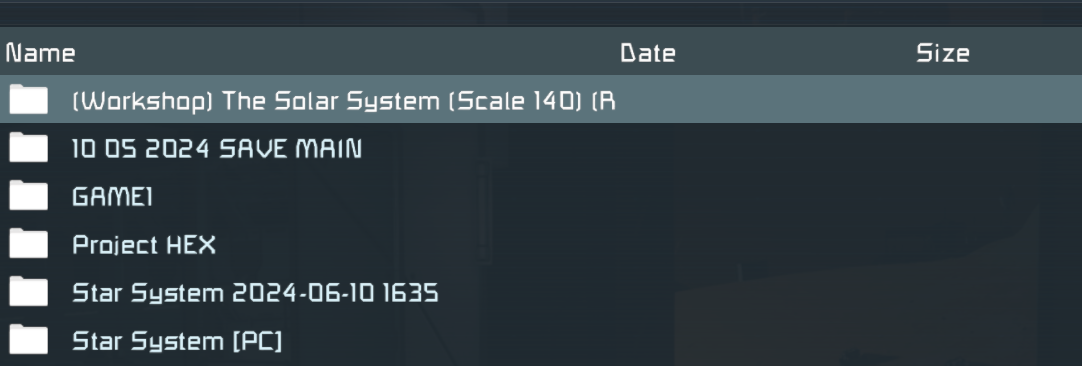
Save file appearing as a "folder". Cannot load it.
Won't Fix
I have multiple backed-up saves, that, when extracted from the .rar file, do not show up in-game as saves, but rather as "folders" that I can click through.
 I have the same bug
 You can't vote. Please authorize!
Hello!
Thank you for contacting us. Since this is a bug report, I'm moving your ticket to our support page, where our QA team will take care of you.
Kind Regards,
Keen Software House
Hello!
Thank you for contacting us. Since this is a bug report, I'm moving your ticket to our support page, where our QA team will take care of you.
Kind Regards,
Keen Software House
Hello,
Thank you for reaching our forum with this problem.
To better understand what’s happening, could you please provide a bit more detail:
Could you please share one of the affected save files with us so we can take a closer look?
This should help us figure out what’s going wrong here.
Thank you in advance.
Kind Regards,
Keen Software House: QA Department
Hello,
Thank you for reaching our forum with this problem.
To better understand what’s happening, could you please provide a bit more detail:
Could you please share one of the affected save files with us so we can take a closer look?
This should help us figure out what’s going wrong here.
Thank you in advance.
Kind Regards,
Keen Software House: QA Department
Hello Engineer,
As there has been no reply to this thread in some time, we will close it. If you're experiencing this issue, please create a new thread.
Kind regards,
Keen Software House: QA Department
Hello Engineer,
As there has been no reply to this thread in some time, we will close it. If you're experiencing this issue, please create a new thread.
Kind regards,
Keen Software House: QA Department
Replies have been locked on this page!