


Graphics Issue after Core Systems Update
Apologies if this might be a duplicate or is already being addressed.
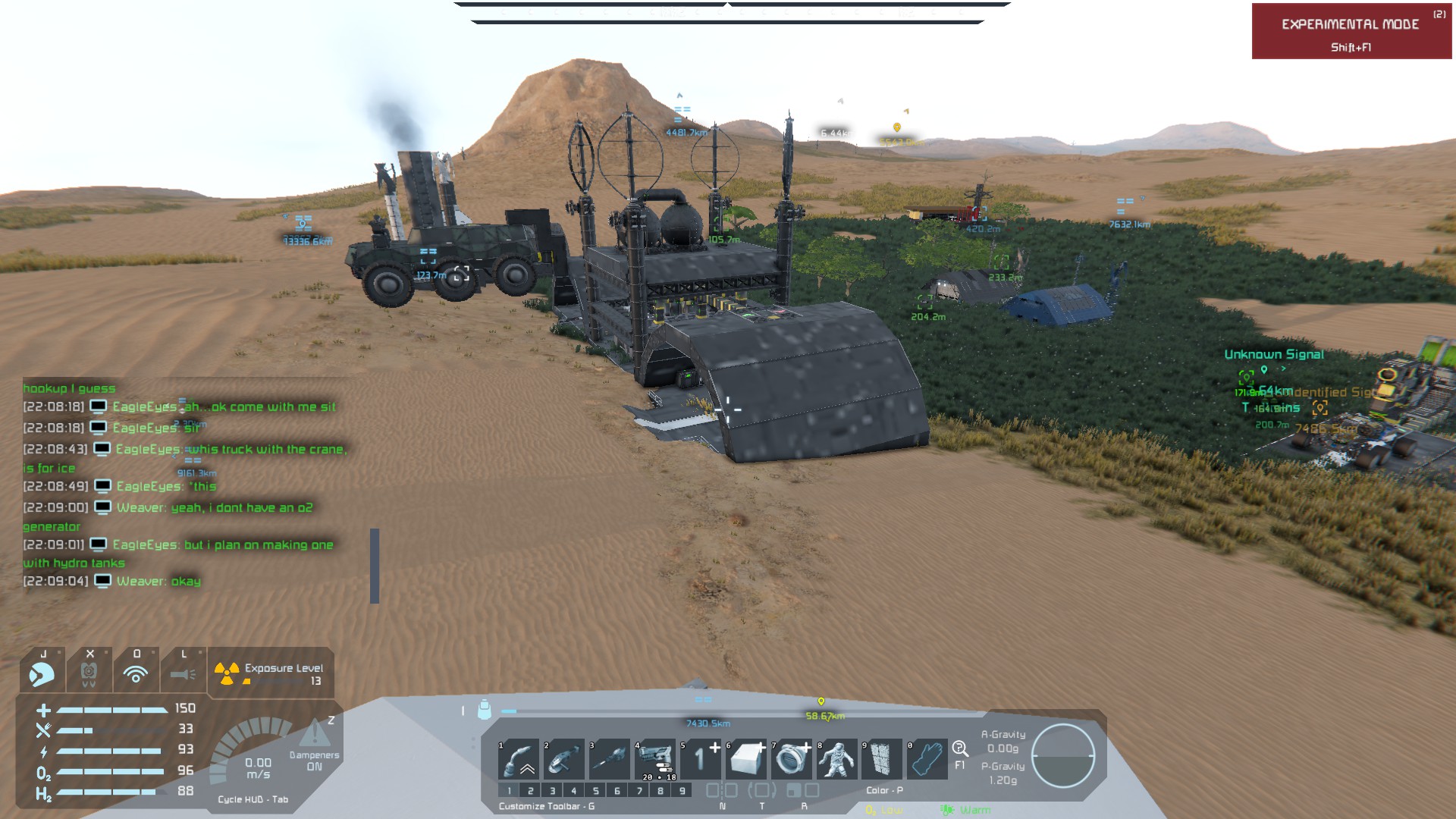
Ever since the Core Systems Update a few problems with graphics have occurred for me. This especially relates to textures. For some reason, textures of blocks turn into a blurred mash when I am further than a few meters away from a grid. When grinding a block and welding it back up, the texture shows for one or two seconds, but then reverts to being blurred. The same or a similar issue seems to be there for voxel textures too. I reinstalled the game, deleted the config file and reset the graphics settings a few times now, GPU and driver are working completely fine. It's almost like there is something wrong with resource distribution or something?
For me this has really only occurred ever since the recent update, before that everything was running fine. I will attach a before and an after the update screenshot, not the same environments, but a way to compare texture rendering.
Thank you for looking into this!
 I have the same bug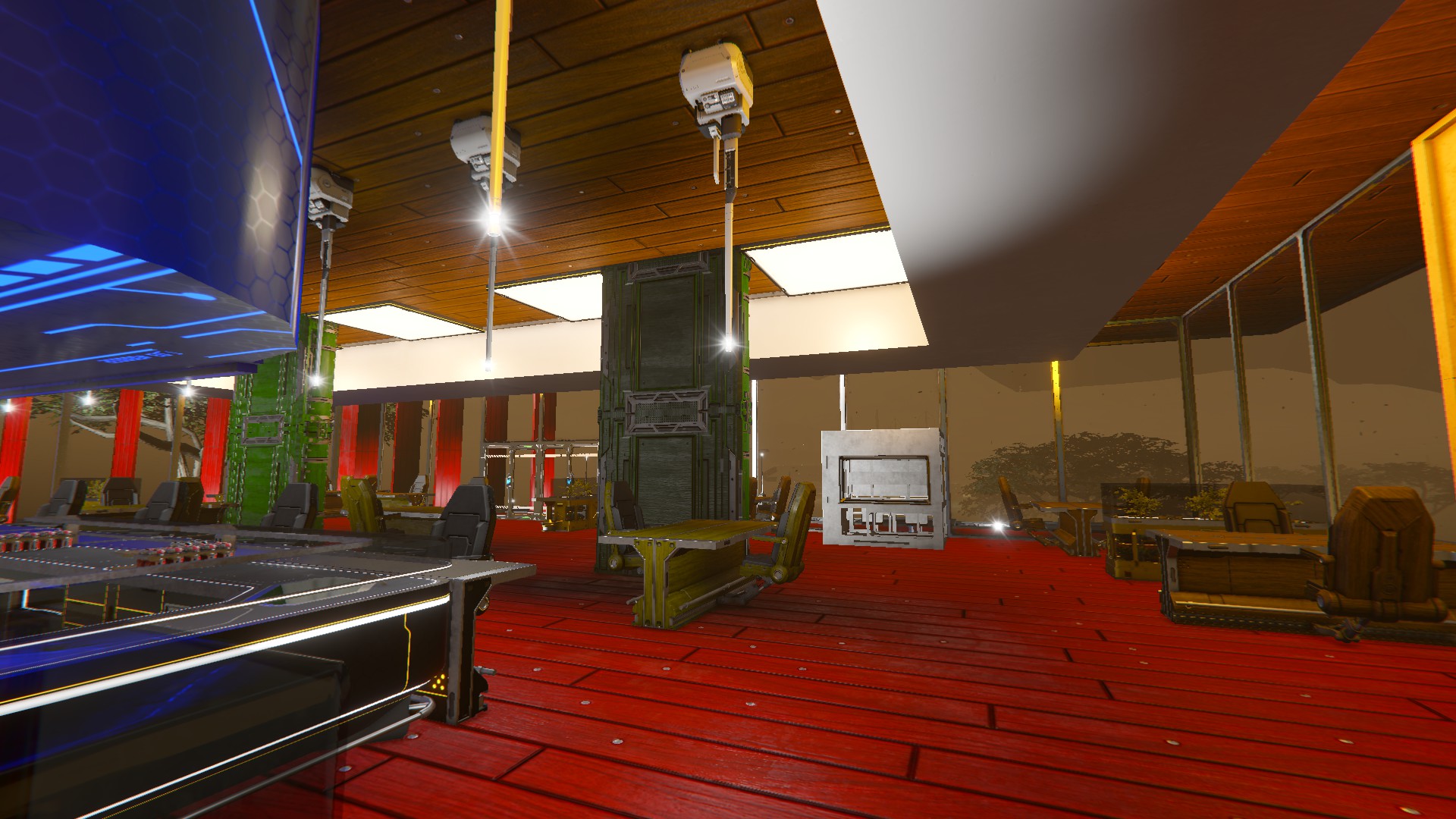
I would like to give a short update on the issue:
It seems like deleting the mipmap texture files from the Space Engineers folder (within AppData) has helped briefly. It took longer for the textures to disappear again this time. ChatGPT (I know, not a fully reliable source) suggests, it might have something to do with texture streaming or LOD distances. Have there been changes regarding that in the recent update? Thanks again for looking into this!
I would like to give a short update on the issue:
It seems like deleting the mipmap texture files from the Space Engineers folder (within AppData) has helped briefly. It took longer for the textures to disappear again this time. ChatGPT (I know, not a fully reliable source) suggests, it might have something to do with texture streaming or LOD distances. Have there been changes regarding that in the recent update? Thanks again for looking into this!
Hello Richard,
Thank you for writing to us on the forum.
Could you please share a bit more information about this issue?
Does it occur only on block textures/skins, or does it affect voxel textures as well?
If it’s specifically related to block skins/textures, are there any particular skins or textures where the issue appears?
We’d also like to know whether this happens only on certain graphics presets, for example, on Low or Medium settings but not on High. You can change your graphics preset by going to Options > Graphics > Quality Preset and switching between Low, Medium, or High to see if changing the quality affects the issue.
Please also try deleting the ShaderCache folder and then launching the game again to check whether that makes any difference. You can find this folder in your ..\AppData\Roaming\SpaceEngineers folder.
Also check if there are any pending OS or graphics driver updates on your system? If so, please update them and see if the issue persists.
If the issue continues, please send us a screen recording/video showing the issue, along with the latest SpaceEngineers and VRageRender- log files from the time the issue occurred.
Kind Regards,
Keen Software House: QA Department
Hello Richard,
Thank you for writing to us on the forum.
Could you please share a bit more information about this issue?
Does it occur only on block textures/skins, or does it affect voxel textures as well?
If it’s specifically related to block skins/textures, are there any particular skins or textures where the issue appears?
We’d also like to know whether this happens only on certain graphics presets, for example, on Low or Medium settings but not on High. You can change your graphics preset by going to Options > Graphics > Quality Preset and switching between Low, Medium, or High to see if changing the quality affects the issue.
Please also try deleting the ShaderCache folder and then launching the game again to check whether that makes any difference. You can find this folder in your ..\AppData\Roaming\SpaceEngineers folder.
Also check if there are any pending OS or graphics driver updates on your system? If so, please update them and see if the issue persists.
If the issue continues, please send us a screen recording/video showing the issue, along with the latest SpaceEngineers and VRageRender- log files from the time the issue occurred.
Kind Regards,
Keen Software House: QA Department
Alright, here is my update:
Even though I have tried different graphics settings (low, medium and high) with the issue persisting before, now it doesn't seem to persist when I am playing on medium settings anymore. I updated the driver for my GPU right after trying to launch the game for the first time since the Core Systems Update, so it is up to date, and to rule out faults with the driver update I have already completely wiped and reinstalled the GPU driver as well. My suspicion now is that probably the NVIDIA App has done some unwanted "optimization" changes in the graphics settings, probably setting a few parameters to higher than the GPU could take, and then that might have caused other resulting, persisting problems that stayed even after reinstalling the driver/deleting the mipmap texture cache files. On medium settings now it has gone more or less back to normal, and ever since I couldn't find any other report duplicates about this update here, the error could very likely be on my side, perhaps me not remembering the original graphics settings I had used before the "optimizations" by the NVIDIA App, because I hadn't changed them in several years.
Nevertheless, thank you for your kind and caring response and have a nice pre-christmas-time!
Alright, here is my update:
Even though I have tried different graphics settings (low, medium and high) with the issue persisting before, now it doesn't seem to persist when I am playing on medium settings anymore. I updated the driver for my GPU right after trying to launch the game for the first time since the Core Systems Update, so it is up to date, and to rule out faults with the driver update I have already completely wiped and reinstalled the GPU driver as well. My suspicion now is that probably the NVIDIA App has done some unwanted "optimization" changes in the graphics settings, probably setting a few parameters to higher than the GPU could take, and then that might have caused other resulting, persisting problems that stayed even after reinstalling the driver/deleting the mipmap texture cache files. On medium settings now it has gone more or less back to normal, and ever since I couldn't find any other report duplicates about this update here, the error could very likely be on my side, perhaps me not remembering the original graphics settings I had used before the "optimizations" by the NVIDIA App, because I hadn't changed them in several years.
Nevertheless, thank you for your kind and caring response and have a nice pre-christmas-time!
Hello Richard,
Thank you for the update and for taking the time to investigate the issue on your side. We’re glad to hear that the issue doesn’t occur when using Medium settings.
We would be happy to continue looking into this with you, to ensure it doesn’t occur on other graphics settings as well.
To move forward, could you first check your Options > Display > Video Adapter setting and confirm that the NVIDIA gpu is selected? If not, please switch to it. Also, in Video Mode, make sure you select a resolution marked with ***, as that indicates the recommended option. After saving these settings, try changing the Quality Preset to either Low or High, then test the game in a new, unmodded world to see whether the issue still occurs.
If the issue persists, close the game and open the NVIDIA app. Go to the Graphics tab, find Space Engineers in the program list, and check whether you can Revert the settings. If there is no Revert option and it shows an Optimize option instead, try optimizing and then launch the game again.
If that still doesn’t resolve the issue, open the NVIDIA Control Panel application, go to Manage 3D settings, then open the Program Settings tab. In the “Select a program to customize” dropdown, choose Space Engineers. If it is not listed, click Add and include it. Under “Select the preferred graphics processor for this program,” choose High-performance NVIDIA processor, then click Apply. Launch the game once more and check if the issue continues.
If the issue still appears after these steps, as requested in our previous response, please send us a screen recording showing the issue, as well as both SpaceEngineers and VRageRender- log files from the time the issue occurred.
Kind Regards,
Keen Software House: QA Department
Hello Richard,
Thank you for the update and for taking the time to investigate the issue on your side. We’re glad to hear that the issue doesn’t occur when using Medium settings.
We would be happy to continue looking into this with you, to ensure it doesn’t occur on other graphics settings as well.
To move forward, could you first check your Options > Display > Video Adapter setting and confirm that the NVIDIA gpu is selected? If not, please switch to it. Also, in Video Mode, make sure you select a resolution marked with ***, as that indicates the recommended option. After saving these settings, try changing the Quality Preset to either Low or High, then test the game in a new, unmodded world to see whether the issue still occurs.
If the issue persists, close the game and open the NVIDIA app. Go to the Graphics tab, find Space Engineers in the program list, and check whether you can Revert the settings. If there is no Revert option and it shows an Optimize option instead, try optimizing and then launch the game again.
If that still doesn’t resolve the issue, open the NVIDIA Control Panel application, go to Manage 3D settings, then open the Program Settings tab. In the “Select a program to customize” dropdown, choose Space Engineers. If it is not listed, click Add and include it. Under “Select the preferred graphics processor for this program,” choose High-performance NVIDIA processor, then click Apply. Launch the game once more and check if the issue continues.
If the issue still appears after these steps, as requested in our previous response, please send us a screen recording showing the issue, as well as both SpaceEngineers and VRageRender- log files from the time the issue occurred.
Kind Regards,
Keen Software House: QA Department
Hello Richard,
As there has been no reply to this thread in some time, we will close it. If you're experiencing this issue, please create a new thread.
Kind regards,
Keen Software House: QA Department
Hello Richard,
As there has been no reply to this thread in some time, we will close it. If you're experiencing this issue, please create a new thread.
Kind regards,
Keen Software House: QA Department
Replies have been locked on this page!