


Blueprint List Cannot Be Opened After Deleting Steam Workshop Items
Submitted
Hello,
I encountered an issue with the in-game Blueprint Library in Space Engineers 2.
I deleted two of my own blueprints from the Steam Workshop. After doing so, I can no longer open the Blueprint Scheme List in the in-game Build menu.
When I try to open the list, the game crashes and displays the following error:
“Application has crashed! We apologize for the inconvenience. See the log for details.”The issue appears to have started immediately after I deleted the two Workshop items.
Could you please help me investigate whether the deleted Workshop blueprints are still being referenced by the in-game blueprint list, causing the crash?
I have attached a screenshot showing the issue.
Thank you for your help.
Best regards,
nikoneko
Files:
20268200409.png
 I have the same bug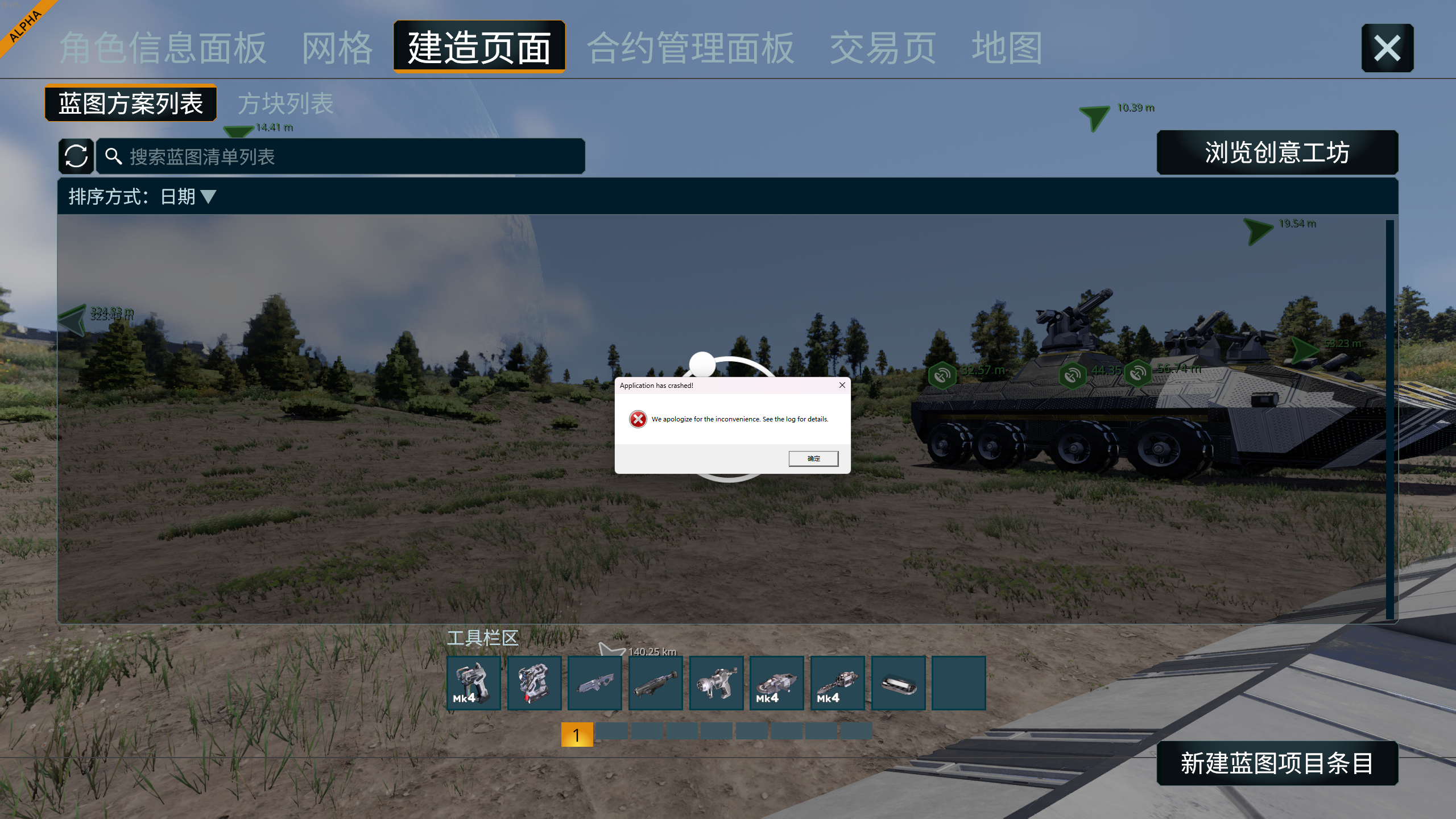
logs
logs
CrashReport
CrashReport
Hello,
I would like to provide an update regarding the Blueprint List crash I previously reported.
The issue has been resolved by clearing the game's local cache and deleting the problematic Blueprints folder from the relevant local game data directory.
After deleting the problematic folder and restarting the game, the in-game Blueprint Scheme List can be opened normally again.
It appears that some local blueprint data may have remained after I deleted two of my blueprints from the Steam Workshop, which caused the Blueprint List to crash.
I hope this information can help with investigating the issue and potentially preventing similar problems in the future.
Thank you!
Best regards,
nikoneko
Hello,
I would like to provide an update regarding the Blueprint List crash I previously reported.
The issue has been resolved by clearing the game's local cache and deleting the problematic Blueprints folder from the relevant local game data directory.
After deleting the problematic folder and restarting the game, the in-game Blueprint Scheme List can be opened normally again.
It appears that some local blueprint data may have remained after I deleted two of my blueprints from the Steam Workshop, which caused the Blueprint List to crash.
I hope this information can help with investigating the issue and potentially preventing similar problems in the future.
Thank you!
Best regards,
nikoneko
Replies have been locked on this page!