


Ship is damaged randomly
Need More Information
I attached A picture of my ship where a random part is warps, there hasn't been any damage done, movement or anything, it's been perfectly still. I will start by stating I am using lots of timers and events to control various rotors but even then they haven't been moving I've only been programming.
I hope this is resolved and if there's a debug command to auto repair it would be much appreciated
Files:
20260709084720_...
 I have the same bug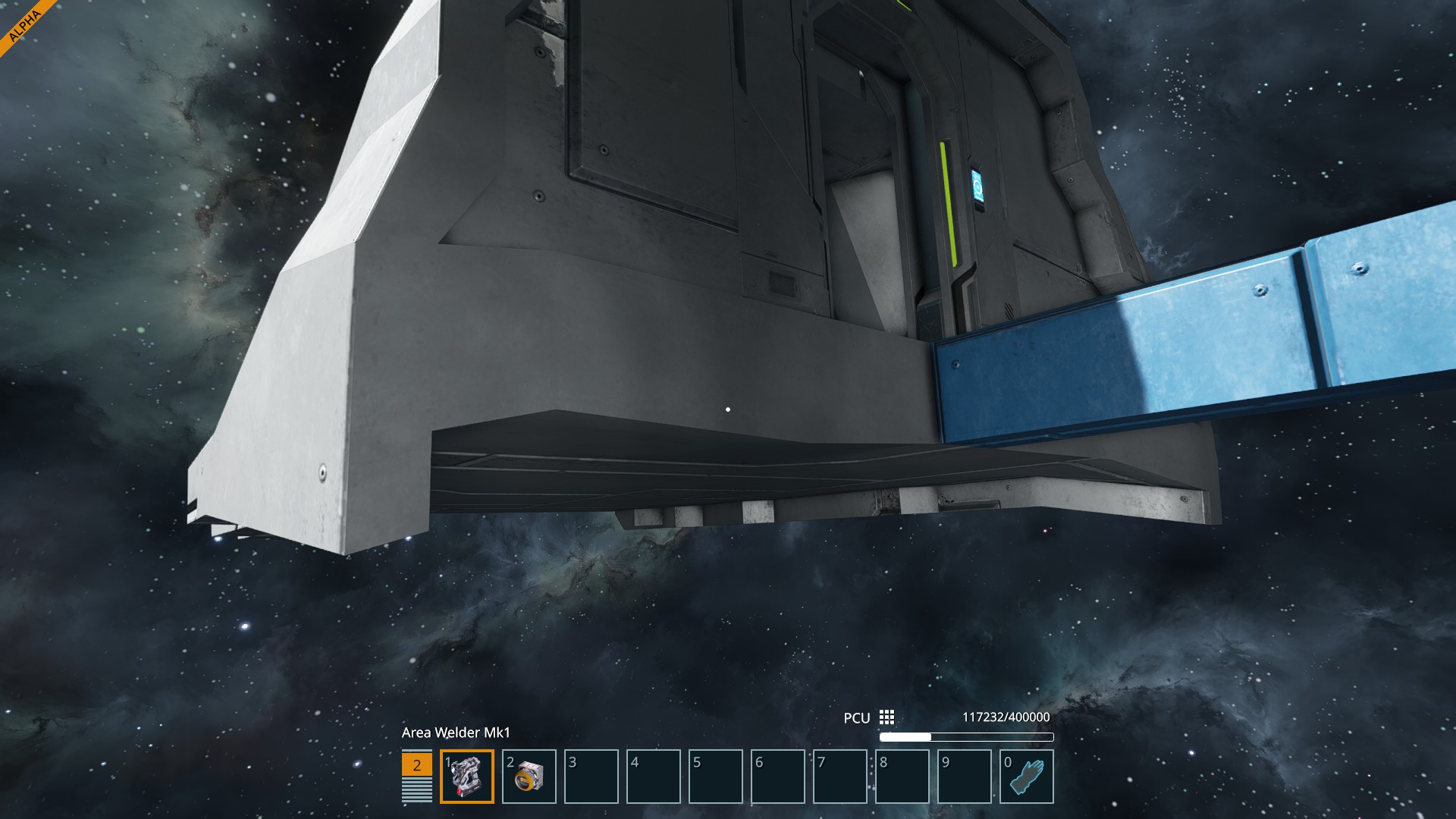
Hello BERITOE,
Do you happen to have a recording of this issue? Do you use partial copy on your Grid?
Kind Regards,
Bartosz
Keen Software House
Hello BERITOE,
Do you happen to have a recording of this issue? Do you use partial copy on your Grid?
Kind Regards,
Bartosz
Keen Software House
No i dont have any recording as it would just appear randomly, and im not sure what you mean by partial copy, but I did solve it by copy and pasting my project on a new grid
But I do have the project saved seperatly incase if you needed the file
No i dont have any recording as it would just appear randomly, and im not sure what you mean by partial copy, but I did solve it by copy and pasting my project on a new grid
But I do have the project saved seperatly incase if you needed the file
Hello BERITOE,
Roger, could you please provide the affected blueprint? Partial copy, is a new mechanic in SE2 where you select only the part of the Grid you want to copy with Ctrl+P.
However, we are aware of an issue that causes such deformation when placing a blueprint, partial copy or copy of a Grid on another Grid which is tracker here:
https://support.keenswh.com/spaceengineers2/pc/topic/48245-grid-wide-block-deformation-on-paste-on-grid
Could you please confirm whether or not this is the same issue as you have experienced?
As for repairing the damage, you can use Area Welder.
Kind Regards,
Bartosz
Keen Software House
Hello BERITOE,
Roger, could you please provide the affected blueprint? Partial copy, is a new mechanic in SE2 where you select only the part of the Grid you want to copy with Ctrl+P.
However, we are aware of an issue that causes such deformation when placing a blueprint, partial copy or copy of a Grid on another Grid which is tracker here:
https://support.keenswh.com/spaceengineers2/pc/topic/48245-grid-wide-block-deformation-on-paste-on-grid
Could you please confirm whether or not this is the same issue as you have experienced?
As for repairing the damage, you can use Area Welder.
Kind Regards,
Bartosz
Keen Software House
Replies have been locked on this page!