


Unable to open the game
Solved
The game is installed via Steam, before the VS2 Update i could open the game and play normally, but now it won´t even start, i press play and after a couple of seconds it just closes itself, i tried to verify the game files and to reinstall the game, but the problem it´s still there.
PC Specs:
-AMD Ryzen 5 5600G.
-32GB RAM.
-Gigabyte Geforce RTX 4060TI.
-Windows 10 Pro SO 19041.985.
-Nvidia Driver Version 581.80.
The game don´t even create a log file to send to you, so i hope you guys can help me with this.
Thank you.
Files:
Game Won´...
 I have the same bug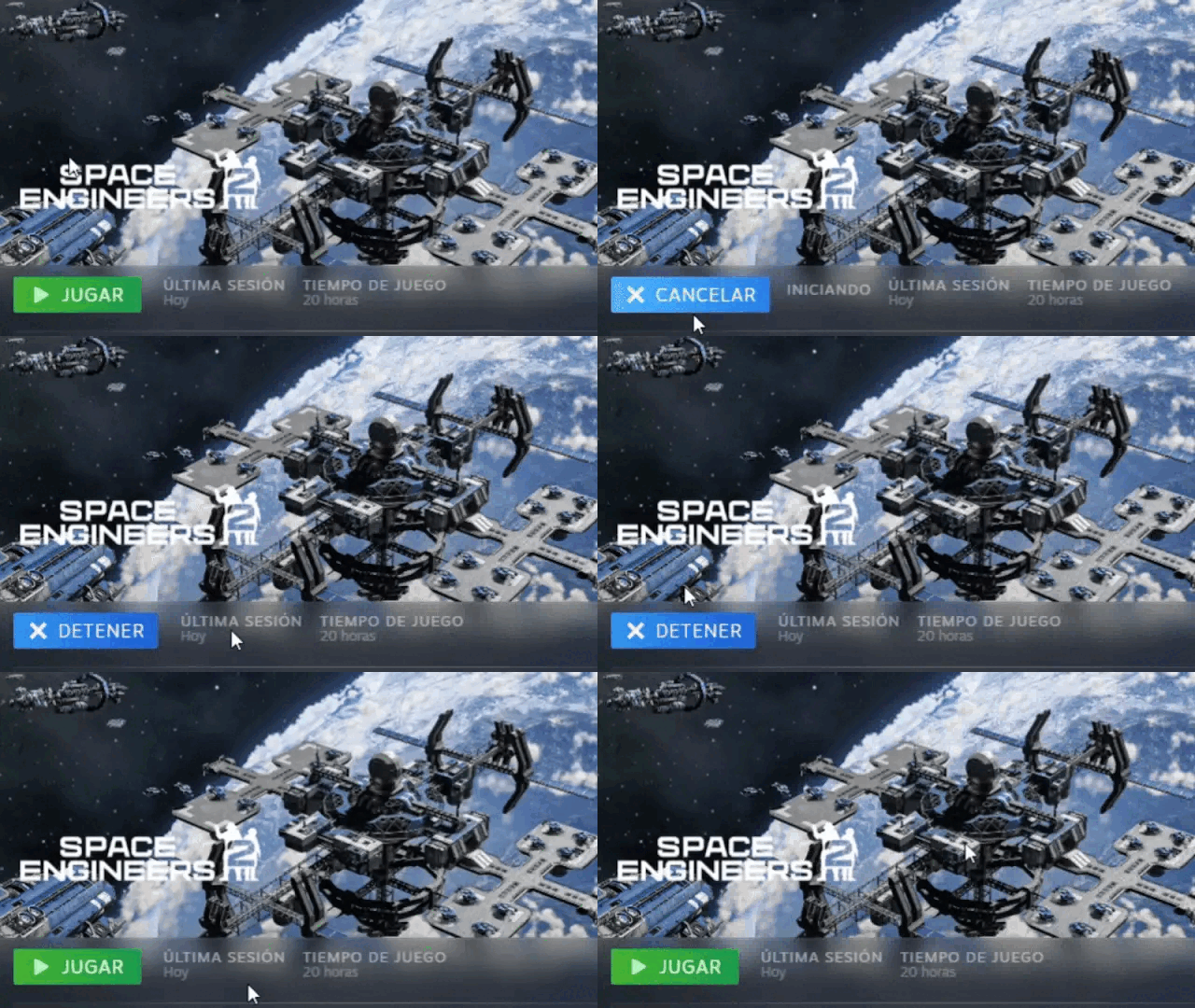
Hello Krat3n,
This seems to be an issue with Game files. I have 2 possible solutions:
1. Delete the contents of this folder:
C:\Users\(your_username)\AppData\Roaming\SpaceEngineers2\AppData - Be aware that this will delete all the save files and blueprints, as such I'd suggest to make a copy of them to store
Then try to launch the Game again.
2. If the above does not help, try to delete 1 folder from the Game's directory: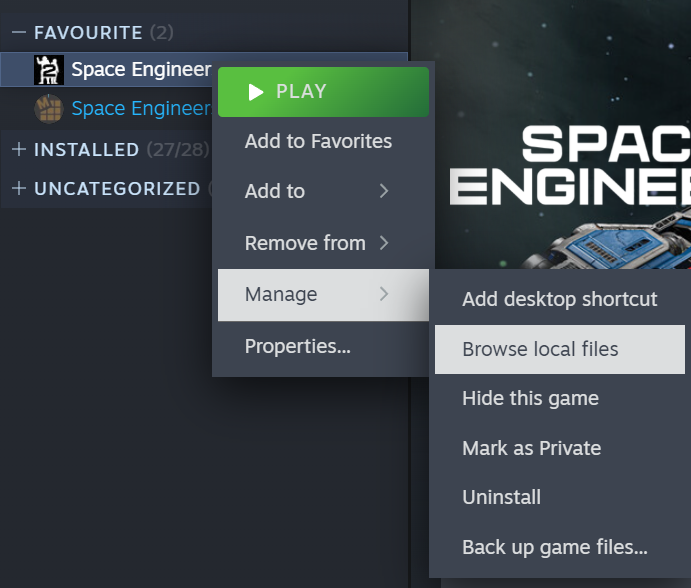
Afterwards, try verifying the Game files again and launch the Game then.
Let me know if this helps.
Kind Regards,
Bartosz
Keen Software House
Hello Krat3n,
This seems to be an issue with Game files. I have 2 possible solutions:
1. Delete the contents of this folder:
C:\Users\(your_username)\AppData\Roaming\SpaceEngineers2\AppData - Be aware that this will delete all the save files and blueprints, as such I'd suggest to make a copy of them to store
Then try to launch the Game again.
2. If the above does not help, try to delete 1 folder from the Game's directory:
Afterwards, try verifying the Game files again and launch the Game then.
Let me know if this helps.
Kind Regards,
Bartosz
Keen Software House
Hello Krat3n,
One more thing that we can try is to look into the Event Viewer: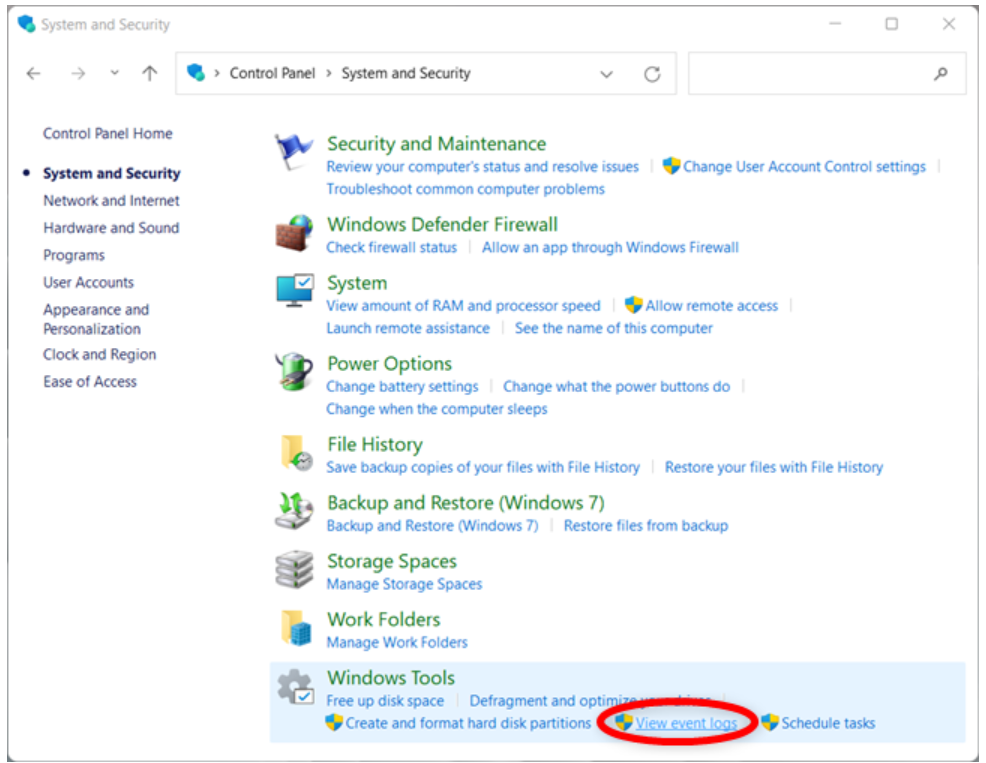
And look for Space Engineers 2 in Critical and Error categories. Please attach an image of the event if you find one.
Kind Regards,
Bartosz
Keen Software House
Hello Krat3n,
One more thing that we can try is to look into the Event Viewer:
And look for Space Engineers 2 in Critical and Error categories. Please attach an image of the event if you find one.
Kind Regards,
Bartosz
Keen Software House
Same problem, but I fix it.
Still playing space engineers 1, get the 2 on Steam few days ago, fresh install and game don't launch.
problem with kernelBase.dll but forgoten I shutdown windows update few month ago so I update my system and it work perfectly ( kernelBase.dll was update, not the same as before )
Same problem, but I fix it.
Still playing space engineers 1, get the 2 on Steam few days ago, fresh install and game don't launch.
problem with kernelBase.dll but forgoten I shutdown windows update few month ago so I update my system and it work perfectly ( kernelBase.dll was update, not the same as before )
i was having the same issue as this and after disabling in-game overlay the game launched for me just fine.
i was having the same issue as this and after disabling in-game overlay the game launched for me just fine.
Hello Engineers,
As there has been no activity to this thread in some time, I will close it. If you're still experiencing this issue, please create a new thread.
Kind Regards,
Bartosz
Keen Software House
Hello Engineers,
As there has been no activity to this thread in some time, I will close it. If you're still experiencing this issue, please create a new thread.
Kind Regards,
Bartosz
Keen Software House
Replies have been locked on this page!