


Inertia/Direction indicator on HUD for ships
Greetings,
When inertia dampeners are on, it is hard to determine the ships direction if no points of reference are in sights.
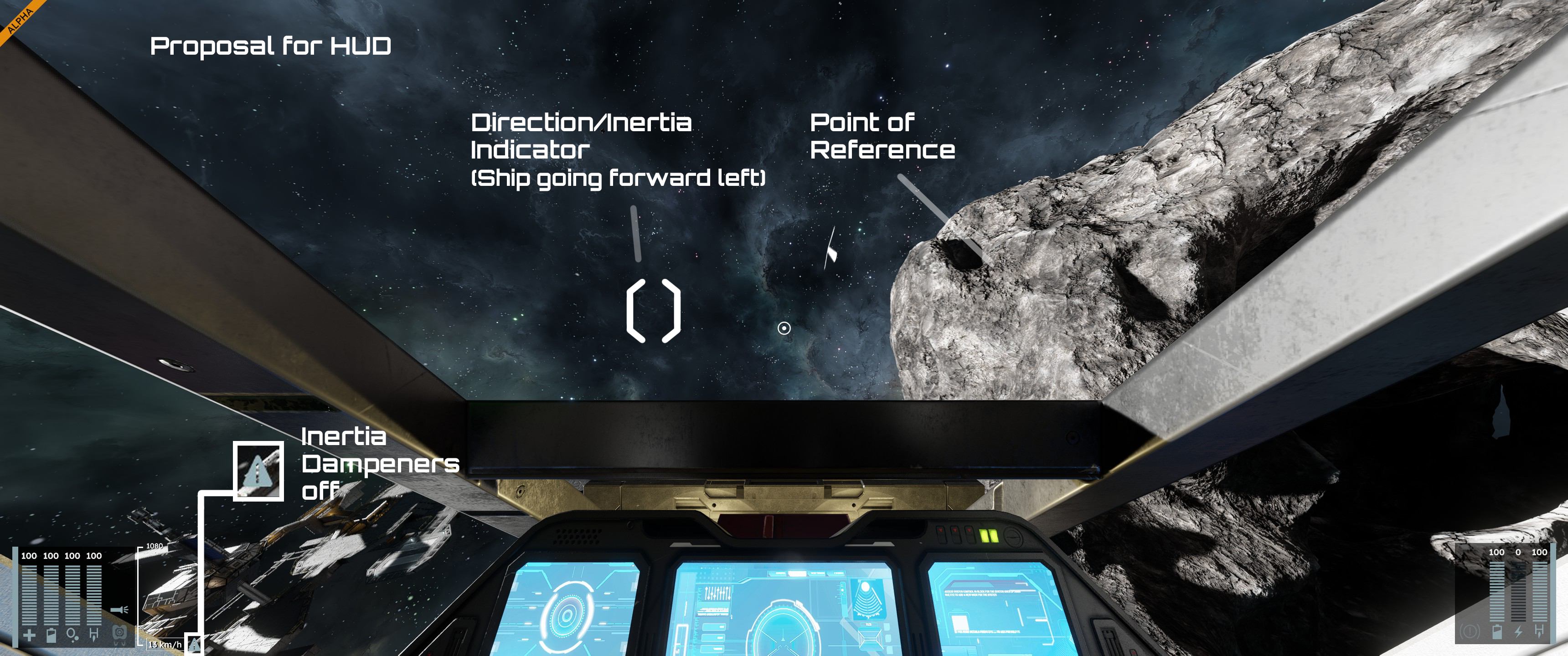
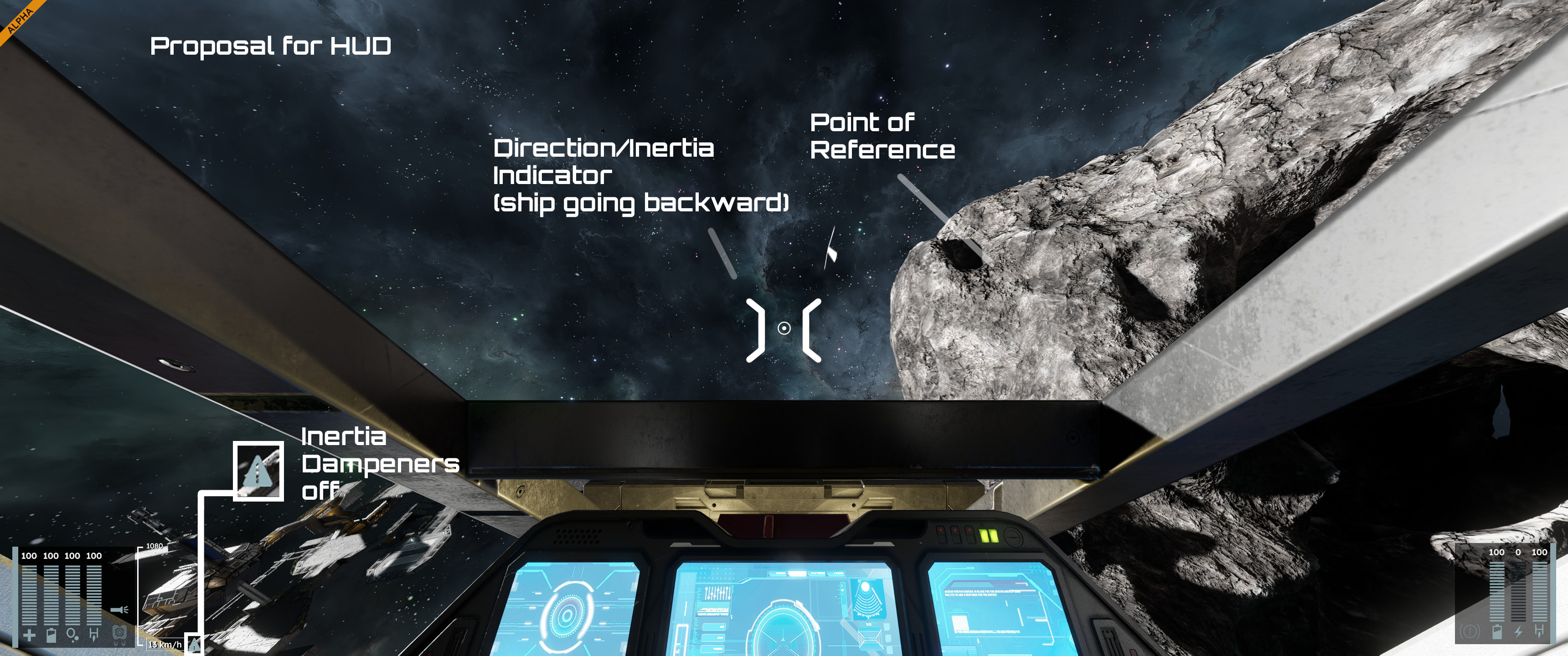
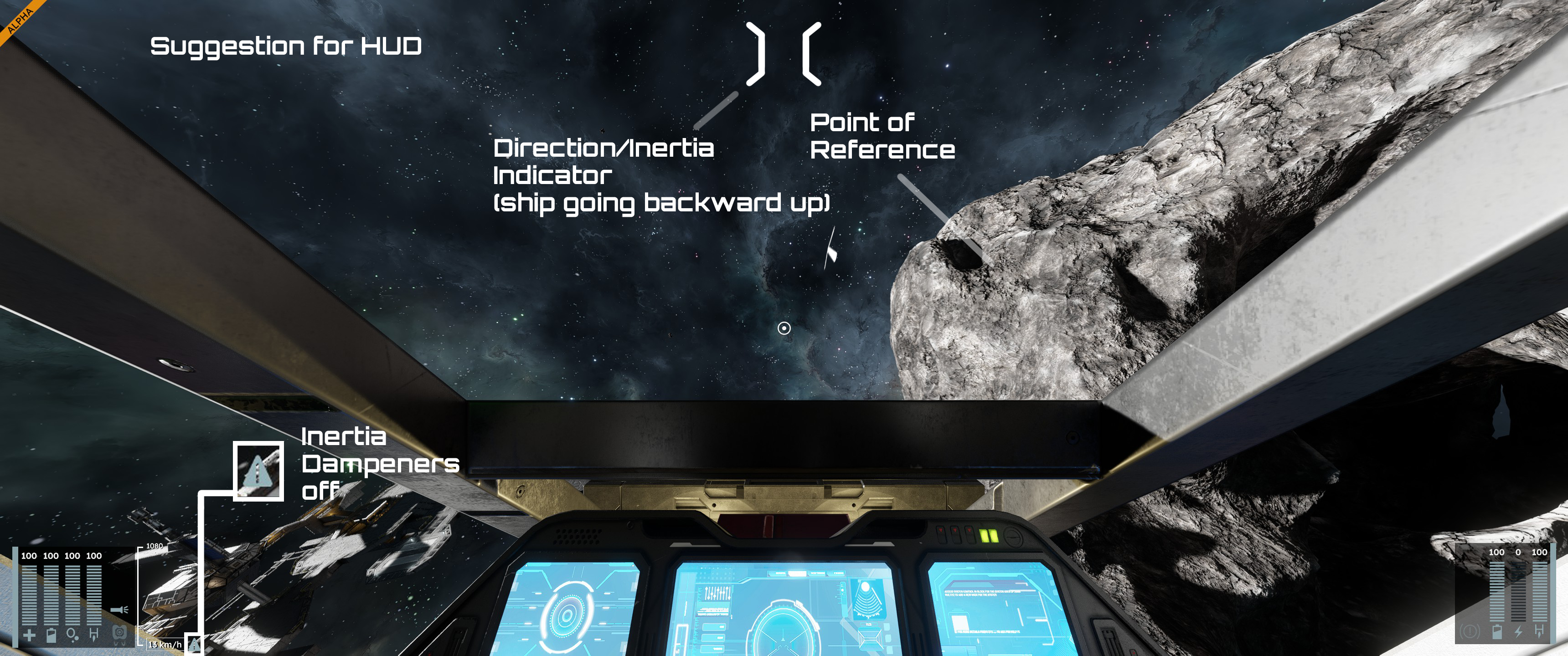
My suggestion is to add a visual indicator on the HUD, showing the direction of the ship.
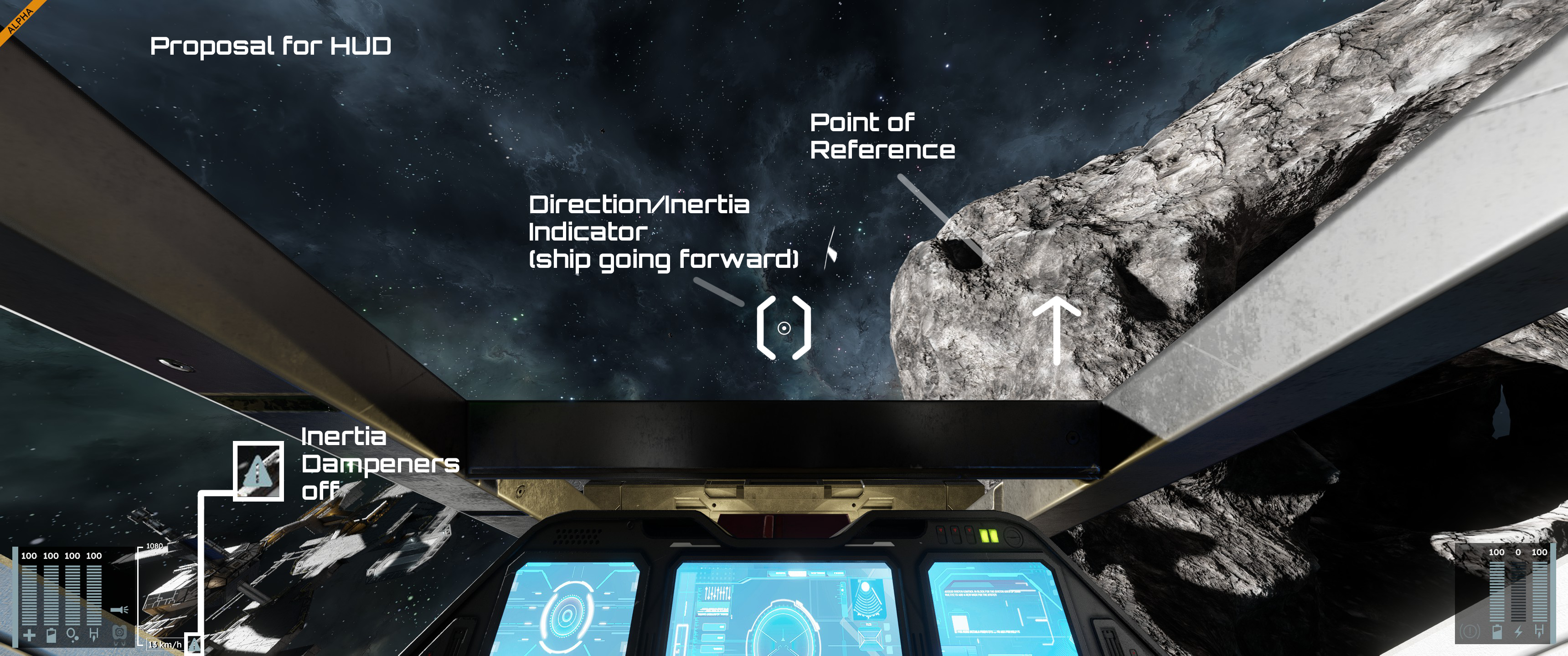
I linked multiple images to explain my suggestion :
1)A is current HUD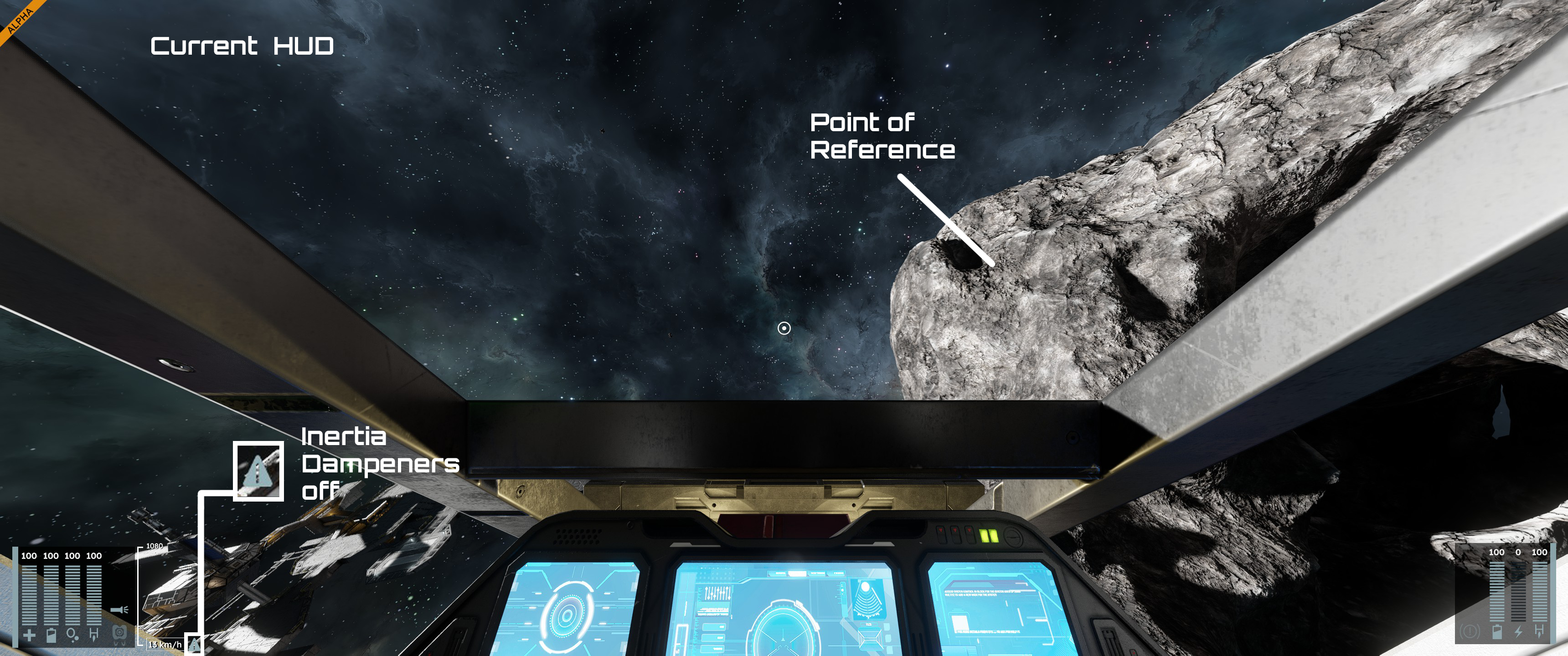
1) B is current HUD but with no point of reference.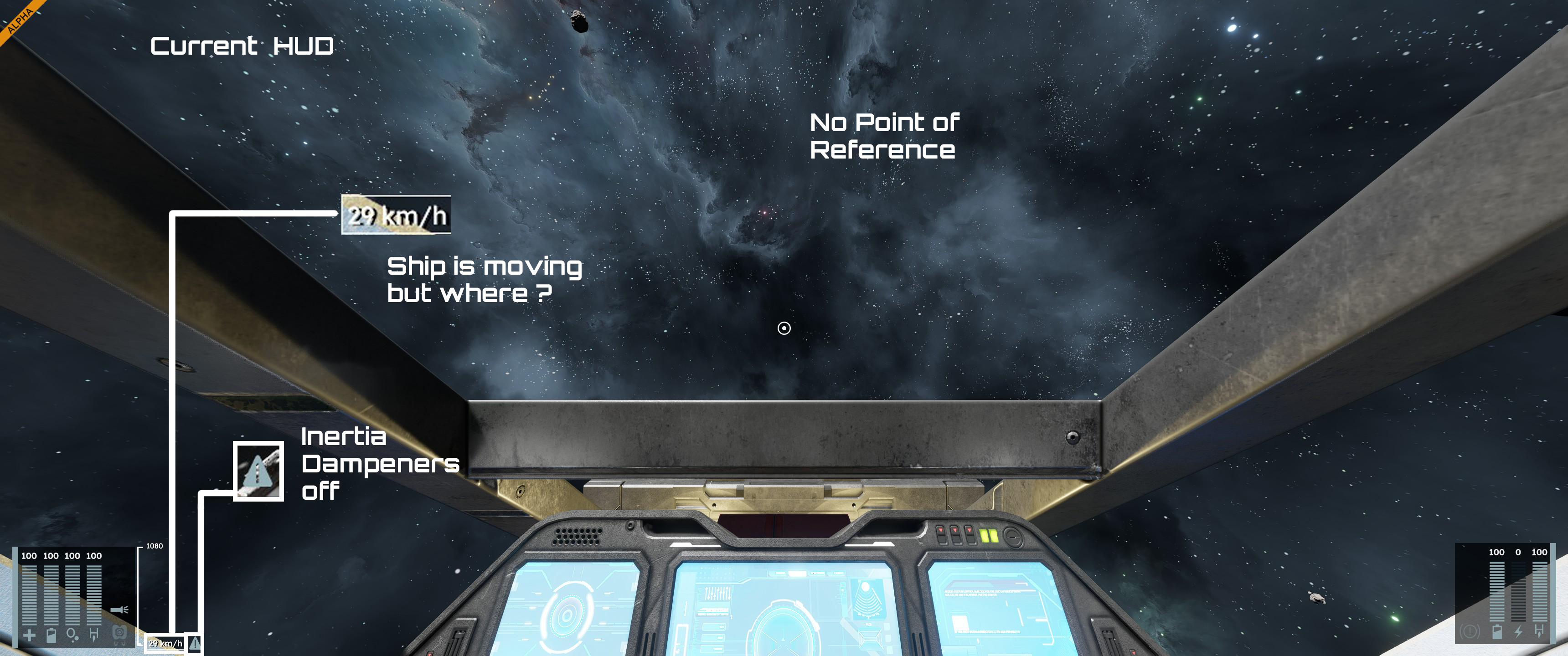
2) is a suggestion with an example going forward with the ship.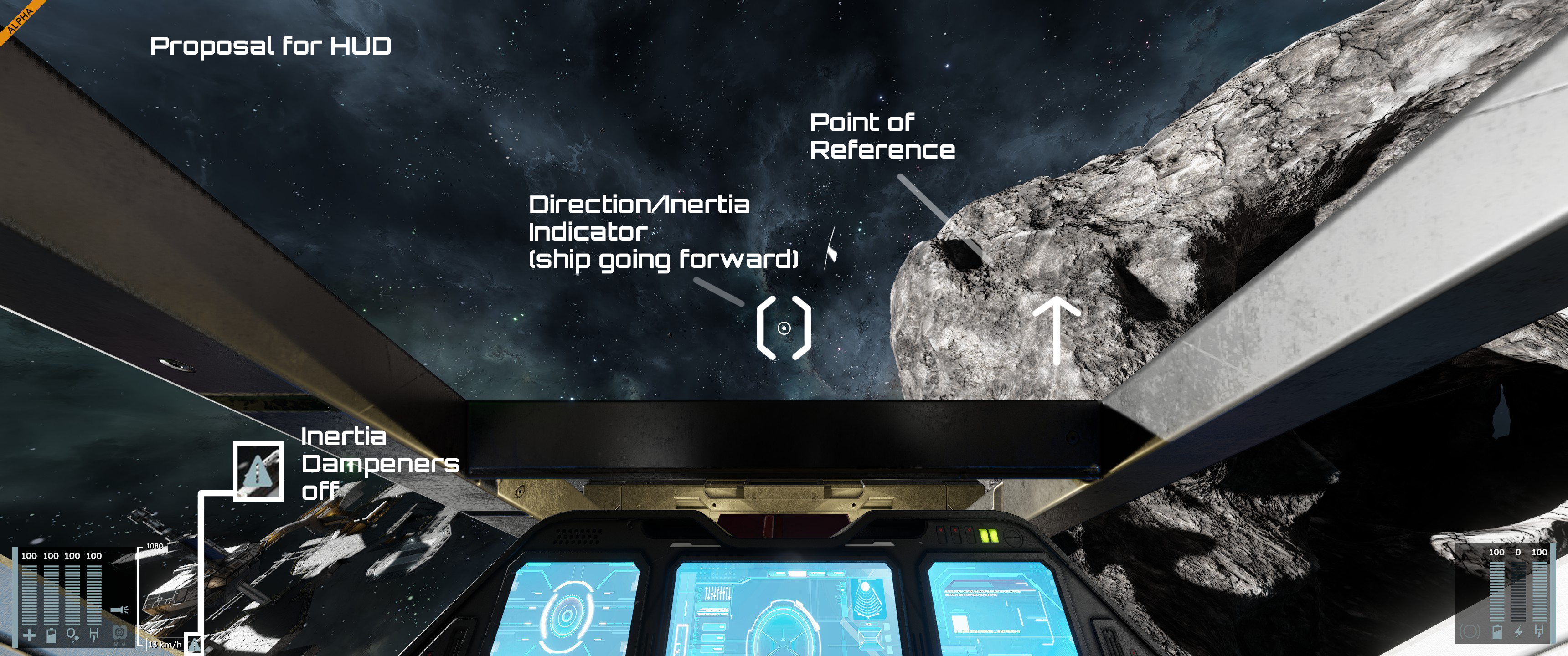
3) is a suggestion with an example going forward left (horizontal) with the ship.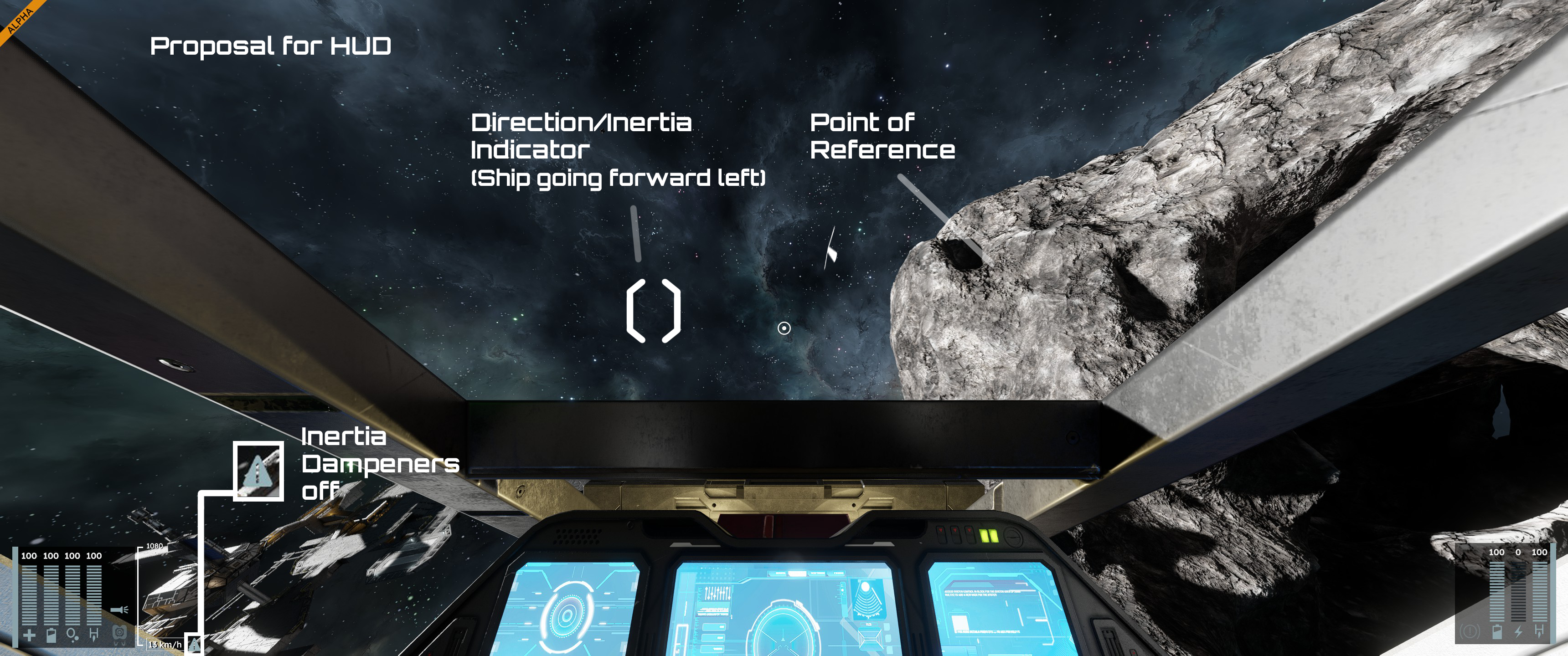
4) shows the reverse indicator, as the ship is going in reverse.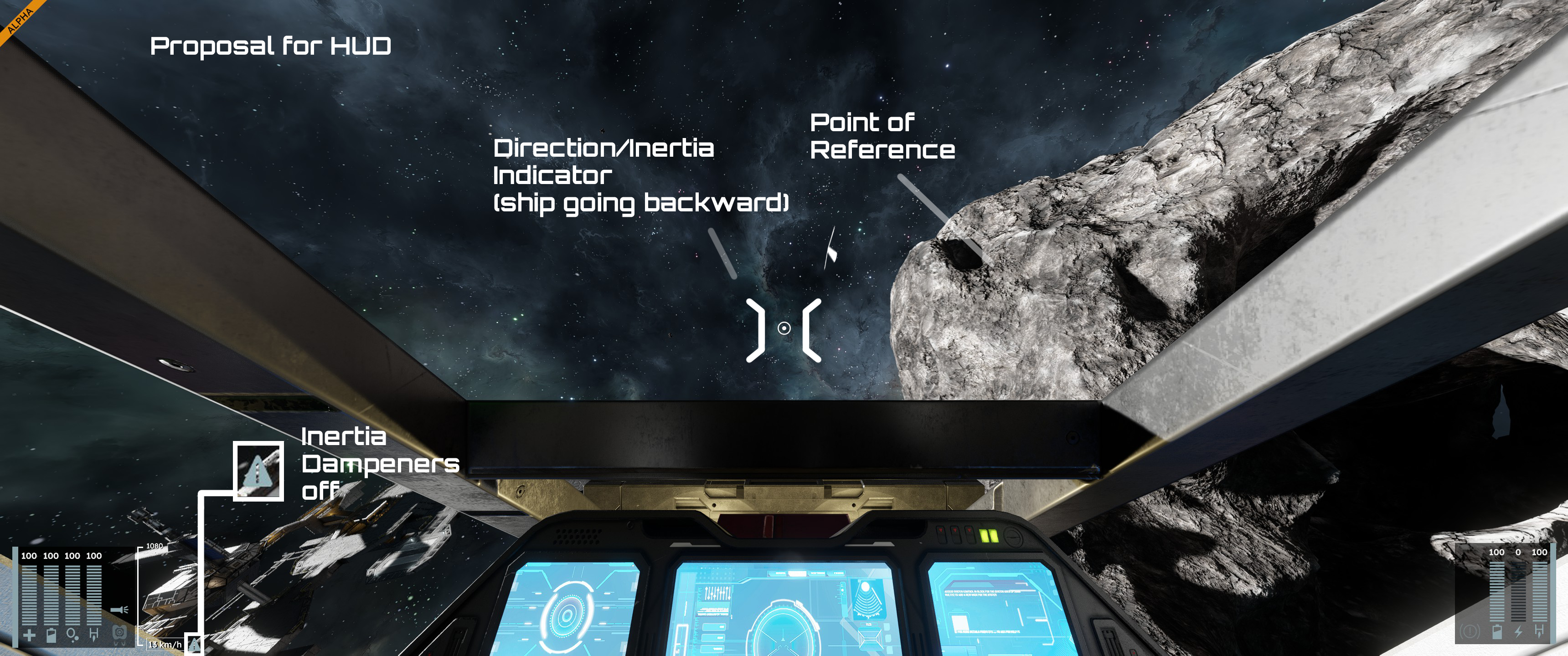
5) shows the reverse indicator, as the ship is going in reverse up.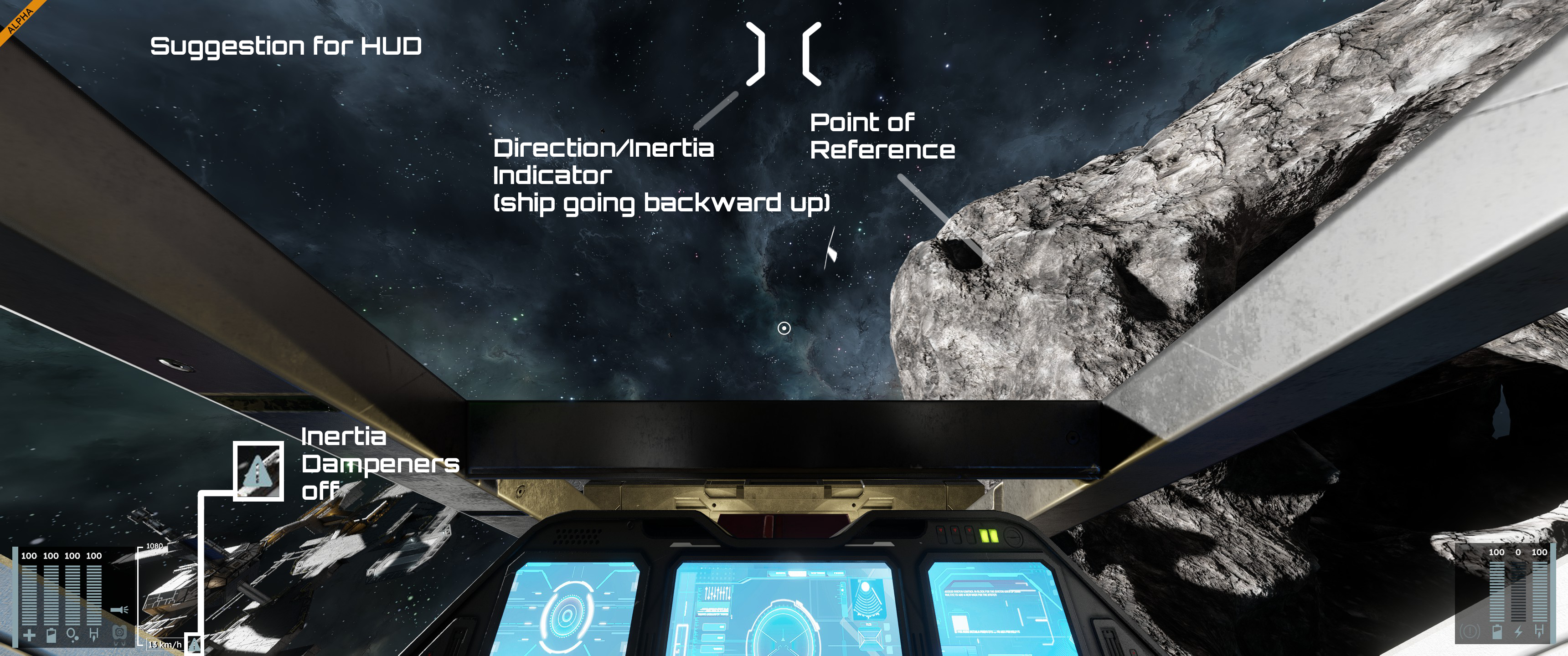
Indicator is exagerated (and thick) for demonstration purpose.
This would work in any situation, as sometimes there is no point of references, you know your ship is moving, thanks to the speedometer, but not really "where" it is moving.
In situation for landing too, it can indicate the direction for a smooth landing with dampeners off, as you could use it as a target combined with the speedometer to adjust the maneuver.
 I like this feedback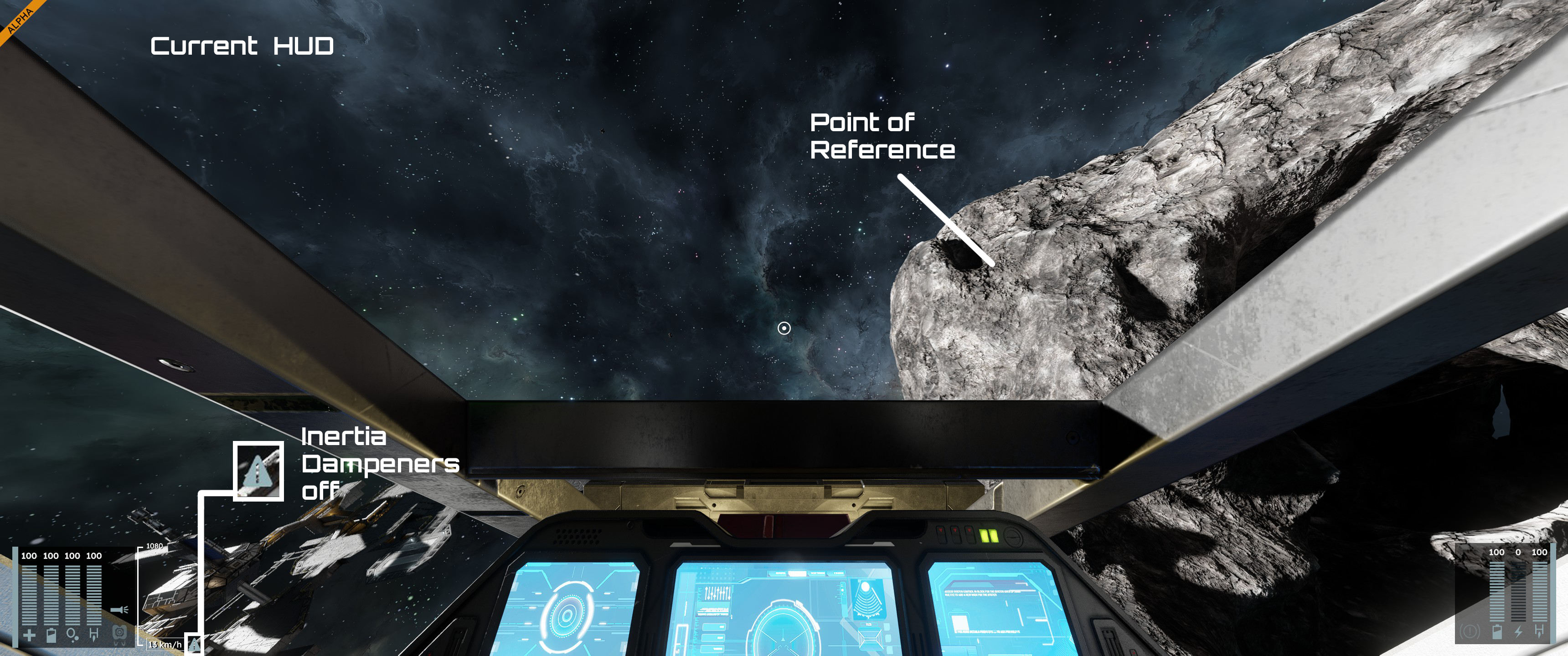
Better ui, better game.
Better ui, better game.
I agree. The UI of the game is attractive.
But information-wise it is literally pathetic.
And this applies not only to the display of flight information, but in fact to any information about the equipment/grid being built, the parts being used, or anything at all.
I agree. The UI of the game is attractive.
But information-wise it is literally pathetic.
And this applies not only to the display of flight information, but in fact to any information about the equipment/grid being built, the parts being used, or anything at all.
I agree, I'd maybe suggest an option to make them look like the ksp prograde/retrograde markers maybe
I agree, I'd maybe suggest an option to make them look like the ksp prograde/retrograde markers maybe
Found this on wiki: https://en.wikipedia.org/wiki/Attitude_indicator
Flight Director Attitude Indicator
It differs from the horizon attitude indicator as this one was used on the Apollo space missions.
I think it shows how the orientation of the vessel differs from the line of its trajectory.
Hey, but this is old tech.
It looks a bit fiddly to read when in high speed maneuvers.
Found this on wiki: https://en.wikipedia.org/wiki/Attitude_indicator
Flight Director Attitude Indicator
It differs from the horizon attitude indicator as this one was used on the Apollo space missions.
I think it shows how the orientation of the vessel differs from the line of its trajectory.
Hey, but this is old tech.
It looks a bit fiddly to read when in high speed maneuvers.
While I think that the proposed indicators are a bit too large/egregious, the idea overall is pretty solid
While I think that the proposed indicators are a bit too large/egregious, the idea overall is pretty solid
Instead of showing only a simple movement vector indicator, it would be great to have an optional trajectory line displayed on the HUD.
The line would represent your current movement vector. If that trajectory intersects with a nearby grid or voxel, the HUD could show the predicted point of impact, along with distance and estimated time to impact.
When flying inside a gravity well, the trajectory line could curve to reflect the effect of gravity on your path. This would make it much easier to understand where you are actually going, not just where your ship is pointing.
This would be especially useful for:
With a curved trajectory line, players could visually correct their course to maintain a desired orbital altitude instead of relying on trial and error.
The feature could be optional via HUD settings to keep the interface clean for players who prefer a minimal UI.
Instead of showing only a simple movement vector indicator, it would be great to have an optional trajectory line displayed on the HUD.
The line would represent your current movement vector. If that trajectory intersects with a nearby grid or voxel, the HUD could show the predicted point of impact, along with distance and estimated time to impact.
When flying inside a gravity well, the trajectory line could curve to reflect the effect of gravity on your path. This would make it much easier to understand where you are actually going, not just where your ship is pointing.
This would be especially useful for:
With a curved trajectory line, players could visually correct their course to maintain a desired orbital altitude instead of relying on trial and error.
The feature could be optional via HUD settings to keep the interface clean for players who prefer a minimal UI.
Only one change to the OP's design: have the inverted indicator show you the point you are moving away FROM. That is, if you flying up and backwards, the inverted indicator should be seen forwards and down. Otherwise it'd be too confusing.
Only one change to the OP's design: have the inverted indicator show you the point you are moving away FROM. That is, if you flying up and backwards, the inverted indicator should be seen forwards and down. Otherwise it'd be too confusing.
also an optional circular indicator displaying where 90 degrees from the inertia direction is located in order to better perform breaking manuvers with say downward thrusters.
also an optional circular indicator displaying where 90 degrees from the inertia direction is located in order to better perform breaking manuvers with say downward thrusters.
Replies have been locked on this page!