


Le jeu crash lors du chargement d'une partie créé juste avant
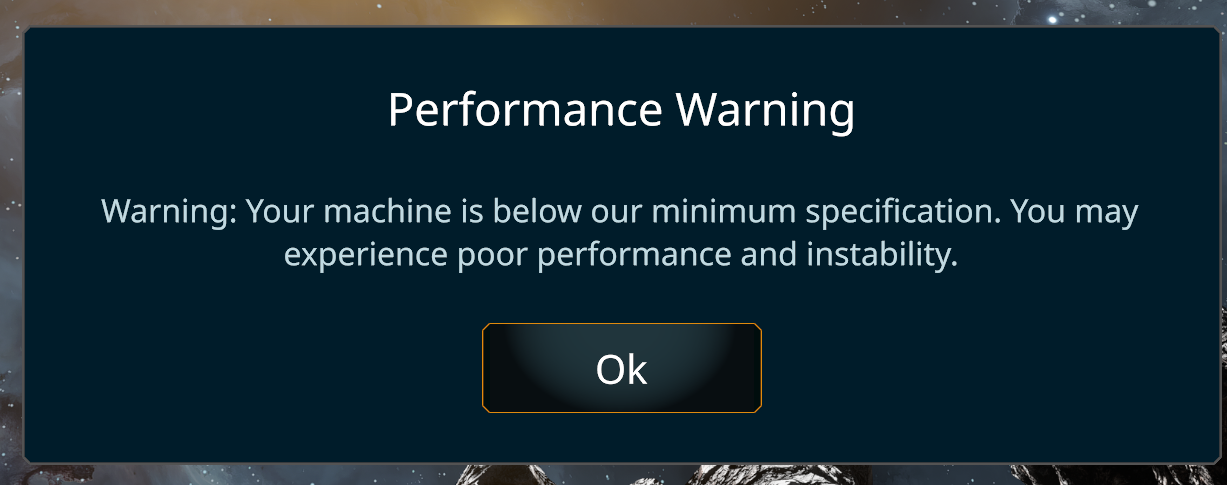
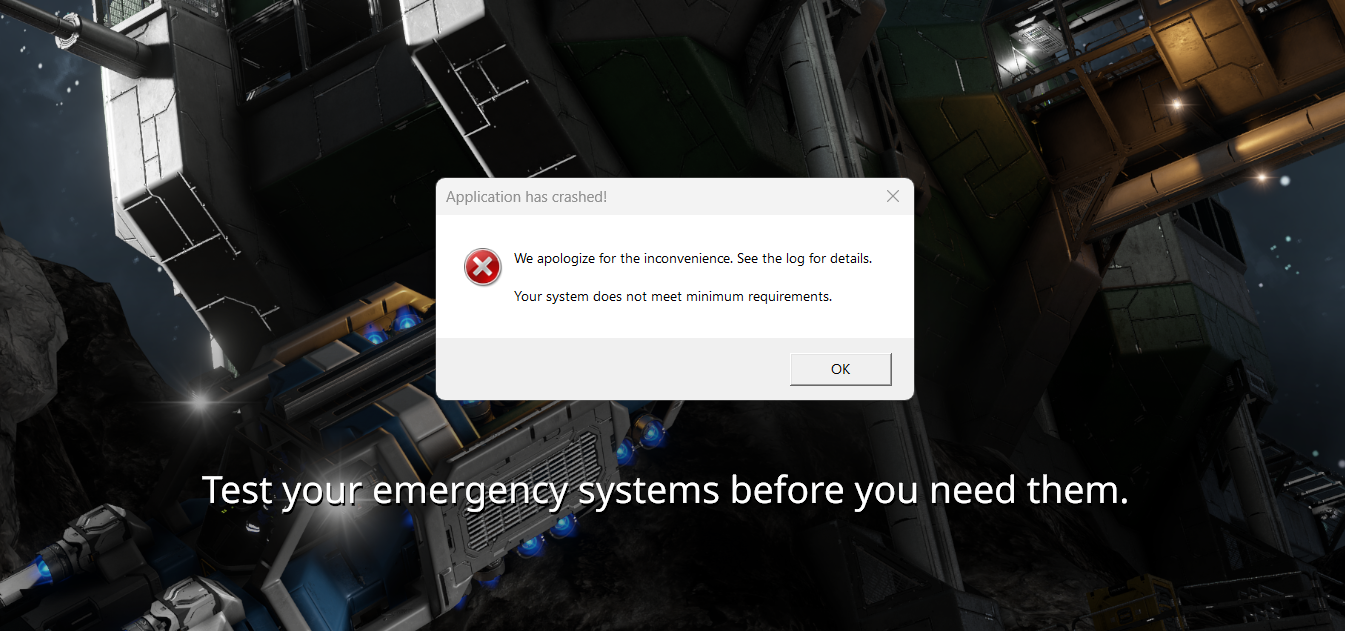
Bonjour, je souhaite réessayer Space Engineers 2 après la mise à jour avec le menu debug pour utiliser l'eau mais je ne peux même pas charger de partie. Je l'ai aussi lancé avent la mise à jour et j'avais le même problème mais sans récurrence. J'ai créé une nouvelle partie en mode survie et après le chargement j'ai quitté pour mettre en mode créatif. Lorsque je recharge la sauvegarde du jeu crash et m'indique comme il le fait à chaque démarrage que ma config est sous les specs minimum alors que pas du tout. J'ai aussi supprimé le dossier "Space Engineers 2" dans Appdata et le fichier fautif des logs puis réinstallé ce fichier grâce à la vérification des fichiers steam qui a détecté son absence et re téléchargé. Le fichier serais utilsié par un autre procesus selon les lgos alors qu'avec File Locksmith de Powertoys il n'y a rien qui l'utilise.
J'ai un i7 14650HX, 32Go de RAM DDR5 5600M /s, un RTX 5060Laptop, les derniers drivers GPU du moment 610.62 et je m'efforce de rester à jour au niveau du système qui est sous Windows 11.
Voici aussi les capture d'écran de ce que je vois en jeu :
Au démarrage
 Lors du chargement de la partie :
Merci pour votre aide et pour le jeu que vous êtes en train de développer j'ai vraiment hâte de pouvoir y jouer sans crash.
Bonne journée à vous.
 I have the same bug
Hello flmort9096,
Please note that all Support tickets are processed in English.
From what I see, the crash is unrelated to the Minimum Requirement window (which is shown due to the Game being unable to correctly detect your Hard Drive / SSD). The crash actually seems to be caused by missing and / or corrupted files.
To narrow down what might be the actual cause, I would need to know:
In which version have you created the Save file that cannot be loaded?
Have your antivirus flagged and quarantined any files from the Game's directory?
Have you modified any files in the Game's directory or are you using any mods?
Since you already tried verifying the Game files using Steam, have you tried reinstalling the Game?
Can you attach your affected Save Game here as a ZIP file?
Kind Regards,
Bartosz
Keen Software House
Hello flmort9096,
Please note that all Support tickets are processed in English.
From what I see, the crash is unrelated to the Minimum Requirement window (which is shown due to the Game being unable to correctly detect your Hard Drive / SSD). The crash actually seems to be caused by missing and / or corrupted files.
To narrow down what might be the actual cause, I would need to know:
In which version have you created the Save file that cannot be loaded?
Have your antivirus flagged and quarantined any files from the Game's directory?
Have you modified any files in the Game's directory or are you using any mods?
Since you already tried verifying the Game files using Steam, have you tried reinstalling the Game?
Can you attach your affected Save Game here as a ZIP file?
Kind Regards,
Bartosz
Keen Software House
Replies have been locked on this page!