


Graphical aberrations and shimmer
Hello Keen,
Big fan of SE. Excited for SE2. So far, it's unplayable because of graphics shimmer and pixellation. It could be that my GTX 1050ti can't handle this game, but my pictures look far worse than when dev Dan2D3D posted their gameplay pics from when they used a 1050ti. Also, the original Space Engineers looks comparatively gorgeous on my setup. I'm using Windows 10, if that matters.
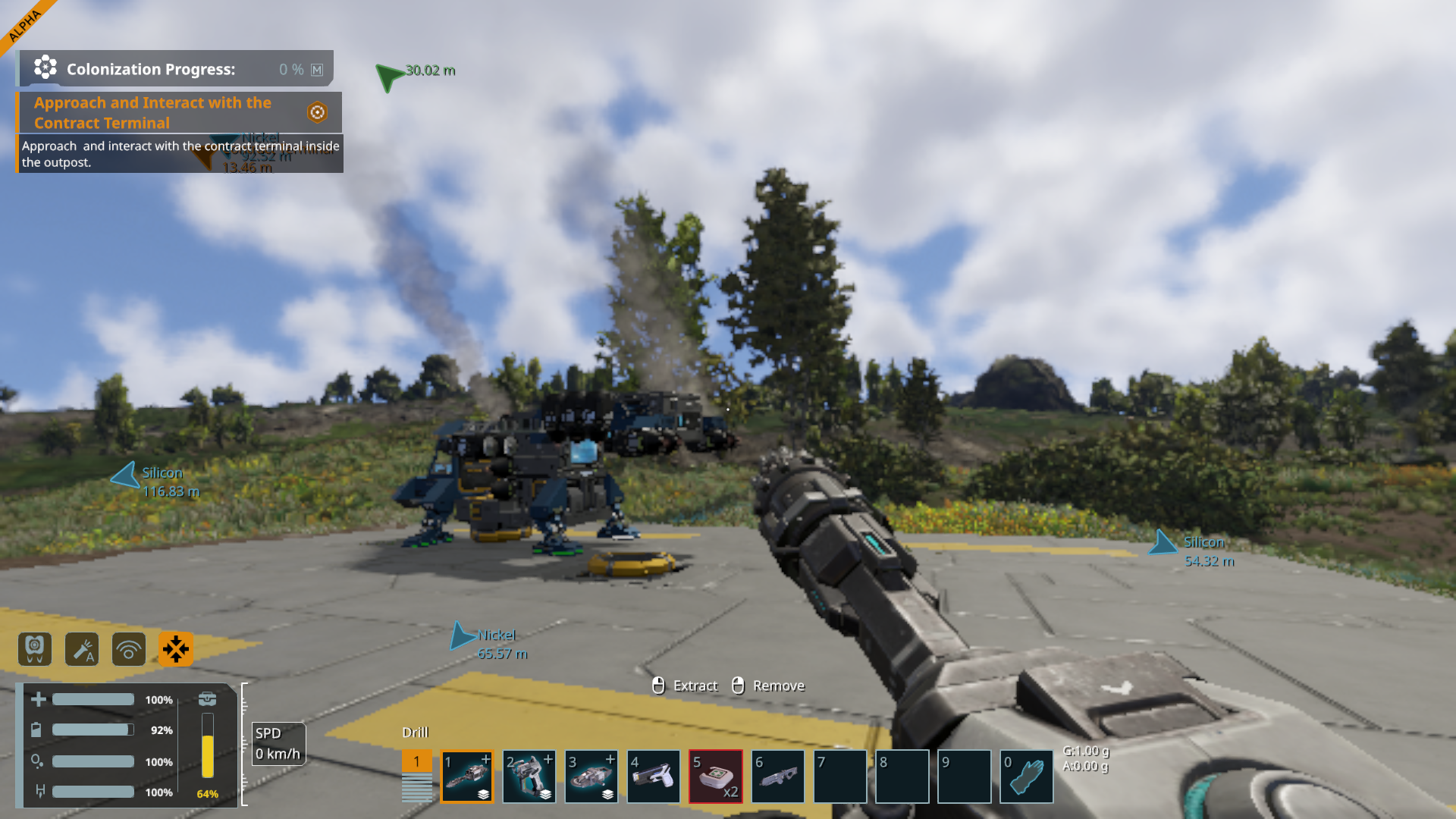
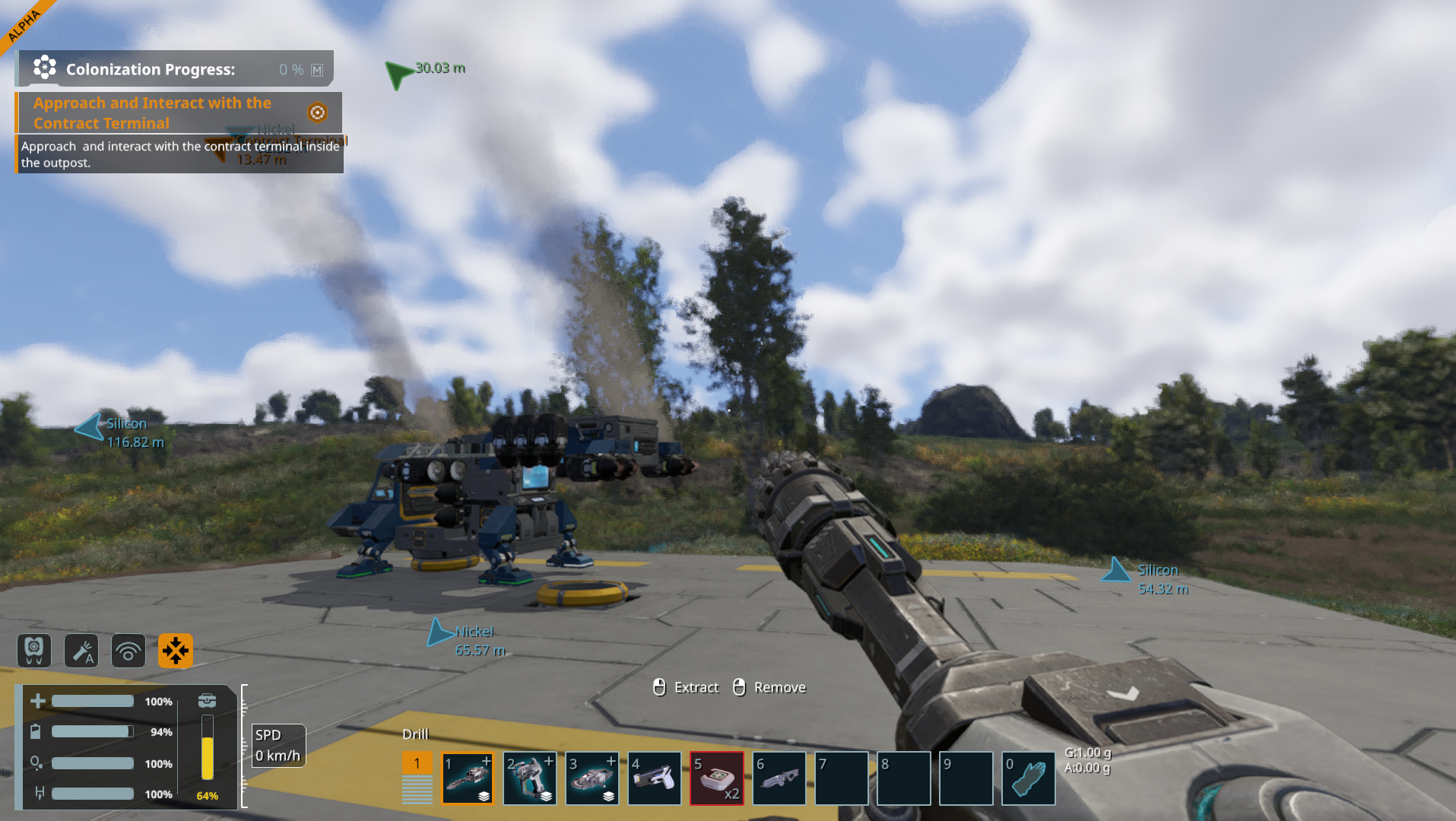
I don't mind having to play on low graphics, but the shimmer and pixellation seems wrong. "Wrong" as in there's a technical issue, as opposed to normal low quality graphics. It's giving me a headache after just a few minutes of gameplay. Attached is a scene on low graphics and medium graphics presets. Low graphics looks like MS Paint, and medium is better but everything is weirdly blurry, like impressionist art. Higher graphical settings are about the same as medium. On all settings, objects at any distance are either over pixellated or disappear and reappear. No matter the setting, movement is fluid and fine, with no stuttering or lag.
I can't buy a new graphics card these days, so I'm looking at returning it if this is not fixable. I appreciate your time and help!
My specs:
ProcessorAMD Ryzen 5 2600 Six-Core Processor 3.40 GHz
Installed RAM16.0 GB
Storage 954 GB SSD XG7000-1TB 2280
Graphics CardNVIDIA GeForce GTX 1050 Ti (4 GB)
System Type64-bit operating system, x64-based processor, Windows 10
What I've tried:
Graphics: Every combination of graphics settings offered in the game
Display: I've confirmed that the resolution is correct and that it is using the dedicated GPU
I've tried restarting and using Steam to verify the integrity of game files
I've tried deleting the "ShadersCache" folder, but it didn't make a difference.
I have restarted the computer and reinstalled the game.
I made sure I am using the newest version of SE2 (I downloaded yesterday)
My GPU Drivers are up-to-date
I went into the Nvidia control panel and turned on and off the FXAA anti-aliasing settings.
No mods are installed.
Any help would be appreciated!
 I have the same bug
Replies have been locked on this page!