


Color Picker changes saved colors: Hue values above 100 are clamped, and some FF values become FE
DescriptionThere appear to be two issues when saving and reopening colors in the Color Picker.
1. Hue values above 100 are clamped to 100 when reopening the Color Picker.
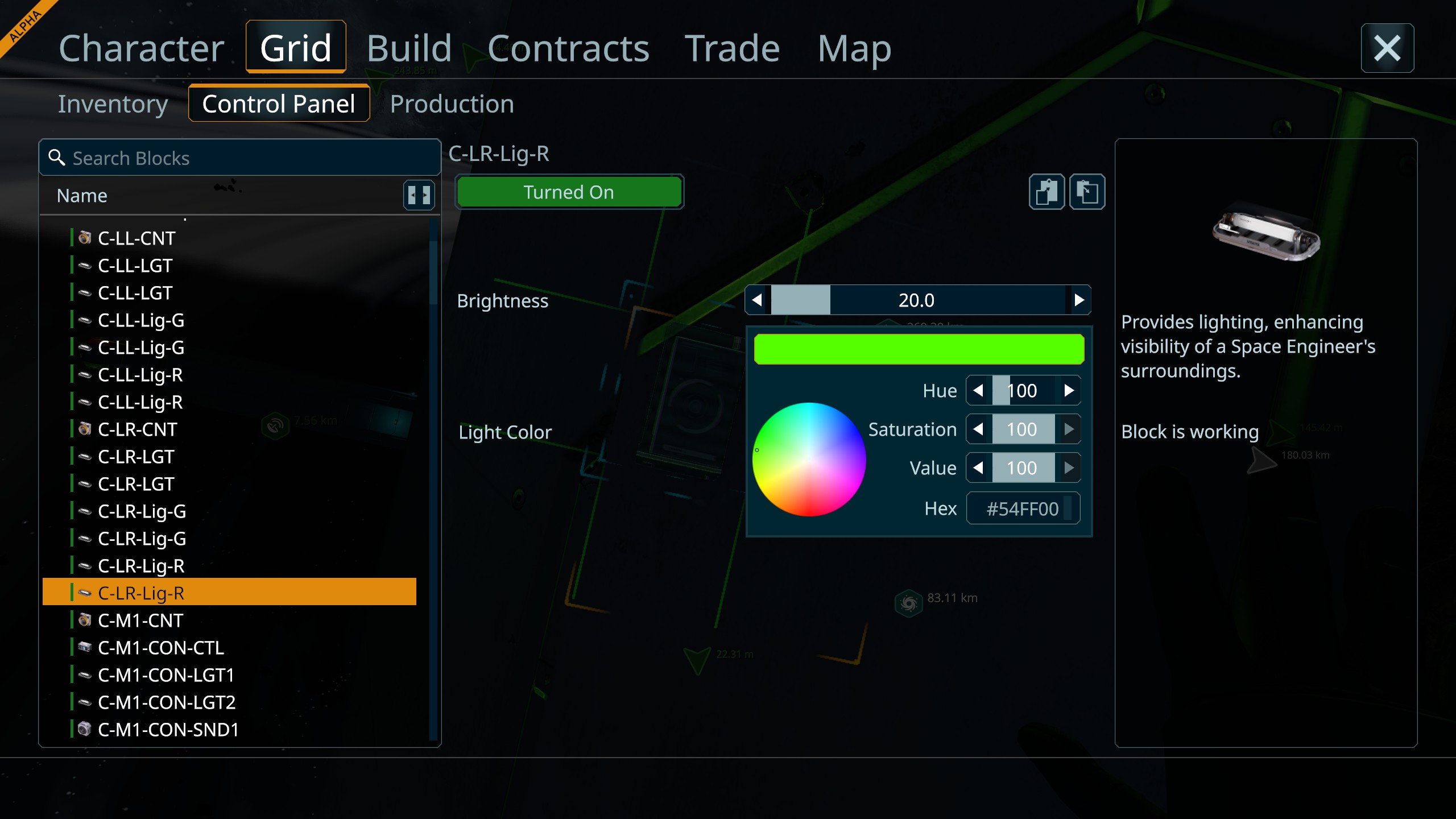
A color can initially be entered correctly using the Hex field, but after closing and reopening the Color Picker, its Hue value is reduced to 100 and the actual RGB/Hex color changes.
For example:
#00FFFF
Expected HSV: approximately H 180 / S 100 / V 100
After reopening the Color Picker:
#54FF00
Hue becomes 100.
This makes cyan, blue, purple, and other colors with Hue values above 100 shift toward green.
2. Some RGB channel values of FF (255) are changed to FE (254).
I also observed small color-value changes even when the Hue itself is within the valid range.
Examples:
- #FFFFFF → #FEFEFE
- #FF0000 → #FE0000
This suggests there may also be a precision, rounding, or save/load conversion issue affecting maximum RGB channel values.
These two behaviors may be related to the same Color Picker value handling system, but they may also be separate issues.
Steps to reproduce — Hue issue
- Open the Light Color settings of a block.
- Enter #00FFFF in the Hex field.
- Apply/confirm the color.
- Close the Color Picker.
- Open the Color Picker again.
- Check the Hue and Hex values.
Actual resultThe original color:
#00FFFF
changes to approximately:
#54FF00
The Hue value becomes 100 instead of remaining approximately 180.
Expected resultThe originally entered color should be preserved.
#00FFFF should remain #00FFFF, and its Hue should remain approximately 180.
Steps to reproduce — FF → FE issue
- Open the Color Picker.
- Enter #FFFFFF or #FF0000.
- Apply/save the color.
- Close and reopen the Color Picker.
- Check the Hex value.
Actual resultObserved examples:
- #FFFFFF → #FEFEFE
- #FF0000 → #FE0000
A channel entered as FF can be restored as FE.
Expected resultExact RGB values entered by the user should remain unchanged after saving and reopening.
For example:
- #FFFFFF should remain #FFFFFF
- #FF0000 should remain #FF0000
Additional test resultsOther colors tested:
- #FFFF00 remained #FFFF00
- #00FF00 changed to approximately #54FC00
- #00FFFF changed to approximately #54FF00
The large color shifts appear consistent with Hue values being limited to 100 when the Color Picker is reopened.
The smaller FF → FE changes appear to be an additional precision or conversion problem.
Possible relation to existing issueThis may be related to SPE2-1107, which reportedly affects UI parameters whose values exceed 100.
The Hue control normally requires a range extending well beyond 100, so the same value-restoration limitation may be affecting the Color Picker.
However, the FF → FE behavior may be a separate RGB/HSV conversion or rounding issue.
 I have the same bug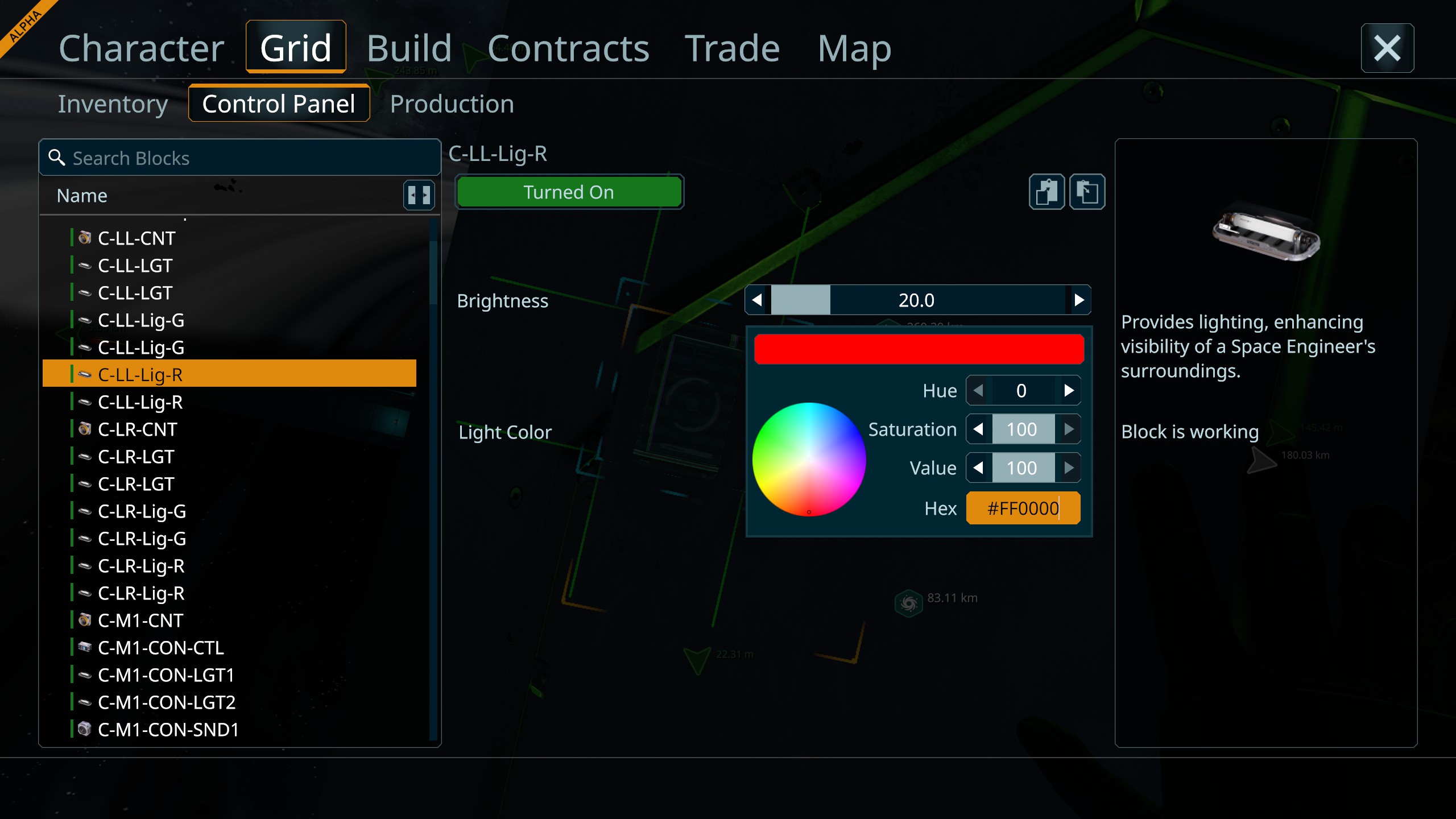
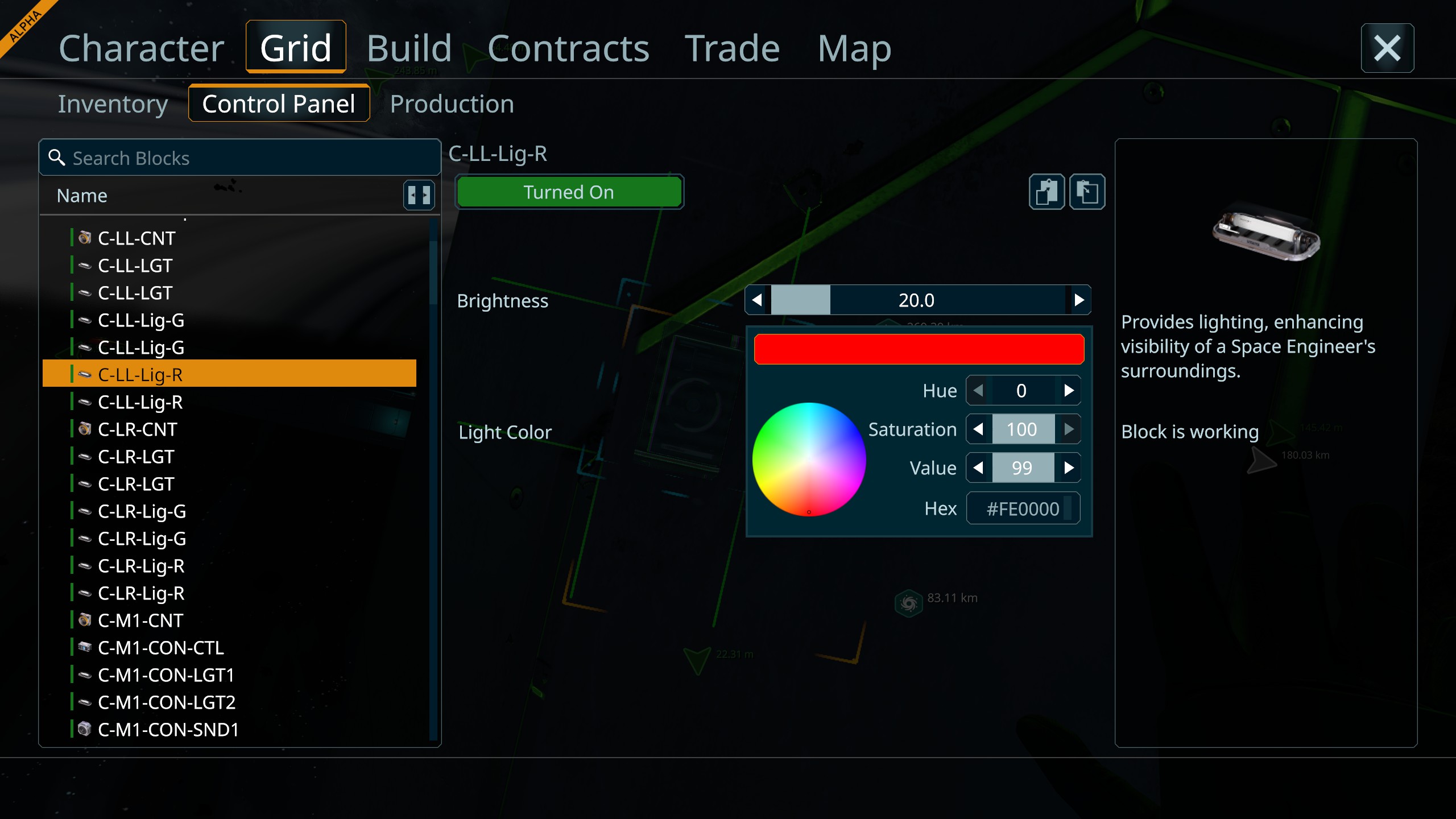
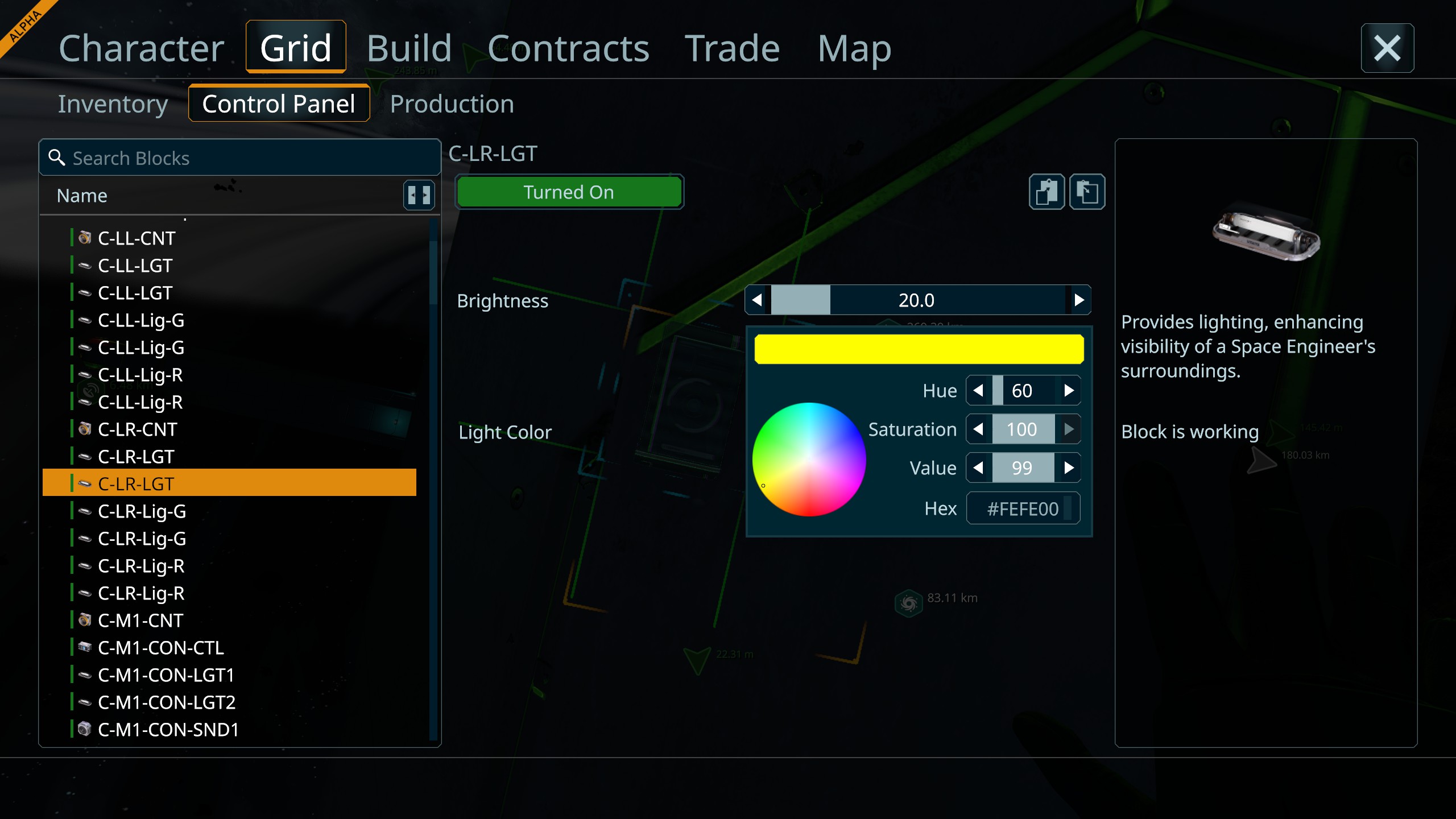
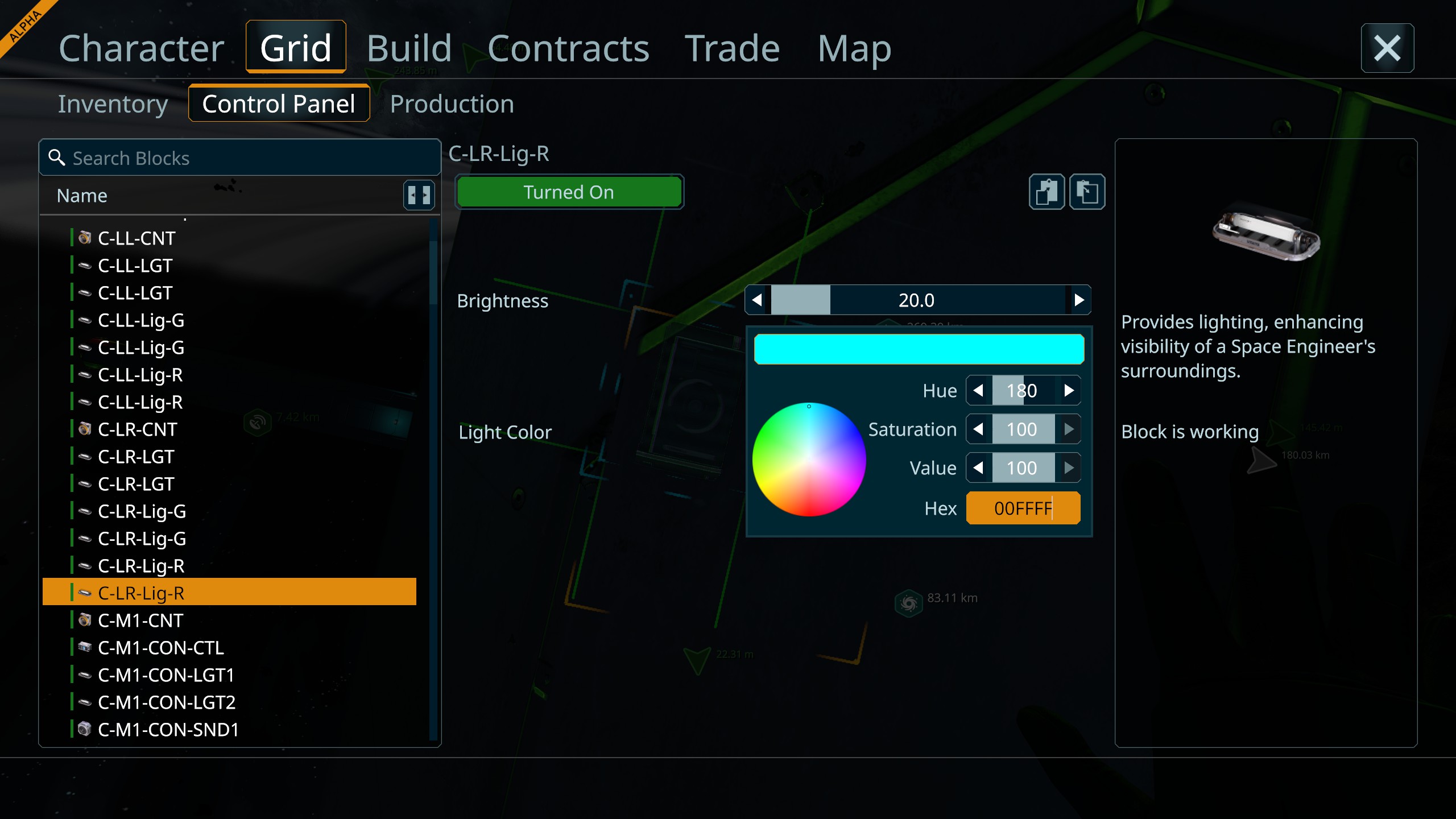
Additional information after further testing:
I confirmed that the actual color value appears to be saved correctly.
The issue seems to occur when the Color Picker UI is opened again and restores/displays the saved value.
For example:
This suggests that the stored color data itself may be correct, and the problem may be in the Color Picker UI initialization / value conversion when loading the existing color into the UI.
If the incorrectly restored value is then applied again, it may overwrite the originally correct value.
Additional information after further testing:
I confirmed that the actual color value appears to be saved correctly.
The issue seems to occur when the Color Picker UI is opened again and restores/displays the saved value.
For example:
This suggests that the stored color data itself may be correct, and the problem may be in the Color Picker UI initialization / value conversion when loading the existing color into the UI.
If the incorrectly restored value is then applied again, it may overwrite the originally correct value.
Replies have been locked on this page!