


Need a way to delete corrupt save files
Build v2.4.0.95
Last night, I completed playing the game, saved and logged off. When I tried to access the game today, the last 2 manual saves (game menu, then exiting to desktop) were both corrupted. On the screenshot, they are the saves listed without screenshots.
Lucking the game had just autosaved, so I was not out anything.
Unfortunately, the only way right now to clean out the bad save files from within the game is to delete the entire game folder from within the game.
My guess is that I could probably clean them up from the AppData/Roaming/SpaceEngineers2/AppData/SaveGames/<game name>/.backups folder by identifying the closest date and time match.
However, it would be nice if either the gear brought up a delete option, or the delete menu option on the left was also available for individual saves in the middle list.
 I like this feedback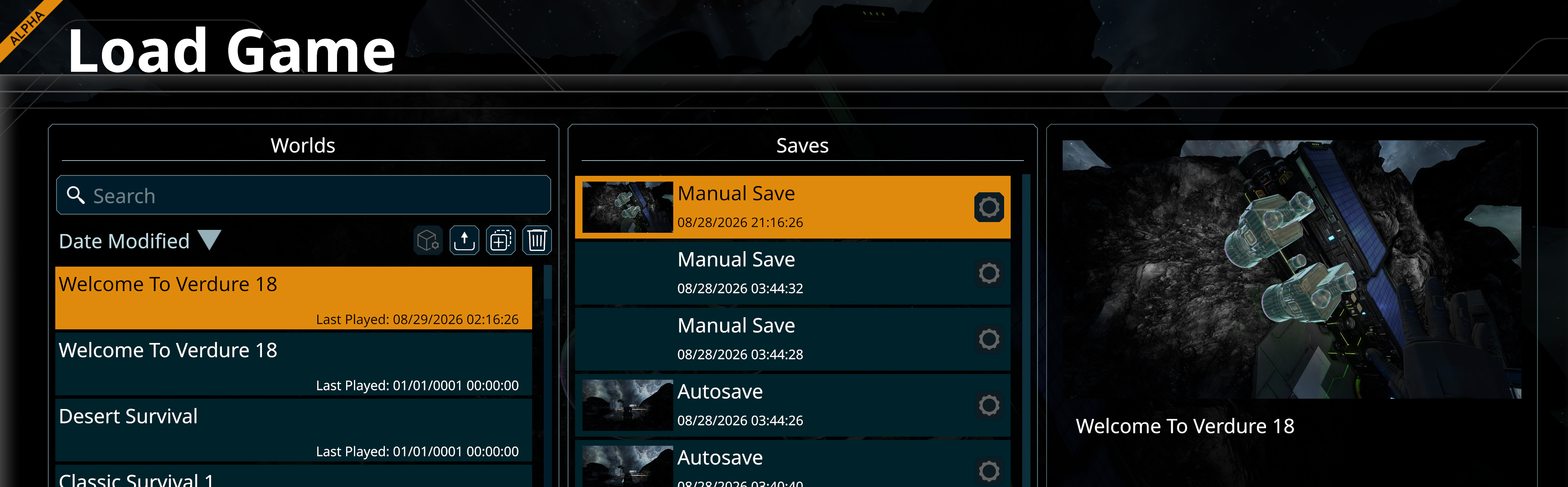
Replies have been locked on this page!