


Rectilinear projection stretches the edges of the screen. Use Panini (cylindrical) instead
May require a slight rework of the rendering pipeline...
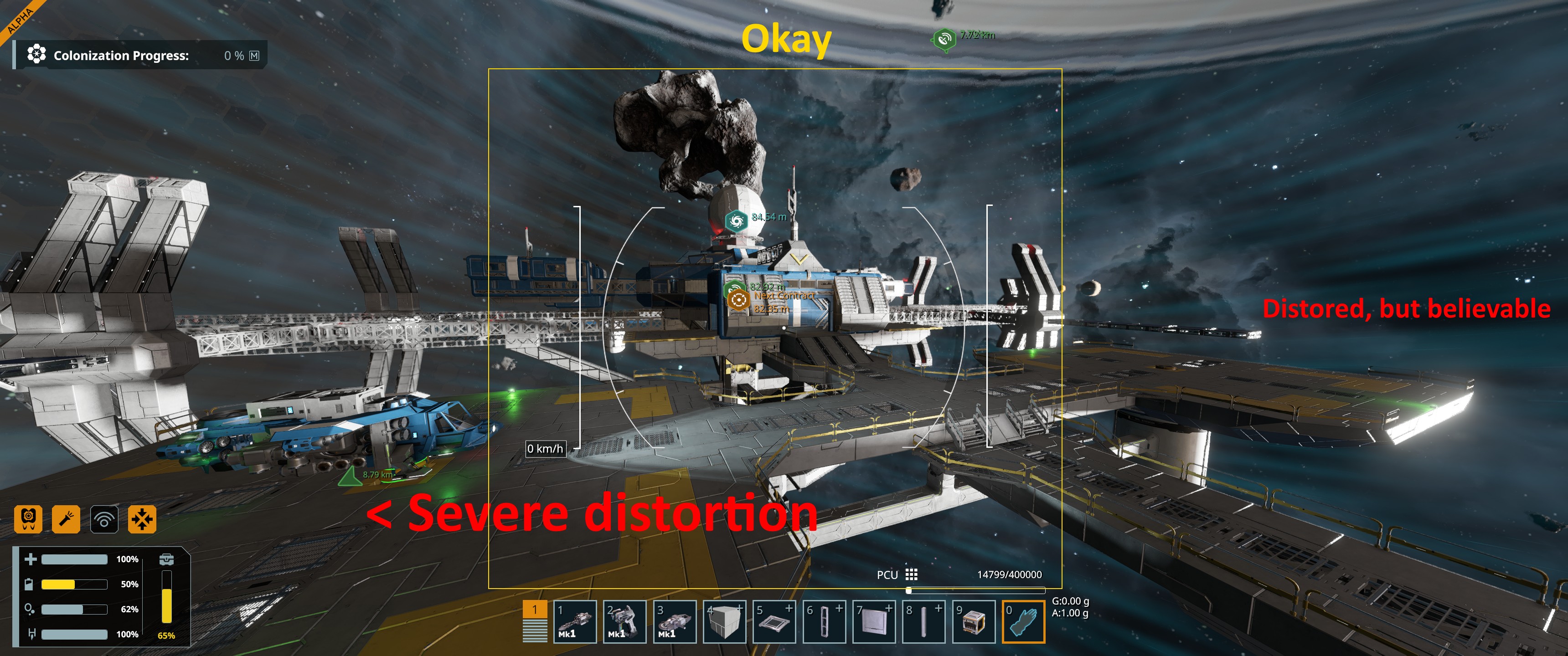
Basically, if you're using a high FOV, or if you have a wide monitor of any sort (basically everyone on 16:9 and above), you've seen stretching at the corners and edges of your screen.
One fix for that type of distortion that modern game engines have been doing, is implementing Panini projection instead of the older Rectilinear projection.
This ensures that objects anywhere on screen retain their proportions instead of stretching, so that you can accurately eyeball things you're not directly looking at.
It was particularly a problem in SE1 when flying by asteroids - it's difficult to judge the distance of something if it changes size depending on whether you're looking at it or slightly away from it.
As an example, I've taken a regular 85 degree screenshot on a 21:9 monitor. Then, I've applied a barrel distortion correction ("pincushion" filter) in an image editor.
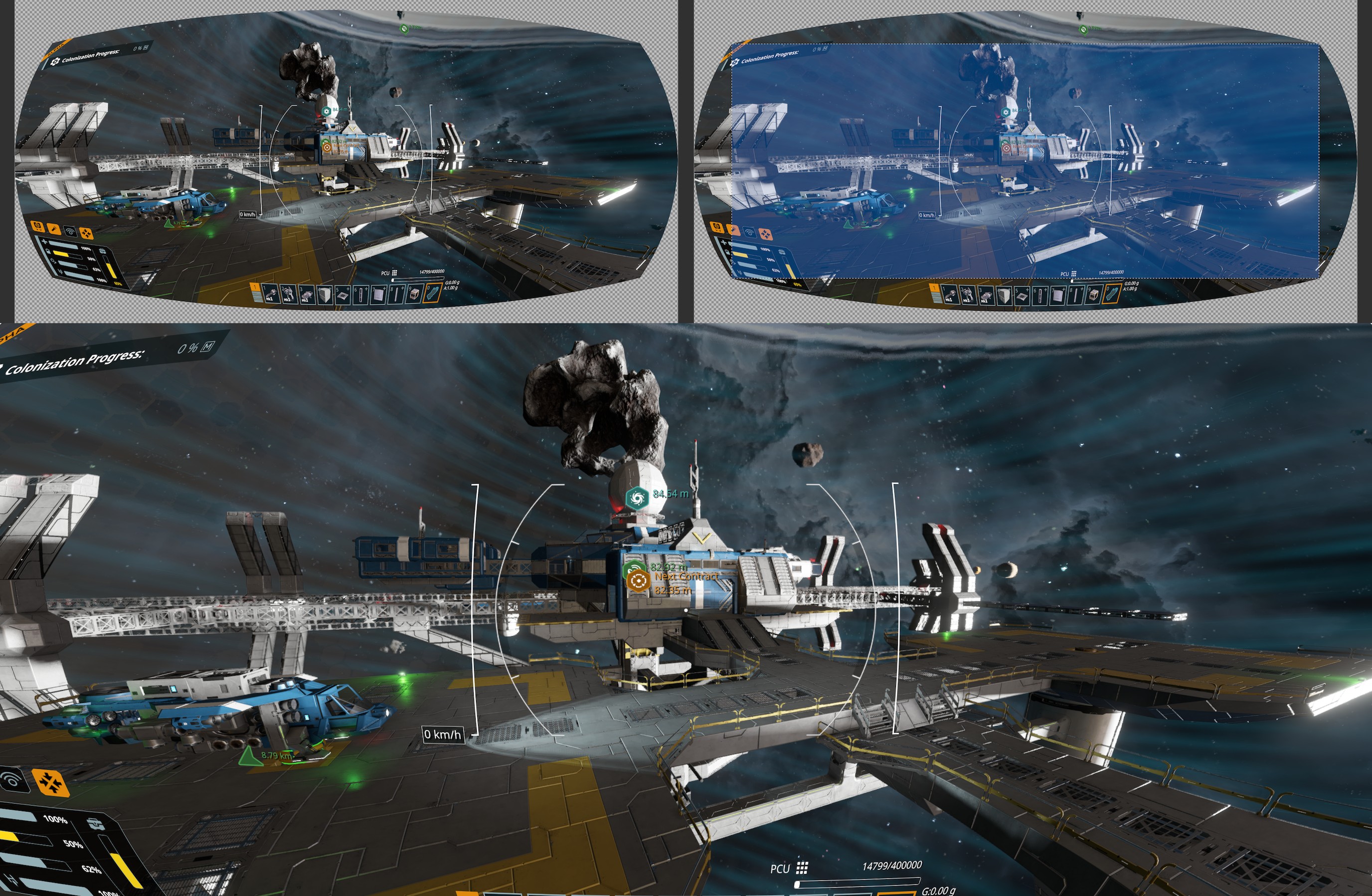
Animated GIF:
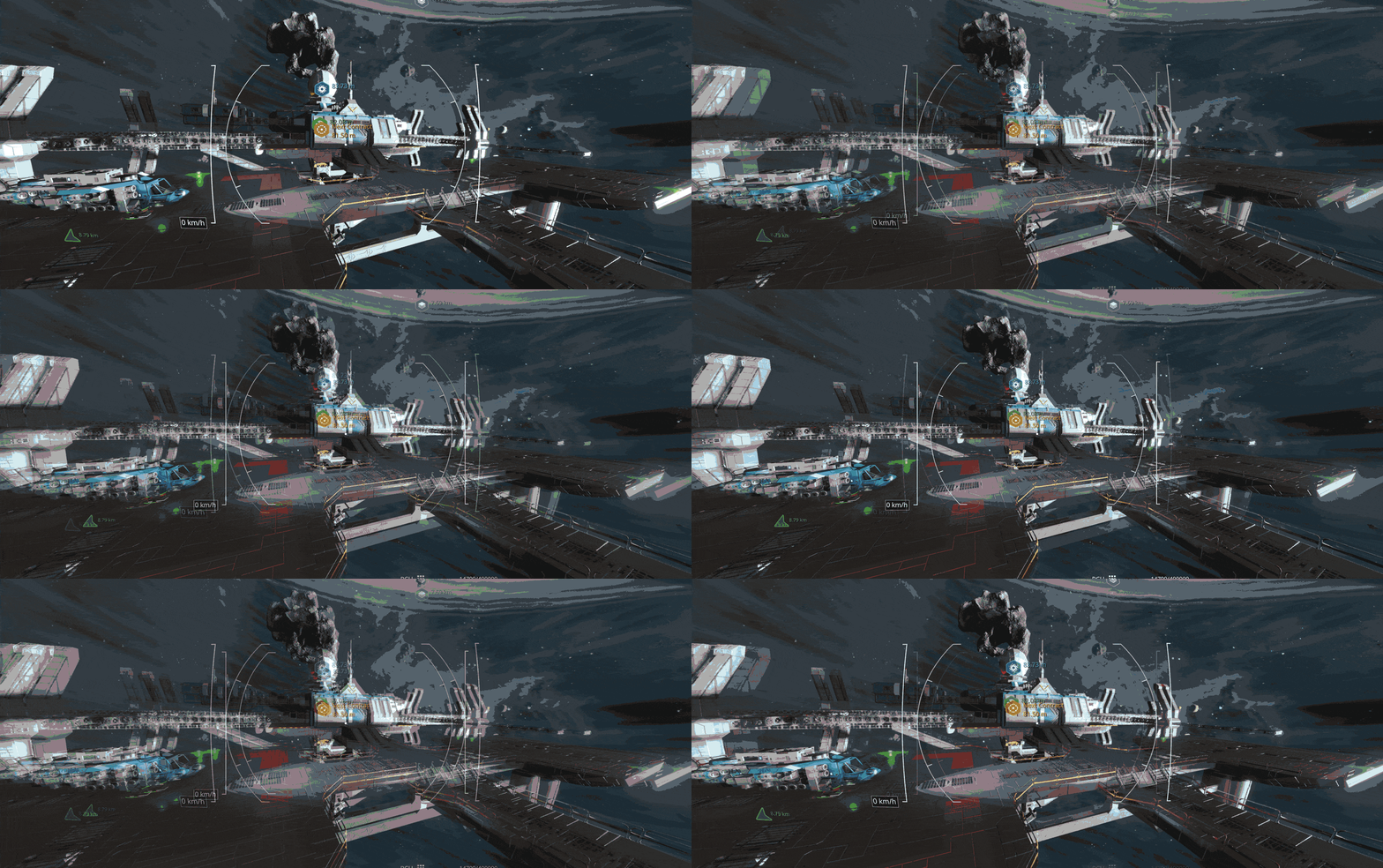
It's roughly what it would look like, but not exact as would be implemented. It will need some tuning to get looking right.
https://github.com/perfect-dark-pc-port/perfect_dark/issues/348
https://www.reddit.com/r/Warframe/comments/1rhnvfl/panini_projection_alternative_for_high_fov_or/
More examples in a different engine.
https://www.youtube.com/watch?v=LE9kxUQ-l14
"Why High FOV Sucks," by MMqd
 I like this feedback
Replies have been locked on this page!