


Bug or missing feature
Not a Bug
When in the Grid menu, the 1-0 slots is only visible when choosing cockpit. This makes it hard to make on/off/etc features like connectors engines on and off and batteries fill/auto/empty.
There is also not possible to see if the part is turned on or off. There should be a small text or make the square around green or red or whatever. So, we know if the battery is on fill, auto or empty.
There should also be a text saying the name of the group. As if I have several engine groups it would be nice to tell them apart in the 1-0 list below. Maybe show the group name in the little icon. Or a menu inside the grid menu while on the specific group to edit the icon display name and possibly also the icon itself.
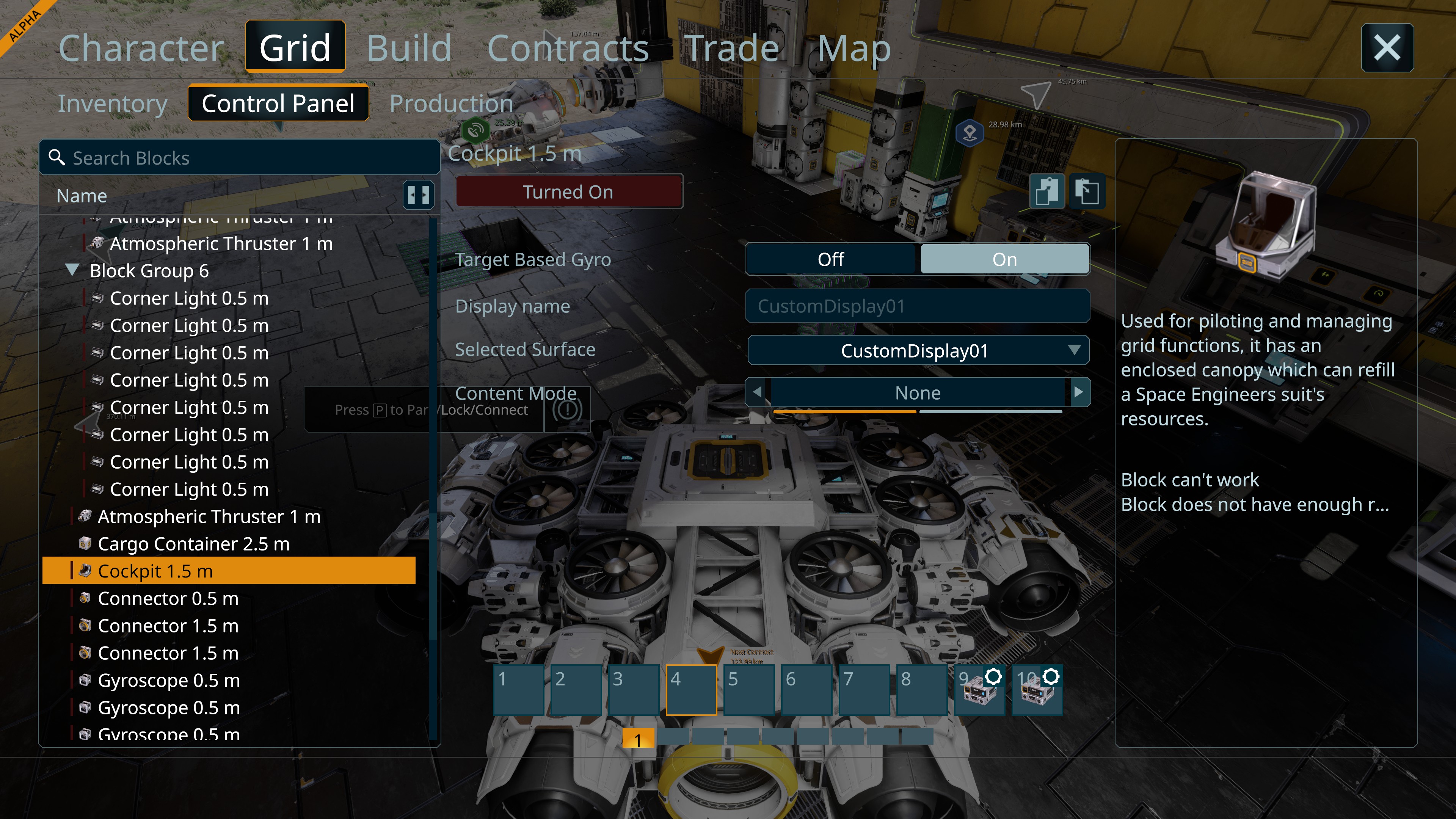
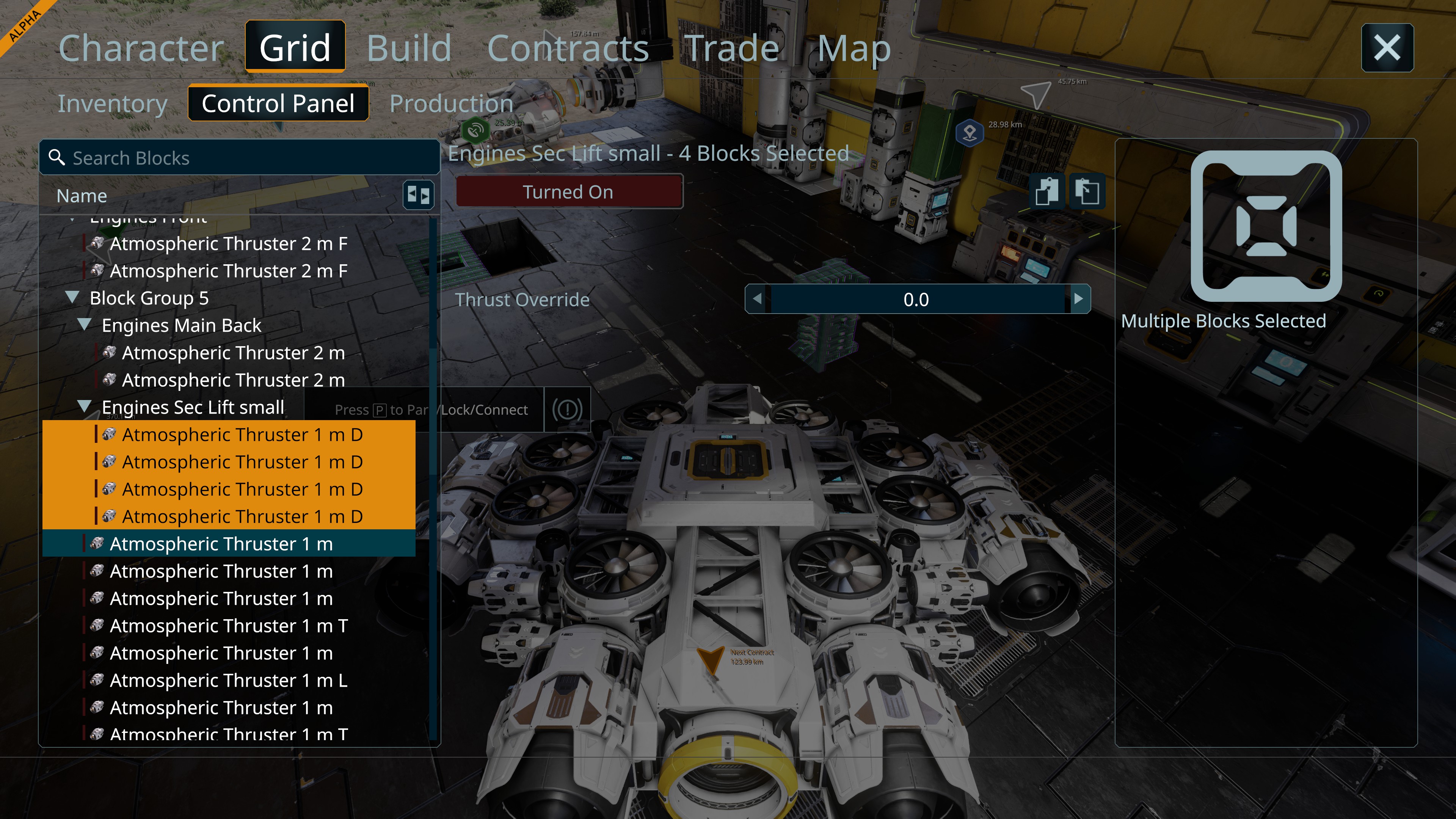
 I have the same bug
Hello Johannes,
This is currently expected behavior. Grid's toolbar is only visible when the Cockpit / Control Seat is selected and allows for blocks and groups to be dragged to the toolbar. Please note that the toolbars are assigned to a Cockpit / Control Seat and not the Grid which allows to have different Blocks / Groups / Actions assigned to different Control Blocks.
We are currently planning to make this feature more convenient however I don't have any ETA at the moment.
The color on the left of the blocks in the Terminal shows the state of block:
Dark Red - Block has not enough Power
Bright Red - Block is turned OFF
Green - Block is turned ON and has enough Power
As far as I am aware, we are planning on adding labels to the toolbar actions however as stated above, there is no ETA at the moment.
Please feel free to create a Feature Request on our Feedback section.
Since this is feature request rather than an issue. I will close this thread as Not a Bug.
Kind Regards,
Bartosz
Keen Software House
Hello Johannes,
This is currently expected behavior. Grid's toolbar is only visible when the Cockpit / Control Seat is selected and allows for blocks and groups to be dragged to the toolbar. Please note that the toolbars are assigned to a Cockpit / Control Seat and not the Grid which allows to have different Blocks / Groups / Actions assigned to different Control Blocks.
We are currently planning to make this feature more convenient however I don't have any ETA at the moment.
The color on the left of the blocks in the Terminal shows the state of block:
Dark Red - Block has not enough Power
Bright Red - Block is turned OFF
Green - Block is turned ON and has enough Power
As far as I am aware, we are planning on adding labels to the toolbar actions however as stated above, there is no ETA at the moment.
Please feel free to create a Feature Request on our Feedback section.
Since this is feature request rather than an issue. I will close this thread as Not a Bug.
Kind Regards,
Bartosz
Keen Software House
The whole menu system is still a big mess. Hope it will be fixed soon :-)
The whole menu system is still a big mess. Hope it will be fixed soon :-)
Replies have been locked on this page!