


Rotors and Drills - Helpful notes
I have set up a new mining ship using a rotor to spin the drills in a circle rather than setting up a square box. The cockpit controls were a bit tricky to set up, so this post is meant to provide guidance to other players on how to set this up under v2.3.0.2791.
In the Cockpit Controls screenshot, I show the layout of my current control set:
- 1 - Set Tool Drill Mode to Mine
- 2 - Set Tool Drill Mode to Dig
- 3 - Set Tool Drill Mode to None (off)
- 4 - Set Rotor Angular Velocity to 1.0 (spin)
- 5 - Set Rotor Angular Velocity to 0.0 (off)
- 9 - Batteries Set to Auto (normal)
- 10 - Batteries Set to Fill (charging)
When setting the toolbar, you need to have Cockpit selected, then scroll the control panel bar to find the tool or group to work with.
Set up your Batteries group as normal, by selecting all batteries and then selecting the Group button. Name the group by double-clicking on the group name.
Select the cockpit. Then drag the Batteries group to the cockpit control button that you want to set. Pick your mode or behavior.
Do the same with the Rotor. The angular velocity control does not appear to accept precise inputs currently, so you will need to either click the bar or click the arrows to set the value. I recommend using the arrows currently because that sets the value in increments of 1.0.
Now, when using a rotor, the rotor control head acrually gets set on a separate grid from the ship that it is connected to. (Note that this also prevents blueprinting the entire ship, so you will need to capture two blueprints, one for the ship and one for the rotor.) You cannot drag this grid to the cockpit controls, and if you drag just a single drill, it will only set the controls for that single drill.
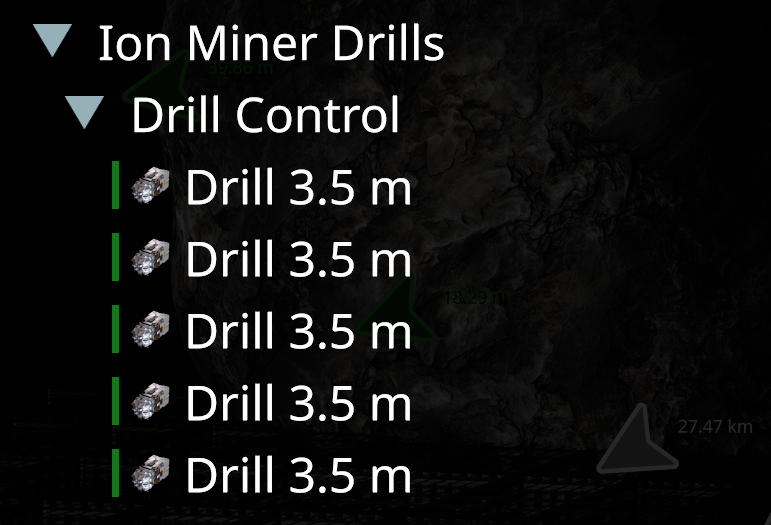
Instead, create another group that contains the drills, and set its name to Drill Control. Drag the Drill Control group to the cockpit control panel, and you can set the behavior for those drills.
Finally, if you need to add more drills or batteries to your ship and adjust the controls, you can ungroup and regroup the control groups to add more batteries. (Adding items to an existing group is not currently supported.) If you re-drag the group to the same cockpit controls, it will re-apply the settings for the new group to that button. In other words, you don't have to set up the controls from scratch. The cockpit control button remembers and configures the same settings as before.
Hope this helps anyone that may be struggling with this.
 I like this feedback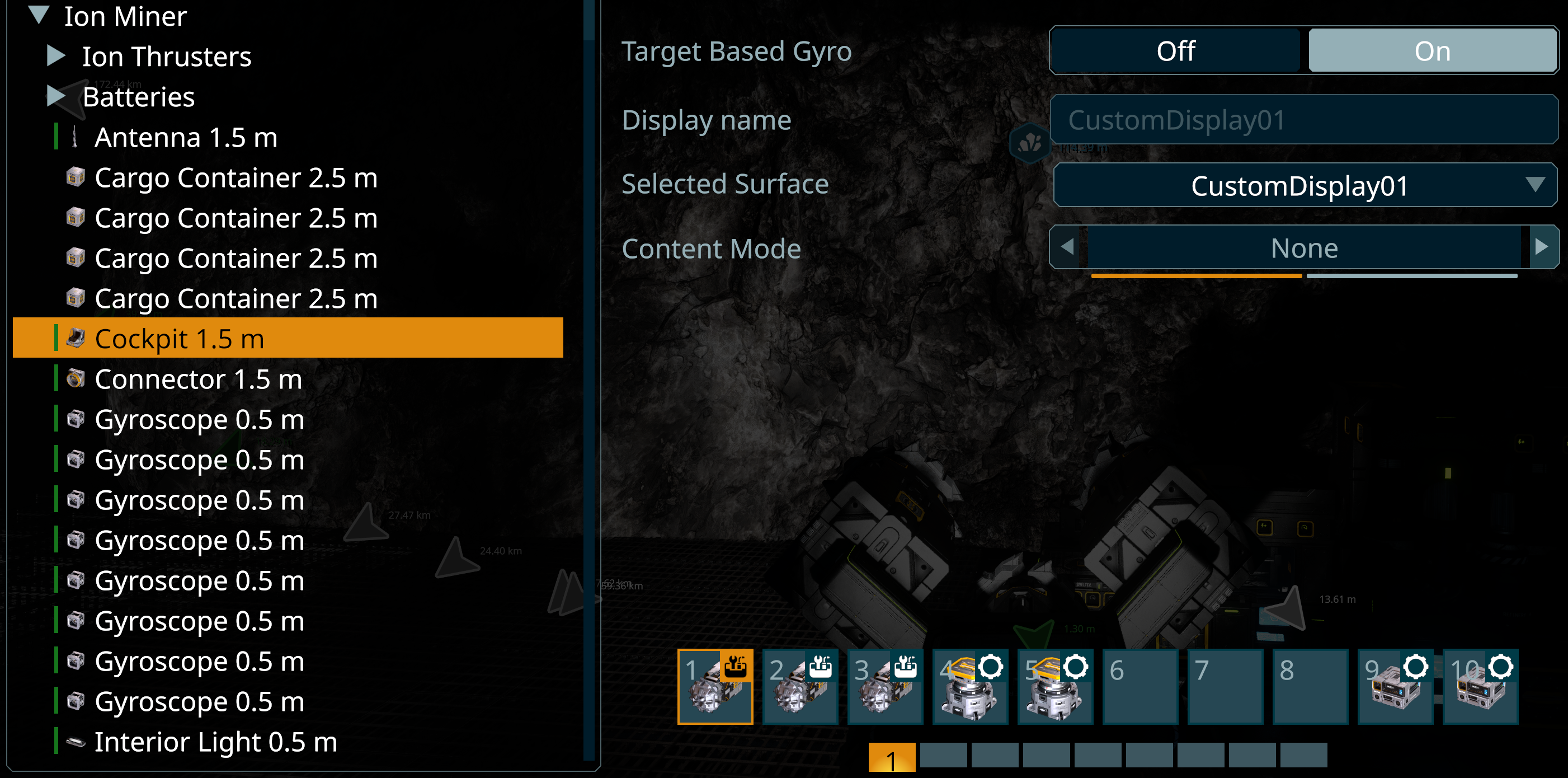
Replies have been locked on this page!