


Idea for naming of parts. W/Method.
Naming Tools
I Bring this Idea to the table because I find it very tedious to name certain parts on a ship/build. My best found work-around to find out what parts are which is creative to say the least but not at all fast.
The Idea: first, my idea is where the game should make a tool similar to the paint tool where we can select a part with it so we can rename it and change values like, power, strength, speed, input, output. I know some of this you can do from the Control Panel if you are in the cockpit or click on almost any screen on the ship like these. ↓
 ← ← ← ← ← ← ← ← ← ← ← ←
But the big issue is some parts dont have a screen or clickable slot to get to the menu, where if you enter the Control Panel area from the screen, or Storage door, It will auto highlight the part you selected if you scroll through them in control panel without clicking any parts.
But as our builds get bigger, the amount of parts that we have to use the method bellow, or our own, grows and naming parts can turn into a good hour or 2 of work.
The Parts:
I want to name parts that have a function like, Small Thrusters, Lights, Spotlight, Solar, Small Battery. A lot of these parts and many more have no screen or Storage door on them which makes it where you have to find them from another screen in Control Panel.
This brings me to " How do I name the parts in my build" Allowing for posting of the ship, or use by the player can becoming that much easier to understand kind of. Naming parts on a ship in a 3d space, is not be as easy as it may sound. So I came up with this standard
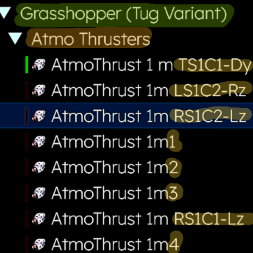
Method: The Method I use is easy, I will number the Thruster 1-0, Z-Z. Then, I will fly around my ship and see which ones changed names and value, write them down. Then I will find a screen>Control Panel, where I can adjust the parts that I added values to and what was their location and function.
The naming scheme:
<Face-Section Column-Thrust Vector> ←(Part Position key)
[Face] (Hull Face Placement):
• T = Top Deck
• B = Bottom Belly
• L = Left Flank
• R = Right Flank
[Section Column] (3D Grid Placement):
• S[#] = Section/Row layer (counted sequentially from top to bottom)
• C[#] = Column block (counted sequentially from front to back)
(I came to SC, because Row and Column, well row could get confused with Right)
[Thrust Vector] (Physics Push Axis):
• Fx / Bx = Forward / Backward: pushes along the Longitudinal axis (X)
• Uy / Dy = Up / Down: pushes along the Vertical axis (Y)
• Lz / Rz = Left / Right: pushes along the Lateral axis (Z)
(Came to this conclusion, once I learned that X,-X, for all the xyz, would not work and could be confusing.)(I also found out that Back, Bottom, both could get confusing in the naming scheme)
Example:
LS1C2-Rz = <Left flank, Section 1, Column 2 — Pushes Right along the Z-axis>
Also for an amazing game.

 I like this feedback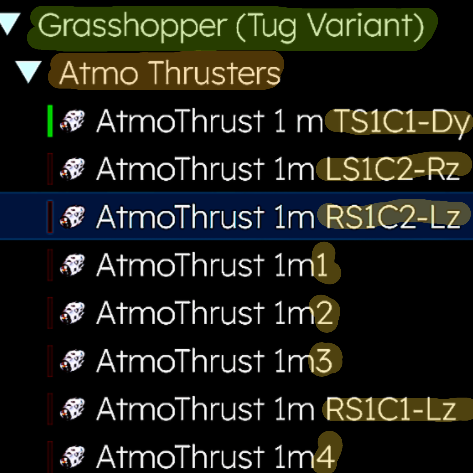
Replies have been locked on this page!