


If you mouse over anything in the menus, the tooltip is physical and is able to completely block you from trying to click a selection. Nothing massive, but, enough to be annoying.


the tooltips in some menus prevent us from clicking on things, very annoying.
these tooltips should either attach to the cursor, or be click-through so they dont get in the way
 I have the same bug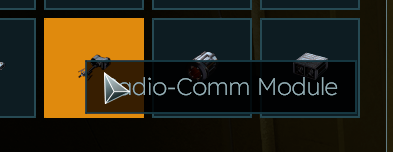
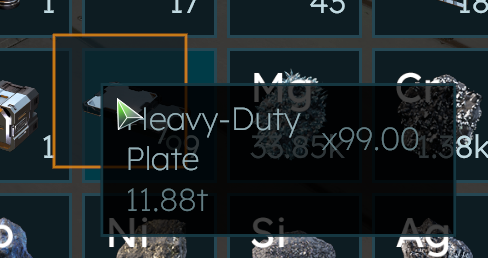
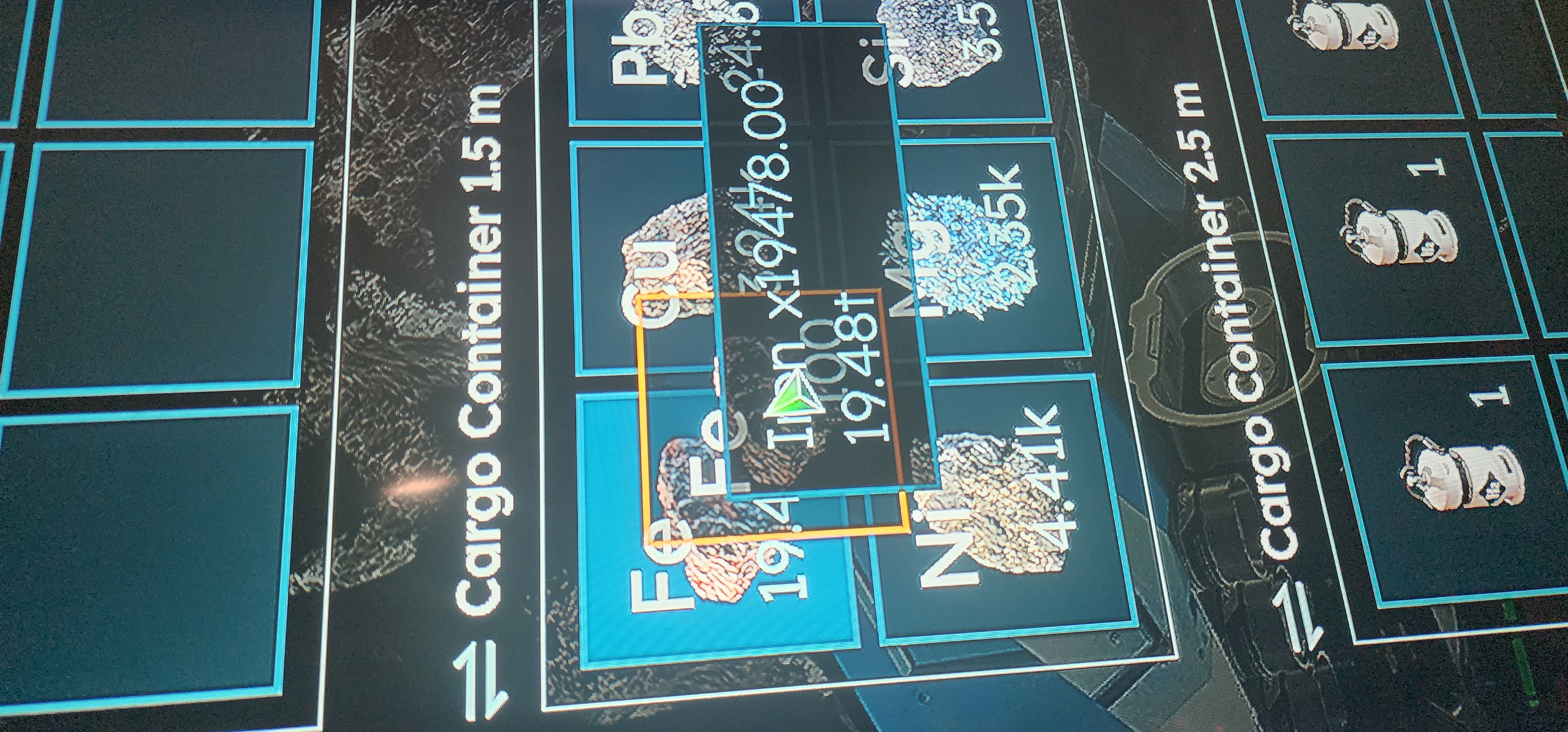
Lost count of the amount of times I've accidentally shifted my drill to the cargo container because the tool tip has got in the way and transferred the last thing it passed over before being obscured by the tool tip!
Lost count of the amount of times I've accidentally shifted my drill to the cargo container because the tool tip has got in the way and transferred the last thing it passed over before being obscured by the tool tip!
When dragging items from one storage location to another regardless of whether it is cargo or a production device, there is a little black box with the item description that blocks the ability do drag and place the item into the desired location. I have to very carefully move the cursor into the perfect position in the targeted storage to drop the item properly, otherwise the item is dropped back into the location it started in.
When dragging items from one storage location to another regardless of whether it is cargo or a production device, there is a little black box with the item description that blocks the ability do drag and place the item into the desired location. I have to very carefully move the cursor into the perfect position in the targeted storage to drop the item properly, otherwise the item is dropped back into the location it started in.
Similar to my report: https://support.keenswh.com/spaceengineers2/pc/topic/51086-pop-up-appears-over-inventory-slot-blocking-action-on-inventory-item
Similar to my report: https://support.keenswh.com/spaceengineers2/pc/topic/51086-pop-up-appears-over-inventory-slot-blocking-action-on-inventory-item
Yeah the tooltip is in the way. I've taken to overshooting the destination slot and approach it from the right side to avoid it.
Yeah the tooltip is in the way. I've taken to overshooting the destination slot and approach it from the right side to avoid it.
I think the solution that makes the most sense is to allow clicking through the item description UI element.
I think the solution that makes the most sense is to allow clicking through the item description UI element.
I also found if you are in a hurry, clicking the popup redirects your click to somewhere else and you endup moving your character tools. Thus making trips back & forth to my base, suddenly my drill or grinder is left behind in the cargo box when I meant to transfer the stack of stuff I was carrying.
suggested fix:
1) click through the tooltip
2) DONT put the tool tip at the mouse location, rather at some offset from the mouse, or put it relative to the corner of the slot we are pointing to.
I also found if you are in a hurry, clicking the popup redirects your click to somewhere else and you endup moving your character tools. Thus making trips back & forth to my base, suddenly my drill or grinder is left behind in the cargo box when I meant to transfer the stack of stuff I was carrying.
suggested fix:
1) click through the tooltip
2) DONT put the tool tip at the mouse location, rather at some offset from the mouse, or put it relative to the corner of the slot we are pointing to.
Seems to a couple of different issues with tooltips in the inventory.
Seems to a couple of different issues with tooltips in the inventory.
I have the same issue. I have my Windows 11 DPI set to 25% which causes everything to show larger (poor vision). The workaround I use is to drag the item below the slot where you want to place it and then move it upward into the slot. I still occasionally have the tool tip issue when double clicking to move inventory out of cargo. Instead of the slot I clicked the slot to the left where I normally keep my hand drill is moved instead.
The tool-tip issue occurs more often at the slots near the bottom of the cargo. It seems almost random where the tool-tip will appear over an inventory slot.
I have the same issue. I have my Windows 11 DPI set to 25% which causes everything to show larger (poor vision). The workaround I use is to drag the item below the slot where you want to place it and then move it upward into the slot. I still occasionally have the tool tip issue when double clicking to move inventory out of cargo. Instead of the slot I clicked the slot to the left where I normally keep my hand drill is moved instead.
The tool-tip issue occurs more often at the slots near the bottom of the cargo. It seems almost random where the tool-tip will appear over an inventory slot.
Hello ZedX,
This is a known issue that is already reported. I have added this thread to our internal ticket (SE2-29793).
Kind Regards,
Bartosz
Keen Software House
Hello ZedX,
This is a known issue that is already reported. I have added this thread to our internal ticket (SE2-29793).
Kind Regards,
Bartosz
Keen Software House
Hello Engineers,
This issue has been fixed on our internal environment and should be shipped as a part of Vertical Slice 2.2.
As such, I will close this thread.
Kind Regards,
Bartosz
Keen Software House
Hello Engineers,
This issue has been fixed on our internal environment and should be shipped as a part of Vertical Slice 2.2.
As such, I will close this thread.
Kind Regards,
Bartosz
Keen Software House
Replies have been locked on this page!