


[Steam UGC]: Deserialization of metadata for item 3509305158 failed: While processing Steam UGC Meta
Hello Space Engineers 2 Team,
I am currently developing a larger PvE/survival mod for Space Engineers 2 called SEEM (Space Engineers Expansion Mod).
I am experiencing an issue when uploading/updating my mod on Steam Workshop. The Workshop item already exists and has previously been uploaded successfully.
Workshop item:
SEEM – Space Engineers Expansion Mod
The Workshop Item ID is:
3509305158
The previous version of the mod (0.028f) was uploaded successfully. However, after attempting to upload the newer version, SE2 reports the following errors:
2026-08-24 12:15:51.646 - Main Thread -> Error: [Steam UGC]: Steam call SteamUGC.SubscribeItem(id) failed with error k_EResultFail. 2026-08-24 12:15:51.669 - Main Thread -> Error: [Steam UGC]: Error subscribing to UGC item 3509305158: Keen.VRage.Core.Services.GameServiceException: Steam call SteamUGC.SubscribeItem(id) failed with error k_EResultFail. at Keen.VRage.Library.Threading.PromiseTask`1.HandleFaulted() at Keen.VRage.Library.Threading.TaskBase.GetResult() at Keen.VRage.Steam.UGC.SteamUGCServiceComponent.UploadUGCDataAsync(IFileSystem sourceFs, IUGCMetadata metadata, UGCBaseMetadata description) 2026-08-24 12:16:25.618 - VRageWorker 0 -> [Steam UGC]: Deserialization of metadata for item 3509305158 failed: While processing Steam UGC Metadata:28:24: Expected end of string, but instead reached end of data. LineNumber: 27 | BytePositionInLine: 4218.. 2026-08-24 12:16:25.619 - VRageWorker 0 -> Warning: [Steam UGC]: Failed to parse metadata for item 3509305158. Skipping.
The most important part appears to be:
Deserialization of metadata for item 3509305158 failed Expected end of string, but instead reached end of data LineNumber: 27 BytePositionInLine: 4218
From the error, it appears that SE2 is attempting to deserialize Workshop metadata and encounters an incomplete/invalid string.
I would like to clarify whether this is:
- A problem with the Workshop item's existing metadata,
- A problem with the SE2 Workshop uploader generating the metadata,
- A problem with my mod/project metadata,
- Or a Steam UGC issue.
The previous version 0.028f of the same Workshop item was working correctly, so I am currently considering rolling the Workshop item back to that version to see if it restores normal functionality.
Before doing anything that could potentially make the Workshop item unrecoverable, I would appreciate your advice.
Additional information
- Game: Space Engineers 2
- Mod: SEEM – Space Engineers Expansion Mod
- Workshop ID: 3509305158
- Previous working version: 0.028f
- Problem occurs when updating/uploading the existing Workshop item
- Error appears to involve Steam UGC metadata deserialization
- LineNumber: 27
- BytePositionInLine: 4218
Could you please advise whether this error is a known SE2 Workshop/uploader issue and whether there is a recommended procedure for recovering/updating the existing Workshop item?
I can provide the complete log, project files, metadata files, or any other information needed for investigation.
Thank you for your help.
Best regards,
AngryWolf
SEEM – Space Engineers Expansion Mod
Additional screenshots :
My actual metadata file in local project inside editor :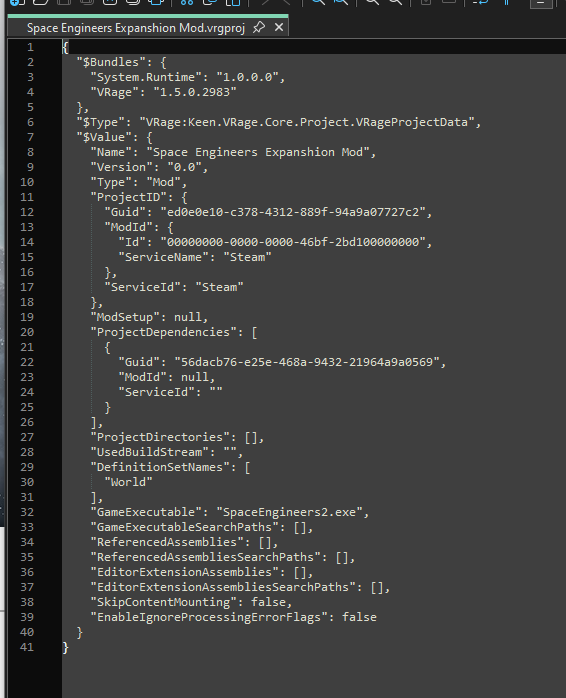
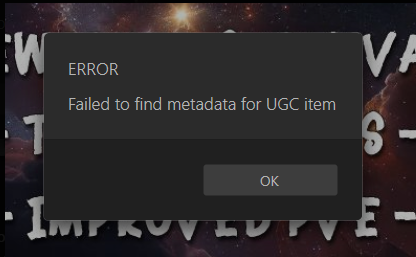
Error while selecting a project on the HUB list :
When i try to upload a mod to steam :
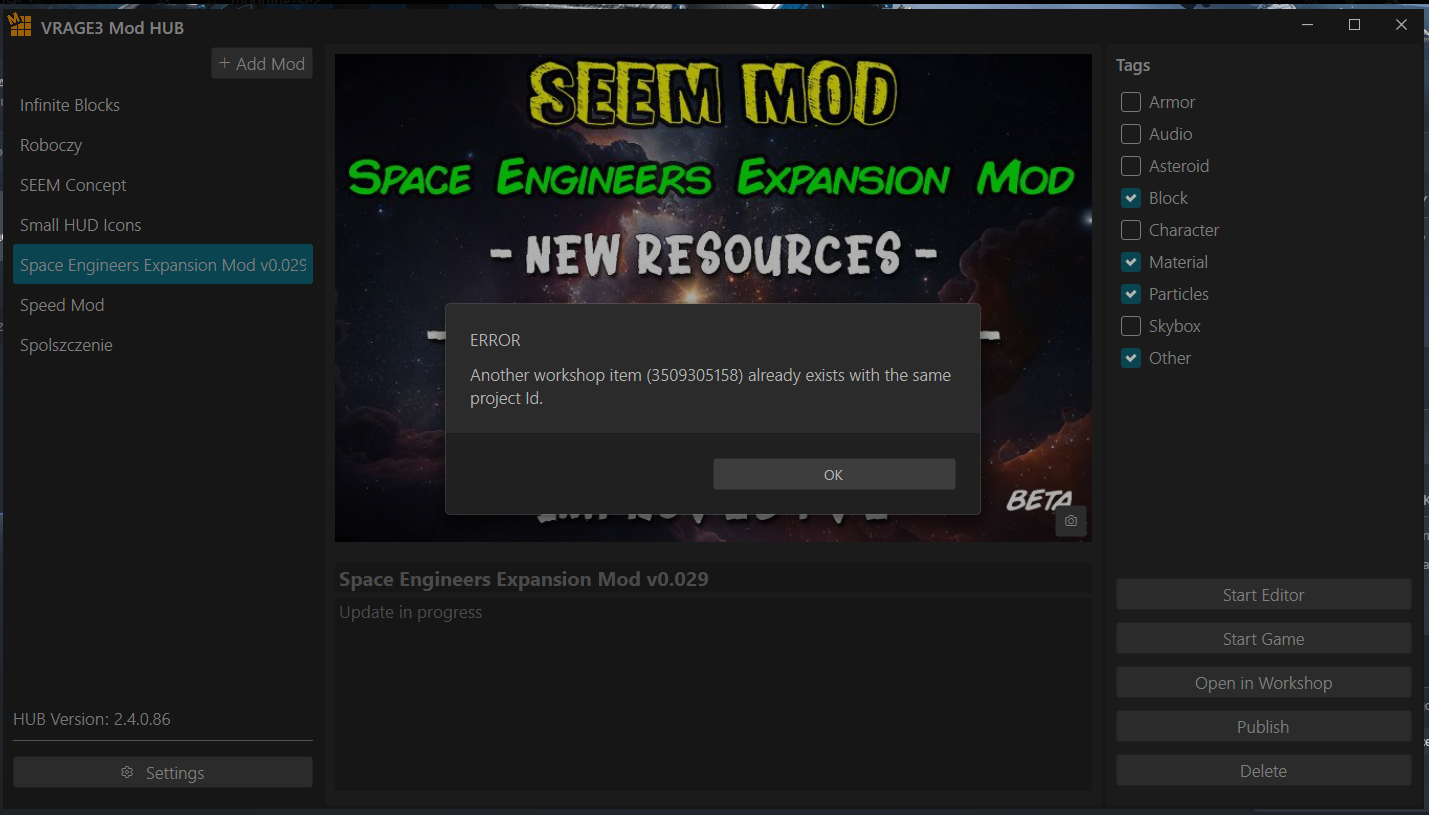
 I have the same bug
Update: How we diagnosed the Steam UGC metadata issue and investigated recovery
Hello Space Engineers 2 Team and everyone experiencing similar issues,
I would like to share an update on my original report regarding the following error:
Deserialization of metadata for item 3509305158 failed: Expected end of string, but instead reached end of data.
After investigating the problem with the help of a friend from the community, we managed to identify the underlying issue and collect information that may help other modders experiencing similar problems.
My mod is SEEM – Space Engineers Expansion Mod, and the affected Workshop item is Workshop ID 3509305158.
1. What was the problem?
The mod had previously uploaded successfully, including version 0.028f. After a later upload attempt, the game started reporting errors while processing the existing Workshop item's metadata.
Initially, it was unclear whether the cause was the local project, the uploader, or Steam Workshop itself.
UPDATE: Problem was caused by synchroznizing the steam description with local description exceeding the limit by a lot for descriptions set in ModHUB program. Description had BBcode in it and after uploading the update for the mod developer metadata was overriten with description that can not be longer than exact amount of bytes which caused a corruption of it and throwing an exception
2. How we investigated the issue
We used a small, read-only diagnostic tool written specifically to investigate Steam UGC developer metadata.
Important: This tool was designed to query and compare metadata without uploading, modifying, or deleting anything on Steam.
Step 1 — Check the original Workshop item
We ran the diagnostic script against the original Workshop ID:
powershell.exe -NoProfile -ExecutionPolicy Bypass -File ".\Run-ReadOnly-Check.ps1" -OldId 3509305158
If PowerShell blocks the script, this command applies the execution-policy bypass only to that PowerShell process. It does not permanently change the system execution policy.
Only run scripts you trust and have inspected. The bypass does not make an untrusted script safe.
The report confirmed that the original Workshop item still existed, the API request succeeded, and the item was accessible. However, the developer metadata returned by the API was an empty string.
The important results were:
This was an important discovery: the original Workshop item still existed, but its developer metadata was empty.
Step 2 — Create a working comparison item
To establish a comparison, I uploaded a working copy of the mod under a new Workshop ID:
Working comparison item — ID 3792680896
We then compared both items:
The results showed the following:
This comparison confirmed that the API could return valid developer metadata for the working item while returning an empty string for the original item.
Step 3 — Compare the local project files
I provided the original project files from my backup of version 0.028e, which I had rolled back to on Steam, along with the corresponding files from the working copy.
The files included:
The comparison showed that the old and new project IDs and project GUIDs were correctly stored in the local files. However, these files did not contain everything required to reconstruct the missing metadata.
Step 4 — Export the working item's developer metadata
As a further diagnostic step, we used a second read-only script to export the complete developer metadata from the working Workshop item.
The export was generated for Workshop ID 3792680896 and produced a file named:
The export was intended to provide the information needed to investigate whether the missing metadata of the original item could be reconstructed.
Again, this step was read-only and did not change either Workshop item.
3. What did we learn?
Based on the diagnostic results, we established that:
These findings helped narrow down the problem considerably. However, they do not independently establish why the original metadata became empty or whether the uploader, the game, or Steam caused the original failure.
4. What should other modders do if they encounter this?
If you encounter a similar error when updating an existing Space Engineers 2 Workshop item, I recommend the following precautions:
If you use a diagnostic script, inspect its source first and make sure it does not contain Steam credentials, upload operations, or other unwanted actions.
5. Final status
The investigation identified the empty developer metadata returned for my original Workshop item and established a working comparison item. We also collected a full metadata export from the working item to investigate the possibility of restoring the original item under its existing Workshop ID.
At the time of this update, recovery of the original Workshop item had not yet been confirmed. I will update this thread if we successfully restore its metadata and verify that normal uploading works again.
I hope sharing these steps helps other Space Engineers 2 modders diagnose similar Workshop issues without risking their existing projects.
Thanks to WhiteEagle112 for helping investigate the problem and develop the read-only diagnostic tools.
Best regards,
AngryWolf
Update: How we diagnosed the Steam UGC metadata issue and investigated recovery
Hello Space Engineers 2 Team and everyone experiencing similar issues,
I would like to share an update on my original report regarding the following error:
Deserialization of metadata for item 3509305158 failed: Expected end of string, but instead reached end of data.
After investigating the problem with the help of a friend from the community, we managed to identify the underlying issue and collect information that may help other modders experiencing similar problems.
My mod is SEEM – Space Engineers Expansion Mod, and the affected Workshop item is Workshop ID 3509305158.
1. What was the problem?
The mod had previously uploaded successfully, including version 0.028f. After a later upload attempt, the game started reporting errors while processing the existing Workshop item's metadata.
Initially, it was unclear whether the cause was the local project, the uploader, or Steam Workshop itself.
UPDATE: Problem was caused by synchroznizing the steam description with local description exceeding the limit by a lot for descriptions set in ModHUB program. Description had BBcode in it and after uploading the update for the mod developer metadata was overriten with description that can not be longer than exact amount of bytes which caused a corruption of it and throwing an exception
2. How we investigated the issue
We used a small, read-only diagnostic tool written specifically to investigate Steam UGC developer metadata.
Important: This tool was designed to query and compare metadata without uploading, modifying, or deleting anything on Steam.
Step 1 — Check the original Workshop item
We ran the diagnostic script against the original Workshop ID:
powershell.exe -NoProfile -ExecutionPolicy Bypass -File ".\Run-ReadOnly-Check.ps1" -OldId 3509305158
If PowerShell blocks the script, this command applies the execution-policy bypass only to that PowerShell process. It does not permanently change the system execution policy.
Only run scripts you trust and have inspected. The bypass does not make an untrusted script safe.
The report confirmed that the original Workshop item still existed, the API request succeeded, and the item was accessible. However, the developer metadata returned by the API was an empty string.
The important results were:
This was an important discovery: the original Workshop item still existed, but its developer metadata was empty.
Step 2 — Create a working comparison item
To establish a comparison, I uploaded a working copy of the mod under a new Workshop ID:
Working comparison item — ID 3792680896
We then compared both items:
The results showed the following:
This comparison confirmed that the API could return valid developer metadata for the working item while returning an empty string for the original item.
Step 3 — Compare the local project files
I provided the original project files from my backup of version 0.028e, which I had rolled back to on Steam, along with the corresponding files from the working copy.
The files included:
The comparison showed that the old and new project IDs and project GUIDs were correctly stored in the local files. However, these files did not contain everything required to reconstruct the missing metadata.
Step 4 — Export the working item's developer metadata
As a further diagnostic step, we used a second read-only script to export the complete developer metadata from the working Workshop item.
The export was generated for Workshop ID 3792680896 and produced a file named:
The export was intended to provide the information needed to investigate whether the missing metadata of the original item could be reconstructed.
Again, this step was read-only and did not change either Workshop item.
3. What did we learn?
Based on the diagnostic results, we established that:
These findings helped narrow down the problem considerably. However, they do not independently establish why the original metadata became empty or whether the uploader, the game, or Steam caused the original failure.
4. What should other modders do if they encounter this?
If you encounter a similar error when updating an existing Space Engineers 2 Workshop item, I recommend the following precautions:
If you use a diagnostic script, inspect its source first and make sure it does not contain Steam credentials, upload operations, or other unwanted actions.
5. Final status
The investigation identified the empty developer metadata returned for my original Workshop item and established a working comparison item. We also collected a full metadata export from the working item to investigate the possibility of restoring the original item under its existing Workshop ID.
At the time of this update, recovery of the original Workshop item had not yet been confirmed. I will update this thread if we successfully restore its metadata and verify that normal uploading works again.
I hope sharing these steps helps other Space Engineers 2 modders diagnose similar Workshop issues without risking their existing projects.
Thanks to WhiteEagle112 for helping investigate the problem and develop the read-only diagnostic tools.
Best regards,
AngryWolf
Replies have been locked on this page!