


Textures missing when loading upp a save.
Need More Information
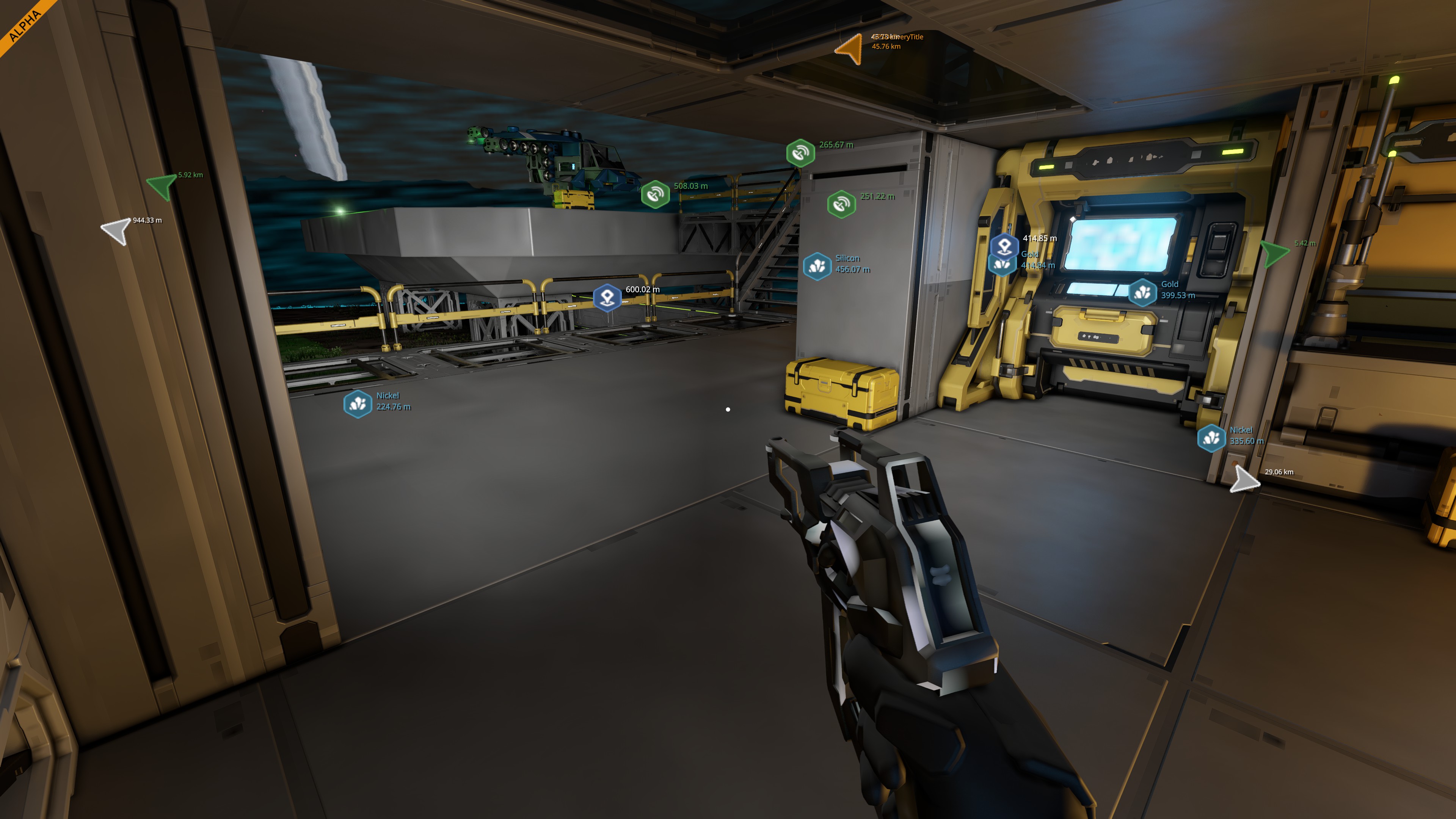
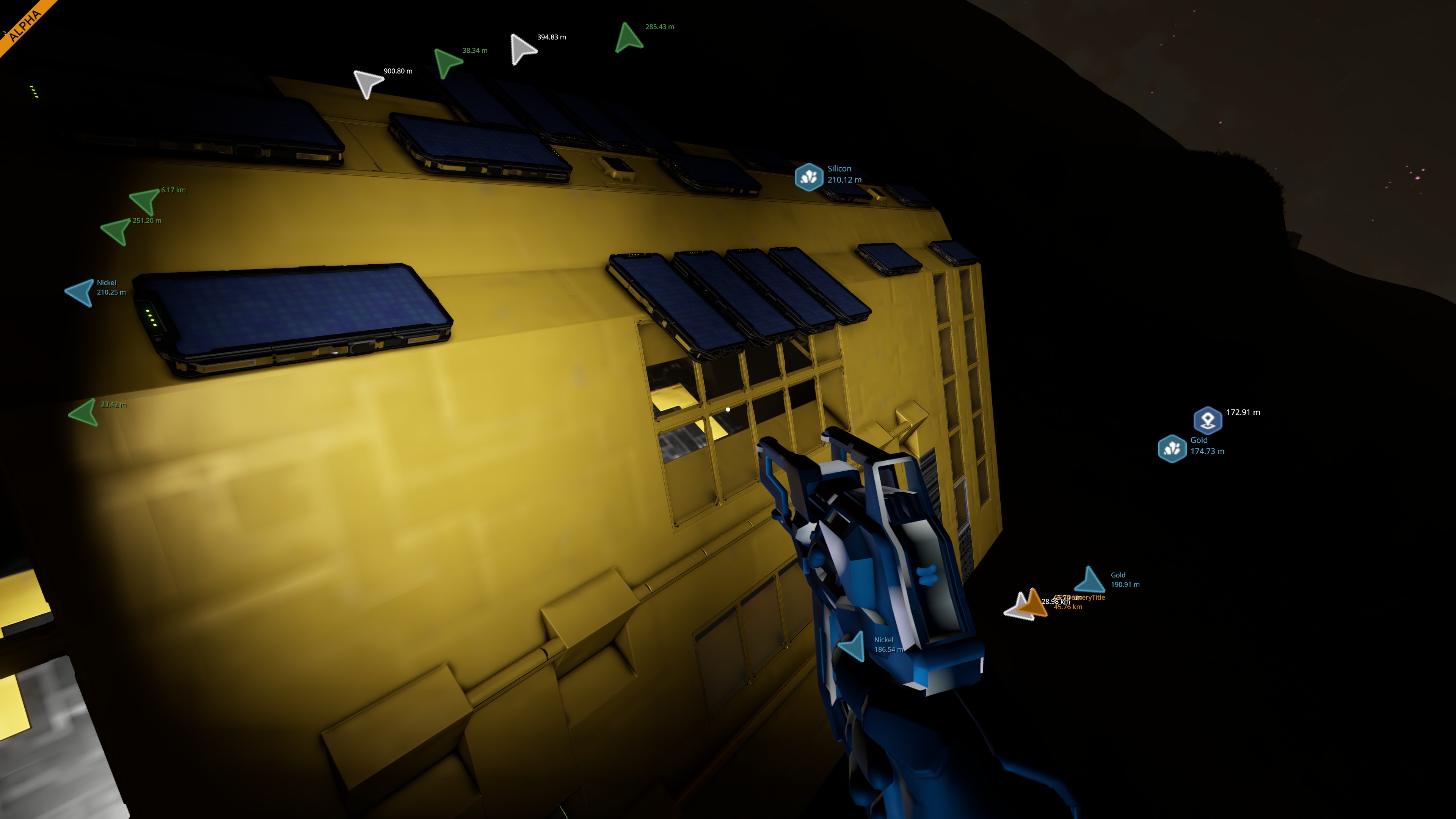
Textures missing when loading up a save. This happens almost every time I load up a game.
The loading also takes much longer to load in once this happens. 5 minutes +.
The save does not load correctly after this happens. My work around is to start a new game. When in the new world/game I load the old save and it works again.
Let me know what information you need, and I will upload.
 I have the same bug
 You can't vote. Please authorize!
This has happened to me too every single time I have loaded a save file which means that every time I play it's a one-time session, which makes it quite hard to progress.
I'm running an AMD Ryzen 5 3600X, 64GB of RAM, and an NVIDIA GeForce RTX 2070 SUPER. I'm using Steam on Windows 10. All my drivers are up to date. The game is installed on a 1TB WD hard disk (magnetic platters not SSD), which definitely impacts the save load times but 5+ minutes is excessive so I doubt that it is the root of the issue. After starting a new game it runs pretty smoothly at Medium quality and my longest play session was also my first and lasted about 5 hours or so last weekend and I had no major problems until loading up the save the next day.
I've started new games 3 other times so far and they all run fine but break when loading the save game after starting the game. I have not tried loading a save game without exiting to desktop first, though.
Also, I noticed that every time I play the game, Steam asks if I want to execute the install script and it doesn't seem to matter if I choose yes or no, the game continues to start anyway and my save games always load broken.
I've attached the logs and minidumps from %appdata%\SpaceEngineers2\Temp. I can send the save files but even zipped they're around 200mb, which is why I didn't attach one. Let me know if there is anything else you need from me.
I really enjoyed what little I've gotten to play and I really look forward to dumping a significant portion of my life into building stupid little space ships, rovers, and bases. :)
This has happened to me too every single time I have loaded a save file which means that every time I play it's a one-time session, which makes it quite hard to progress.
I'm running an AMD Ryzen 5 3600X, 64GB of RAM, and an NVIDIA GeForce RTX 2070 SUPER. I'm using Steam on Windows 10. All my drivers are up to date. The game is installed on a 1TB WD hard disk (magnetic platters not SSD), which definitely impacts the save load times but 5+ minutes is excessive so I doubt that it is the root of the issue. After starting a new game it runs pretty smoothly at Medium quality and my longest play session was also my first and lasted about 5 hours or so last weekend and I had no major problems until loading up the save the next day.
I've started new games 3 other times so far and they all run fine but break when loading the save game after starting the game. I have not tried loading a save game without exiting to desktop first, though.
Also, I noticed that every time I play the game, Steam asks if I want to execute the install script and it doesn't seem to matter if I choose yes or no, the game continues to start anyway and my save games always load broken.
I've attached the logs and minidumps from %appdata%\SpaceEngineers2\Temp. I can send the save files but even zipped they're around 200mb, which is why I didn't attach one. Let me know if there is anything else you need from me.
I really enjoyed what little I've gotten to play and I really look forward to dumping a significant portion of my life into building stupid little space ships, rovers, and bases. :)
Hello Engineers,
Have you tried verifying Game files through Steam? Additionally, we can try deleting two folders:
Then launch the Game again and try to load your Save.
Let me know if this helps.
Kind Regards,
Bartosz
Keen Software House
Hello Engineers,
Have you tried verifying Game files through Steam? Additionally, we can try deleting two folders:
Then launch the Game again and try to load your Save.
Let me know if this helps.
Kind Regards,
Bartosz
Keen Software House
Replies have been locked on this page!