


Don't have option to replace my published grids.
Not a Bug
I do not have the option to replace the grids I've uploaded to the workshop.
I do have the option to replace the grids that aren't uploaded to the workshop.
Files:
Screenshot 2026...
 I have the same bug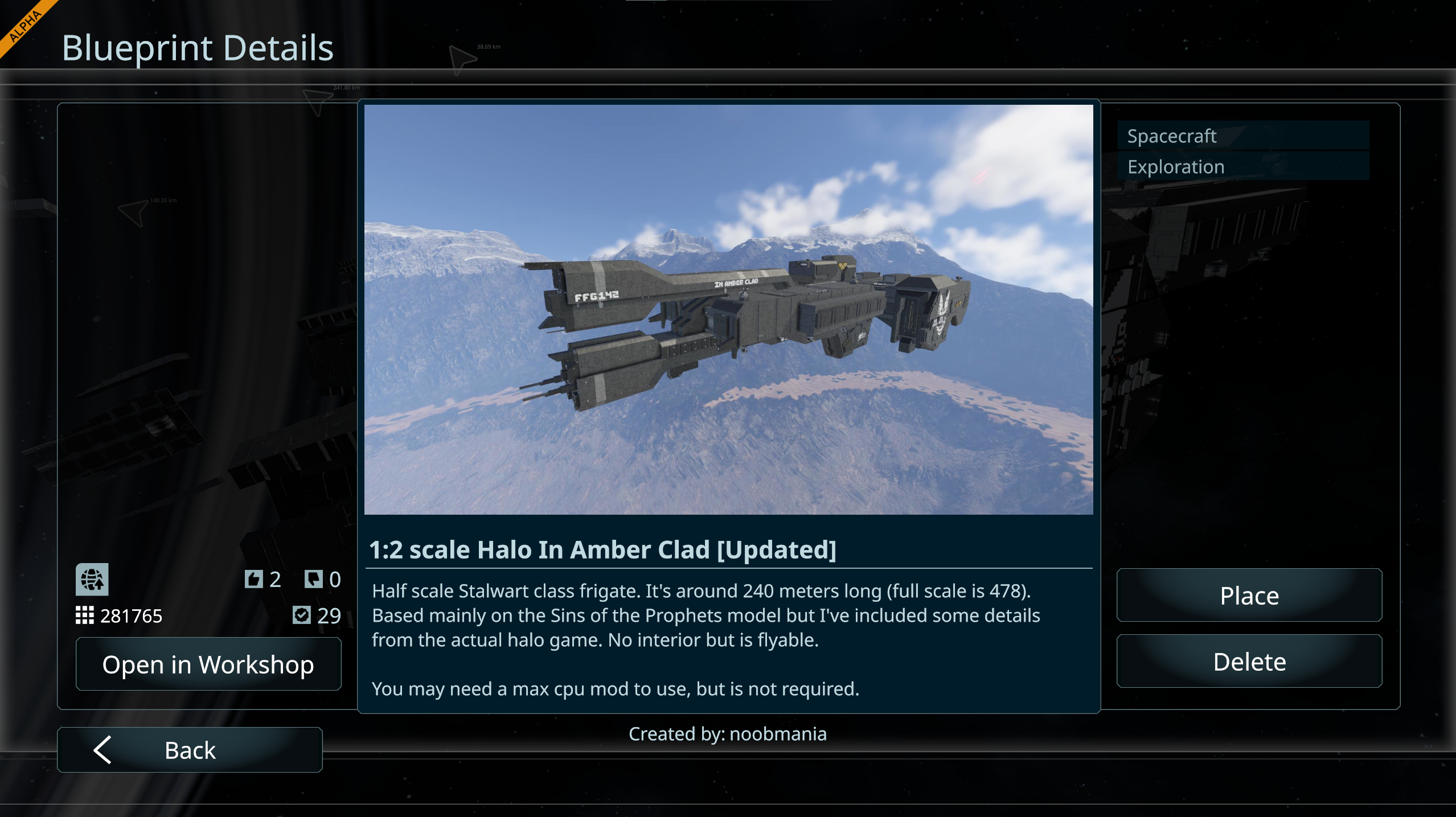
You can't vote. Please authorize!
I had the same moment, but, worked out that if you update the original it will overwrite the one on the workshop. The local copy that needs to be updated can be distinguished by the folder in the lower right of the thumbnail and workshop with a planet and arrow (although I have had workshop ones showing folders too sometimes).
It would be nice if they could show only as a single entry in the blueprint menu rather than 2 separate entries to avoid confusion and save in space. Each entry could use the folder/planet icons to show where they are located.
I had the same moment, but, worked out that if you update the original it will overwrite the one on the workshop. The local copy that needs to be updated can be distinguished by the folder in the lower right of the thumbnail and workshop with a planet and arrow (although I have had workshop ones showing folders too sometimes).
It would be nice if they could show only as a single entry in the blueprint menu rather than 2 separate entries to avoid confusion and save in space. Each entry could use the folder/planet icons to show where they are located.
Hello NoobMania,
This is intended behavior, republishing the edited local Blueprint will update the published Blueprint. This was changed in VS1.2 to unify the process for publishing Blueprints and Worlds.
As such, I will close this thread as Not a Bug.
Kind Regards,
Bartosz
Keen Software House
Hello NoobMania,
This is intended behavior, republishing the edited local Blueprint will update the published Blueprint. This was changed in VS1.2 to unify the process for publishing Blueprints and Worlds.
As such, I will close this thread as Not a Bug.
Kind Regards,
Bartosz
Keen Software House
Replies have been locked on this page!