


[Major Building Bug] Blueprint building can only drag in one direction
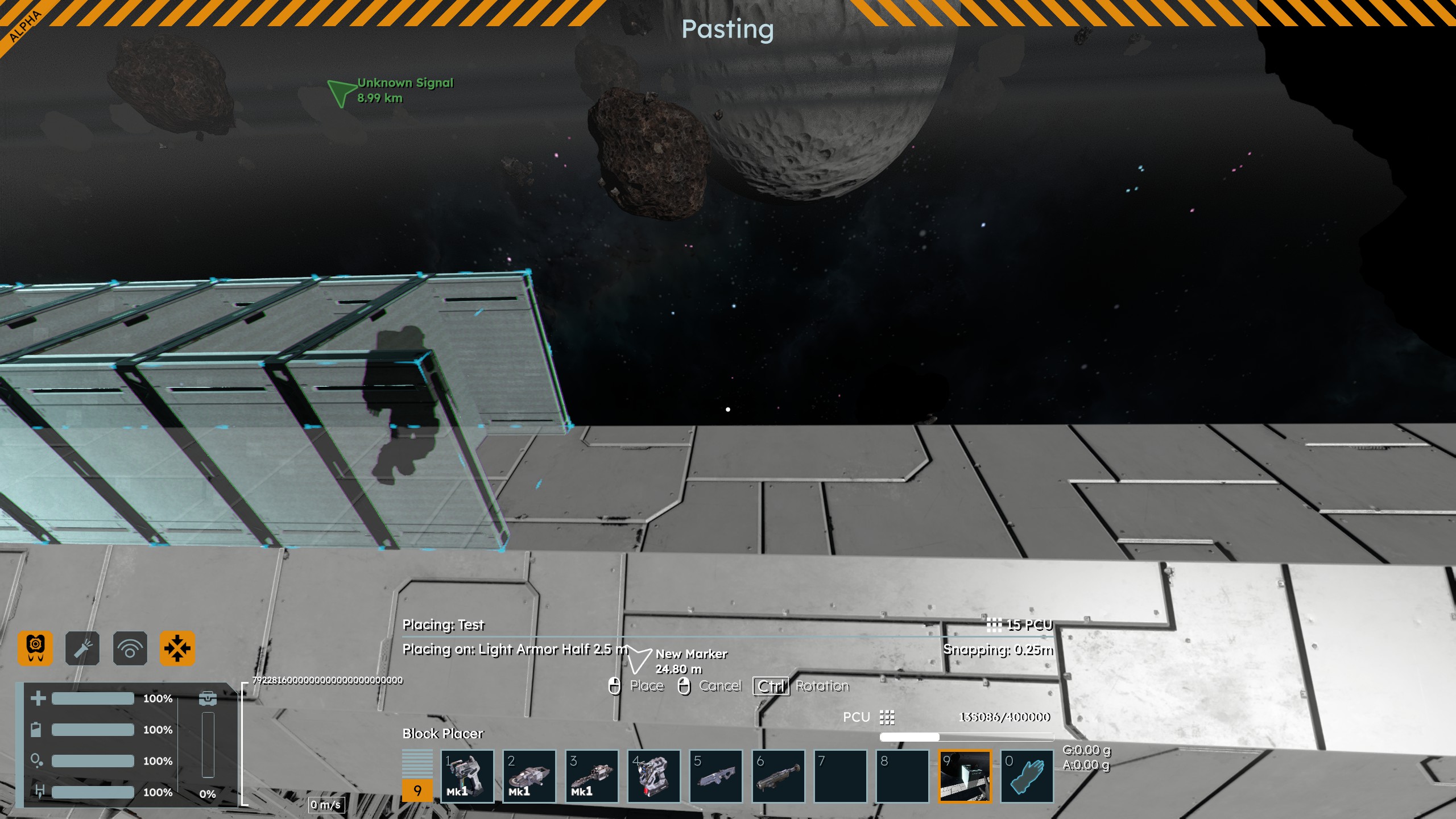
When I attempt to build using blueprints, for example I partial-copy a few blocks and try to use this design as a block itself, I can only drag it out in one direction. This is hard to explain, so I have attached screenshots.
This is the blueprint I am attempting to build with as a block:
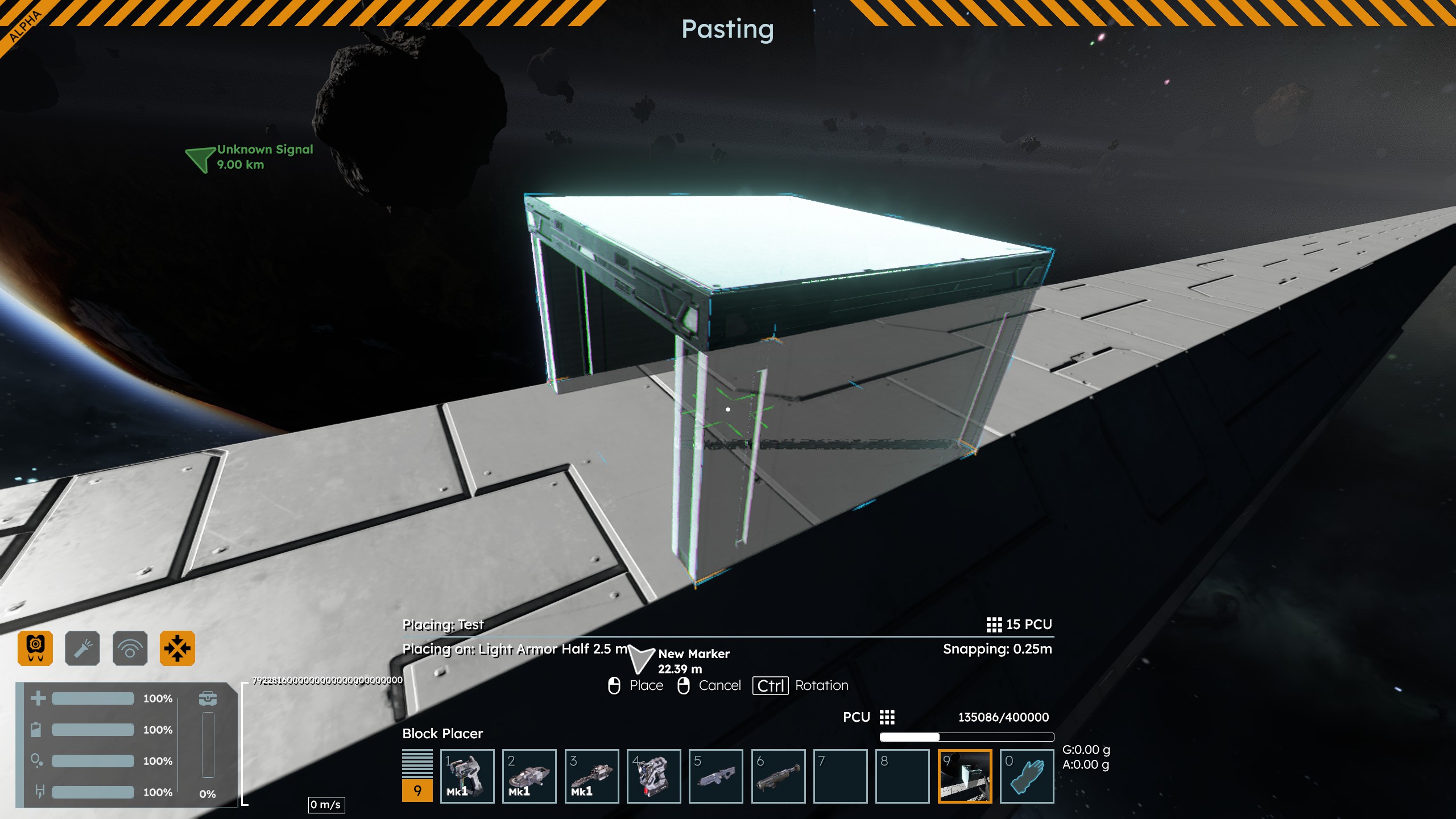
If I try to drag it out to the right, it just tries to place more blocks vertically:
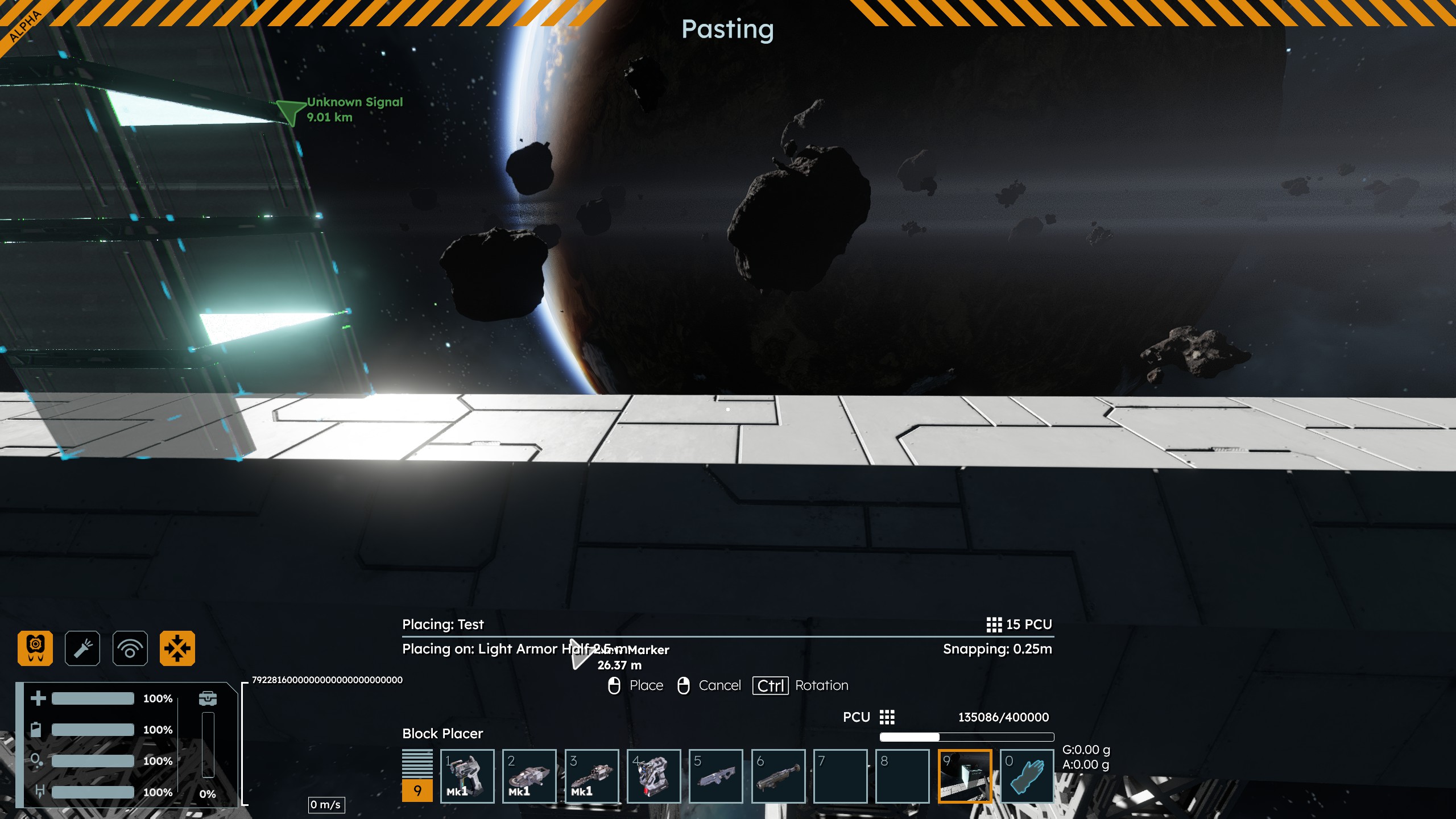
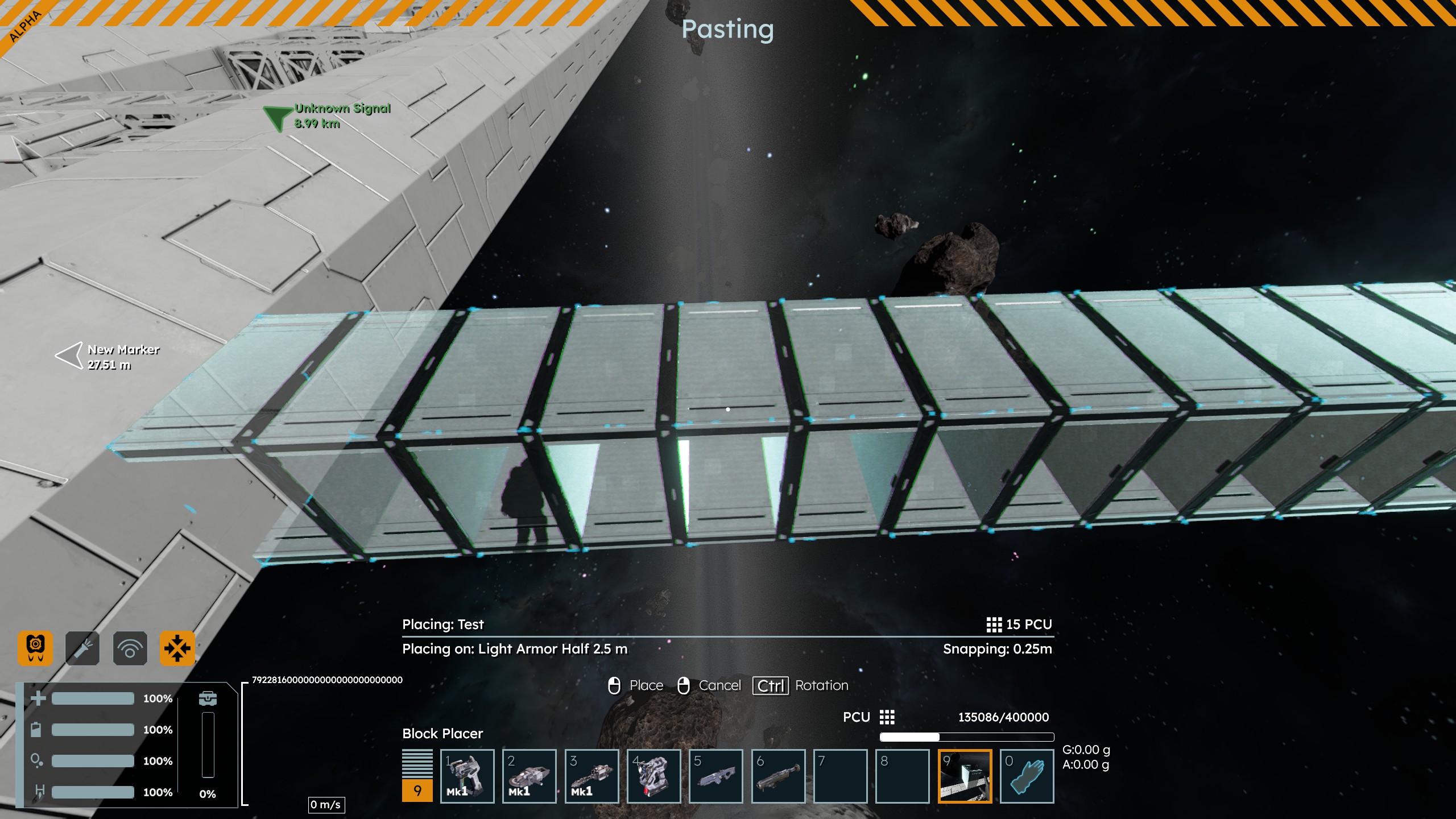
The same thing happens if I try to drag it out in any other direction. Your forum is no longer letting me post images in-line so I will attach the remaining. The first attached image shows me trying to drag it out in a different direction, 90 degrees to this one. The second one shows me trying to drag it out in the direction it seems to want me to drag it out, however it extends far past my cursor. There seems to be only one quantity of "steps" it will drag it out by, in addition to the one direction. Finally, the last attached image is me trying to drag it out in the opposite direction that it wants to drag out, but it still just adds blocks in the wrong place.
This bug occurs with every blueprint I use, not just this one, and occurs if I directly use it from clipboard, or if I save it as a blueprint and put it on my toolbar first.
 I have the same bug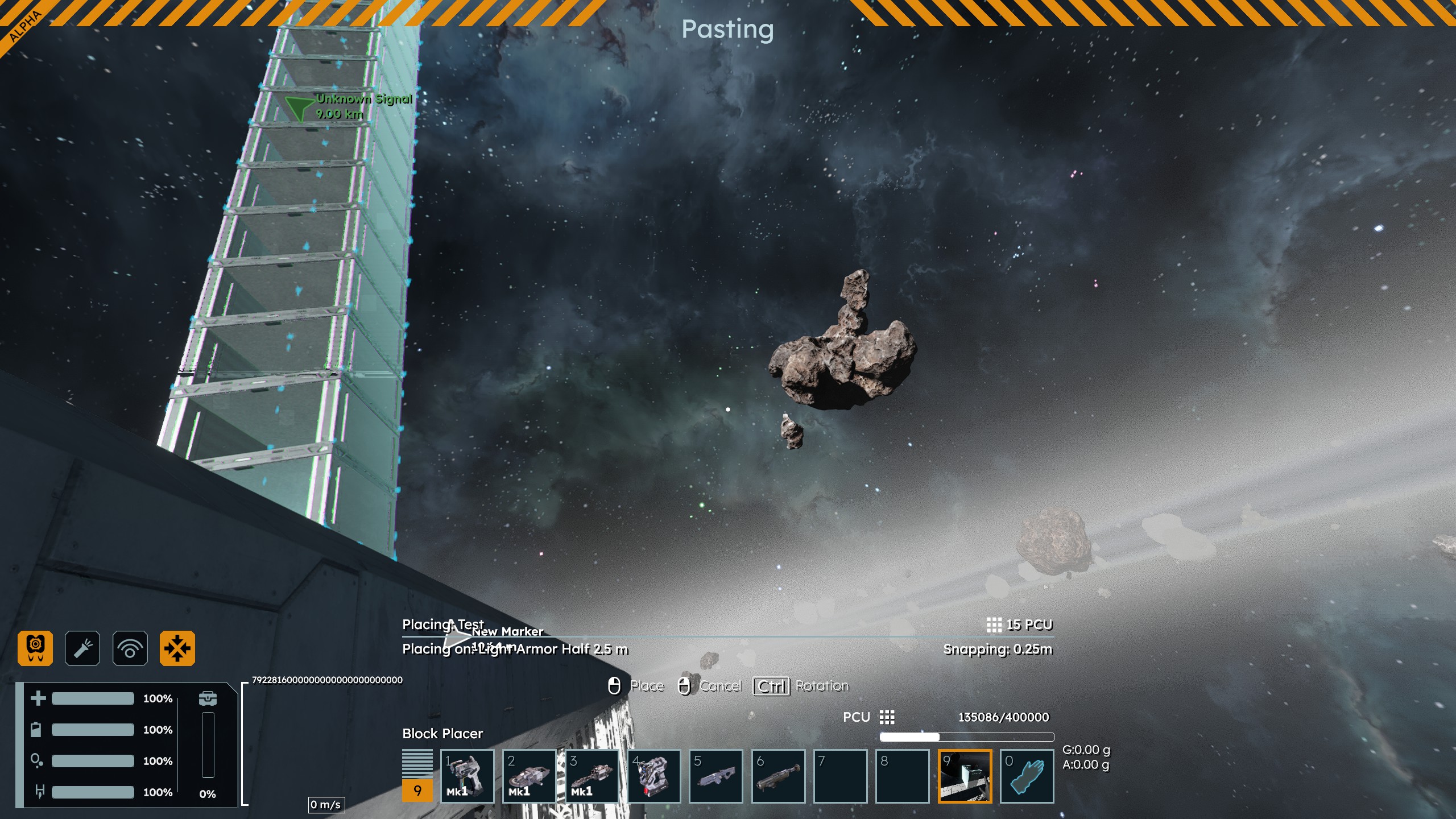
Hello Star_Kindler,
I have reported this issue internally and added this thread to our internal ticket (SE2-31896).
Kind Regards,
Bartosz
Keen Software House
Hello Star_Kindler,
I have reported this issue internally and added this thread to our internal ticket (SE2-31896).
Kind Regards,
Bartosz
Keen Software House
Hello Star_Kindler,
This issue has been fixed on Vertical Slice 2.3 version - releasing today!
As such, I will close this thread.
Happy Engineering!
Kind Regards,
Bartosz
Keen Software House
Hello Star_Kindler,
This issue has been fixed on Vertical Slice 2.3 version - releasing today!
As such, I will close this thread.
Happy Engineering!
Kind Regards,
Bartosz
Keen Software House
Replies have been locked on this page!