


Invisible barricade when trying to use auto-align on connectors
Need More Information
This has only happen once and I've parked with the glitched ship multiple times before with no issues. When trying to auto-align, something invisible seems to block the way and the connectors can't fully make contact. A clashing sound is also made as if I'm actually physically hitting something, despite full clearance around the ship. I tried breaking the connectors and replacing them which didn't work. Reloading the save fixed it, though.
Files:
SE2 Glitch.png
 I have the same bug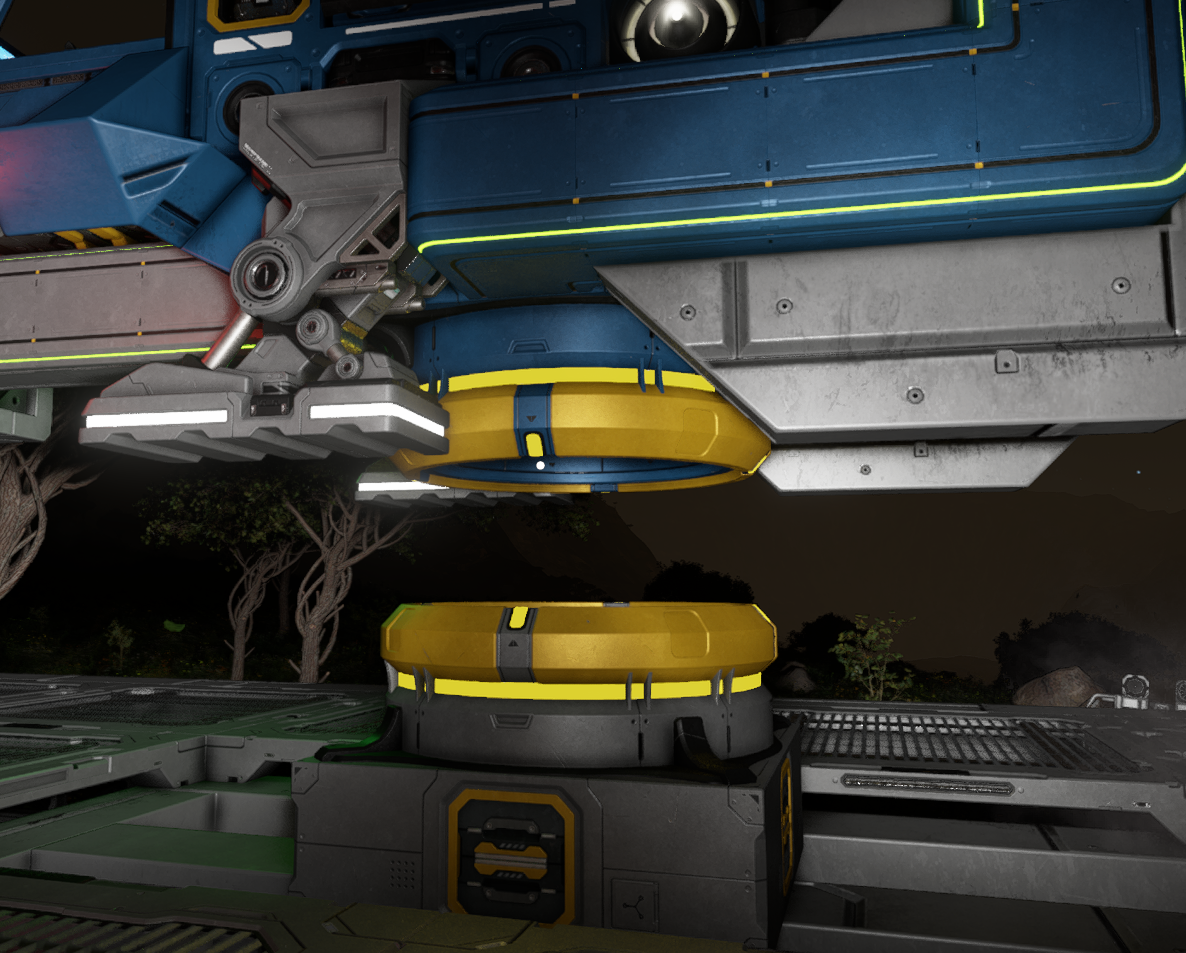
You can't vote. Please authorize!
You can't vote. Please authorize!
You can't vote. Please authorize!
You can't vote. Please authorize!
I have something similar. Downwards thrust sometimes don't work while I am above a connector and I think it may be linked to this. I can angle the ship down and use by thrusters for going forward to get closer and wiggling around a bit they work again. This example is in space over a powered hauling platform.
I have something similar. Downwards thrust sometimes don't work while I am above a connector and I think it may be linked to this. I can angle the ship down and use by thrusters for going forward to get closer and wiggling around a bit they work again. This example is in space over a powered hauling platform.
I've had this issue often since day1 of survival. The auto-dock turns yellow on both connectors, leaves a gap between the connectors, and is impossible to establish a connection. It seems to be when my ship is either unbalanced (too heavy on front due to too many drills) or when it has full cargo containers. I do not hear the clang noise, but there is a gap between the connectors (in space at modified starter base). The gap appears to be .5m.
I've tried power cycling the connector, manually connecting, manually starting and stopping the auto-dock sequence. The only workaround that I could find is to leave the ship undocked, exit the game, rejoin the game and then it works.
I've had this issue often since day1 of survival. The auto-dock turns yellow on both connectors, leaves a gap between the connectors, and is impossible to establish a connection. It seems to be when my ship is either unbalanced (too heavy on front due to too many drills) or when it has full cargo containers. I do not hear the clang noise, but there is a gap between the connectors (in space at modified starter base). The gap appears to be .5m.
I've tried power cycling the connector, manually connecting, manually starting and stopping the auto-dock sequence. The only workaround that I could find is to leave the ship undocked, exit the game, rejoin the game and then it works.
Hello Engineers,
I could not reproduce this issue on current Game version: 2.0.2.51. Does this issue still occurs for you?
Kind Regards,
Bartosz
Keen Software House
Hello Engineers,
I could not reproduce this issue on current Game version: 2.0.2.51. Does this issue still occurs for you?
Kind Regards,
Bartosz
Keen Software House
Yes, it still occurs. It seems like it only happens after the following events occur:
1) Fast Travel was used
2) The ship is overweight and difficult to control prior to docking
A correction for my previous post. It is a .25 gap not a .5 gap. It appears that somehow the grids may have been thrown out of alignment during gameplay. Exiting and saving the game, then rejoining the game is the only workaround that I could find to fix the issue.
Yes, it still occurs. It seems like it only happens after the following events occur:
1) Fast Travel was used
2) The ship is overweight and difficult to control prior to docking
A correction for my previous post. It is a .25 gap not a .5 gap. It appears that somehow the grids may have been thrown out of alignment during gameplay. Exiting and saving the game, then rejoining the game is the only workaround that I could find to fix the issue.
Hello Engineers,
I could not reproduce this issue with the given info on current Game version: 2.2.0.2116. Does this issue still occurs for you? Are you able to reproduce this issue more than once and are able to provide specific reproduction steps?
Kind Regards,
Bartosz
Keen Software House
Hello Engineers,
I could not reproduce this issue with the given info on current Game version: 2.2.0.2116. Does this issue still occurs for you? Are you able to reproduce this issue more than once and are able to provide specific reproduction steps?
Kind Regards,
Bartosz
Keen Software House
Replies have been locked on this page!